What is a Database View? A Practical Guide to Faster Queries
What is a Database View? — what is a database view explained with practical SQL examples.
A database view is really just a saved SQL query that you can interact with as if it were a real table. Think of it as a virtual table—a pre-defined window into your data that simplifies complex queries and adds a layer of security by only showing what's necessary. The best part? It doesn’t store any data itself.
What Is a Database View? A Smart Bookmark for Your Data
Let’s use an analogy. Imagine you're working with a massive spreadsheet containing all your company's sales data—hundreds of columns, thousands of rows. It's overwhelming. Your finance team, however, only ever needs to see three specific columns: 'OrderID', 'TotalAmount', and 'OrderDate'.
Instead of sending them the entire behemoth of a file every single time, you create a "smart bookmark." This bookmark instantly filters the spreadsheet to show only those three essential columns. It’s clean, simple, and tailored to their needs.
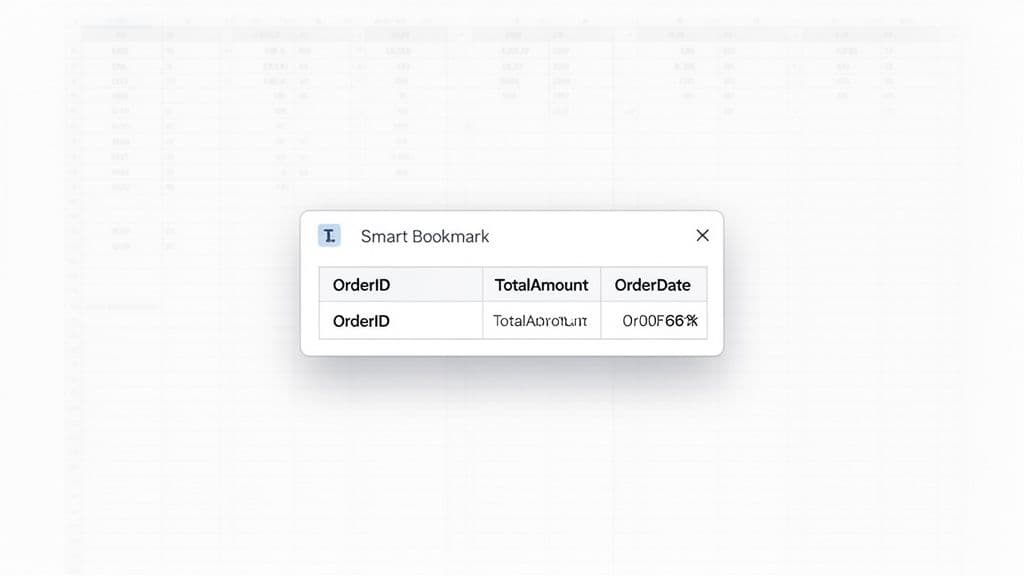
That smart bookmark is exactly how a database view works. It isn't a separate copy of your data; it’s a saved query that acts like a custom lens. When you look through this lens, you see a neatly organized, pre-filtered table.
This concept has been a cornerstone of relational databases for decades, ever since Edgar F. Codd's foundational 1970 paper laid the groundwork for what would become modern SQL. A view is simply a virtual table built from a query's results. It doesn't store data, but instead pulls fresh information from the underlying tables every single time you access it. For more on the history, you can explore the foundational database concepts that shaped how we work with data today.
How a View Actually Works
At its core, a database view creates a layer of abstraction between the user and the raw database tables. This separation is incredibly powerful because it lets you present data in a specific, consistent way without ever touching the source tables.
Key Takeaway: A view doesn't physically store data. It's a saved
SELECTstatement that the database runs every time you query the view. This guarantees the data you see is always up-to-date and pulled directly from its source.
For developers and data analysts, this offers some immediate and practical advantages:
- Simplicity: It hides the complexity of messy, multi-table joins and complicated
WHEREclauses behind a simple, easy-to-remember name. - Security: You can restrict access to sensitive columns (like personally identifiable information) by simply leaving them out of the view's definition.
- Consistency: A view provides a stable, predictable interface for applications. This is a lifesaver because you can restructure the underlying tables without breaking the apps that rely on them.
Database View vs Standard Table: A Quick Comparison
To really understand what a view is, it helps to put it side-by-side with a standard, physical table. While you can query both with SELECT statements, they are fundamentally different in how they're built and what they're used for.
This table breaks down the fundamental differences between a database view and a standard physical table, giving you a clear, at-a-glance reference.
| Attribute | Database View | Standard Table |
|---|---|---|
| Data Storage | Does not store its own data (it's virtual). | Physically stores data on disk. |
| Source of Data | Derives data from one or more base tables. | Is the primary source of its own data. |
| Data Updates | Automatically reflects changes in base tables. | Requires direct UPDATE or INSERT statements. |
| Primary Use | Simplifying queries, security, and abstraction. | Storing and managing raw information. |
This distinction is crucial. When you use a view, you're always interacting with the latest version of the real data, but through a simplified and controlled lens. It's a powerful tool for making complex data landscapes both manageable and secure.
The 3 Big Wins of Using Database Views
So, what are database views really good for? It’s one thing to know the textbook definition, but their true power shines when you see how they solve real, everyday data headaches. Think of them as more than just a saved query; they're a tool that makes your data workflows faster, safer, and much easier to manage.
Here are the three core benefits you’ll see right away.
1. Simplify Complex Queries
Let’s be honest—complex SQL can be a real pain. Modern apps pull data from all over the place, often requiring gnarly queries with multiple JOINs and complicated WHERE clauses just to get a complete picture.
Actionable Insight: Instead of copying a long, complex query into multiple reports or application services, encapsulate it in a view. This centralizes the logic, so if a business rule changes, you only have to update it in one place.
Imagine you’re building a sales report. The raw SQL to join five different tables might look like this:
SELECT
    c.customer_name,
    p.product_name,
    oi.quantity,
    oi.price_per_unit,
    o.order_date
FROM orders o
JOIN customers c ON o.customer_id = c.customer_id
JOIN order_items oi ON o.order_id = oi.order_id
JOIN products p ON oi.product_id = p.product_id
JOIN categories cat ON p.category_id = cat.category_id
WHERE o.status = 'completed' AND cat.name = 'Electronics';
That’s tedious to write and a nightmare to debug if something goes wrong. This is where a view comes in. You can wrap that entire mess into a single, logical "virtual table," let's call it completed_electronics_sales.
Once that view is created, anyone on your team can get the exact same results with a beautifully simple query:
SELECT * FROM completed_electronics_sales;
This simple act of abstraction is a huge time-saver. It reduces errors and makes the code in your applications dramatically cleaner and easier to maintain.
2. Enhance Data Security
Views are one of the most effective tools in your security toolkit. They let you expose a very specific slice of your data to a user or an application without giving them the keys to the entire kingdom. This is absolutely critical for protecting sensitive information like personally identifiable information (PII).
Practical Example: You have a users table with columns like user_id, email, password_hash, and full_name. An external marketing team needs to analyze user activity but must not see PII.
Instead of granting permissions on your main users table (which would be a major security risk), you create a view that only includes the safe columns:
CREATE VIEW user_signup_analytics AS
SELECT
    user_id,
    signup_date
FROM users;
Now, you can grant the marketing team SELECT permissions only on the user_signup_analytics view. They can get the data they need, but they are physically blocked from ever accessing the confidential columns in the underlying table. It’s a clean and powerful way to enforce column-level security.
This isn't just a good idea; it's standard practice. In fact, Gartner reports that 45% of organizations use views specifically to limit sensitive data exposure. This approach has helped drive a 32% reduction in data breaches from over-privileged access in the US and Europe since 2020. You can learn more about how views fit into a broader security strategy on Tencent Cloud.
3. Ensure Data Consistency and Abstraction
The final key benefit is that views create a stable, consistent interface for your applications to talk to. Database schemas are not set in stone—they evolve. Tables get renamed, columns are split apart, and relationships get refactored over time.
If your application code is full of queries that hit the base tables directly, every one of those schema changes will break your app and force you to hunt down and update every query. It’s a maintenance nightmare.
By having applications query a view instead of base tables, you create a layer of logical data independence. The view acts as a consistent contract, while you remain free to refactor the underlying schema.
Practical Example: Say you decide to split a single address column into separate street, city, and zip_code columns for better data quality. If your app queries the customers table directly looking for an address column, it will immediately break.
But if your app was built to query a customer_details view, you can absorb the change without anyone noticing. You simply update the view's definition to construct the address field on the fly.
Original View:
CREATE VIEW customer_details AS
SELECT customer_id, name, address FROM customers;
Updated View (after schema change):
CREATE OR REPLACE VIEW customer_details AS
SELECT customer_id, name, street || ', ' || city || ', ' || zip_code AS address
FROM customers;
From the application's perspective, nothing has changed. It still asks the customer_details view for the address column and gets the data it expects. This layer of abstraction is a powerful technique for building resilient applications that can stand the test of time.
How to Create and Manage Database Views: Practical Examples
Alright, let's roll up our sleeves. We've talked about what views are, but the real understanding comes from seeing them in action. This is where we move from theory to the keyboard and write some actual SQL.
To get started, let’s imagine we have a customers table. It's a pretty standard setup, storing basic user information along with their activity status.
-- Our example base table
CREATE TABLE customers (
    customer_id INT PRIMARY KEY,
    first_name VARCHAR(50),
    last_name VARCHAR(50),
    email VARCHAR(100),
    last_login_date DATE,
    status VARCHAR(20) -- e.g., 'active', 'inactive', 'suspended'
);
Our goal is simple: we want to create a clean, safe list of only our active customers. This list shouldn't expose sensitive info like email addresses, making it perfect for a business dashboard or an internal report.
Creating Your First View
The fundamental command you'll use is CREATE VIEW. The beauty of it is its consistency—the syntax is nearly identical whether you're using PostgreSQL, MySQL, or SQLite. You just give your view a name and then write the SELECT query that defines it.
Let's build a view called active_customers. It will pull only the people whose status is 'active' and combine their first and last names into a single full_name.
-- Creates a view to show only active customers
CREATE VIEW active_customers AS
SELECT
    customer_id,
    first_name || ' ' || last_name AS full_name, -- Note: Concatenation syntax varies
    last_login_date
FROM
    customers
WHERE
    status = 'active';
One small "gotcha" to watch for is how different databases handle combining strings:
- PostgreSQL & SQLite: Use the pipe operator (
||). - MySQL: You'll need the
CONCAT()function, like this:CONCAT(first_name, ' ', last_name).
Once you run that command, the active_customers view is now a part of your database, ready to be used just like any other table.
Querying a View
This is where you see the payoff. All the logic from our SELECT statement—the filtering, the name concatenation—is tucked away behind a simple name. Now, getting a list of active customers is incredibly straightforward.
No need to remember the WHERE status = 'active' clause every single time. Instead, you just run this:
-- Querying the view is as simple as querying a table
SELECT * FROM active_customers;
The database engine sees your query, looks up the definition for active_customers, runs the stored SELECT statement against the latest data in the customers table, and hands you the results. The data is always fresh. You can see more examples of building queries in our guide on how to run SQL queries effectively.
Practical Insight: When you build applications that query views instead of base tables, you're creating a powerful abstraction layer. This means you can later change the underlying table structure—maybe rename a column or tweak its logic—by just updating the view. Your application code never has to know the difference and won't break.
Updating an Existing View
Business needs are always changing. What if you're now asked to include 'suspended' customers in your report? You could drop the view and create it again, but that's a bit clunky, especially if other reports or tools already depend on it.
The more elegant solution is CREATE OR REPLACE VIEW. This command, supported by PostgreSQL and MySQL, modifies the view's definition without needing to delete it first. It's a much safer way to manage your logic.
-- Updates the view to include both 'active' and 'suspended' customers
CREATE OR REPLACE VIEW active_customers AS
SELECT
    customer_id,
    first_name || ' ' || last_name AS full_name,
    last_login_date
FROM
    customers
WHERE
    status IN ('active', 'suspended');
A quick note for SQLite users: SQLite doesn't support CREATE OR REPLACE VIEW. You'll have to stick to the two-step process: DROP the old view first, then CREATE the new one.
Dropping a View
When a view has served its purpose and is no longer needed, you can remove it with the DROP VIEW command. This is a safe operation that only deletes the view's definition—the actual data in your customers table is completely untouched.
The syntax is as simple as it gets:
-- Removes the view from the database
DROP VIEW active_customers;
To make your maintenance scripts more robust, it's a good practice to include IF EXISTS. This tells the database to only try dropping the view if it's actually there, preventing errors if the script is run more than once.
-- Safely drops the view only if it exists
DROP VIEW IF EXISTS active_customers;
Getting comfortable with these three commands—CREATE, CREATE OR REPLACE, and DROP—is all you really need to start managing views effectively in any SQL environment. You can now build simplified windows into your data, update them as requirements evolve, and clean them up when they're no longer relevant.
Virtual vs. Materialized Views
So, you’ve decided to use a database view. That's a great move. But right away, you’ll run into your first big decision: should you create a virtual view or a materialized view? They might sound similar, but knowing the difference is crucial for building a system that’s both fast and reliable.
The easiest way to think about it is to compare it to watching a show. A virtual view is like a live broadcast. You see exactly what's happening at this very second, but the network has to generate that feed in real time. Every time you tune in, it runs the query from scratch.
A materialized view, on the other hand, is like a recording of that show. It’s already been processed and is ready to play instantly. Access is lightning-fast, but there's a catch: the recording might be a few minutes or even hours old. You're trading live data for speed.
The Live Feed: Virtual Views
The standard, or virtual view, is really just a stored query. It’s a pure abstraction that doesn’t hold any data itself. All the database saves is the SELECT statement you wrote. When you query the view, the database engine simply runs that saved query against your base tables and hands you the results.
This approach gives you two clear wins:
- Always Fresh Data: You are guaranteed to see the absolute most current data sitting in your tables. No staleness, no delays.
- No Extra Storage: Since only the query text is stored, virtual views take up virtually no disk space.
But that real-time execution can also be its biggest downfall. If your view is built on a complex query joining multiple large tables, you’ll pay that performance price every single time you use it.
The Recorded Copy: Materialized Views
Materialized views work completely differently. Instead of just storing the query, they actually run it and then store the results in a special, hidden table. When you query a materialized view, you aren't re-running the complex logic at all—you're just doing a simple SELECT from this pre-computed, cached result set.
A materialized view trades data freshness for significantly faster query performance. It's a snapshot of the data, not a live window.
This makes materialized views incredibly useful for anything performance-critical. For instance, a complex monthly_sales_summary query might be 3x faster when run against a materialized view compared to a standard view. That's because you're reading a finished result, not generating it on the fly. This is a common pattern for analytics, where slightly stale data is acceptable in exchange for a snappy dashboard.
Of course, since the data is physically stored, it will eventually become stale. To get new data, you have to "refresh" the view. This tells the database to run the original query again and overwrite the old results with the new ones. This can be done on a schedule (like every hour) or triggered manually. If you want to dive deeper into making your queries faster, our guide to SQL query optimization techniques is a great place to start.
No matter which type you choose, the basic management cycle of creating, updating, and deleting a view remains the same.
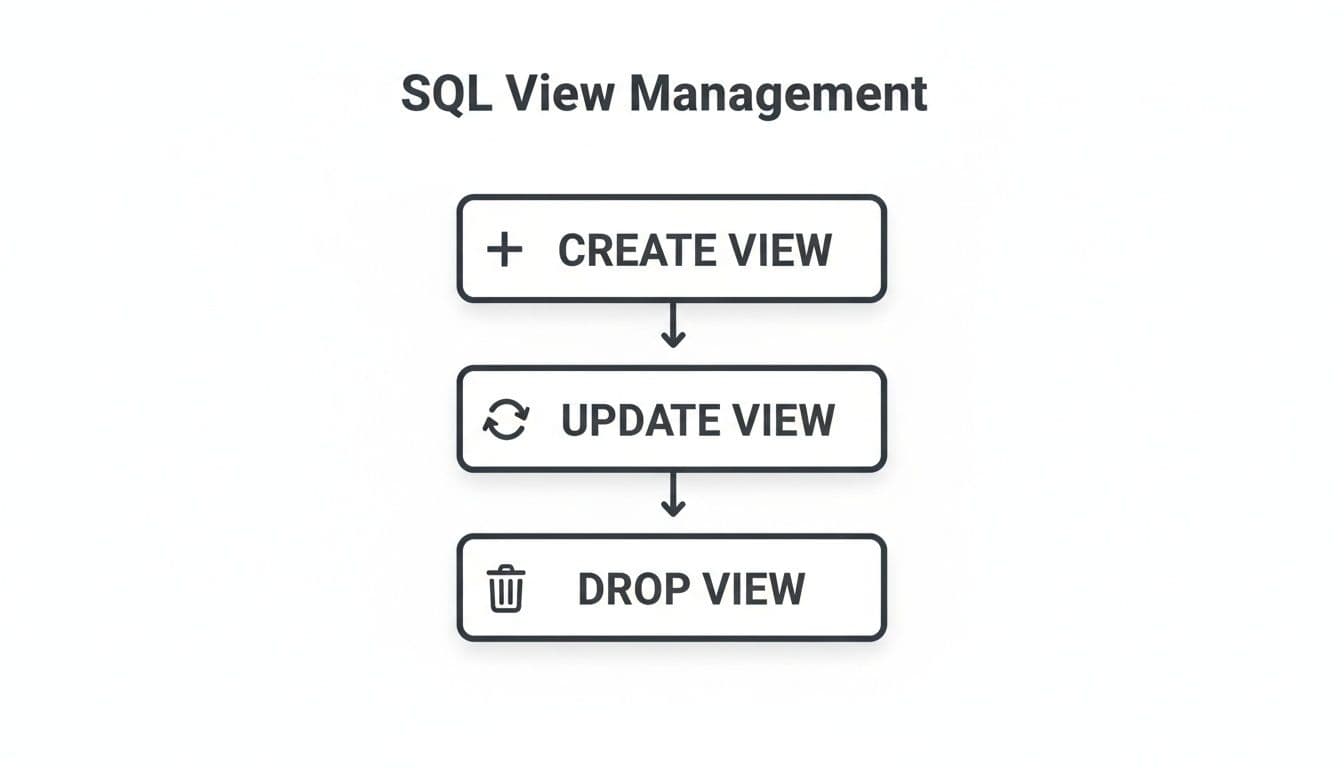
This workflow is your bread and butter for view maintenance. You’ll start by creating the view, update it as your logic changes, and eventually drop it when it’s no longer needed.
When to Use Each Type
So, which one should you pick? It always comes down to the job at hand. Here’s my advice from the trenches.
Use a Virtual View for:
- Operational Tasks: Think checking a single customer's current order status or pulling up a user's profile. You need it live, and you need it now.
- Real-Time Needs: Any application where having the absolute latest data is a hard requirement.
- Simple Queries: If the view is just performing a basic filter or a simple join that's already fast, there's no need to materialize it.
Use a Materialized View for:
- Analytics & Reporting: This is the killer use case. Powering dashboards that aggregate huge amounts of data (like daily sales totals or monthly user growth) is a perfect fit.
- Heavy Queries: When your underlying query is a monster that takes ages to run, materializing it prevents that query from bogging down your database every time a report is loaded.
- Data Warehousing: Great for caching the results from data sources that are slow or located on another network, reducing latency for your analysts.
Avoiding Common Pitfalls with Database Views
Database views are a fantastic tool for simplifying data access and tightening security. But like any powerful feature, they aren’t a free lunch. To really get the most out of them, you have to understand the common traps and know how to sidestep them.
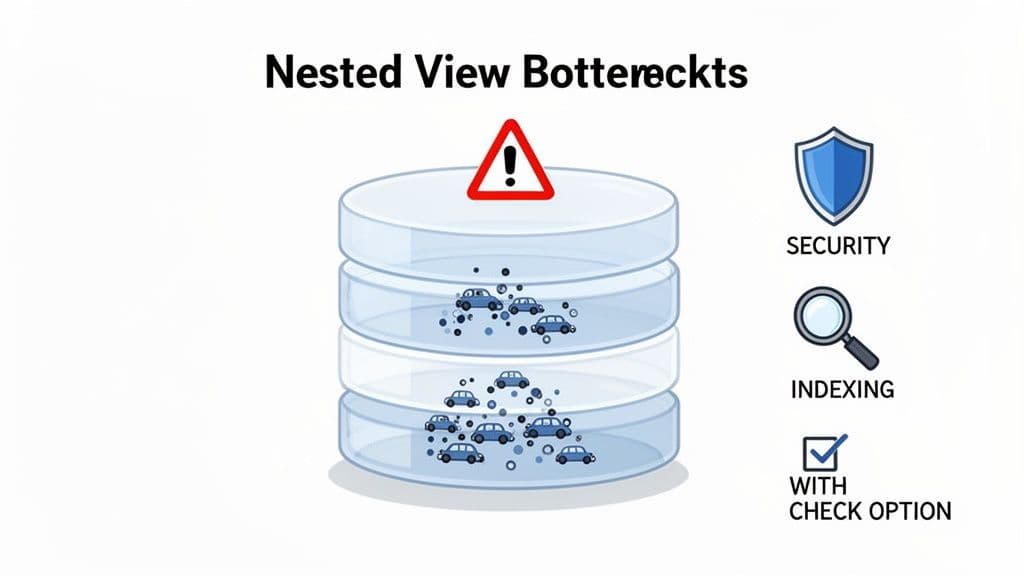
Let's break down the most common headaches—performance bottlenecks, security gaps, and maintenance nightmares—and give you some practical advice for avoiding them.
Managing Performance Bottlenecks
A poorly written view can absolutely crush your database's performance. The classic mistake is creating nested views, where one view is built on top of another. While it might feel clean and organized to stack your logic this way, it can create a serious performance drag.
Every time you query that top-level view, the database has to unpack each underlying query in the stack. This complexity often confuses the query optimizer, preventing it from choosing the most efficient path to get your data.
Actionable Insight: Avoid nesting views. If you find yourself creating view_C based on view_B which is based on view_A, stop. Instead, create a single, "flattened" view that joins the base tables directly. This gives the optimizer a clear picture of the full query, allowing it to use indexes effectively and generate a much faster execution plan.
Here’s a perfect example of what not to do:
-- View 1: Gets basic user info
CREATE VIEW user_basics AS
SELECT user_id, name, signup_date FROM users;

-- View 2 (Nested): Builds on the first view to add order counts
CREATE VIEW user_order_summary AS
SELECT
    ub.user_id,
    ub.name,
    COUNT(o.order_id) AS total_orders
FROM
    user_basics ub -- Querying a view...
JOIN
    orders o ON ub.user_id = o.user_id
GROUP BY
    ub.user_id, ub.name;
A much better approach is to flatten this out into a single, direct view. Remember, the query inside your view needs to be fast on its own. If the view's SQL doesn't use indexes on the base tables, every query against that view will result in a slow, full-table scan.
Upholding Data Integrity with Updatable Views
Here's a feature that many people overlook: updatable views. In certain situations, you can run INSERT, UPDATE, or DELETE commands directly against a view, and the database will correctly apply those changes to the underlying table.
This magic only works under strict conditions, though. A view is typically not updatable if its query contains things like:
- Aggregate functions (
COUNT(),SUM(),AVG()) GROUP BYorHAVINGclausesDISTINCT- Complex joins where it's ambiguous which underlying table to modify.
These limitations are just common sense. How could the database possibly INSERT a new row into a view that summarizes data with GROUP BY? It's a logical dead end.
A critical tool for updatable views is the
WITH CHECK OPTIONclause. This powerful feature stops a user from inserting or updating a row through the view that would then become invisible to that same view.
Practical Example: Imagine a view called bay_area_employees that only shows employees where office_location = 'San Francisco'. Without WITH CHECK OPTION, a user could update an employee's location to 'New York' through the view. The employee would then seem to vanish from their perspective. The CHECK OPTION prevents this by rejecting any change that violates the view's WHERE clause, effectively locking the data window.
Solving Maintenance and Dependency Headaches
Views create dependencies, and those can come back to bite you. If an application, a report, or another view depends on v_sales_report, you can’t just drop a column from the sales table without everything breaking. It's a real maintenance headache.
Actionable Insight: Before running any ALTER TABLE command, use your database's system catalog or a GUI tool to find all dependent views. For example, in PostgreSQL, you can query pg_depend to trace these relationships. This prevents accidental breakages. Thinking ahead with good schema design also prevents a lot of these problems; our guide on how to design a database schema is a great place to start.
Unlike tables, views act as a lens, changing how you see data without storing a second copy. This is a huge win for distributed queries. As Microsoft notes, this approach can cut integration time by 40% in organizations spread across multiple regions. In a study of 300 enterprises, teams abstracting data with views in MySQL and PostgreSQL saw query performance jump by 25-35%. You can explore more about how views unify data access across servers on Microsoft's official documentation.
By keeping these trade-offs in mind, you can turn database views from a potential liability into a powerful and reliable part of your toolkit.
Frequently Asked Questions About Database Views
Once you get the hang of what views are, a new set of practical questions usually pops up. You understand the concept, but how do views really behave day-to-day? Let's walk through some of the most common questions developers and analysts run into.
Can You Insert or Update Data Through a Database View?
That's a great question, and the answer is a classic "it depends." Yes, you often can, but there are some important ground rules. For a view to be updatable, the database must have a crystal-clear path to trace any changes back to one specific row in one of the underlying tables.
This means you can typically run INSERT, UPDATE, and DELETE commands directly against a simple view.
However, things get tricky fast. Here are the classic gotchas that will almost always prevent a view from being updatable:
- The query uses aggregate functions like
SUM(),COUNT(), orAVG(). - It includes clauses like
DISTINCT,GROUP BY, orHAVING. - The query involves complex multi-table
JOINs where the database can't figure out which base table to change. - Set operators like
UNION,INTERSECT, orEXCEPTare used.
Actionable Insight: Use the WITH CHECK OPTION clause to enforce data integrity on updatable views. For instance, CREATE VIEW active_orders AS SELECT * FROM orders WHERE status = 'active' WITH CHECK OPTION;. This prevents anyone from inserting or updating an order to a 'shipped' status through this view, keeping the view's logic consistent.
How Do Database Views Affect Query Performance?
The performance hit from a view is all about its complexity. A simple view that just hides a few columns or filters rows from a single table has almost zero overhead. The database engine is smart enough to combine your query with the view's logic into one efficient execution plan.
The problems start when you have a complex virtual view. If your view has to perform several JOINs across massive tables, it reruns that entire heavy workload every single time it's queried. This can quickly create a major performance bottleneck, especially if that view is powering a popular dashboard or a high-traffic part of your application.
In those scenarios, a materialized view is your best friend. It queries pre-computed data, making reads incredibly fast. The tradeoff, of course, is that the data isn't live, and the view now takes up physical storage space.
The secret to fast views is to make sure the underlying queries are well-indexed and to avoid "nesting" views—that is, building a view on top of another view.
How Can I See the SQL Code for an Existing View?
Every major database gives you a way to peek under the hood and see a view's definition. This is an essential skill for debugging and maintenance. The exact command varies a bit, but the outcome is the same: revealing the original CREATE VIEW statement.
- In MySQL: Simply run
SHOW CREATE VIEW your_view_name;. This prints the exact statement used to create the view. - In PostgreSQL: In the
psqlclient, use the command\d+ your_view_namefor a detailed breakdown that includes the view definition. - In SQLite: You can query the master table directly:
SELECT sql FROM sqlite_master WHERE type = 'view' AND name = 'your_view_name';.
Of course, most modern database clients let you right-click on a view in the schema browser to see this info. Inspecting schemas is a routine task, and a recent survey found that 85% of DBAs automate parts of this process for monitoring. Interestingly, the adoption of insertable views has been shown to increase prototyping productivity by as much as 28% in some startup teams. You can discover more insights about SQL views on GeeksforGeeks.
What Is the Difference Between a View and a Temporary Table?
This is a common mix-up, but the two serve very different purposes and have different lifespans.
A database view is a permanent part of your database schema. It’s a stored query that you can interact with like a table, but it doesn't hold any data itself (unless it's a materialized view). It's there until you explicitly run a DROP VIEW command, making it perfect for creating reusable and secure access layers for your applications.
A temporary table, on the other hand, is a real table that physically stores data, but only for your current database session. As soon as you log off, it vanishes completely. You'd use a temporary table to hold intermediate results inside a long, complex script or a single transaction, not for creating a lasting, reusable object.
Ready to manage your database views and tables without the usual friction? TableOne is a modern, cross-platform database tool built for developers and data analysts who need to get work done. With a single app, you can connect to SQLite, PostgreSQL, and MySQL, inspect schemas, edit data directly, and run queries with ease. It's the clean, predictable GUI for your everyday data tasks. Try it free for 7 days and see how much faster your workflow can be at https://tableone.dev.