How to design database schema: A practical guide
Learn how to design database schema with practical steps, patterns, and examples for PostgreSQL, MySQL, and SQLite to build scalable systems.

Before you write a single line of SQL, the most important work happens away from the keyboard. Designing a database schema is really about translating your business needs into a logical structure. If you get this part wrong, you're setting yourself up for a world of pain and expensive refactoring later on.
This initial discovery phase isn't about code—it's about asking the right questions and listening. A schema built on assumptions is a schema destined to fail.
Starting Your Schema with a Solid Foundation
Think of your schema as the blueprint for your application's data. A solid blueprint starts with a clear understanding of what you're actually building. This means talking to stakeholders, whiteboarding user flows, and turning those conversations into a concrete data model.
This process is broken down into three fundamental stages: asking questions, identifying core needs, and defining the project's scope.
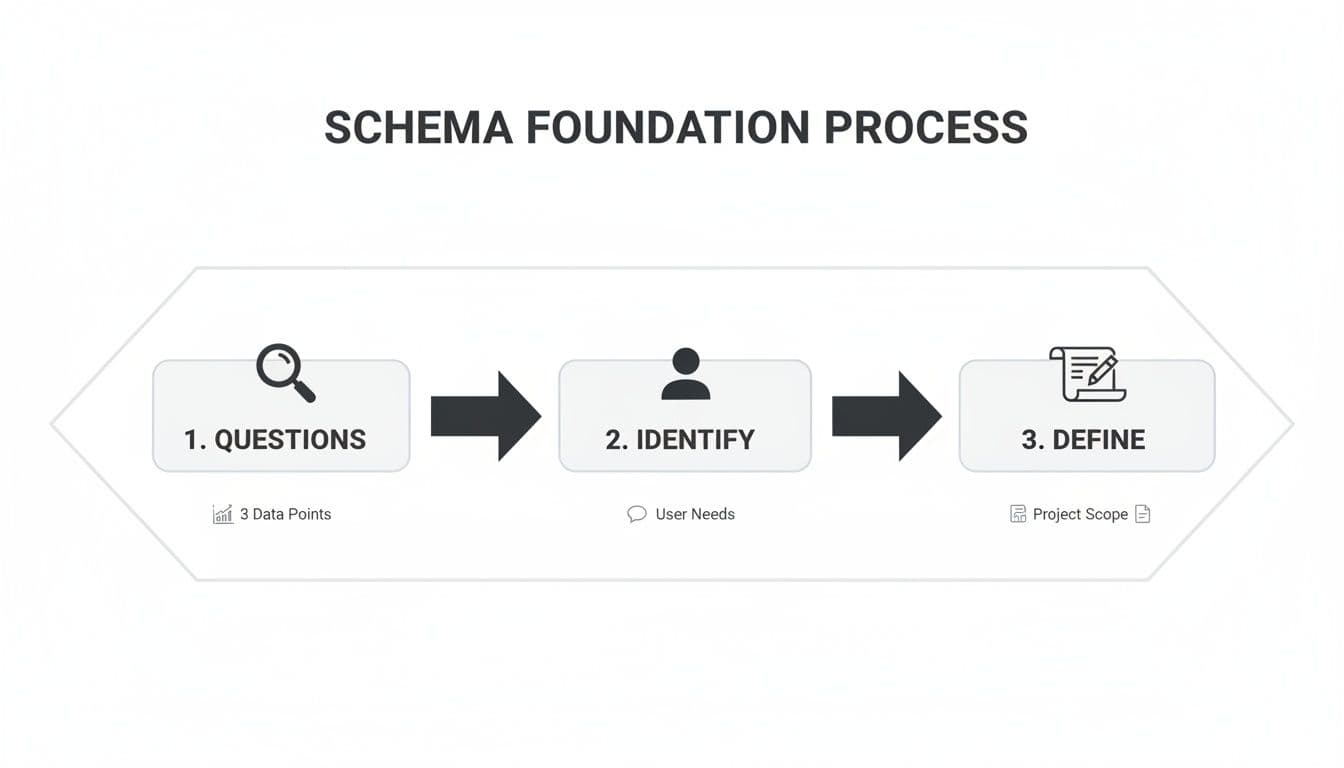
As the diagram shows, a great design begins with inquiry, which leads to identification, and finally ends with a well-defined scope. Only then should you start thinking about implementation.
Identifying Your Core Entities
First, let's identify the main "nouns" of your application. In database terms, these are your entities, and they will eventually become the tables in your database.
For a classic e-commerce application, a quick brainstorm usually brings up the obvious candidates:
- Users: The people who create accounts and buy things.
- Products: The items for sale.
- Orders: The records of each transaction.
- Reviews: The feedback users leave on products.
Actionable Insight: A practical way to do this is to write out the "user stories" for your application. For example: "As a user, I want to search for products, add a product to my cart, and complete a purchase." The nouns in this story—user, product, cart, purchase (or order)—are your starting entities.
Key Questions for Your Initial Schema Design
| Area of Focus | Key Question to Ask | Example (E-commerce App) |
|---|---|---|
| Core Objects | What are the main "things" our application manages? | We need to manage Users, Products, and Orders. |
| User Actions | What can a user do? | A user can view a product, add it to a cart, and place an order. |
| Data Properties | What information do we need to store for each thing? | For a Product, we need a name, description, price, and image. |
| Relationships | How do these things relate to each other? | A User places many Orders. An Order contains many Products. |
| Business Rules | Are there any constraints or rules we must enforce? | Product stock cannot go below zero. An order must have a valid shipping address. |
These questions force you to move from abstract ideas to concrete requirements, which is exactly where you need to be before designing tables.
Defining Essential Attributes
With your list of entities in hand, it's time to define their attributes. These are the specific pieces of information you need to store for each entity, and they will become the columns in your tables.
Let's drill down on our Users entity. What, specifically, do we need to know about a user?
- A unique identifier, like
user_id. - Their name, probably broken into
first_nameandlast_name. - A way to contact them, like an
emailaddress. - Security info, such as a
password_hash. - A timestamp for when they signed up,
created_at.
You'd do the same for a Products entity, listing out attributes like product_id, name, description, price, and stock_quantity. This exercise forces you to think through the practical data points needed for every feature in your app.
As you decide which attributes make good identifiers, you may find that a single column isn't enough. In those cases, you might want to learn more about how a composite key in SQL works. This is all part of the foundational work that leads to a robust and efficient database.
Visualizing Relationships with ERDs and Modeling Tools
Once you've sorted out your application's requirements, it’s time to turn those abstract concepts into a concrete blueprint. This is where you’ll want to create an Entity-Relationship Diagram (ERD). An ERD is your visual guide, translating all those lists of entities and attributes into a clear map showing exactly how everything connects.
Think of it as the architectural plan for your database. You wouldn't let a construction crew start building a house from a bunch of notes, and you shouldn't start writing SQL without a solid visual plan. This diagram becomes the single source of truth for the entire team, making sure everyone is on the same page before a single line of code is written.
The Power of a Visual Blueprint
An ERD makes even the most complex data relationships easy to grasp at a glance. It's fantastic for spotting design flaws early—things like a missing link between two tables or an overly convoluted relationship that would be a nightmare to query later. These are the kinds of problems that are incredibly difficult to see when you're just looking at text.
Practical Example: Imagine your e-commerce ERD shows that a Review is linked to a User but not to a Product. You'd immediately realize your design can't answer the question, "Which product is this review for?" An ERD makes such logical gaps obvious before you write any code.
When you see these connections laid out graphically, the whole data flow just clicks. You can easily trace a customer's journey from creating an account, to placing an order, and finally leaving a product review, just by following the lines on the diagram.
A well-designed ERD is more than a technical document; it's a communication tool. It closes the gap between developers and non-technical stakeholders, ensuring the schema you're building is actually what the business needs.
Adopting visual tools is quickly becoming the industry standard. It's projected that by 2026, about three-quarters of all organizations will have visual modeling tools at the heart of their database design process. This trend is all about gaining clarity in complex systems. Teams using these tools report validating schemas up to 70% faster and seeing 50% fewer errors in production. You can find more details in recent industry analysis on the growth of database visualization.
From Whiteboard to Working Model
You can absolutely start this process with a simple sketch on a whiteboard—in fact, that’s often the best way to kick things off. But modern database tools are where your ERD really comes to life. Many applications can connect directly to your database (whether it's SQLite, PostgreSQL, or MySQL) and generate an ERD from its existing structure. This is a lifesaver when you’re trying to understand a legacy database or need to create documentation from scratch.
Even better, some tools let you work the other way around. You can design the ERD visually and then have the tool generate the SQL CREATE TABLE statements for you. This "model-first" approach is a really powerful way to work, as it guarantees your visual plan and your actual database schema stay perfectly in sync.
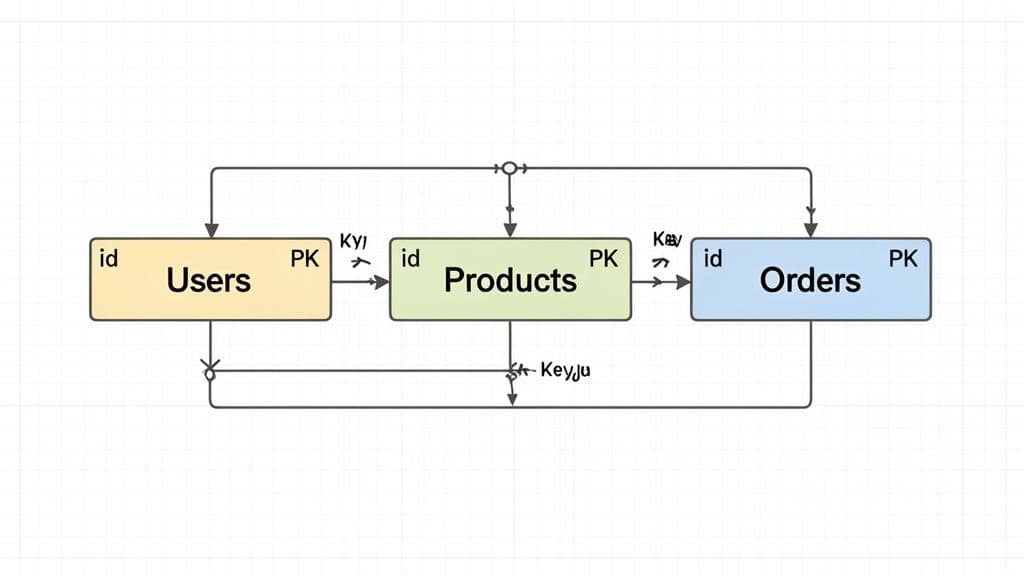
Here’s a glimpse of what a data model looks like in a modern tool, showing the entities and the relationships between them.

The image shows how products, orders, and users are all tied together, with the lines clearly marking the foreign key relationships. Having this visual context is priceless during both development and debugging.
These tools are also brilliant for inspecting and comparing schemas. For instance, you can use a tool to run a "diff" between your local development schema and the one in production. This helps you catch any unexpected changes before you deploy, making database code reviews far more effective. By visualizing your schema, you transform an abstract design into a tangible, interactive plan that helps you move faster and avoid costly mistakes.
Now that you have a visual blueprint, it's time to get into the technical nitty-gritty. This is where we translate those high-level concepts from your ER diagram into a solid, structured schema. We'll focus on two of the most critical aspects: normalization and relationships.
Think of normalization as a way to "declutter" your database. Instead of shoving every piece of data into one massive, messy table, you methodically organize it into smaller, more manageable ones. This simple act of organization helps you dodge a whole category of future headaches, like update anomalies where changing one piece of data forces you to track it down in a dozen different places.
A well-normalized schema is just easier to work with. It's more resilient to errors, simpler to maintain, and way more flexible when your application needs to change. For most real-world scenarios, you only need to worry about the first three "normal forms", which we'll unpack next.
Getting Practical With Normalization
Normalization might sound like a dry, academic topic, but its rules are born from real-world experience. Let’s see how they apply to our e-commerce example.
To make these concepts easier to digest, here's a quick cheat sheet for the first three normal forms.
Normalization Forms at a Glance
| Normal Form | Main Goal | Practical Example |
|---|---|---|
| First Normal Form (1NF) | Ensure every cell holds a single, indivisible value. No lists or repeating groups. | Instead of a tags column with "electronics, audio", create a Tags table and a Product_Tags join table. |
| Second Normal Form (2NF) | Stop non-key columns from depending on only part of a composite primary key. | In an Order_Items table with a key of (order_id, product_id), don't store product_name. It belongs in Products. |
| Third Normal Form (3NF) | Prevent non-key columns from depending on other non-key columns. | In a Products table, don't store category_name alongside category_id. Move category_name to a Categories table. |
Following these rules isn't about blindly adhering to dogma; it's about ensuring every piece of data has a single, unambiguous home. This makes your schema predictable and robust.
Forging Connections With Keys and Relationships
With your tables neatly organized, the next step is to formally link them together. This is where keys come into play.
-
A primary key is the unique identifier for each row in a table. In our
Userstable,user_idis the obvious choice. It's unique, stable, and tells us nothing else about the user—a perfect primary key. -
A foreign key is the glue that connects your tables. It's a column in one table that points to the primary key of another. Our
Orderstable needs auser_idcolumn that acts as a foreign key, referencing theuser_idin theUserstable. This creates a concrete one-to-many relationship: one user can have many orders.
You can learn more about how MySQL uses foreign keys to enforce these relationships, but the concept is universal across relational databases.
Actionable Insight: When defining relationships, think about the cardinality: one-to-one, one-to-many, or many-to-many. For a Products and Categories relationship, a product might belong to multiple categories, and a category has multiple products. This requires a third "join table" (e.g., Product_Categories) with product_id and category_id columns to model the many-to-many link.
Knowing When to Break the Rules: Denormalization
Normalization is the gold standard, but sometimes—and I mean sometimes—you need to break the rules on purpose. This is called denormalization, and it's almost always done to boost read performance.
Imagine you're building an admin dashboard that shows the 100 most recent orders. In a perfectly normalized world, you’d have to join the Orders table with Users (to get the customer's name) and maybe even Products (to get the product title). For a high-traffic analytics page, those joins can become a real bottleneck.
Practical Example: To speed this up, you might add a customer_name and customer_email column directly to the Orders table. Yes, this introduces data redundancy. But it also eliminates a costly join, making your dashboard feel instant. The trade-off is clear: if a user changes their name, your application is now responsible for updating it in two places. This is a conscious, strategic decision made for speed, not a sign of a poorly designed schema.
Crafting a Smart Indexing and Constraint Strategy
A perfectly normalized schema is only half the battle. If your queries crawl, that elegant design isn't doing its job. This is where we shift from theory to performance, layering in a smart indexing and constraint strategy that turns a logical blueprint into a fast, reliable system.
Think of indexes like the index in a textbook. Instead of flipping through the entire book (a full table scan) to find a specific topic, you just look it up and go straight to the page. Without good indexes, your database is forced to do that slow, manual scan for many queries—a process that becomes crippling as your tables grow.
Boosting Query Speed with the Right Indexes
Your foreign key columns are the first and most obvious place to start. You'll constantly be joining tables on these keys—like finding all orders for a specific customer—so indexing columns like user_id in an Orders table is a no-brainer. Most modern databases like PostgreSQL or MySQL often add these for you, but you should always verify they're in place.
Next, look at the columns that show up again and again in your WHERE clauses. Are people constantly searching for products by category_id or filtering support tickets by status? These are prime candidates for an index.
Actionable Tip: Don't just guess where the slowdowns are. Get familiar with your database's query analysis tools, like
EXPLAINin PostgreSQL and MySQL. RunningEXPLAIN SELECT * FROM orders WHERE user_id = 123will show you if the database is doing a "Seq Scan" (bad) or an "Index Scan" (good), pointing you directly to the columns crying out for an index.
Sometimes, one column isn't enough. When you have queries that frequently filter or sort by several columns at once, a composite index can be a game-changer for performance.
Practical Example: Say you have a support ticket system and frequently run this query:
SELECT * FROM tickets WHERE status = 'open' AND priority = 'high' ORDER BY created_at DESC;
A single composite index on (status, priority, created_at) can make that query lightning-fast. The order of columns in a composite index matters a great deal; place columns used in equality checks (status, priority) before those used for range/sorting (created_at).
Enforcing Data Quality with Constraints
While indexes make your database fast, constraints make it trustworthy. These are non-negotiable rules you set at the database level to stop bad data from ever getting in. Relying only on your application code for data validation is a recipe for disaster; one bug or a rogue script could easily introduce corrupt data.
Here are the essential constraints with practical examples:
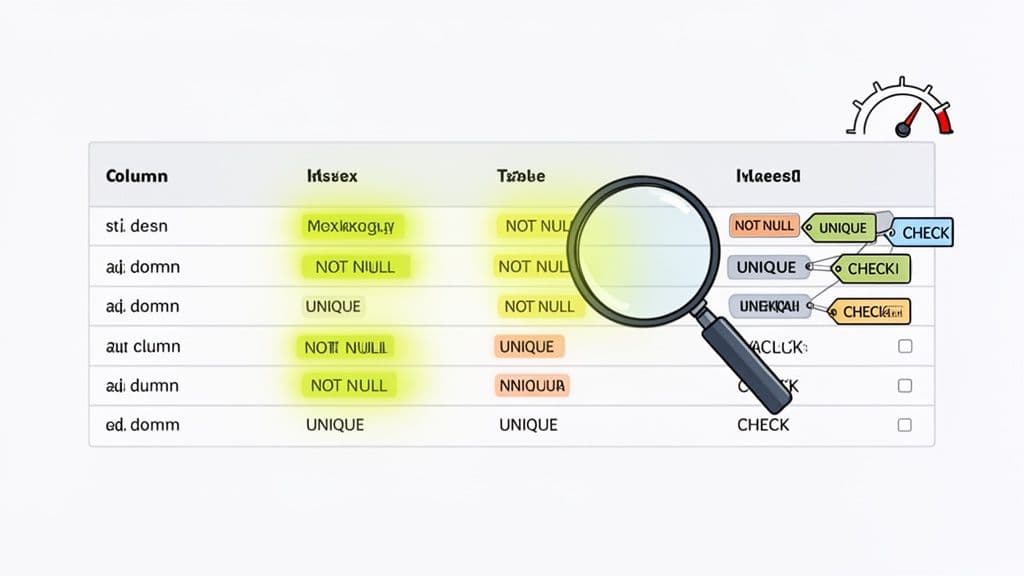
NOT NULL: Guarantees a column must have a value. Anorder_datein anOrderstable should never be empty, so you'd declare itorder_date DATE NOT NULL.UNIQUE: Ensures every value in a column is one-of-a-kind. It’s perfect for aUserstable'semailcolumn to prevent duplicate accounts:email VARCHAR(255) UNIQUE.CHECK: Enforces custom business logic. To prevent selling items for free or at a loss, you could add a rule to aProductstable:CHECK (price > 0 AND stock_quantity >= 0).
By building these rules directly into your schema, you're creating a powerful safety net. The database itself becomes the final guardian of data integrity.
Designing Schemas for Performance and Scale
Anyone can design a schema that works on day one. The real challenge is building one that won't crumble under the weight of your success. Designing for performance and scale isn't about premature optimization; it's about making deliberate choices that prevent future bottlenecks.
Poor schema choices can become the primary source of performance degradation, causing up to 68% of database bottlenecks in growing applications. Getting it right early on can slash infrastructure costs by as much as 40%. Getting it wrong can lead to emergency refactoring projects that cost enterprises over $1.2M on average. You can read more about database best practices on Instaclustr.
Choose Data Types with the Future in Mind
One of the simplest yet most impactful decisions you'll make is choosing the right data types. It seems trivial, but the ripple effects on storage, memory, and query speed are massive.
The golden rule is to always use the smallest data type that can reliably hold your data. For instance, when creating a user_id column, an INT (supporting over 2.1 billion records) is almost always sufficient. Resist the urge to use a BIGINT "just in case" unless you are building the next Facebook. A BIGINT uses double the storage, which makes your tables and your indexes larger and slower.
Actionable Insight: Do a quick "sanity check" on your data types.
- For product
price, useDECIMAL(10, 2)instead ofFLOATto avoid rounding errors with money. - For a
statuscolumn with a few fixed values like'pending','shipped','delivered', consider using anENUMtype (if your database supports it) instead ofVARCHAR. It's more storage-efficient. - Choose
TIMESTAMP WITH TIME ZONEwhen you need to store global user activity andDATEfor something simple like a birthday.
These small, intentional choices add up, leading to a much more efficient and cost-effective database.
When you're using a tool like TableOne, you can quickly scan column data types across your entire schema. This is perfect for spotting oversized columns during a review, letting you fix them before they become a real performance liability.
Prepare for Massive Datasets with Partitioning
As your tables grow into the millions or even billions of rows, even perfectly indexed queries will start to feel sluggish. This is where a technique like table partitioning becomes a lifesaver, especially in systems like PostgreSQL.
Partitioning lets you break one massive logical table into smaller, more manageable physical chunks based on a key or range. Think of an e-commerce site with a monster Orders table. You could partition it by date.
Example: Partitioning Orders by Year
Behind the scenes, you might have separate physical tables for orders_2024, orders_2025, and orders_2026, but you still query the main orders table.
When a query comes in like this:
SELECT * FROM orders WHERE created_at BETWEEN '2025-01-01' AND '2025-01-31';
PostgreSQL is smart enough to know it only needs to scan the orders_2025 partition, completely ignoring the data from all other years. This drastically reduces the data set it has to search, giving you a huge performance boost for any query that filters on that partition key.
Design for Horizontal Scaling with Sharding
While partitioning helps a single database server manage huge tables, sharding takes things a step further by distributing your data across multiple, separate database servers. This is the go-to strategy for horizontal scaling, particularly in MySQL environments built for extreme growth.
Practical Example: In a multi-tenant SaaS application, sharding by tenant_id is a classic strategy. All data for "Company A" (tenant_id = 1) might live on Server 1, while "Company B" (tenant_id = 2) lives on Server 2. This isolates tenants from each other and allows the system to scale by adding more servers.
Designing a "shard-aware" schema from the very beginning makes this eventual transition much smoother. This usually means including the sharding key (like tenant_id) in nearly every table so your queries can be routed efficiently. Trying to retrofit sharding onto a schema that wasn't designed for it is an incredibly complex and painful process.
Managing Schema Migrations and Evolution Safely
Let’s be honest: your database schema is never really "done." As your app grows and the business throws new requirements your way, your schema has to evolve. This process, which we call schema migration, can feel like walking a tightrope. But with the right workflow, you can turn what feels like a high-risk operation into a predictable, safe part of your development cycle.
The big secret? Treat your schema just like your application code. This means bringing it into version control and using dedicated migration tools. Tools like Flyway or Liquibase let you define every database change—from adding a column to creating an index—as a versioned SQL script. Suddenly, you have a clean, auditable history of every single change ever made.
The Power of Version-Controlled Migrations
When you commit migration scripts to your Git repository right alongside your application code, you create a single source of truth. A new developer can join the team, clone the repo, run the migrations, and have a perfectly up-to-date local database in minutes. This disciplined approach completely gets rid of the chaos of manual schema tweaks and the dreaded "but it works on my machine!" problem.
Actionable Insight: A Zero-Downtime Migration
Let's say you need to rename a column from user_email to email_address. A zero-downtime approach looks like this:
- Migration 1 (Additive): Add the new
email_addresscolumn. Deploy application code that writes to both the old and new columns but reads from the old one. - Backfill: Run a script to copy data from
user_emailtoemail_addressfor existing rows. - Migration 2 (Code Change): Deploy new application code that reads from and writes to only the new
email_addresscolumn. - Migration 3 (Cleanup): After confirming everything works, run a final migration to drop the old
user_emailcolumn.
We cover this strategy in more detail in our guide on database migration best practices.
From Code Review to Confident Deployment
A solid migration process needs a solid review process. Before any pull request with a schema change gets merged, you need to see exactly what's going to happen to the database. This is where schema comparison tools are absolute game-changers. They generate a "diff" that shows you the precise ALTER TABLE or CREATE INDEX statements that will run, comparing your branch to production.
My personal rule is non-negotiable: no schema change gets merged without a visual diff attached to the pull request. It forces the whole team to review the exact SQL, transforming a high-stakes deployment into a routine check-in.
Industry forecasts predict that by 2026, AI and automation will have taken over 60% of the manual effort for DBAs. This shift is expected to help teams sidestep the painful 35% failure rate often seen in schema migrations, making it possible to ship changes faster and more reliably. You can read more about how AI is shaping the future of DBA work on DBTA.com.
By building a disciplined, tool-assisted migration workflow today, you’re not just making your life easier now—you're preparing for a safer and more agile future.
Common Questions in Schema Design
Even the most carefully planned database design runs into tricky questions. Let's tackle a few of the most common hurdles I see developers grapple with when they're in the trenches, trying to get a schema just right.
When Should I Break the Rules and Denormalize?
Denormalization always feels a bit like cheating, doesn't it? You're intentionally adding redundant data, but it’s a powerful tool for one specific reason: boosting read performance. You should only really consider it after you've identified that your queries are getting bogged down by too many joins.
A classic real-world example is an e-commerce order_items table. You could join to the products table every time to get the product_name, but what if you're building a dashboard that shows thousands of past orders? That join gets expensive, fast. By storing the product_name directly on the order_items row, you eliminate the join entirely for that common query.
Actionable Insight: A good candidate for denormalization is data that changes infrequently. Storing a
product_nameon an order item is relatively safe because product names don't change often. Storing aproduct_priceis also common, as it captures the price at the time of purchase. Always benchmark your queries before and after to make sure the performance boost is worth the added complexity.
What's the Real Difference Between a Primary and a Unique Key?
This one trips people up a lot. Both a primary key and a unique key enforce uniqueness in a column, but they have distinct roles.
A table can have only one primary key, but it can have multiple unique keys.
- Primary Key: This is the one true identifier for a record. Its only job is to give every row a unique ID that will never, ever change. It absolutely cannot be
NULL. Think of auser_id. - Unique Key: This is for enforcing a business rule on another column. For example, you want to ensure no two users can sign up with the same email address. The
emailcolumn in youruserstable is the perfect candidate for a unique key.
Practical Example: In a products table, product_id would be the primary key. You might also add a unique key on the sku (Stock Keeping Unit) column, because while product_id identifies the row, sku is a business-level identifier that must also be unique across all products.
How Do I Pick the Right Data Type?
Choosing data types can feel like a minor detail, but getting it wrong has major consequences for storage and performance down the line. My rule of thumb is simple: always use the smallest data type that can safely hold all the values you expect.
Don't over-provision just in case.
- If your
userstable isn't going to have more than 2 billion records, useINTfor the ID, notBIGINT. - If a
statusfield has a known maximum length, useVARCHAR(50)instead of a genericTEXTorVARCHAR(255).
Using oversized data types might seem harmless, but it wastes disk space, bloats your memory usage, and can even slow down your indexes. It’s one of those small disciplines that pays off enormously as your application scales.
Juggling these details across SQLite, PostgreSQL, and MySQL can be a real headache. A good desktop client makes it much easier. I've been using TableOne to quickly inspect schemas, compare data types, and verify keys across different databases from one clean interface. Check out the one-time license and see if it fits your workflow at https://tableone.dev.


