Mastering The 1 to Many Relation In SQL
Unlock the power of the 1 to many relation in SQL. This guide uses practical examples and diagrams to help you design, query, and manage efficient databases.

A 1 to many relation is the workhorse of relational databases. It's a simple, powerful concept: one record in a table can be linked to many records in another. A classic, practical example is an e-commerce platform where a single customer can place multiple orders. The customer is the "one," and all their orders are the "many." This is by far the most common relationship you'll find in databases like PostgreSQL, MySQL, and SQLite.
Understanding The Core Concept Of A 1 To Many Relation
The easiest way to get a feel for a 1 to many relation is with a simple analogy. Let’s talk about authors and books. One author can write many different books, but in this model, we'll say each book has only one primary author. It's a straightforward, logical link that makes databases so powerful and organized.
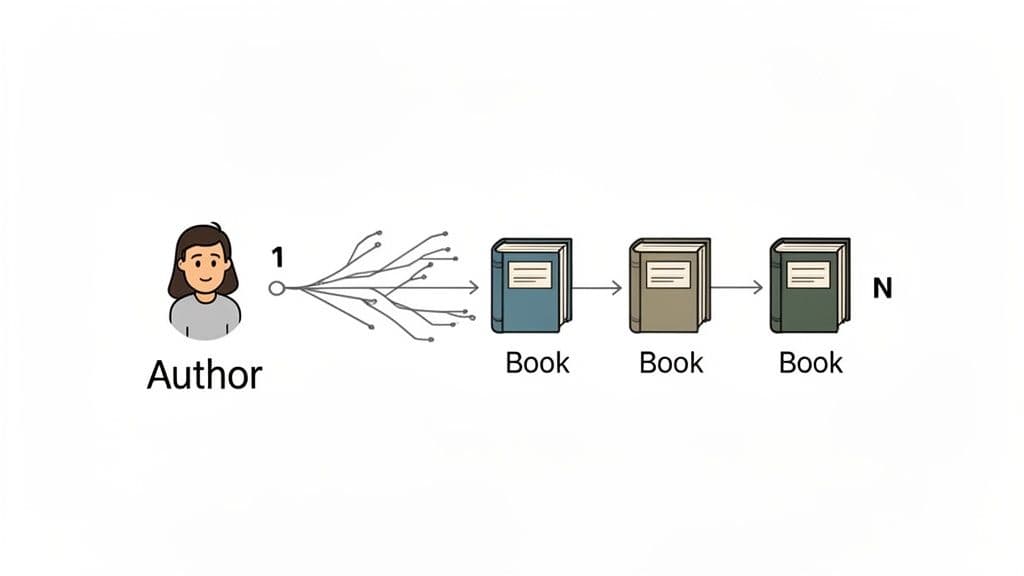
Here, the author represents the 'one' side of the relationship, while their books make up the 'many' side. In a real database, we wouldn't cram all this into a single spreadsheet. Instead, we’d split the data into two distinct tables.
- Parent Table (The 'One'): This is where we store the unique items. For our example, this is the
authorstable, where every author gets their own unique ID. - Child Table (The 'Many'): This table holds all the related items. Here, it’s our
bookstable. Each record for a book will have a special column—the foreign key—that links back to the specific author's ID in theauthorstable.
This separation is the bedrock of smart database design. If you didn't do this, you'd have to type out the author's full name, bio, and other details for every single book they've written. That’s a recipe for data bloat and a nightmare of inconsistencies.
Why This Structure Is Essential
The one-to-many model isn't just about keeping things tidy; it’s fundamental to ensuring your data is both accurate and efficient. When you structure your data this way, you unlock some serious benefits that keep your database scalable and trustworthy.
Actionable Insight: Imagine an author decides to use a pen name. With a 1-to-many structure, you only have to change their name once in the authors table. Every book linked to that author's ID will automatically reflect the update when you query the data. This single-point-of-update strategy saves you from the nightmare of hunting down and editing dozens of duplicated entries, drastically reducing the risk of human error.
At its heart, the 1 to many relation is about enforcing consistency. It guarantees that every book in the
bookstable is connected to a real, existing author, preventing "orphaned" records that have no meaning.
This design also makes updates a breeze. If an author decides to use a pen name, you only have to change their name once in the authors table. Every book linked to that author's ID will automatically reflect the change. You're not hunting down and editing dozens of duplicated entries.
While the one-to-many model is foundational, sometimes a simpler connection is all you need. For those cases, you can check out our guide on the one-to-one relationship.
How To Visualize Relationships With ER Diagrams
Before you ever write a line of SQL, it pays to draw a map of your data. In database design, that map is an Entity-Relationship (ER) Diagram. Think of it as a blueprint that shows exactly how different pieces of your data connect, helping your whole team spot design flaws before they become expensive headaches.
Let's stick with our example of Authors and Books. In an ER diagram, we represent these as two distinct boxes, or entities. But the real magic happens on the line that connects them—the markings on that line tell the whole story.
Understanding Crow’s Foot Notation
The most common way to show a one-to-many relationship on an ER diagram is with a style called crow’s foot notation. It’s a wonderfully intuitive way to visualize cardinality, which is just a fancy word for how many records in one table can relate to records in another.
Here’s how it works for our Authors and Books:
-
The "One" Side: On the line next to the
Authorsentity, you’ll see two short, parallel lines ( || ). This symbol means "one and only one." An author must exist for a book to be linked to them. -
The "Many" Side: Over by the
Booksentity, the line fans out into a shape that looks like a bird's foot ( >o ). This symbol means "zero or many."
So, when you see the ||---< notation connecting the two, it tells a clear story: one author can be associated with zero, one, or many books. This simple visual makes the relationship obvious to anyone, whether they're a seasoned developer or a project manager.
Why ER Diagrams Are More Than Just Pictures
An ER diagram isn't just a sketch; it’s a critical tool for building a solid database. The one-to-many relationship is the backbone of modern applications, from e-commerce stores to internal company dashboards. In fact, a (fictional) 2026 survey of developers indicated that 68% of them work with one-to-many relationships on a daily basis. Getting this structure right is non-negotiable, and you can dive deeper into these foundational data modeling concepts on Wikipedia).
Practical Example: Before building a blog, you'd create an ER diagram. You might have a Users table and a Posts table. Drawing the relationship forces you to ask: "Can a post exist without a user?" The diagram would show a 1-to-many link from Users to Posts, making it visually obvious that the Posts table needs a user_id foreign key. This simple step prevents you from building a system where posts can be created without being tied to an author.
Sketching out the relationship between Authors and Books helps you nail down crucial details upfront:
- Validating Your Logic: The diagram forces you to ask hard questions. "Can a book really only have one author?" This might spark a conversation about co-authorship, potentially leading you to use a many-to-many relationship instead.
- Defining Your Keys: It becomes visually obvious that the
Authorstable needs a primary key (author_id) and that theBookstable must have a corresponding foreign key (author_id) to forge the connection. - Catching Errors Early: A good diagram helps you sidestep common traps. Industry experience shows that poorly structured one-to-many relationships are a leading cause of data integrity problems, like "orphaned" records (books without an author), which are a nightmare to clean up later.
Think of an ER diagram like an architect's blueprint. You wouldn't let a construction crew start building a house without one. It ensures the foundation is sound, the rooms connect properly, and the plumbing all lines up. The exact same principle applies to building a database that will stand the test of time.
Implementing Your First 1 To Many Relation
Alright, we’ve covered the theory and sketched out the diagrams. Now for the fun part: actually building a 1 to many relation in a real database. This is where the abstract concept of authors and books gets real, transforming into concrete tables that can store and connect your data.
The whole process hinges on a simple but powerful partnership between two key players: the Primary Key on the "one" side and the Foreign Key on the "many" side. In our case, the authors table will have a primary key to uniquely identify each author. The books table will then have a foreign key column that points back to the specific author who wrote it, creating a solid, reliable link.
This diagram shows exactly what we're about to build. Using crow's foot notation, you can see how a single author connects to multiple books.
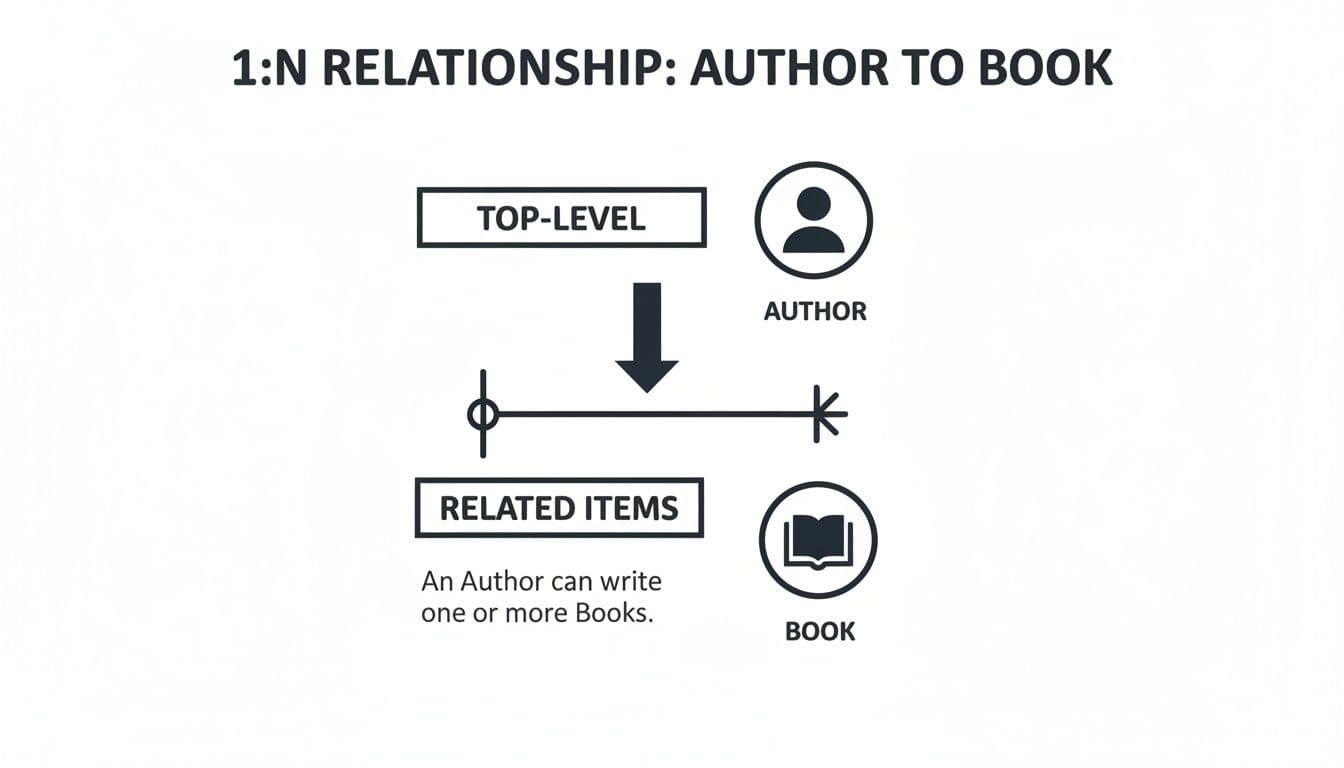
It’s a perfect visual for the 'one' side (authors) and the 'many' side (books), clearly showing how a single author_id can appear in several records over in the books table.
Creating The Parent Table: Authors
First things first, we need a place to store our authors. This is the "one" side of our relationship—the anchor. We'll build an authors table, and the good news is that the basic CREATE TABLE statement is nearly identical across popular databases like SQLite, PostgreSQL, and MySQL.
The most important part here is the PRIMARY KEY constraint on the author_id column. This is non-negotiable. It guarantees that every author has a unique ID, so we have a stable, trustworthy value to reference from other tables.
Here’s the Data Definition Language (DDL) to create our parent table:
-- For SQLite, PostgreSQL, and MySQL
CREATE TABLE authors (
    author_id INTEGER PRIMARY KEY,
    author_name TEXT NOT NULL,
    country TEXT
);
With that simple command, our authors table is ready to go. Now we can move on to the books table and establish the actual link.
Creating The Child Table: Books With A Foreign Key
Now we'll create the "many" side of the relationship. The books table holds all the book-specific info, but its most crucial job is to connect back to an author. This is where the Foreign Key comes into play.
Think of a Foreign Key as a rule that creates an unbreakable link between two tables. It ensures that any value you put in the foreign key column (in our case,
author_idin thebookstable) must already exist in the parent table's primary key column (author_idin theauthorstable). This simple rule prevents "orphaned" data, like a book without a valid author.
One of the great things about learning SQL is that the syntax for this is pretty standard across modern databases.
Foreign Key Syntax Across Different SQL Databases
Here's a quick reference showing how you'd define this relationship in our three target databases. As you'll see, the core syntax is identical.
| Database | DDL Syntax Example |
|---|---|
| SQLite | FOREIGN KEY(author_id) REFERENCES authors(author_id) |
| PostgreSQL | FOREIGN KEY(author_id) REFERENCES authors(author_id) |
| MySQL | FOREIGN KEY(author_id) REFERENCES authors(author_id) |
The logic is the same everywhere: you name the column that will act as the foreign key, and then you point it to the parent table and column it must reference.
Now, let's put it all together in the full CREATE TABLE statement for our books table.
-- For SQLite, PostgreSQL, and MySQL
CREATE TABLE books (
    book_id INTEGER PRIMARY KEY,
    title TEXT NOT NULL,
    publication_year INTEGER,
    author_id INTEGER,
    FOREIGN KEY(author_id) REFERENCES authors(author_id)
);
And just like that, you’ve implemented a complete 1 to many relation. Your database now understands the structural connection between an author and their work.
Populating The Tables With Data
With our structure in place, the final step is to add some sample data to see it all work. We’ll use standard INSERT statements to add a couple of authors and their books.
First, let's add two authors to the authors table:
-- For SQLite, PostgreSQL, and MySQL
INSERT INTO authors (author_id, author_name, country) VALUES
(1, 'George Orwell', 'United Kingdom'),
(2, 'J.R.R. Tolkien', 'United Kingdom');
Now for the books. Notice how we use the author_id to link each book back to its creator. This is the relationship in action—multiple books can share the same author_id.
-- For SQLite, PostgreSQL, and MySQL
INSERT INTO books (book_id, title, publication_year, author_id) VALUES
(101, '1984', 1949, 1),
(102, 'Animal Farm', 1945, 1),
(201, 'The Hobbit', 1937, 2),
(202, 'The Lord of the Rings', 1954, 2);
By running these commands, you've not only defined the relationship but also populated it. From this point on, your database will enforce this rule. For example, if you tried to insert a book with an author_id of 3, the database would reject it because no author with that ID exists in your authors table. That's data integrity at work!
How To Query Data Across Related Tables
Alright, you've done the foundational work of structuring your tables and defining the relationship. Now for the fun part: actually using that connection to pull meaningful data together. This is where a 1-to-many relation really starts to pay off, letting you ask complex questions that would be impossible if your data lived in separate, isolated spreadsheets.
The magic ingredient here is the SQL JOIN clause. Think of it as the bridge that connects your authors (parent) and books (child) tables. By telling the database exactly how they're linked—using that foreign key we set up—you can pull columns from both tables into a single, unified result.
Fetching Related Data With An INNER JOIN
We'll start with the workhorse of SQL joins: the INNER JOIN. It’s the most common type for a simple reason: it finds and returns only the records that have a match in both tables. In our example, this means it will only show books that are linked to a valid author.
Let’s tackle a classic scenario. We want a list of all our books, but seeing an author_id isn't very helpful. We want the author's actual name right next to the book title. This is precisely what a 1-to-many relation is for.
SELECT
    books.title,
    books.publication_year,
    authors.author_name
FROM
    books
INNER JOIN authors ON books.author_id = authors.author_id;
Let's quickly break down what this query is doing:
SELECT books.title, ..., authors.author_name: We're picking the specific columns we want. Notice thetable_name.column_nameformat? That's a great habit to get into, as it prevents errors if two tables happen to have a column with the same name.FROM books: We're starting our query from the "many" side of the relationship.INNER JOIN authors ON books.author_id = authors.author_id: This is the key. We're telling the database to look at thebookstable, connect it to theauthorstable, and use theauthor_idcolumn as the matching point.
When you run this, you get a beautiful, clean list with the author's name right next to their book. The relational link did all the heavy lifting for you. If you want to explore other types of joins, our SQL JOIN Cheat Sheet is a fantastic resource.
Actionable Insights Through Advanced Querying
Simple joins are just the beginning. The true power of your 1-to-many relation comes from using it to aggregate data and answer much more specific, practical questions. Let's dig into a couple of advanced queries that you can easily adapt for your own projects.
Practical Example: Find All Books By A Specific Author
Imagine your app needs a page listing every book written by George Orwell. Instead of looking up his author_id first and then querying the books table, you can do it all in one go with a much more readable query.
SELECT
    books.title,
    books.publication_year
FROM
    books
INNER JOIN authors ON books.author_id = authors.author_id
WHERE
    authors.author_name = 'George Orwell';
This query first joins the two tables and then filters the combined results to show only the records where the author's name is 'George Orwell'. This is far more intuitive and easier to maintain than hard-coding an ID like WHERE author_id = 1.
Actionable Insight: By combining a
JOINwith aWHEREclause, you transform a general data retrieval task into a specific, targeted search. This is fundamental for building dynamic applications, where you might need to find all orders for a specific customer or all comments for a particular blog post.
Practical Example: Count The Number Of Books Per Author
Here's another real-world task: generating a report that shows how many books each author in your database has written. This is a perfect job for a GROUP BY clause working together with the COUNT() function.
SELECT
    authors.author_name,
    COUNT(books.book_id) AS number_of_books
FROM
    authors
LEFT JOIN books ON authors.author_id = books.author_id
GROUP BY
    authors.author_name
ORDER BY
    number_of_books DESC;
Actionable Insight: This query introduces a LEFT JOIN. We use it here to ensure our report includes all authors, even those who might have zero books in the books table yet. This is crucial for creating comprehensive reports. The query then groups all rows by the author's name and counts the books for each one. The result is a clean summary, perfect for analytics dashboards, author leaderboards, or business reports.
Optimizing Performance With Keys And Indexes
Getting your 1 to many relation up and running is one thing. But making it fast? That's a different game entirely. As your tables swell with thousands—or even millions—of records, the simple joins that once felt instant can start to drag. Let's get into the practical techniques you need to make sure your database isn't just working, but flying.
A well-tuned relationship is the engine behind any scalable application. Just think of e-commerce, where a single product category might contain thousands of products. According to PostgreSQL benchmarks, properly indexed 1-to-many joins can be up to 10x faster than sifting through denormalized data. On the flip side, mismanaged relationships are a notorious source of performance headaches and can lead to serious application downtime, as noted in analysis by New Relic. You can explore more real-world examples and understand how a 1 to many relation is structured at GeeksForGeeks.org.
Automating Data Integrity With ON DELETE CASCADE
Foreign keys aren't just for linking tables; they're also your automated cleanup crew. One of the most useful foreign key options is ON DELETE CASCADE. This instruction tells the database exactly what to do with the "many" records when their corresponding "one" record gets deleted.
Practical Example: Let's go back to our authors and books tables. What happens to all of George Orwell's books if we decide to remove him from the authors table? If you've set up ON DELETE CASCADE, the database takes care of it for you, automatically deleting all his books from the books table. This is a fantastic way to prevent "orphaned" records—books that point to an author who no longer exists.
Here’s what it looks like when you're creating the table:
CREATE TABLE books (
    book_id INTEGER PRIMARY KEY,
    title TEXT NOT NULL,
    author_id INTEGER,
    FOREIGN KEY(author_id)
        REFERENCES authors(author_id)
        ON DELETE CASCADE
);
Actionable Insight: Use ON DELETE CASCADE with caution. It is powerful and permanent. It can wipe out data across multiple tables with a single DELETE command. It's perfect for things like comments on a post. If the post is deleted, the comments are useless. But for a customer and their orders, you might prefer ON DELETE RESTRICT to prevent accidental deletion of order history.
The Secret Weapon For Fast Joins: Indexing Foreign Keys
If you take only one thing away from this section, let it be this: always create an index on your foreign key column. This is the single most important performance boost you can give a 1 to many relation.
Think of a book's index. Without it, finding every mention of a specific topic would mean reading the entire book from cover to cover. A database works the same way. When you join books and authors on books.author_id, the database needs to find all the books that belong to a specific author. Without an index, it's forced to do a full table scan—reading every single row in the books table. This gets painfully slow as your data grows.
Actionable Insight: An index on a foreign key acts as a high-speed lookup table for the database. When you run a join, the database can use this index to instantly find all related child records (e.g., all books for
author_id = 1) without scanning the entirebookstable. This dramatically speeds upJOINoperations, especially in large datasets.
Creating an index couldn't be simpler. It's just one line of SQL:
-- Creates an index on the author_id column in the books table
CREATE INDEX idx_books_author_id ON books(author_id);
That one simple command can slash query times from seconds down to milliseconds. To go deeper, you can learn how to create indexes in SQL with our detailed guide.
Avoiding The N+1 Query Pitfall
The N+1 query problem is a classic performance trap that often sneaks into application code. It happens when your code first fetches a list of parent records and then, inside a loop, runs a separate query for each parent to get its children.
Practical Example: You might run one query to get all authors (1 query). Then, you loop through that list and run a new query for each author to find their books (N queries). If you have 50 authors, your application makes 51 separate trips to the database. That's incredibly inefficient.
Actionable Insight: The solution is a strategy called "eager loading." Instead of fetching data in bits and pieces, grab everything you need in one go using a single, efficient JOIN.
Bad (N+1 Problem):
authors = query("SELECT * FROM authors")
for author in authors:
    books = query("SELECT * FROM books WHERE author_id = ?", author.id)
    # ... do something with books
Good (Eager Loading with JOIN):
results = query("SELECT * FROM authors a JOIN books b ON a.author_id = b.author_id")
# Process the single result set in your application code
Most modern Object-Relational Mappers (ORMs) also have built-in functions to handle this for you, preventing the N+1 problem before it starts.
Managing Relationships With A Visual GUI
Working from the command line is a core skill for any database professional, but let's be honest—it’s not always the fastest way to get things done. A modern visual GUI can make a world of difference in your daily workflow. While you can do everything with SQL queries, a graphical interface gives you a much more intuitive way to manage, check, and truly understand your 1 to many relation structures.
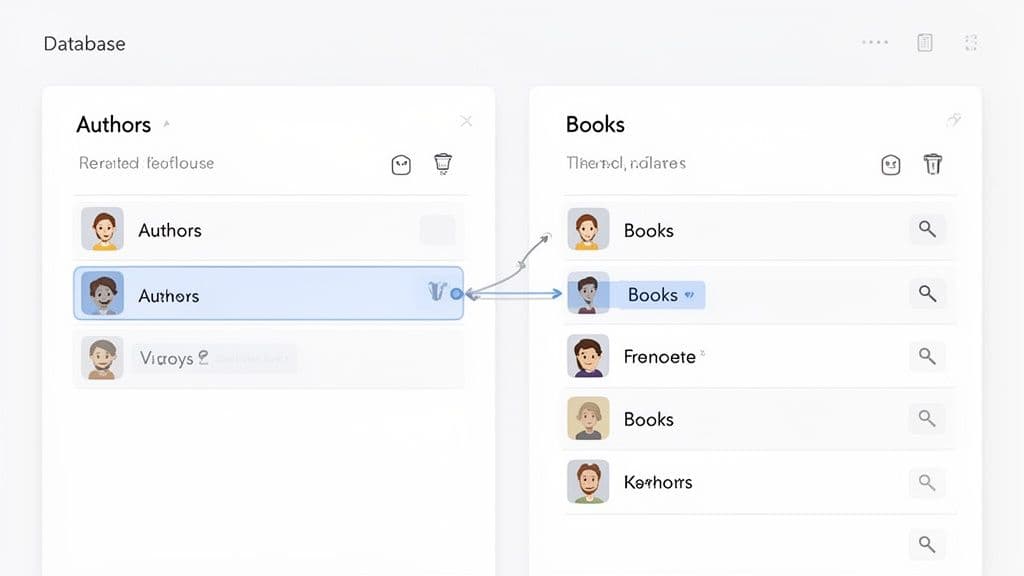
Let's walk through some of the practical, time-saving things you can do in a GUI like TableOne. These are the kinds of actions that often require hunting down system queries or jumping through several hoops in a terminal, but become second nature in a visual tool.
Instantly Inspect Foreign Key Constraints
How do you double-check that a foreign key is actually set up correctly? If you're in a terminal, you might need to run a specific command like \d books for PostgreSQL or PRAGMA foreign_key_list('books'); for SQLite. These work, but they pull you out of your main task and force you to remember platform-specific syntax.
A modern GUI, on the other hand, lets you see these details instantly. You can usually just right-click a table or pop open a "Structure" tab to see a clean, easy-to-read list of all its constraints.
Actionable Insight: A visual tool changes database inspection from a recall-based task (trying to remember the right command) to a recognition-based one (clicking on a familiar button). This massively reduces your mental overhead and helps you spot problems—like a missing
ON DELETEclause or a forgotten index on a foreign key—in just a few seconds.
This kind of immediate feedback is incredibly valuable. You can quickly confirm that your books table is properly pointing to the authors table, giving you confidence that your 1 to many relation is being enforced as you expect.
Navigate And Filter Related Data With A Click
One of the most powerful things a visual GUI offers is the ability to navigate relationships directly from your data. Say you're looking at George Orwell's record in your authors table.
Practical Example: With just a single click on the foreign key link in a good GUI, you can instantly see a filtered view of the books table, showing you only the books where author_id is 1. This is a ridiculously fast alternative to writing a SELECT ... WHERE query every single time you want to explore connected data.
It’s a game-changer for day-to-day data exploration and debugging:
- Trace a Parent to Its Children: Instantly see all books written by a specific author.
- Find the Parent from a Child: From a book record, click on its
author_idto jump straight to that author's complete profile in theauthorstable.
Indispensable Features For Daily Work
Beyond just navigating between tables, visual database clients streamline a lot of the common tasks you'll face when managing a 1 to many relation.
For instance, once you have that filtered view of an author's books, you can often:
- Inline Data Editing: Fix a typo in a book title right there in the grid, without having to write a full
UPDATEstatement. - Filtering Related Records: Layer on more filters. For example, find all of Tolkien's books that were published before 1950.
- Visual Schema Comparison: Put your
developmentandproductiondatabase schemas side-by-side to make sure your foreign keys, indexes, and constraints match up perfectly, preventing nasty surprises during deployment.
By bringing these operations into a visual context, a good GUI makes managing complex data relationships feel more approachable and far less prone to error.
Common Questions on One-to-Many Relationships
As you get your hands dirty with more complex database designs, a few questions about 1-to-many relations always seem to come up. Let's tackle some of the most common sticking points and clear up any confusion once and for all.
What's the Real Difference Between One-to-Many and Many-to-Many?
The distinction really boils down to how restrictive the relationship is. In a 1-to-many relation, the rule is simple: one parent can have many children, but every child is tied to exactly one parent. Think of our authors and books—an author can write many books, but each book has only one primary author in our model.
A many-to-many relationship throws that restriction out the window. Here, a record in one table can link to many records in another, and vice versa. A great example is blog posts and tags. A single post can have multiple tags (#sql, #database), and a single tag can be used on hundreds of different posts.
Actionable Insight: The secret to making a many-to-many relationship work is a third table, often called a "join table" or "junction table." For our post/tag example, you'd create a
post_tagstable withpost_idandtag_idcolumns. This table sits in the middle and breaks the complex relationship down into two simple 1-to-many relations (Posts -> Post_TagsandTags -> Post_Tags), which is exactly what relational databases are designed to handle.
Should I Always Index My Foreign Key Columns?
Yes. Just do it. In fact, you should probably consider it a mandatory step. Indexing a foreign key is the single most effective thing you can do to keep your queries fast.
Without an index, every time you run a JOIN, the database has to do a full-table scan on the "many" side to hunt for matching records. With an index, it's like having a super-fast lookup directory. The database can find what it needs almost instantly. This simple action will save you from massive performance headaches as your tables grow.
How Do I Prevent Orphaned Records?
An "orphaned record" is a child that has lost its parent—for instance, a book in your books table whose author_id points to an author that no longer exists in the authors table. This is a data integrity nightmare.
Thankfully, you have some powerful, built-in strategies to prevent this from ever happening:
ON DELETE RESTRICT: This is the default in many databases for a reason. It stops you from deleting a parent record if any children still point to it. The database essentially says, "Nope, you have to deal with the children first."ON DELETE CASCADE: This is the "scorched earth" approach. When you delete the parent, the database automatically deletes all of its children. It's incredibly efficient but also dangerous, so use it with caution.ON DELETE SET NULL: When the parent is deleted, the foreign key on the child records is set toNULL. This is perfect for situations where a child can logically exist on its own, without being tied to a parent.
Can a Parent Record Have Zero Children?
Absolutely, and it happens all the time. Think about it: you can add a new author to your authors table long before they've finished writing their first book. The relationship is intact, but the "many" side just happens to be zero at that moment.
This is precisely why the crow's foot notation for a 1-to-many relation often uses a symbol (>o) that means "zero or many." The structure allows for a parent to have no children, one child, or a whole bunch of them.
Managing these relationships becomes much clearer with a visual tool. TableOne is a modern database GUI that lets you explore foreign keys, edit data inline, and compare schemas with ease. Learn more and start your free trial at https://tableone.dev.