A Practical Guide to SQL Query Date Range in 2026
Master the SQL query date range with this practical guide. Learn to filter by date in PostgreSQL & MySQL, handle timezones, and write high-performance queries.

Writing a SQL query date range filter is a fundamental skill you'll use constantly. It boils down to two main approaches: using the BETWEEN operator for simple, inclusive ranges, or combining >= and < for more granular control. Once you master these, you can pull precise data—like weekly sales or monthly user signups—from any database with confidence.
Mastering Fundamental Date Range Queries
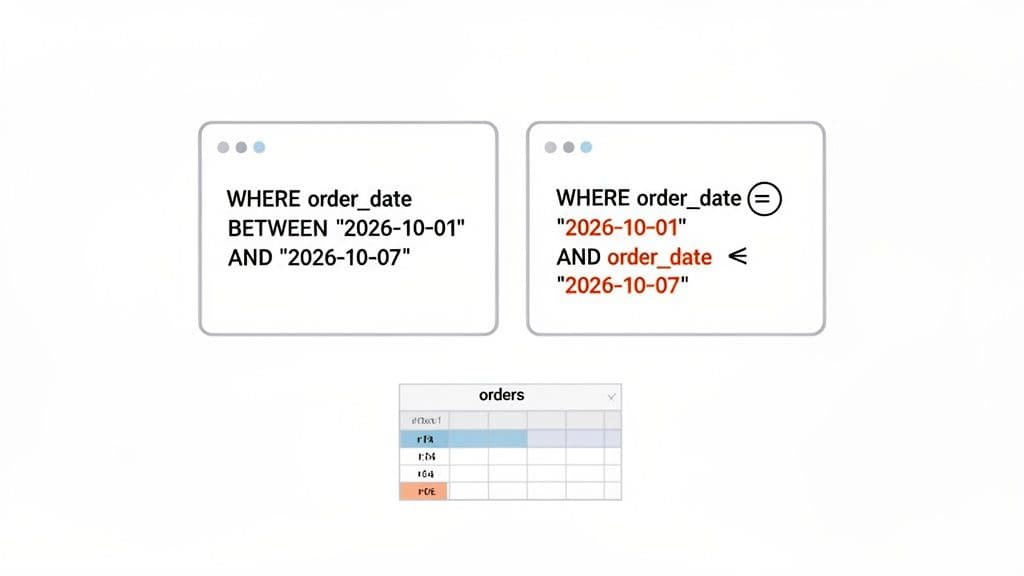
Filtering by date is the lifeblood of countless reports and dashboards. Whether you're tracking daily orders, analyzing quarterly growth, or hunting down a bug that only surfaced last Tuesday, you need a solid way to slice your data by time. The good news is that SQL gives us simple, powerful tools for exactly this job.
Let's break down the two most common methods for building a sql query date range. These patterns are the foundation for nearly every date-based query you'll ever need to write.
The BETWEEN Operator for Inclusive Ranges
The BETWEEN operator is often the first tool people reach for. It's clean, easy to read, and makes your intention crystal clear: grab everything that falls within a specific start and end point. The most important thing to remember is that BETWEEN is inclusive, meaning it includes both the start and end dates in the results.
Practical Example: Finding Orders in a Specific Week
Let's say you have an orders table and need to pull all sales from the second week of January 2026. A query using BETWEEN is straightforward:
SELECT
  order_id,
  customer_id,
  order_date,
  total_amount
FROM
  orders
WHERE
  order_date BETWEEN '2026-01-08' AND '2026-01-14';
Actionable Insight: This simple statement fetches every order with an order_date on or after January 8th and on or before January 14th. This pattern works reliably across SQLite, PostgreSQL, and MySQL for columns with a DATE data type, making it a very reliable choice for simple date-only filtering. For this reason, BETWEEN is great for quick, ad-hoc analysis on date-only fields.
Using Comparison Operators for Granular Control
An equally powerful, and sometimes more flexible, alternative is using the greater-than-or-equal-to (>=) and less-than-or-equal-to (<=) operators. This approach gets you the same inclusive range as BETWEEN but gives you more explicit control, which becomes absolutely critical when you start dealing with time components.
Practical Example: The Same Query with Comparison Operators
Here’s that same query for the second week of January 2026, but this time using comparison operators:
SELECT
  order_id,
  customer_id,
  order_date,
  total_amount
FROM
  orders
WHERE
  order_date >= '2026-01-08'
  AND order_date <= '2026-01-14';
Actionable Insight: While both methods work perfectly for simple DATE fields, I almost always default to the >= and < pattern. It makes the mental leap to handling DATETIME and TIMESTAMP columns much smoother. For those types, using an exclusive upper bound (e.g., created_at < '2026-01-15') is a common and much safer practice to avoid tricky edge cases where you might miss data recorded late in the day. Getting comfortable with this pattern now will pay off later.
Navigating Dates, Times, and Timezones
Simple date filters are easy enough, but a sql query date range can fail spectacularly the moment you ignore the time component. This is a classic trap that I've seen trip up countless developers. The moment your column stores time (DATETIME or TIMESTAMP), your filter for '2026-10-20' might only match records from the exact stroke of midnight, causing you to miss an entire day's worth of crucial data.
Understanding Date and Time Data Types
The very first step—and the one that prevents the most headaches—is choosing the right data type for the job. It’s no surprise that SQL queries for date ranges power over 70% of all business intelligence reports, as shown in recent developer surveys. Mastering these data types is non-negotiable.
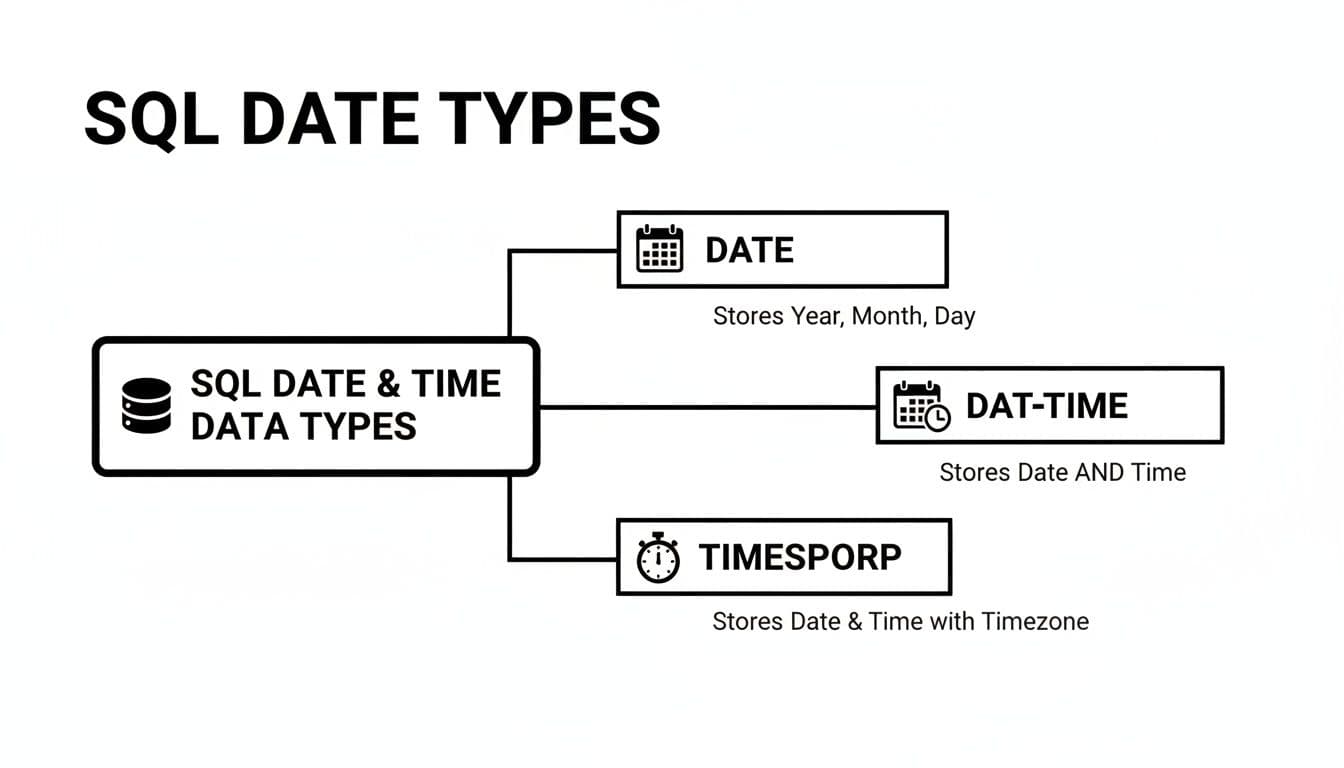
| Data Type | Description | Stores Timezone | Best For |
|---|---|---|---|
DATE | Stores only the date part (year, month, day). | No | Birthdays, daily deadlines, or any event where the time of day is irrelevant. |
DATETIME / TIMESTAMP | Stores both date and time. Often called TIMESTAMP WITHOUT TIME ZONE in PostgreSQL. | No | Logging specific events (e.g., created_at, updated_at) in applications that operate within a single, known timezone. |
TIMESTAMPTZ | Stores date, time, and timezone. In PostgreSQL, this is TIMESTAMP WITH TIME ZONE. | Yes | The gold standard for global applications. It stores a precise, unambiguous point in time. |
Actionable Insight: Always use a timezone-aware type like TIMESTAMPTZ (or TIMESTAMP WITH TIME ZONE) for applications with a global user base. It prevents ambiguity by converting incoming timestamps to a standard format (usually UTC) and then back to the client's local timezone on retrieval. It removes guesswork and makes your data reliable.
Writing Time-Aware Date Range Queries
Let's tackle that common problem of missing a full day of data. Imagine you have an events table with a created_at column (a TIMESTAMP). You need all events from October 20th, 2026.
The Wrong Way (The Trap): This is the query that bites almost everyone at some point:
-- This will miss almost all data for the 20th!
SELECT *
FROM events
WHERE created_at BETWEEN '2026-10-20' AND '2026-10-20';
Since the database interprets '2026-10-20' as '2026-10-20 00:00:00', this query only finds events that happened at the exact first second of the day.
The Right Way (The Solution): The robust, go-to pattern is to use a half-open interval with an exclusive upper bound.
-- This correctly includes all events on October 20th.
SELECT *
FROM events
WHERE created_at >= '2026-10-20'
  AND created_at < '2026-10-21';
Actionable Insight: This logic is foolproof. It captures every single moment from the start of October 20th right up to, but not including, the start of October 21st. Make this your default pattern for querying TIMESTAMP data. If you need to work with dynamic dates, we've got you covered in our guide on how to get the system date in SQL.
Handling Multiple Timezones in Queries
If your application serves a global audience, managing timezones isn't just a feature—it's a requirement for data accuracy. PostgreSQL truly shines here with its AT TIME ZONE operator.
Practical Example: Timezone-Specific Reporting Let's say your server stores all timestamps in UTC (a best practice). You need to pull a sales report for October 20th in the 'America/New_York' timezone for your East Coast team. You can't just query for the 20th in UTC.
-- PostgreSQL example for timezone-specific reporting
SELECT *
FROM sales
WHERE created_at AT TIME ZONE 'UTC' AT TIME ZONE 'America/New_York' >= '2026-10-20'
  AND created_at AT TIME ZONE 'UTC' AT TIME ZONE 'America/New_York' < '2026-10-21';
Actionable Insight: This pattern ensures your reports are always correct for the intended audience. It works by taking the stored UTC value, interpreting it in the target timezone, and then applying the date range filter. It's a powerful way to make your data meaningful across the globe without altering the underlying stored data.
Building Dynamic and Automated Date Queries
Hardcoding dates works for a quick, one-off analysis. But what about that "sales last week" report that needs to run every Monday? That’s when you move beyond static dates and build dynamic, automated queries using SQL's date functions. Instead of typing '2026-01-01', you use functions that calculate dates on the fly, creating reports that are always up-to-date.
Creating Relative Date Ranges
Let's start with a common scenario: pulling data relative to "right now." We can do this using functions like NOW() or CURRENT_DATE as our anchor.
Practical Example: Signups in the Last 7 Days A classic request is to get a list of all user signups from the past seven days.
In PostgreSQL, the syntax is wonderfully intuitive:
-- PostgreSQL: Get all users who signed up in the last 7 days
SELECT
  user_id,
  email,
  created_at
FROM
  users
WHERE
  created_at >= NOW() - INTERVAL '7 days';
MySQL accomplishes the same thing with a slightly different syntax:
-- MySQL: Get all users who signed up in the last 7 days
SELECT
  user_id,
  email,
  created_at
FROM
  users
WHERE
  created_at >= NOW() - INTERVAL 7 DAY;
Actionable Insight: Use NOW() when working with TIMESTAMP or DATETIME columns, as it includes the time. If your column is a simple DATE type, using CURRENT_DATE is cleaner and makes your intent clearer. This small distinction improves readability and prevents subtle bugs.
Building Queries for Specific Periods
What about more structured reporting periods, like "last month" or "this quarter"? This is where you can get really clever with date truncation. Functions like DATE_TRUNC() in PostgreSQL are perfect for this.
Practical Example: Transactions from Last Month Imagine you need a report of all transactions from the previous full calendar month. You can dynamically figure out the start and end dates like so:
-- PostgreSQL: All transactions from the previous full month
SELECT
  transaction_id,
  amount,
  transaction_date
FROM
  transactions
WHERE
  transaction_date >= DATE_TRUNC('month', NOW() - INTERVAL '1 month')
  AND transaction_date < DATE_TRUNC('month', NOW());
Actionable Insight: This approach is incredibly solid. It finds the start of the current month (DATE_TRUNC('month', NOW())) and uses it as the exclusive upper boundary. Then, it finds the start of last month for the inclusive lower boundary. This logic works flawlessly, even on the first day of a new month, making it ideal for automated monthly reports. If you want to get more comfortable with these kinds of commands, check out our guide to the PSQL command line.
Writing High-Performance Date Queries
Getting a sql query date range to work is one thing. Getting it to run fast is another. As tables grow to millions of records, a simple date filter can become a huge performance bottleneck. The good news is that keeping your date queries zippy isn't some dark art. It boils down to a couple of core strategies, and the most important one is indexing.

The Power of an Index on Your Date Column
Without an index, running a range query forces the database to perform a full table scan—sifting through every single row. An index works like a pre-sorted directory. Instead of scanning the whole table, the database uses the index to find the exact starting point of your date range and reads only the relevant rows.
Practical Example: Creating an Index
If you have a sales table and you're always filtering by order_date, you'd just run this:
CREATE INDEX idx_sales_order_date ON sales(order_date);
Actionable Insight: That single line can be the difference between a query taking minutes and one that finishes in milliseconds. If you filter by a date column in your WHERE clause, that column must have an index. This is the single biggest performance win for date range queries and is not optional for production applications. If you want to dive deeper, we have a full guide that explains how to create indexes in SQL.
Use Query Parameters for Speed and Security
Another critical habit is using query parameters (prepared statements). This means you don't mash your date strings directly into the SQL. Instead, you send them as separate, sanitized values.
This practice delivers a powerful one-two punch:
- Performance Boost: The database creates an optimized "query plan" for the query structure. When you run it again with different dates, it reuses the cached plan, saving overhead.
- Security: This is your best defense against SQL injection. By keeping query logic separate from data, you shut the door on attackers.
Practical Example: A Parameterized Query
Here’s what a parameterized query looks like conceptually in your application code. The ? are placeholders.
-- The query template sent to the database
SELECT * FROM events WHERE created_at >= ? AND created_at < ?;
-- The values passed separately and securely
-- Value 1: '2026-10-01'
-- Value 2: '2026-11-01'
Actionable Insight: Always use parameterized queries in your application code. It's a safer and faster way to work. Many modern SQL clients, like TableOne, build this in, allowing you to define variables in the UI to build reusable, secure queries from the get-go.
Common Date Query Mistakes to Avoid
Writing a date range filter in SQL seems straightforward, but this is where some of the most subtle and frustrating bugs are born. These common mistakes are incredibly easy to make, but once you learn to spot them, they’re just as easy to avoid.
The Problem with BETWEEN and Timestamps
The BETWEEN operator feels intuitive, but it's a classic trap with TIMESTAMP or DATETIME columns, notorious for causing off-by-one errors that can make you miss an entire day's worth of data.
The Mistake: Let's say you want to find all sales that happened on Halloween 2026. A beginner might write this:
-- This query is almost always wrong for timestamps!
SELECT *
FROM sales
WHERE sale_timestamp BETWEEN '2026-10-31' AND '2026-10-31';
This is flawed. The database interprets '2026-10-31' as '2026-10-31 00:00:00', so this query only finds sales that happened at the exact first second of Halloween.
The Fix:
The only truly reliable method is to use a half-open interval with >= and <.
-- The foolproof way to get a full day's data
SELECT *
FROM sales
WHERE sale_timestamp >= '2026-10-31'
  AND sale_timestamp < '2026-11-01';
Actionable Insight: Make this pattern your default for querying timestamp data for a full day. It reliably grabs everything from the very start of October 31st right up to, but not including, the first moment of November 1st.
Wrapping Columns in Functions
Another common pitfall is wrapping the date column in a function directly inside the WHERE clause. It’s a tempting shortcut but comes with a massive, hidden performance cost.
The Mistake (Slow):
WHERE YEAR(created_at) = 2026
This forces the database to calculate YEAR() on every single row before filtering, which prevents it from using an index on the created_at column.
The Fix (Fast):
WHERE created_at >= '2026-01-01' AND created_at < '2027-01-01'
Actionable Insight: Never apply a function to the column you are filtering on in the WHERE clause if you want to use an index. Instead, format your filter values to match the column's raw data. This allows the database to use the index, making your query orders of magnitude faster.
Date Range Query Mistake Checklist
Pin this up or keep it handy—it's a great sanity check before you ship any new date-based queries.
| Common Mistake | Why It Happens | How to Fix It |
|---|---|---|
Using BETWEEN for Timestamps | BETWEEN '2026-10-31' AND '2026-10-31' only includes the first second of the day (00:00:00). | Use a half-open interval: sale_timestamp >= '2026-10-31' AND sale_timestamp < '2026-11-01'. |
| Wrapping Columns in Functions | WHERE YEAR(created_at) = 2026 prevents the database from using an index on created_at, causing a slow table scan. | Define an explicit date range: WHERE created_at >= '2026-01-01' AND created_at < '2027-01-01'. |
| Ignoring Time Zones | Assuming the database and application server are in the same time zone leads to shifted or incorrect data. | Use AT TIME ZONE to explicitly convert times, or store all timestamps in UTC as a best practice. |
| Mismatched Date Formats | The application sends dates in a format (MM/DD/YYYY) that the database doesn't expect (YYYY-MM-DD). | Standardize on the YYYY-MM-DD format across your stack and use explicit CAST or TO_DATE functions. |
Common Questions and Gotchas
Once you've got the basics down, a few common head-scratchers always pop up when working with date ranges in SQL. Let's tackle some of the problems I see developers and analysts run into most often.
How Do I Find Records from the Last 24 Hours?
This is a classic. You need to monitor recent activity, like new signups or system events. The best way is with a dynamic query that uses the database's INTERVAL function.
Practical Example:
Here’s how you'd pull all records from an events table that happened in the last 24 hours in both PostgreSQL and MySQL.
-- For PostgreSQL or MySQL
SELECT *
FROM events
WHERE event_timestamp >= NOW() - INTERVAL '24 hours';
Actionable Insight: This approach is clean, dynamic, and performs well—especially if you have an index on that event_timestamp column. It calculates a range based on the exact moment you run the query.
What’s the Real Difference Between BETWEEN and >= / <=?
On the surface, they seem interchangeable for DATE columns. A query using col BETWEEN '2026-01-01' AND '2026-01-31' does the exact same thing as col >= '2026-01-01' AND col <= '2026-01-31'.
Actionable Insight: The danger zone is with TIMESTAMP or DATETIME columns. Using BETWEEN here is a ticking time bomb for bugs, as it's easy to miss an entire day's worth of data. The much safer and more robust pattern for timestamps is to use an exclusive upper bound: col >= '2026-01-31' AND col < '2026-02-01'. Make this your professional standard.
Why Is My Date Range Query So Slow?
If your date query is crawling, the culprit is almost always a missing index. When you filter on a column like created_at without an index, the database is forced to do a painfully slow full table scan.
The Fix: The fix is usually simple and has a massive impact. Just add an index.
CREATE INDEX idx_my_table_created_at ON my_table(created_at);
Actionable Insight: Another common performance killer is wrapping the date column in a function inside your WHERE clause, like WHERE YEAR(created_at) = 2026. This prevents the database from using the index. Always define an explicit range (WHERE created_at >= '2026-01-01' AND created_at < '2027-01-01') to keep your queries fast and scalable.
TableOne makes it easy to run, test, and optimize your SQL queries across SQLite, PostgreSQL, and MySQL in a single, clean interface. Build reusable queries with variables and get your data work done faster. Try it free for 7 days at tableone.dev.