What is a Database Transaction? A Quick Guide for Developers
Learn what is a database transaction and how ACID properties guarantee data integrity with practical SQL examples.
At its core, a database transaction is a promise. It’s a way of bundling a series of database operations together and treating them as a single, indivisible unit of work. If every single step succeeds, the entire group of changes is saved. But if even one small part fails, the whole thing is thrown out, and the database acts as if nothing ever happened.
The All-or-Nothing Rule of Database Transactions
Let's use a practical example: moving money between two bank accounts. It seems simple, but under the hood, it’s really a two-step process.
- Debit: Your savings account balance is reduced by $100.
- Credit: Your checking account balance is increased by $100.
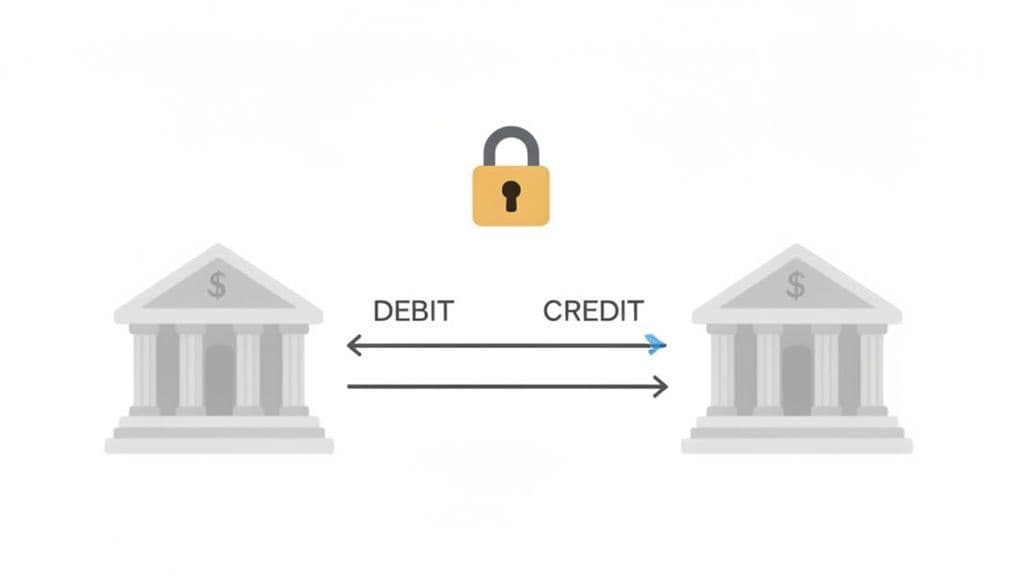
Now, imagine the system successfully subtracts money from your savings but crashes before it can add it to your checking account. Your money would just vanish into thin air. That's a catastrophic failure, and it's exactly what database transactions are designed to prevent.
By wrapping both the debit and credit operations in a transaction, we enforce a simple but powerful rule.
A transaction is an "all-or-nothing" proposition. Either both operations complete successfully (COMMIT), or they are both completely undone (ROLLBACK) if an error occurs. This guarantees your data stays consistent and correct.
This guarantee is the bedrock of reliable software. It's what allows us to trust everything from banking and e-commerce platforms to complex inventory management systems where data integrity is absolutely critical.
The Commands That Control a Transaction
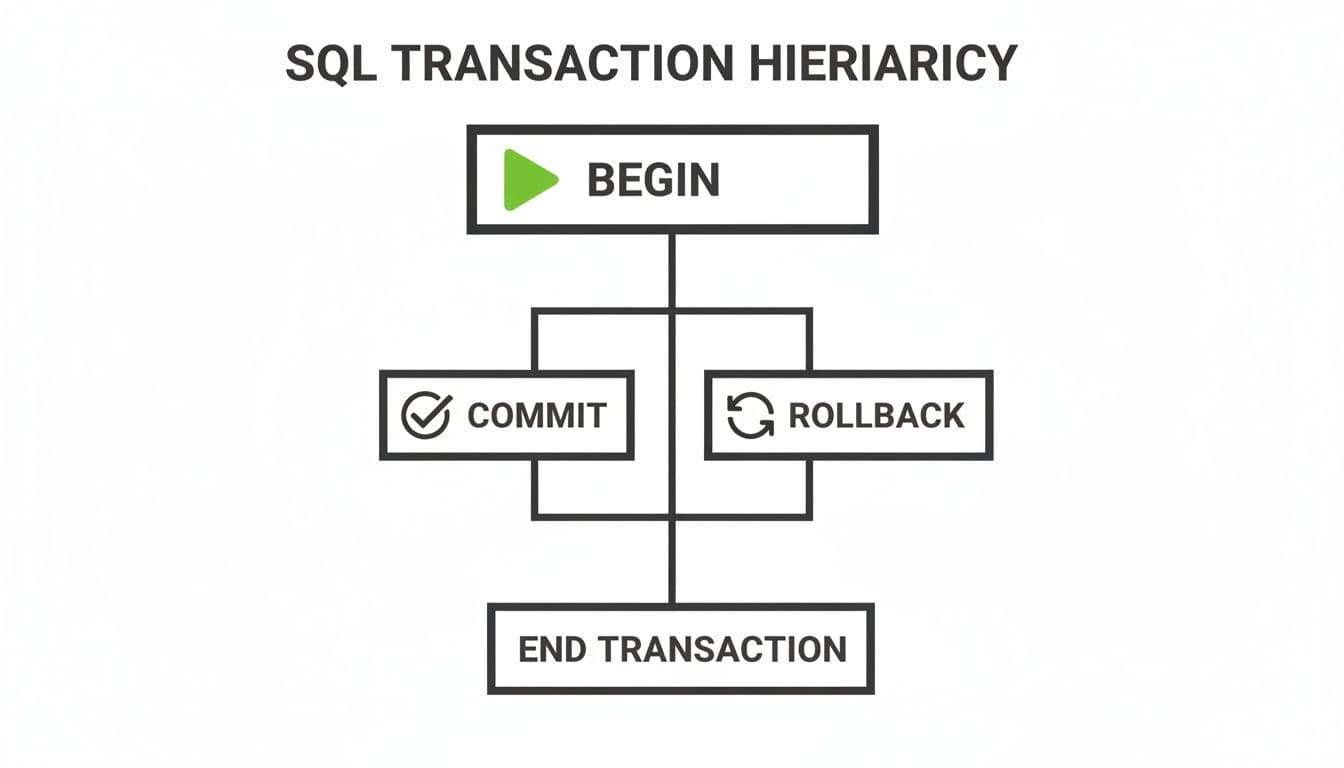
So, how do we actually tell the database to manage this process? Developers use a handful of simple SQL commands to define the start, end, and potential failure points of a transaction.
This table outlines the essential SQL commands that control a transaction's lifecycle, with practical analogies to make their roles clear.
| Command | Purpose | Actionable Analogy |
|---|---|---|
| BEGIN TRANSACTION | Marks the starting point of a transaction. All subsequent operations are part of this unit. | Adding items to an online shopping cart. Nothing is final until you pay. |
| COMMIT | Permanently saves all the changes made during the transaction to the database. | Completing the checkout process. Your order is confirmed, and the items are yours. |
| ROLLBACK | Discards all changes made during the transaction, restoring the database to its pre-transaction state. | Abandoning your shopping cart. All items are returned to the shelves as if you were never there. |
These commands are our safety net. They give us precise control over complex, multi-step updates that are incredibly common in modern applications. Without them, every unexpected error would risk leaving our data in a corrupted, half-updated state.
This is also why solid database design fundamentals, like knowing what a primary key is, are so important. Strong foundations in data structure and integrity are what make powerful features like transactions work effectively.
Understanding the ACID Properties That Ensure Reliability
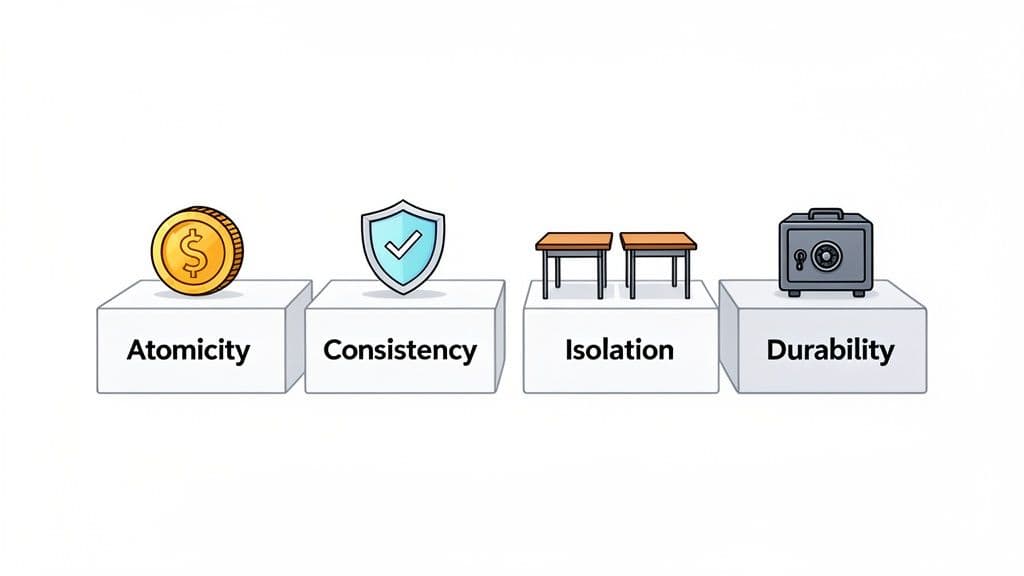
For a database transaction to be truly reliable, it can't be a "maybe." It has to be an ironclad guarantee. Database systems achieve this through a set of principles known as ACID, which stands for Atomicity, Consistency, Isolation, and Durability.
Think of ACID as a contract between you and your database. This contract ensures your data stays predictable and safe, no matter what chaos is happening under the hood—multiple users, network glitches, or even server crashes.
Let's unpack what each of these properties really means with a practical scenario: booking a flight online. That single click kicks off a chain of events that absolutely must succeed or fail together.
Atomicity: The All-or-Nothing Promise
Atomicity dictates that all the operations inside a transaction are treated as a single, indivisible unit. It's all or nothing.
-
Practical Example: When you book a flight, the transaction has at least two critical steps:
- Decrease the seat count for the flight by one.
- Create your booking record and link it to your user account.
Imagine the system reduces the seat count but crashes before it can create your booking. Without atomicity, that seat would be gone, but you'd have no ticket. With atomicity, the database detects the failure and automatically rolls back the seat count change. It's as if you never clicked "book."
-
Actionable Insight: Always group related
UPDATE,INSERT, andDELETEstatements that represent a single business action inside a transaction. For example, creating a user and their initial profile settings should be one atomic unit.
Consistency: The Rule Keeper
Consistency is the guardian of your database's integrity. It ensures that any transaction takes the database from one valid state to another, respecting all predefined rules like constraints and triggers.
-
Practical Example: Your airline's database has a
CHECKconstraint: a flight'sseat_countcannot be negative. Now, what if you and another person try to book the very last seat at the exact same moment?A system without consistency might process both requests, leading to a
seat_countof -1 and an overbooked flight. Consistency prevents this. It sees that the second transaction would violate the "no negative seats" rule and rejects it, rolling it back. The database remains in a valid state where the seat count is correctly zero. -
Actionable Insight: Define your business rules directly in the database using constraints (
NOT NULL,UNIQUE,CHECK, foreign keys). Consistency ensures transactions can't violate these rules, making your application data more robust than relying on application-level checks alone. Read more in our guide to understanding MySQL and foreign keys.
Isolation: Your Personal Workspace
Isolation is what keeps concurrent transactions from tripping over each other. It gives each transaction its own private bubble to work in, hiding its messy intermediate state from others until it’s officially committed.
Isolation is what prevents pure chaos. It creates the illusion that transactions are running one after another, even when they’re executing simultaneously. This stops one user's unfinished work from corrupting what another user sees.
-
Practical Example: You see a flight search result that says "1 seat left." At the same moment, someone else is looking at the same flight. Without isolation, you might both see the seat as available and start booking.
Isolation solves this classic "race condition." The first transaction to begin booking effectively "locks" that seat record. The second person's transaction now has to wait. It cannot see or act on that seat until the first transaction is either completed (
COMMIT) or canceled (ROLLBACK). The result is clean and predictable: only one person gets the seat. No overbooking, no angry customers. -
Actionable Insight: The level of isolation is configurable. For a simple content site, lower isolation might be fine for better performance. For a banking app, you need the highest level to prevent any chance of error. We'll cover this later.
Durability: Written in Stone
Durability is the final promise: once a transaction is successfully committed, its changes are permanent and will survive a power outage, server crash, or other catastrophes.
-
Practical Example: You've just hit "Confirm Booking," and the confirmation page loads. A split-second later, the airline's server room loses power. Is your booking gone?
Nope. Thanks to durability, it's safe. The database wrote your committed transaction to a durable log (like a Write-Ahead Log or WAL) before it even showed you the confirmation screen. When the system reboots, its recovery process will check the log and re-apply any committed changes that weren't fully saved to disk. Your flight is still booked.
-
Actionable Insight: Trust the
COMMIT. Once the database confirms aCOMMITwas successful, you don't need to build complex application-level checks to verify the data was saved. The database guarantees it.
Writing Your First Transaction With SQL Examples
Theory is one thing, but getting your hands dirty with actual code is where the real learning happens. Let's walk through a practical e-commerce scenario to see how transactions work in popular databases.
Picture a customer buying a product from your online store. This single action must trigger two database changes: you need to lower the product's inventory count and create a new invoice for the sale. If one fails, the other must be undone. You can't have a situation where you take payment but don't reduce stock—or worse, reduce stock without a record of payment.
This is what transactions are built for. At the heart of it are three simple commands: BEGIN (or START TRANSACTION), COMMIT, and ROLLBACK.
A Practical E-Commerce Transaction in PostgreSQL
PostgreSQL is famous for its strictness and reliability. Let's say a customer buys two units of a product with ID 123.
First, we signal the start of our transactional block. This tells PostgreSQL to treat all following commands as a single atomic unit.
BEGIN;
Next, we update the products table to reduce the available stock. Let's pretend the stock_count for product 123 is currently 10.
-- Decrease the stock for product_id 123 by 2 units
UPDATE products
SET stock_count = stock_count - 2
WHERE product_id = 123 AND stock_count >= 2; -- Actionable Tip: Check stock here to prevent negative inventory
With the inventory updated, we generate the invoice.
-- Create a new invoice for the order
INSERT INTO invoices (product_id, quantity, total_price)
VALUES (123, 2, 199.98);
If both commands run smoothly, we finalize the transaction. The COMMIT command tells the database to save all the work we just did.
COMMIT;
Actionable Insight: Your application code must wrap this logic. If the UPDATE affects zero rows (because stock was too low), your code should issue a ROLLBACK and inform the user. Similarly, if the INSERT fails for any reason, the catch block in your code must execute a ROLLBACK to undo the stock UPDATE.
Transaction Syntax for MySQL
MySQL is another titan in the database world. Its syntax is very similar, though START TRANSACTION is the more explicit and recommended command.
Here's the same e-commerce flow in MySQL:
-- Start the transaction in MySQL
START TRANSACTION;

-- Decrease stock for the same product
UPDATE products
SET stock_count = stock_count - 2
WHERE product_id = 123;

-- Create the corresponding invoice
INSERT INTO invoices (product_id, quantity, total_price)
VALUES (123, 2, 199.98);

-- If everything worked, make it permanent
COMMIT;
The underlying logic is identical. The transaction guarantees that your inventory and financial records never fall out of sync. If the INSERT failed (perhaps a product_id foreign key constraint was violated), a quick ROLLBACK in your application's error handling would undo the UPDATE, and the product's stock_count would return to its original value.
How SQLite Handles Transactions
SQLite is a go-to for embedded systems and local applications. It fully supports transactions with syntax identical to PostgreSQL.
Here is the same operation for SQLite:
BEGIN TRANSACTION;

UPDATE products SET stock_count = stock_count - 2 WHERE product_id = 123;

INSERT INTO invoices (product_id, quantity, total_price) VALUES (123, 2, 199.98);

COMMIT;
Actionable Insight: Be aware of "autocommit" mode. Most database drivers (including many for SQLite) run in this mode by default, where every single SQL statement is its own transaction. For a multi-step process like our example, this is dangerous. By explicitly starting with BEGIN, you temporarily turn off autocommit and take full control, ensuring your group of statements succeeds or fails as one. Always use BEGIN for any operation involving more than one write statement.
No matter the database, the principle is the same: create an isolated workspace for your changes, and only merge them into the main database with COMMIT when everything is correct.
How to Manage Concurrency With Isolation Levels
Imagine your database is a busy library. If multiple people try to check out, return, and reshelve books all at once, chaos is inevitable. This is the challenge of concurrency.
Transaction isolation levels are the library's rules, defining how much one person's work-in-progress is visible to everyone else. Choosing the right isolation level is a crucial, actionable decision that balances data consistency against application performance. Stricter rules offer more protection but can create bottlenecks. Looser rules are faster but risk data anomalies.
Actionable Insight: A banking application needs the strictest rules and cannot afford any mistakes. A social media app showing post "likes" can probably tolerate minor inaccuracies for better speed. Match the isolation level to the business risk.
The Pesky Bugs That Concurrency Creates
Before choosing a level, you must understand the problems they solve.
-
Dirty Read: Your transaction reads data that another transaction has changed but hasn't committed yet. Practical Example: Transaction A changes a product price from $10 to $15. Before A commits, Transaction B reads the $15 price and shows it to a customer. If A then rolls back, Transaction B has acted on a price that never officially existed.
-
Non-Repeatable Read: Your transaction reads data, but before it finishes, another transaction updates that same data and commits. When you read it again, the value has changed. Practical Example: Your transaction reads a user's subscription status as "active." While it's running, another process renews their subscription, changing the expiry date. When you read the user's record again, you get a different expiry date, which might break your logic.
-
Phantom Read: Your transaction runs a query, but before it finishes, another transaction inserts new rows that match your query's criteria. Practical Example: Your transaction runs
SELECT COUNT(*) FROM orders WHERE status = 'pending'. It gets a result of10. Before it finishes, another transaction adds a new pending order and commits. If you run the count again, you get11. This new "phantom" row appeared out of nowhere.
Choosing the Right SQL Isolation Level
Use this table as a practical guide to decide which isolation level fits your needs. It breaks down what each level protects against and its typical performance cost.
| Isolation Level | Prevents Dirty Read | Prevents Non-Repeatable Read | Prevents Phantom Read | Performance Impact |
|---|---|---|---|---|
| Read Uncommitted | ❌ | ❌ | ❌ | Very Low |
| Read Committed | ✅ | ❌ | ❌ | Low |
| Repeatable Read | ✅ | ✅ | ❌ | Medium |
| Serializable | ✅ | ✅ | ✅ | High |
Actionable Insight: Start with your database's default (Read Committed for PostgreSQL, Repeatable Read for MySQL). Only change it if you have a specific, documented reason to do so, such as needing stricter guarantees for financial data or looser ones for high-traffic, low-risk analytics.
Read Uncommitted
This is the "anything goes" level—fastest but riskiest. It allows Dirty Reads, so it's rarely used.
- Actionable Use Case: Only consider this for non-critical monitoring or statistical queries where approximate data is acceptable and speed is paramount. For example, a dashboard showing "active users in the last 5 minutes" might use this to avoid locking.
Read Committed
This is the default for many databases, including PostgreSQL. It promises you will only ever see data that has been successfully committed.
- Actionable Use Case: This is the workhorse for most web applications. It prevents you from reading "ghost" data from failed transactions, which is a huge win, without the heavy performance penalty of stricter levels. Perfect for general CRUD operations.
The diagram below shows the basic lifecycle of any SQL transaction. Read Committed ensures your work is only influenced by transactions that have successfully reached that COMMIT point.
Repeatable Read
As the default in MySQL, this level offers a stronger guarantee: once your transaction reads a row, that row is guaranteed not to change if you read it again within the same transaction.
- Actionable Use Case: Ideal for multi-step transactions that read a value, perform calculations, and then write a new value based on the original read. For example, a transaction that reads an account balance, calculates interest, and then updates the balance needs this consistency to prevent another transaction from changing the balance mid-calculation. Be aware this level can sometimes lead to deadlocks, which you can learn about in our guide on when an SQLite database is locked.
Serializable
This is the Fort Knox of isolation—the strictest level. It makes concurrent transactions behave as if they were executed one by one.
- Actionable Use Case: Use this only when data integrity is non-negotiable and worth the performance cost. This is mandatory for systems like financial ledgers, double-entry accounting, or reservation systems where phantom reads could lead to overbooking. If you're building a system where "how many seats are left?" must be 100% accurate at all times, you need
Serializable.
Common Transaction Pitfalls and How to Avoid Them
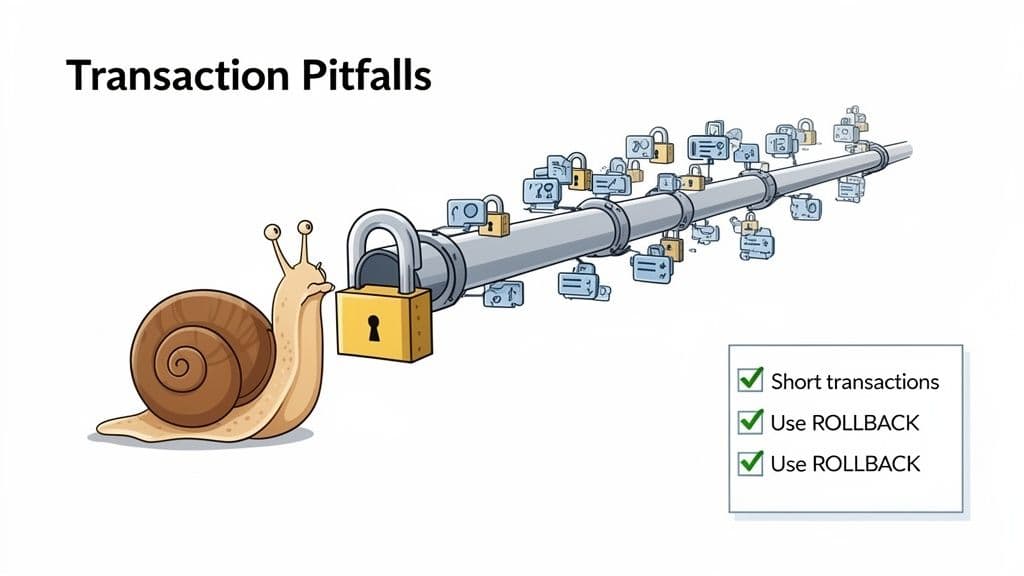
Knowing how to write a transaction is one thing; knowing where they go wrong is another. Avoiding these common traps is crucial for building a reliable and performant application.
Pitfall #1: Long-Running Transactions
This is the most common and damaging mistake. A long-running transaction holds database locks while it waits for something slow, like a network call, user input, or file processing.
-
Bad Example:
BEGIN TRANSACTION;UPDATE user_accounts SET status = 'pending_verification' WHERE user_id = 123;- Call an external email service API to send a verification link (can take seconds).
COMMIT;
While waiting for the email API, the transaction holds a lock on the
user_accountstable row. Any other process trying to read or update that user's record is now blocked, causing a performance bottleneck. -
Actionable Solution: Keep transactions short and focused purely on database work.
BEGIN TRANSACTION;UPDATE user_accounts SET status = 'pending_verification' WHERE user_id = 123;COMMIT;- After the commit is successful, then call the external email service. If the email fails, you can handle it separately (e.g., put it in a retry queue).
The core principle of a database transaction is to protect data integrity during quick, atomic updates. Using them to manage long, drawn-out business processes is a common anti-pattern that leads to locking, timeouts, and system-wide slowdowns.
Pitfall #2: Forgetting to Use Transactions
On the flip side is relying on the database's default "autocommit" behavior for operations that must be atomic.
-
Bad Example: A user updates their profile with a new email and username.
UPDATE users SET email = 'new.email@example.com' WHERE user_id = 456;UPDATE profiles SET username = 'new_username' WHERE user_id = 456;
If the first
UPDATEsucceeds but the second one fails (e.g., the username is already taken), you are left with inconsistent data: the user has a new email but their old username. -
Actionable Solution: Always wrap related write operations in an explicit
BEGIN/COMMIT/ROLLBACKblock. It’s the only way to guarantee atomicity and prevent corrupted data.
Transaction Best Practices Checklist
To sidestep these common issues, use this actionable checklist.
-
Handle Errors Gracefully with
ROLLBACK: Your application code must havetry...catchblocks. If any statement inside your transaction fails, thecatchblock must issue aROLLBACKto prevent partial updates. -
Keep Transactions Lean and Fast: Never include slow operations like sending emails, processing files, or calling external APIs inside a transaction. Do that work either before you
BEGINor after youCOMMIT. -
Choose the Right Isolation Level Intentionally: Don't just use the default. Understand why you're using it. If your feature involves financial calculations, upgrade to
Repeatable ReadorSerializable. If it's a low-risk counter, consider ifRead Committedis sufficient. Document the choice. -
Avoid User Input Mid-Transaction: Never start a transaction and then pause to wait for a user to fill out a form or click a button. This is the ultimate long-running transaction anti-pattern.
-
Access Resources in a Consistent Order: To prevent deadlocks, have all transactions that touch the same set of tables access them in the same order. For example, always update
invoicesbeforeproducts, or vice-versa.
Making these practices a habit will help you avoid the vast majority of transaction-related headaches.
Frequently Asked Questions About Database Transactions
Here are practical answers to the most common "what-if" questions developers have when working with transactions.
What Happens if My Application Crashes During a Transaction?
This is exactly what transactions are built to handle. If an application crashes or the server loses power during an uncommitted transaction, the database's recovery process will automatically roll back every change made by that transaction upon restart.
Actionable Insight: This is thanks to Atomicity and Durability. The database keeps a write-ahead log (WAL) of intended changes. On startup, it reviews this log and undoes any work from incomplete transactions. You don't need to write custom cleanup scripts; the database handles it for you, guaranteeing you are restored to the last known good state.
Is Every Single SQL Statement a Transaction?
In most cases, yes. Nearly all modern databases (PostgreSQL, MySQL, SQL Server) run in "autocommit" mode by default. This means each INSERT, UPDATE, or DELETE statement is wrapped in its own tiny transaction that is committed immediately upon success.
Autocommit is fine for simple, one-off changes. But for any business logic involving multiple steps—like transferring funds or creating an order—you must take manual control with
BEGINorSTART TRANSACTION.
Actionable Insight: If your code performs two UPDATE statements back-to-back, don't assume they are atomic. Without an explicit BEGIN, if the second statement fails, the first one remains committed, leaving your data in an inconsistent state.
How Do Transactions Impact Database Performance?
Transactions introduce overhead from two main sources: logging (to ensure durability) and locking (to ensure isolation). The stricter the isolation level, the more aggressive the locking, which can reduce concurrency.
Actionable Insight: The biggest performance killer is a long-running transaction. When a transaction holds locks for seconds instead of milliseconds, it forces other queries to wait, creating a bottleneck. The single most effective action you can take to improve transaction performance is to keep them as short and focused as possible.
Can I See Which Transactions Are Currently Active?
Yes, and it's a critical debugging skill. When your app slows down, a long-running transaction is a likely culprit.
- In PostgreSQL:
SELECT * FROM pg_stat_activity WHERE state = 'active';This query gives you a live look at all active connections and the queries they are running. Look for queries with a longquery_starttime. - In MySQL:
SHOW ENGINE INNODB STATUS;gives a detailed report, or queryinformation_schema.innodb_trxfor a list of active transactions.
Actionable Insight: Regularly monitoring for long-running transactions can help you proactively identify performance issues. If you find one, trace it back to the application code and refactor it to be shorter (e.g., move non-DB work outside the transaction block).
Juggling database connections, debugging queries, and inspecting transactions across different systems can get complicated. TableOne is a modern database client designed to make these daily tasks easier for SQLite, PostgreSQL, and MySQL. It offers a clean, unified interface to browse your data, write queries, and manage your schema without the usual headaches.
If you’re looking for a powerful, all-in-one tool to simplify your database workflow, give TableOne a try.


