Master mysql and foreign keys: Strengthen Data Integrity
Explore practical guidance on mysql and foreign keys - from design to optimization - to ensure data integrity and faster queries.

When you're building a database, it's easy to think of tables as separate islands of information. But the real power comes from connecting them. In MySQL, the most important tool for building these bridges is the foreign key. It's a simple concept that prevents a world of data headaches by enforcing rules that keep your table relationships clean and logical.
What Are MySQL Foreign Keys and Why Do They Matter?
Let's imagine you're building a simple e-commerce application. You'll likely have a customers table for user profiles and an orders table to track every purchase. The critical question is: how do you make sure every single order actually belongs to a customer in your system?
This is precisely the problem MySQL foreign keys were designed to solve.
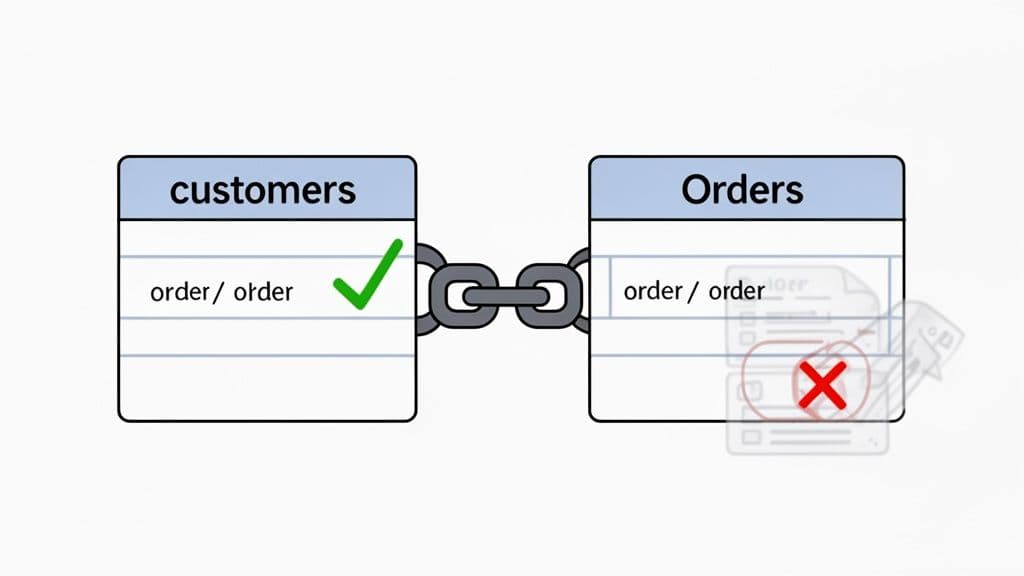
A foreign key is essentially a column in one table that points to a unique row in another. The table with the foreign key is called the child table (in our case, orders), and the table it points to is the parent table (customers).
So, your orders table would have a customer_id column. This column acts as a foreign key, referencing the id column in the customers table.
The Concept of Referential Integrity
This connection isn't just a casual link; it’s a strict rule enforced by the database itself. This enforcement is known as referential integrity, and it's the single most important reason to use foreign keys. It’s your database’s built-in guardian, ensuring your data relationships make sense.
A foreign key is the database's promise that a value in one table has a valid, corresponding entry in another. It turns chaotic, disconnected data into a reliable, structured system.
Without this, you’d quickly run into "orphan" records. For instance, what happens if a customer is deleted, but their past orders remain? Those orders now point to a ghost customer. This creates a data integrity nightmare that’s incredibly difficult to debug and clean up later.
How Foreign Keys Create Relationships
To make this work, the foreign key column in the child table has to point to a column in the parent table that is guaranteed to be unique. This is almost always the parent table's primary key. If you need a refresher on those, check out our guide on what is a primary key.
Once that link is established, you get some powerful, automatic protections:
- Prevents Invalid Data: MySQL will flat-out reject any attempt to
INSERTa new order if itscustomer_iddoesn't exist in thecustomerstable. You simply can't create an order for a customer who isn't there. - Maintains Data Consistency: It also stops you from deleting a customer if they still have orders linked to them. This protects your business logic by preventing you from accidentally erasing crucial historical data.
- Builds Reliable Applications: By enforcing these rules at the database level, you're not relying on your application code to handle every edge case. This creates a much more robust and trustworthy system from the very foundation.
In short, using foreign keys isn't just a "best practice"; it's a fundamental part of building a database that you can actually depend on. They are the glue that holds your data's logic together, ensuring its integrity and reliability as your application grows.
Now that we've covered the "what" and "why" of foreign keys, let's get our hands dirty with the "how." Managing these relationships in your database comes down to three fundamental Data Definition Language (DDL) commands: CREATE, ALTER, and DROP. Getting comfortable with these is key to controlling how MySQL and foreign keys interact.
To make things concrete, we'll work with a classic blog setup: a users table and a posts table, where every post must be linked to a specific user.
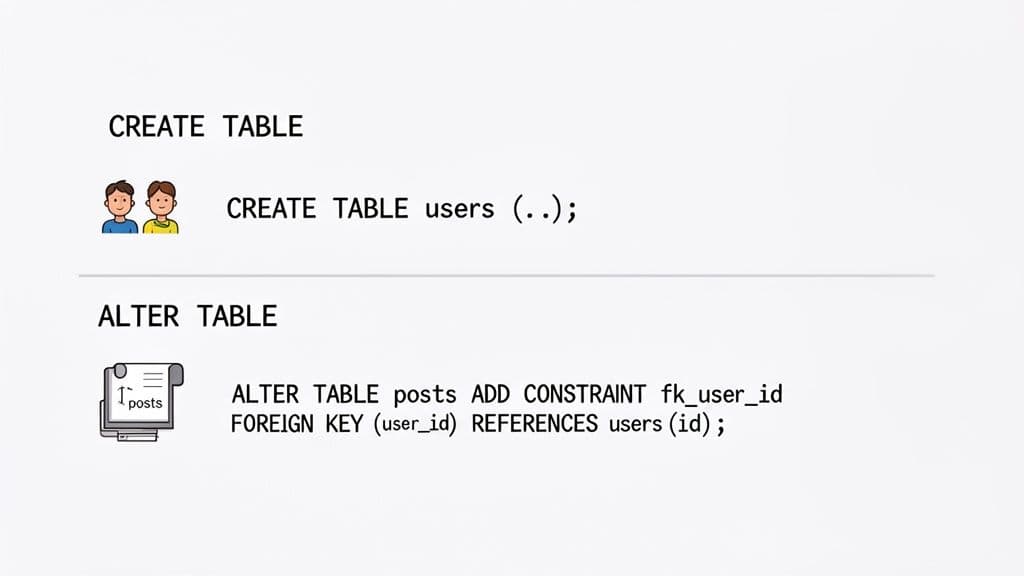
Creating a Table with a Foreign Key
When you're building a new schema from scratch, the cleanest way to work is by defining the foreign key right inside your CREATE TABLE statement. This bakes the relationship rule in from the very beginning.
First, we need our "parent" table, users. This is the table that will be referenced.
CREATE TABLE users (
    id INT UNSIGNED AUTO_INCREMENT PRIMARY KEY,
    username VARCHAR(50) NOT NULL UNIQUE,
    email VARCHAR(100) NOT NULL UNIQUE,
    created_at TIMESTAMP DEFAULT CURRENT_TIMESTAMP
) ENGINE=InnoDB;
With the users table in place, we can now create the posts table and immediately link it. The magic happens on the FOREIGN KEY line, which tells MySQL that the user_id column in this table must point to a valid id in the users table.
CREATE TABLE posts (
    id INT UNSIGNED AUTO_INCREMENT PRIMARY KEY,
    user_id INT UNSIGNED NOT NULL,
    title VARCHAR(255) NOT NULL,
    body TEXT,
    created_at TIMESTAMP DEFAULT CURRENT_TIMESTAMP,

    -- This line establishes the relationship
    FOREIGN KEY (user_id) REFERENCES users(id)
) ENGINE=InnoDB;
That one line enforces referential integrity. Now, if you try to create a post for a non-existent user, MySQL will stop you.
-- This will FAIL because no user with ID 999 exists.
INSERT INTO posts (user_id, title, body) VALUES (999, 'My First Post', 'This will not work!');
-- ERROR 1452: Cannot add or update a child row: a foreign key constraint fails
Adding a Foreign Key to an Existing Table
Of course, we don't always have the luxury of starting with a perfect schema. You'll often need to add relationships to tables that are already full of data, especially when refactoring an older application. For this, ALTER TABLE is your go-to command.
Pro Tip: Always name your constraints explicitly. A clear convention like
fk_childTable_parentColumnmakes debugging and future schema changes worlds easier than trying to remember what a system-generated name likeposts_ibfk_1was for.
Here’s how you'd add that same foreign key to an existing posts table, this time using a sensible, custom name.
ALTER TABLE posts
ADD CONSTRAINT fk_posts_user_id
FOREIGN KEY (user_id) REFERENCES users(id);
This statement modifies the posts table, adding the rule that posts.user_id must match an existing users.id. This kind of operation is much safer than it used to be. Back in the day, a failed ALTER TABLE could leave your schema in a messy, half-finished state. But since MySQL version 8.0, DDL operations are atomic thanks to its transactional data dictionary. Now, the entire command either succeeds or it rolls back completely, leaving your schema untouched. You can read more about these important changes to MySQL's foreign key handling.
Dropping a Foreign Key Constraint
Finally, there will come a time when you need to remove a foreign key. Maybe you're redesigning a relationship, running a massive data migration, or simply cleaning up old logic. To do this, you'll again use ALTER TABLE, but this time with the DROP FOREIGN KEY clause.
This is where naming your constraints really pays off. If you know the name, the command is straightforward.
ALTER TABLE posts
DROP FOREIGN KEY fk_posts_user_id;
Simple as that. If you skipped naming the constraint, you first have to go hunting for the system-generated name. You'd do this by running SHOW CREATE TABLE posts;, finding the cryptic constraint name in the output, and then plugging it into your DROP statement. Taking two extra seconds to name your constraints from the start saves you this lookup step every single time.
Choosing the Right ON DELETE and ON UPDATE Rules
Foreign keys do more than just link tables together; they enforce your application's business rules directly within the database. This is where the ON DELETE and ON UPDATE clauses truly shine. They're your instructions for what should happen to related data when a parent record changes.
Think of these rules as automated janitors for your data. They keep everything consistent and tidy, all without you having to write a single extra line of application code. When you're setting up a MySQL foreign key, you have five of these actions to choose from to handle maintenance automatically.
CASCADE: The Automatic Cleanup Crew
The CASCADE rule is easily one of the most powerful and frequently used options. When you delete or update a parent record, CASCADE mirrors that same action across all of its child records.
When to use CASCADE:
- ON DELETE CASCADE: This is your go-to when child records are completely dependent on the parent. If they can't exist on their own, this rule cleans them up. For instance, when you delete a
userrecord, you almost certainly want all of their associatedcommentsto disappear too. Orphaned comments are just dead weight. - ON UPDATE CASCADE: Absolutely essential if you ever anticipate your primary keys changing (which can happen, even with auto-incrementing IDs in some scenarios). If a
user_idis updated in theuserstable,ON UPDATE CASCADEensures theuser_idin thecommentstable is updated to match, keeping the relationship intact.
Here’s a practical example of setting this up when creating a table:
CREATE TABLE comments (
    id INT UNSIGNED AUTO_INCREMENT PRIMARY KEY,
    user_id INT UNSIGNED NOT NULL,
    comment_text TEXT,
    -- This constraint automatically cleans up comments
    FOREIGN KEY (user_id) REFERENCES users(id)
        ON DELETE CASCADE
        ON UPDATE CASCADE
) ENGINE=InnoDB;
With this in place, running DELETE FROM users WHERE id = 123; will trigger MySQL to automatically find and delete all comments where user_id was 123. No cleanup code required in your application!
SET NULL: Keeping Records for the Archives
The SET NULL action takes a totally different approach. Instead of deleting the child records, it simply sets the foreign key column in the child table to NULL. This effectively severs the link to the parent but leaves the child record itself untouched.
Actionable Insight: Use
SET NULLwhen you need to preserve child records for historical or archival reasons, even after the parent is gone. The child record has to make sense on its own.
When to use SET NULL:
- ON DELETE SET NULL: Picture a
taskstable where each task can be assigned to auser. If an employee leaves the company and you delete their user record, you probably don't want to delete all the tasks they were working on. UsingON DELETE SET NULLsimply un-assigns the tasks by settingtasks.assigned_user_idtoNULL, making them available for someone else to pick up.
The only catch is that the foreign key column must be defined as nullable.
CREATE TABLE tasks (
    id INT UNSIGNED AUTO_INCREMENT PRIMARY KEY,
    -- Notice the absence of NOT NULL, allowing it to be NULL
    assigned_user_id INT UNSIGNED,
    task_description VARCHAR(255),
    FOREIGN KEY (assigned_user_id) REFERENCES users(id)
        ON DELETE SET NULL
) ENGINE=InnoDB;
RESTRICT and NO ACTION: The Default Guardians
By default, InnoDB uses a behavior called RESTRICT. This is the database's most defensive posture. Both RESTRICT and its close cousin, NO ACTION, will stop you from deleting or updating a parent record if any child records are still pointing to it.
The technical difference between them is tiny and related to when the check happens, but for all practical purposes in InnoDB, they work identically: the database just says "no" and rejects the operation immediately.
When to use RESTRICT: Use this when you want to absolutely forbid deleting parent records that have dependencies. It’s the safest default because it forces you to consciously deal with the child records first, preventing accidental data loss. For example, you wouldn't want to delete a product_category if there are still products in that category. RESTRICT prevents this.
SET DEFAULT: The Niche Player
The SET DEFAULT rule is a bit like SET NULL, but instead of turning the foreign key NULL, it changes it to the column’s pre-defined default value. This is the least common of all the actions and takes some careful planning.
For this to work, the default value you set must already exist as a valid key in the parent table. For example, you might have a generic "Unassigned" user or a "General" category record that orphaned children can be reassigned to. While it has its uses, it’s often much simpler to just use SET NULL and handle the reassignment logic in your application.
Comparing MySQL Foreign Key Actions
To make it easier to decide, this table breaks down how each rule behaves when a parent key is changed or deleted.
| Rule | What It Does to Child Rows | Practical Use Case Example |
|---|---|---|
| CASCADE | Deletes or updates the child rows automatically when the parent row is deleted or updated. | Deleting a User automatically deletes all of their Posts and Comments. |
| SET NULL | Sets the foreign key columns in the child rows to NULL. The column must be nullable. | A Task assigned to a deleted Employee becomes unassigned (employee_id = NULL). |
| RESTRICT | Rejects the delete or update operation for the parent row if any child rows exist. | Prevents deleting a ProductCategory if Products are still using it. (Safest default). |
| NO ACTION | Functionally identical to RESTRICT in InnoDB. The operation is rejected immediately. | Same as RESTRICT; prevents orphaning child records by blocking the parent change. |
| SET DEFAULT | Sets the foreign key columns to their default value. The default must be a valid parent key. | An Article's author is changed to a default "Archived Author" when the original author's account is deleted. |
Choosing the right action from the start is a huge step toward building a robust and self-maintaining database. It's about encoding your business logic right where your data lives.
Understanding the Performance Cost of Foreign Keys
Let's talk about the elephant in the room: performance. A lot of developers worry that using MySQL and foreign keys will slow their database to a crawl. It's a fair concern—adding any kind of check introduces some overhead—but the reality is a classic engineering trade-off. You're balancing raw write speed against the priceless guarantee of data integrity.
The secret to making foreign keys fast is something the InnoDB storage engine usually handles for you: indexing. When you create a foreign key, InnoDB is smart enough to automatically create an index on that column if one isn't already there.
This is a huge deal. Without that index, every time you tried to add, change, or remove a row in a child table, MySQL would have to do a full-table scan on the parent table just to check if the relationship is valid. That's a slow, expensive operation. With an index, that same check becomes almost instant.
The Trade-Off Between Reads and Writes
So if indexes make these lookups blazing fast, where's the performance hit? The cost comes from the validation check itself, which mostly impacts your write operations.
INSERT/UPDATEon Child Table: Before the write can succeed, MySQL has to peek at the parent table to make sure the key you're referencing actually exists. It's a quick check with an index, but it's still an extra step.DELETE/UPDATEon Parent Table: Here, MySQL has to look at the child table to see if any rows depend on the record you're about to change or remove. Again, an index makes this fast, but it adds a tiny bit of time to the query.
For the vast majority of apps, this extra work is a tiny price to pay for data that you can trust. Honestly, the time you'd spend cleaning up orphaned records and fixing weird bugs almost always costs more than the minor performance hit from these checks.
When to Consider Disabling Foreign Keys
However, there are some specific, high-stakes situations where the math changes. In the world of massive, high-throughput systems, every single microsecond of write latency matters. It's in these extreme environments that some engineering teams will consciously decide to ditch foreign key constraints entirely.
In a fascinating discussion among engineers from major MySQL users, a clear pattern emerged: at extreme scale, many sites disable database-level foreign keys. One report even suggested that over 70% of high-traffic MySQL users at that scale opted out of these constraints to squeeze out every last drop of write performance, a practice that continues in top tech companies today. You can read the full debate on why high-traffic sites sometimes avoid MySQL foreign keys.
When they do this, they're shifting the burden of maintaining relationships from the database directly onto their application code.
This strategy is a high-wire act. It's chosen when write operations per second are the absolute top priority, and the team is confident their application logic is robust enough to prevent data corruption. For most projects, this is an unnecessary risk.
Making an Informed Decision
So, should you use them? It all comes down to what your application truly needs. Ask yourself a few key questions:
- What's my write volume like? Are you handling thousands of
INSERTs per second, or is your app mostly read-heavy? - What's my tolerance for bad data? Would an orphaned record be a minor annoyance or a complete disaster for your business? In an e-commerce or financial system, it's a disaster. For a simple event log, it might not be a big deal.
- How complex is my application logic? Are you absolutely certain you can manage every relationship and edge case in your code, without the database acting as a safety net?
For the vast majority of us, the answer is crystal clear: use foreign keys. The integrity they provide and the silent bugs they prevent are far more valuable than the tiny performance overhead. Trying to manage this in the application is often a premature optimization that just opens the door to trouble. If you're hitting performance walls, you'll get much better results by focusing on general SQL query optimization techniques first.
How to Debug Common Foreign Key Errors
We’ve all been there. You run a simple ALTER TABLE statement, and then BAM!—the dreaded ERROR 1215: Cannot add foreign key constraint stops you dead in your tracks. It’s one of MySQL's most frustrating errors because it's so vague, giving you almost no clue what went wrong.
But don't start randomly changing things. There's a method to the madness. The problem is almost always a subtle mismatch between the two columns you're trying to connect. If they aren't a perfect match in every way, MySQL will simply refuse to create the link.
The Five-Point Inspection Checklist
When you hit that ERROR 1215, running through this checklist will solve the problem 99% of the time. These are the usual suspects, and it’s best to check them in order.
- Mismatched Data Types: This is the #1 offender. The foreign key column and the parent key column it references must have the exact same data type. A tiny difference, like
INTvs.INT UNSIGNED, is enough to cause a failure. - Missing Index on the Parent Key: MySQL requires the column you're referencing in the parent table to have an index. If you're linking to a primary key, you're good—it's indexed by default. But if you’re referencing a
UNIQUEkey or another column, you have to make sure an index exists on it first. - Mismatched Storage Engines: Foreign key constraints are an InnoDB feature. If either of your tables is using an older engine like MyISAM, it won’t work. Both tables absolutely have to be using a storage engine that supports foreign keys.
- Mismatched Character Sets or Collations: This one trips people up with
VARCHARcolumns. It’s not enough for the data types to match; the character set (likeutf8mb4) and collation (likeutf8mb4_unicode_ci) must also be identical on both columns. - Existing Orphaned Data: If you're adding a foreign key to a table that already has data, MySQL runs a check. If it finds even a single row in your child table with a value that doesn't exist in the parent table, it will reject the constraint to avoid creating an invalid state.
This decision tree helps frame a higher-level question you might face—whether to even use foreign keys in the first place, especially when performance is a top priority.
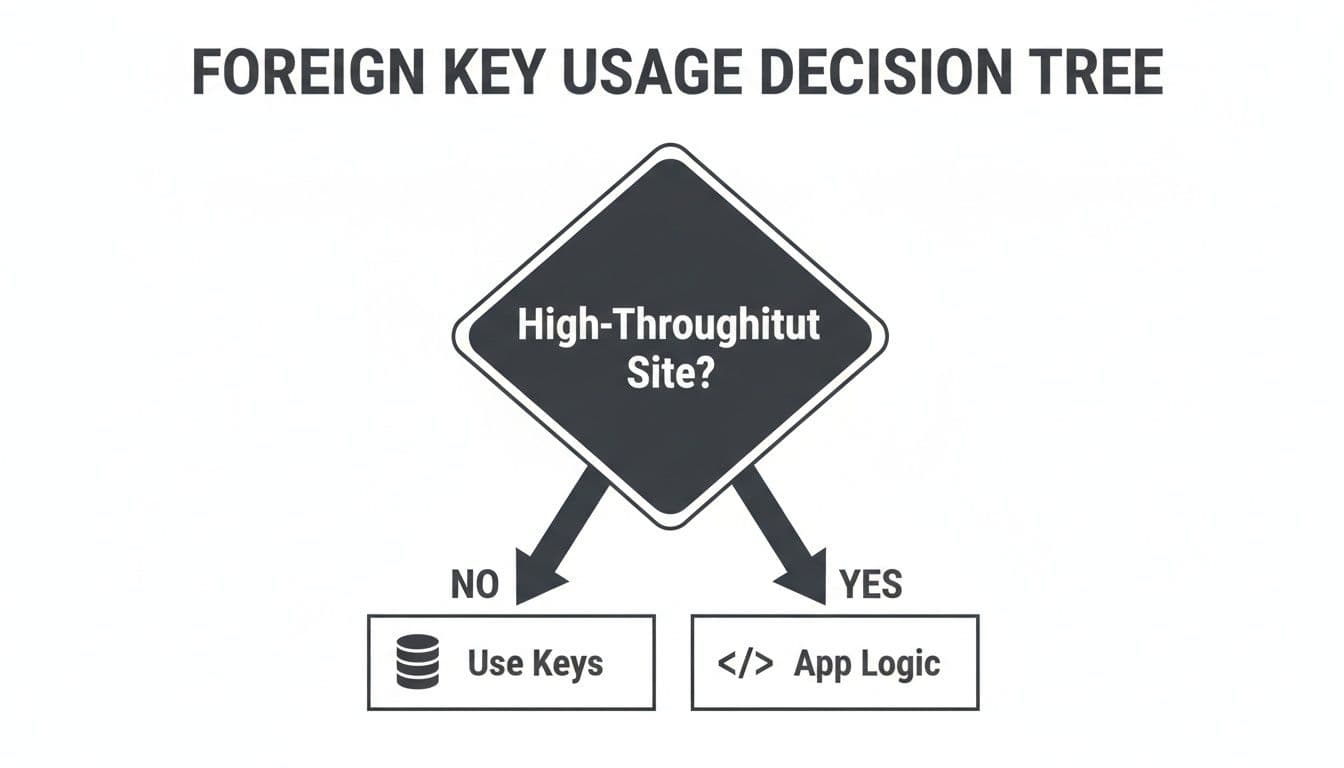
For most apps, letting the database enforce data integrity is the right call. But for massive, high-throughput systems, some teams offload this logic to the application layer to squeeze every last drop of write performance out of the database.
Your Best Friend for Vague Errors
When the checklist doesn't reveal the issue, there's one command that will almost always give you the answer: SHOW ENGINE INNODB STATUS.
Run this command right after your ALTER TABLE fails:
SHOW ENGINE INNODB STATUS\G
Buried in the output is a section called LATEST FOREIGN KEY ERROR. This is your golden ticket. It provides a far more detailed explanation than the generic ERROR 1215, often telling you exactly what’s wrong.
This log is the single most effective tool for debugging a stubborn foreign key problem. It can take you from "I have no idea what's wrong" to "Oh, I just need to add an index" in seconds.
For example, you might see a message like: Cannot find an index in the referenced table where the referenced columns appear as the first columns. That instantly tells you the issue isn’t a data type mismatch—it’s a missing index on the parent table. Following this troubleshooting process for MySQL and foreign keys will help you fix errors like a seasoned pro.
Practical Workflows for Managing Foreign Keys
Knowing the syntax for foreign keys is just the start. The real challenge comes when you have to manage them in a live, complex project. While you can do everything from the command line, it often feels like you're looking at your database through a keyhole. This is where a good visual tool can make all the difference, helping you work faster and avoid costly mistakes.
Think about jumping into a legacy database for the first time or getting a new developer up to speed. Are you going to have them run dozens of SHOW CREATE TABLE and DESCRIBE commands just to piece together how everything connects? A graphical user interface (GUI) can lay out the entire schema visually in seconds, which is a massive productivity boost.
Visualize Relationships Instantly
With a modern database GUI like TableOne, you can see how tables are related without writing a single line of SQL. It's a game-changer for understanding dependencies. You can instantly trace connections, see which columns are linked, and figure out the ripple effects of a potential change. This is invaluable for debugging, planning migrations, or just getting a feel for the database architecture.
For instance, just by clicking on a table, you can see every incoming and outgoing foreign key at a glance.
Take a look at how TableOne's inspector immediately shows the relationships for an employees table:
From this one view, you can see that the employees table has a self-referencing foreign key (reports_to) and also acts as the parent table for orders. Getting this kind of immediate, clear feedback from the command line alone is nearly impossible and saves a ton of time you'd otherwise spend exploring the schema manually.
Strategies for Legacy Databases
So, what happens when you inherit a database that was built without foreign keys? You can't just run an ALTER TABLE command and hope for the best—that's a recipe for disaster.
The biggest landmine you'll face is "orphan" records. These are rows in a child table that point to a parent record that no longer exists. Before you can even think about adding a foreign key constraint, you have to find and deal with these orphaned rows.
Here’s a safe, battle-tested approach for adding a foreign key to a live, legacy table:
-
Find the Orphans: First, run a query to find all the records in your would-be child table that don't have a matching record in the parent table. This tells you the exact scope of the cleanup job.
-- Find all posts whose user_id does not exist in the users table SELECT p.id, p.user_id FROM posts p LEFT JOIN users u ON p.user_id = u.id WHERE u.id IS NULL AND p.user_id IS NOT NULL; -
Clean Up or Archive: Now, decide what to do with the orphans. Depending on your business rules, you might delete them, move them to an archive table, or simply set the foreign key column to
NULL(if your column allows it). -
Add the Constraint: Once the data is clean, you can finally run your
ALTER TABLE ... ADD FOREIGN KEYstatement with confidence. Because you've already tidied up the data, the command will execute without errors. If you're working with a massive table, check out our guide on how to alter columns with minimal disruption for more advanced techniques.
Documenting Your Schema Relationships
Finally, remember that your work isn't done until it's documented. While the schema itself is the ultimate source of truth, good documentation explains the why behind your design choices, not just the what.
A great habit to build is using your database GUI to take a snapshot of the schema diagram. Check that image into your project's Git repository along with a simple Markdown file explaining the key relationships and business logic.
This simple step creates a versioned, easy-to-understand record of your database structure. It helps the whole team—present and future—understand not just how the tables are connected, but why they're connected that way, making future development and maintenance much more predictable.
A Few Lingering Questions About MySQL Foreign Keys
Even after you get the hang of foreign keys, a few tricky questions always seem to pop up. Let's clear up some of the most common head-scratchers so you can handle those edge cases like a pro.
Can a Foreign Key Reference a Non-Primary Key?
You bet. While it's most common to point a foreign key to a primary key, you're not limited to it. The one non-negotiable rule is that the foreign key must reference a column (or set of columns) that has a UNIQUE index.
A foreign key’s job is to point to one, and only one, specific row in another table. A primary key guarantees this by its very nature, but a UNIQUE key does the same job. A common example is linking to a username or email column in a users table, which you’ve already set up with a UNIQUE constraint.
What Is the Difference Between RESTRICT and NO ACTION?
This is a classic point of confusion, but for anyone working with modern MySQL, the answer is simple: there is no functional difference.
When you're using the InnoDB storage engine, both RESTRICT and NO ACTION behave identically. They will immediately reject any DELETE or UPDATE that would orphan a child record. The operation fails, and the database throws an error.
You might hear about other database systems treating these differently, sometimes by deferring the check until the end of a transaction. But in MySQL's InnoDB engine, they do the exact same thing. In fact,
RESTRICTis the default behavior if you don't specify anON DELETEorON UPDATErule at all.
Do Foreign Keys Work with All MySQL Storage Engines?
Nope, and this is a big one. Foreign key constraints are a feature of the InnoDB storage engine. This is the default engine for modern MySQL, so you're usually in the clear.
However, if you happen to be working with an older database that uses a different engine like MyISAM, you'll run into trouble. MyISAM will accept the FOREIGN KEY syntax without throwing an error, but it won't actually enforce the constraint. To get the data integrity benefits of foreign keys, both your parent and child tables must be using InnoDB.
Does the Order of Columns in a Composite Foreign Key Matter?
Yes, it absolutely matters. When you're dealing with a composite key (a key made of multiple columns), the order of the columns in your FOREIGN KEY definition has to perfectly match the order of the columns in the parent table's PRIMARY KEY or UNIQUE index.
Think of it like a combination lock. If the parent table's key is (order_id, product_id), your foreign key reference must also be (order_id, product_id), in that exact sequence. If you flip them, MySQL won't be able to make the connection.
Ready to stop wrestling with database schemas and start managing them visually? TableOne is a modern database tool that makes working with MySQL and foreign keys fast and predictable. Inspect relationships, edit data safely, and compare schemas across different databases—all in a single, beautiful app. Try the 7-day free trial on tableone.dev.


