What Is a Primary Key and How Does It Work
Discover what is a primary key in a database, why it's essential for data integrity, and how to use it with practical SQL examples and expert advice.

At its core, a primary key is the unique identifier for every single row in a database table. Think of it like a Social Security Number for a person or a VIN for a car—it's a one-of-a-kind label that ensures you can always find and manage a specific record without any mix-ups. This simple concept is the foundation of an organized and reliable database.
What Is a Primary Key and Why Does It Matter?
Imagine an online store's orders table without a unique order_id. If two customers place an order at the exact same second, how would you distinguish them? A primary key solves this exact problem by giving every entry its own distinct tag. This isn't just a minor technical detail; it's the fundamental principle that prevents duplicate data and keeps your entire database from descending into chaos.
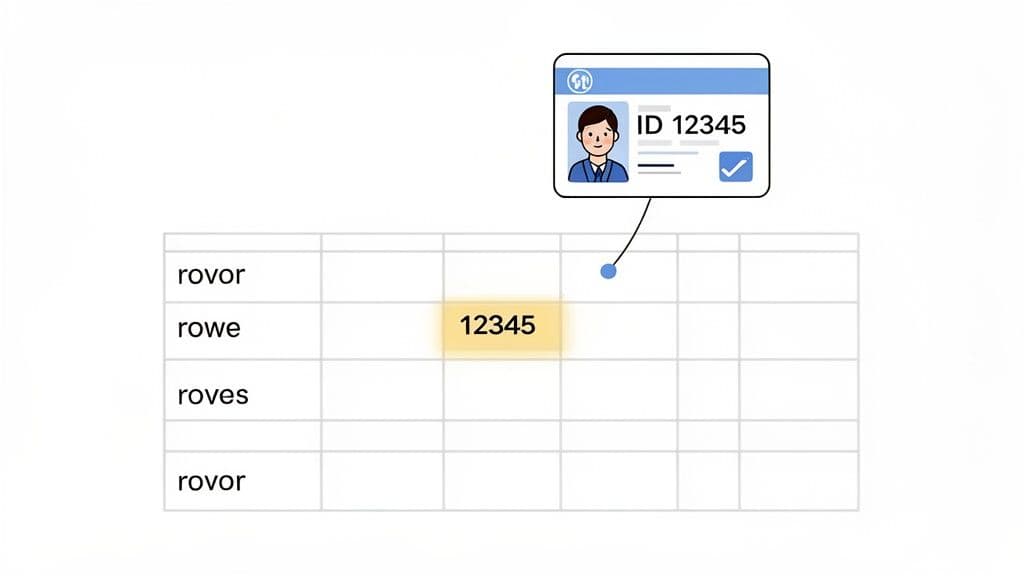
Without this unique identifier, you're opening the door to a system filled with ambiguous and duplicate records. In fact, tables in production without primary keys often see 45% higher rates of data anomalies. Those kinds of problems can silently corrupt reports, break applications, and cause major headaches down the line. You can dive deeper into these foundational database concepts through community resources like the Wikipedia page on primary keys.
To work its magic, every primary key must follow two iron-clad, non-negotiable rules.
The Two Golden Rules of Primary Keys
No matter the database system you're using—from SQLite to PostgreSQL—these two properties are universal and mandatory for any primary key.
- It Must Be Unique: Every single value in the primary key column has to be one-of-a-kind. You can't have two
product_idvalues of101in yourproductstable. - It Cannot Be Null: A primary key column can never be left empty. It cannot contain a
NULLvalue. Every row in the table needs its identifier to be present and accounted for, no exceptions.
Here's a quick summary of these essential rules.
Primary Key Core Properties at a Glance
| Property | Description | Why It Matters |
|---|---|---|
| Uniqueness | Each value in the primary key column must be distinct. No two rows can share the same key. | This prevents duplicate records and ensures you can reliably pinpoint a specific row. |
| Non-Null | The primary key column cannot contain NULL or empty values. Every row must have a key. | It guarantees that every single record in your table is identifiable and addressable. |
Sticking to these principles is the first and most crucial step toward building a database you can actually trust.
Key Takeaway: Think of a primary key as the ultimate guarantee that every row in your table is a unique, identifiable entity. This simple constraint is what makes relational databases so powerful for everything from e-commerce stores to financial systems. Get this right, and you're well on your way to building a robust and scalable application.
Choosing the Right Type of Primary Key
Once you’ve grasped why you need a primary key, the next big question is: which kind? This isn't just a technical detail; it's a decision that will shape your database's performance, stability, and how easy it is to grow later on. You're generally looking at three main options.
The first one you'll probably think of is a natural key. This is a column that's already part of your data and just so happens to be unique. Think of a user's email_address, a product SKU, or a country's iso_code. It feels simple and logical because you're using a piece of real-world information.
But tread carefully here. Natural keys can be surprisingly brittle. What happens when a user needs to change their email address? You'd have to cascade that update across every single table that references it. That's a messy, risky operation. It's this exact instability that leads most experienced developers to look for a better way.
Surrogate Keys: The Industry Standard
To get around the problems with natural keys, we use surrogate keys. These are just made-up identifiers—they have no meaning in the real world and exist only to uniquely identify a row. The most common flavors are simple auto-incrementing integers (1, 2, 3...) or a universally unique identifier (UUID).
The beauty of a surrogate key is its rock-solid stability. It's generated once when the row is created and never, ever changes. This makes it a dependable anchor for all your table relationships. For anyone building a serious, high-scale application, surrogate keys are the go-to. For instance, in modern platforms like PlanetScale, which is built on a MySQL-compatible database, surrogate keys are used in 85% of high-scale apps to avoid the performance headaches that natural keys can cause. You can discover more insights about primary key usage in large systems.
Actionable Insight: For over 95% of tables you'll ever create, a surrogate key is the right answer. Just start with an auto-incrementing integer (
INTorBIGINT). It's simple, fast, and the safest, most reliable approach out there.
Composite Keys: For Special Cases
Finally, we have the composite key. This is where you combine two or more columns to form a single unique identifier. You won't use this for most of your tables, but it's the perfect tool for certain jobs, especially for "linking" or "junction" tables that model many-to-many relationships.
Practical Example: Imagine a database where students can enroll in many courses, and courses have many students. You'd have a student_enrollments table with student_id and course_id. The goal is to prevent a student from enrolling in the exact same course more than once. A composite key on (student_id, course_id) handles this beautifully, making that specific combination the unique identifier. An attempt to insert a duplicate pair would be rejected by the database.
As you weigh your options, keep in mind that different database systems have their own quirks. You can dive deeper into how they handle keys in our guide comparing MySQL vs. PostgreSQL.
How to Implement Primary Keys with SQL
Theory is great, but putting it into practice is what really counts. Let’s get our hands dirty and look at the actual SQL you’ll write to define primary keys in some of the most common databases. We'll cover how to set things up correctly from the start and how to fix a table that was created without a key.
This flowchart maps out the decision-making process for choosing the right kind of primary key for your table.
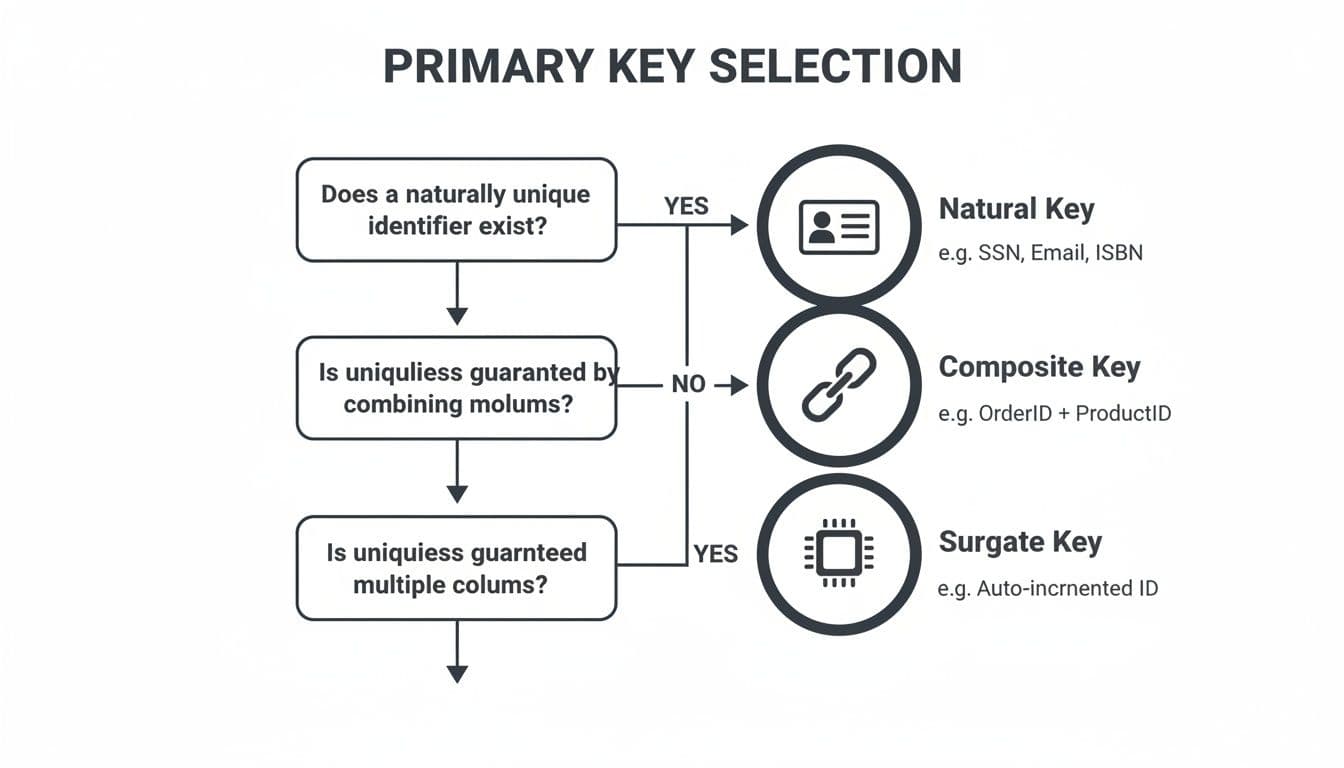
As you can see, for most everyday situations, a simple surrogate key is the most straightforward and dependable option. Natural and composite keys are typically reserved for more specialized cases where they offer a clear advantage.
Creating a Table with a Primary Key
The best time to add a primary key is right when you create the table with a CREATE TABLE statement. The basic syntax is fairly standard across different database systems, but the specific keywords for creating an auto-incrementing integer—the go-to choice for a surrogate key—do vary.
Here’s how you’d create a simple users table with an auto-incrementing id as the primary key in three popular databases.
- SQLite: Simply uses the
INTEGER PRIMARY KEYdeclaration. This special combination automatically handles the auto-incrementing behavior for you. If you're new to SQLite, our guide on how to create a database in SQLite is a great place to start. - PostgreSQL: Uses the
SERIALpseudo-type. This is just a handy shortcut that tells Postgres to create an integer column and manage an underlying sequence to generate unique numbers. - MySQL: Achieves this with the
AUTO_INCREMENTattribute added to an integer column.
-- SQLite Example CREATE TABLE users ( id INTEGER PRIMARY KEY, email TEXT NOT NULL UNIQUE, username TEXT );
-- PostgreSQL Example CREATE TABLE users ( id SERIAL PRIMARY KEY, email TEXT NOT NULL UNIQUE, username TEXT );
-- MySQL Example CREATE TABLE users ( id INT AUTO_INCREMENT PRIMARY KEY, email VARCHAR(255) NOT NULL UNIQUE, username VARCHAR(255) );
Adding a Primary Key to an Existing Table
What happens if you're working with a table that's missing a primary key? It’s a surprisingly common scenario in the real world. Fortunately, you can add one after the fact using the ALTER TABLE command, which lets you modify a table’s structure.
Heads Up: Before you can add a primary key to a table that already has data, the column you choose must already contain unique and non-null values for every single row. If it doesn't, the database will throw an error and refuse to make the change.
For instance, imagine you have a products table where the sku column should have been the primary key all along. As long as every sku is unique and not null, you can run this command.
-- Universal SQL syntax for adding a primary key ALTER TABLE products ADD PRIMARY KEY (sku);
This single command tells the database to apply the primary key constraint to the sku column, officially making it the unique identifier for every product from that point on.
How Primary Keys Boost Database Performance
A primary key is more than just a rule for your data; it's a massive performance booster. The real magic happens behind the scenes. When you designate a primary key, most databases automatically create a special, highly-optimized structure called an index.
Think of this index like the one at the back of a textbook. Instead of flipping through every single page to find a topic—what we'd call a "full table scan" in database terms—you just look up the term in the index and go straight to the right page. A primary key index does the exact same thing for your data, allowing the database to find a specific row in the blink of an eye.
The Power of Clustered Indexes
Some systems, like MySQL and SQL Server, take this a step further by creating a clustered index. This isn't just a separate lookup list; it physically reorders the data in the table to match the order of the primary key. The rows themselves are stored on disk in the sequence of their primary key values.
This physical organization makes lookups on the primary key column astonishingly fast.
The impact on your everyday SQL operations is huge. Any query that uses the primary key, like SELECT * FROM users WHERE id = 123;, becomes incredibly efficient. We're talking near-instant retrieval, even from tables with millions of records. Without that index, the database has no choice but to grind through the entire table, row by painful row.
For example, just by declaring a
PRIMARY KEY, MySQL's auto-created unique index has been shown to slash query times by up to 70% on large datasets. Benchmarks on tables with over 10 million rows consistently back this up. You can learn more about the impact of primary keys on database architecture.
At the end of the day, grasping the link between a primary key and its index is what separates good developers from great ones. It's fundamental to writing efficient queries and building applications that don't crumble under pressure.
Connecting Your Data with Foreign Keys
So far, we've treated primary keys as a way to uniquely identify rows within a single table. But their real magic happens when they start connecting different tables together, which is where the foreign key comes in. This partnership is what turns isolated lists of data into a truly relational database.
Think of it as the glue that holds your data model together.
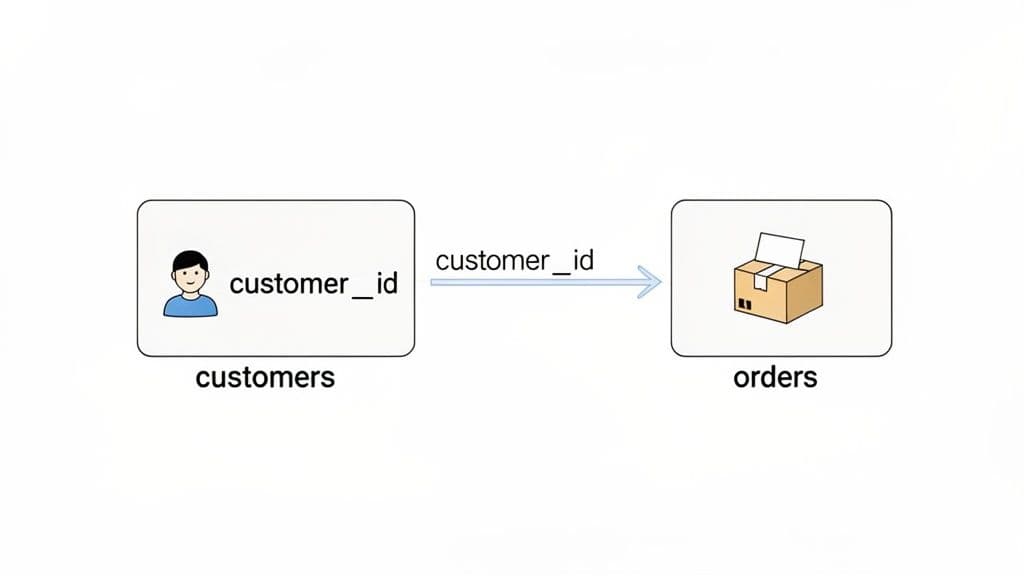
Let’s stick with our customers table. Its primary key, customer_id, acts like a unique, permanent ID card for every person. Now, imagine you have a separate orders table. To know who placed each order, you'd add a customer_id column to that table, too.
This customer_id in the orders table is the foreign key. It doesn't identify an order; instead, it references—or points back to—the primary key in the customers table. Now you have a direct, logical link. See an order? You can immediately use its customer_id to look up exactly who placed it.
What Is Referential Integrity?
This relationship isn't just for convenience; it's a powerful data protection mechanism. The link created by a foreign key enforces a fundamental rule called referential integrity. It’s a fancy term for a simple, crucial idea: your database relationships must always be valid.
Practical Example: Referential integrity ensures you can't have "orphan" records. For instance, the database will flat-out reject
INSERT INTO orders (order_id, customer_id, order_date) VALUES (99, 500, '2024-10-26');if there is no customer withid = 500in thecustomerstable.
This one rule prevents a whole class of data headaches. It stops you from creating orders for customers who don't exist or assigning posts to users who have been deleted. It's one of the core concepts that keeps your data clean, logical, and trustworthy as your application grows. You can dive deeper into the technicals behind primary key constraints on Wikipedia.
Without this, you'd quickly end up with a messy, unreliable database where records point to nowhere.
Getting Primary Keys Right: Best Practices and Common Pitfalls
Knowing what a primary key is and knowing how to use one effectively are two very different things. Let's move from theory to practice. Building a solid database means leaning on some battle-tested best practices right from the get-go, so you can avoid the design flaws that create massive headaches later on.
Key Choices: Stability is Everything
If there’s one golden rule, it’s this: strongly prefer stable surrogate keys over natural keys. Think auto-incrementing integers or UUIDs. It might seem clever to use a "natural" piece of data like a user's email address as their primary key, but that convenience can turn into a nightmare. What happens when they need to change their email?
This isn't just an academic debate. The industry's move away from natural keys, like using Social Security Numbers as identifiers, ramped up significantly with the introduction of privacy laws like GDPR. This accelerated the adoption of surrogate keys, with UUIDs in particular seeing a huge surge in new projects post-2010. You can get a sense of this evolution by looking at DBpedia trends on primary key strategies.
Critical Mistakes to Avoid
Choosing the right type of key is half the battle. The other half is avoiding the common traps and anti-patterns that developers often fall into. Sidestepping these will keep your database healthy and scalable.
- Never, ever change a primary key's value. Seriously. Once a primary key is set, it should be permanent. Altering it can cause a cascading failure, breaking foreign key relationships throughout your entire database and leaving you with orphaned records and corrupted data.
- Pick the right data type. Don't use a
BIGINTwhen a simpleINTwill do; it wastes storage and can have minor performance impacts. On the flip side, using anINTfor a table you expect to grow beyond 2.1 billion rows is a ticking time bomb waiting to explode. - Don't bake business logic into your key. The primary key has one job: to uniquely identify a row. That's it. Creating complex keys like
ORD-2024-CUST123-Aembeds business meaning, making the system incredibly brittle and a pain to change down the road.
Actionable Insight: A primary key is an implementation detail, not a business feature. Keep it simple, stable, and meaningless. If you've inherited a system where you absolutely must modify an existing key, our guide on how to alter table columns with SQL can help you navigate that risky process as safely as possible.
Juggling primary keys, indexes, and relationships across different databases can get complicated fast. TableOne gives you a clean, unified interface for SQLite, PostgreSQL, and MySQL, so you can browse, edit, and ship with confidence. Try it free for 7 days.


