How to Create Indexes in SQL for Faster Database Queries
Learn how to create indexes in SQL to make your queries faster. This guide has practical examples for PostgreSQL and MySQL that you can use today.
We’ve all been there: a query that runs just fine in development suddenly grinds to a halt in production. If you’re dealing with slow queries, learning how to create indexes in SQL is one of the most powerful performance boosts you can give your database.
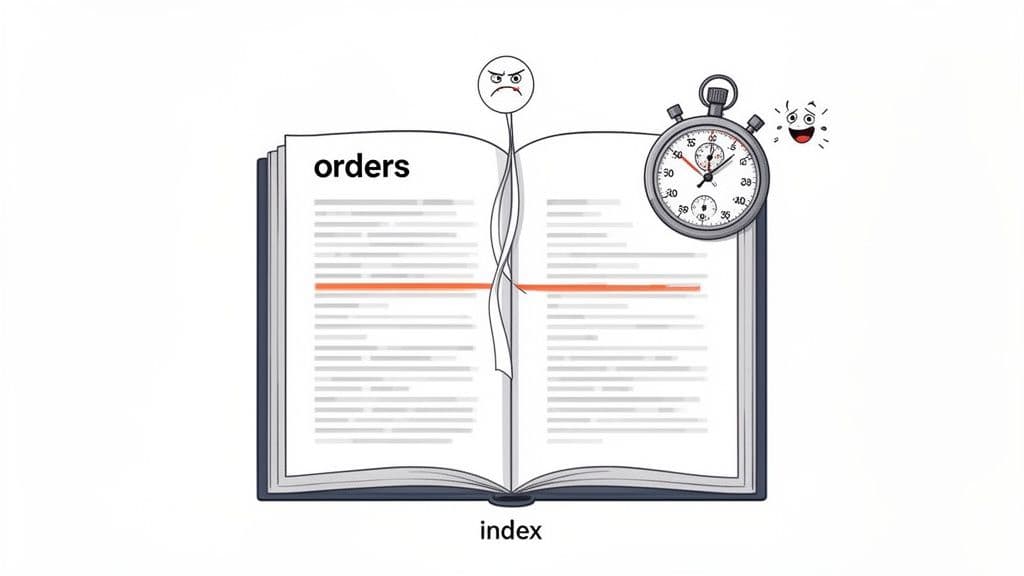
The concept is simple. Think of a database index like the index at the back of a textbook. Instead of flipping through every page to find a topic, you jump to the index, find the term, and get the exact page number. An SQL index does the same thing for your data, saving the database from scanning every single row.
Why SQL Indexes Are Your Performance Superpower
At its heart, an SQL index is just a separate data structure that the database maintains. It holds a copy of the indexed column's values in a sorted order, along with a pointer back to the original data row. This allows the database to find what it needs almost instantly, avoiding a costly full table scan.
Let’s say you have an orders table for an e-commerce platform with millions of records. When a customer wants to see their order history, you run a query like SELECT * FROM orders WHERE customer_id = 123;. Without an index on customer_id, the database has no choice but to read every row in the table, one by one, to find a match. As that table grows, the query gets slower and slower.
The Immediate Impact on Query Speed
Once you add an index to the customer_id column, everything changes. The database now has a neatly sorted list of customer IDs. To find customer 123, it performs a quick search on this new structure and immediately gets the locations of the matching rows. What was a painful, multi-second wait becomes a near-instantaneous operation.
The difference isn't just theoretical. To give you a concrete idea, I ran a quick test on a 100,000-row table.
Index Impact at a Glance
| Metric | Without Index (Sequential Scan) | With B-Tree Index (Index Scan) |
|---|---|---|
| Query Time | 34.652 ms | 0.335 ms |
| Speedup | - | ~100x Faster |
| Data Blocks Read | 448 | 3 |
As you can see, adding one simple index made the query over 100 times faster and reduced the amount of data read by more than 99%. That’s a massive win from a single line of code.
Understanding the Trade-Off
Of course, this incredible read performance isn’t entirely free. The main trade-off is a small hit to your write speeds. Every INSERT, UPDATE, or DELETE operation now requires an extra step: the database must update the index as well as the table itself.
For the vast majority of applications, this is a bargain you should take every time. Here’s why:
- Read-Heavy by Nature: Most apps read data far more often than they write it. The huge boost in query speed for users almost always justifies the minor write overhead.
- Strategic, Not Universal: You don’t need to (and shouldn't) index every column. You strategically pick the columns that appear most often in your
WHEREclauses,JOINconditions, andORDER BYstatements.
Actionable Insight: An index is a bet on your future query patterns. You’re trading a small, consistent cost on writes for a massive, scalable gain on reads. If you have a slow dashboard, find the query powering it. Identify the
WHERE,JOIN, andORDER BYclauses—those are your prime candidates for indexing.
By understanding this fundamental balance, you can start making smart, proactive decisions about your database performance. It’s a key skill for building applications that not only work but scale gracefully. To learn more, check out our guide on other essential SQL query optimization techniques.
Creating Your First Index: A Hands-On Guide
Alright, enough theory. The best way to understand indexing is to actually write the code. Let's get our hands dirty with the CREATE INDEX command.
While the basic syntax is pretty consistent across the big SQL databases, you'll find tiny differences from one to the next. We'll walk through the most common flavors you'll run into: PostgreSQL, MySQL, and SQLite.
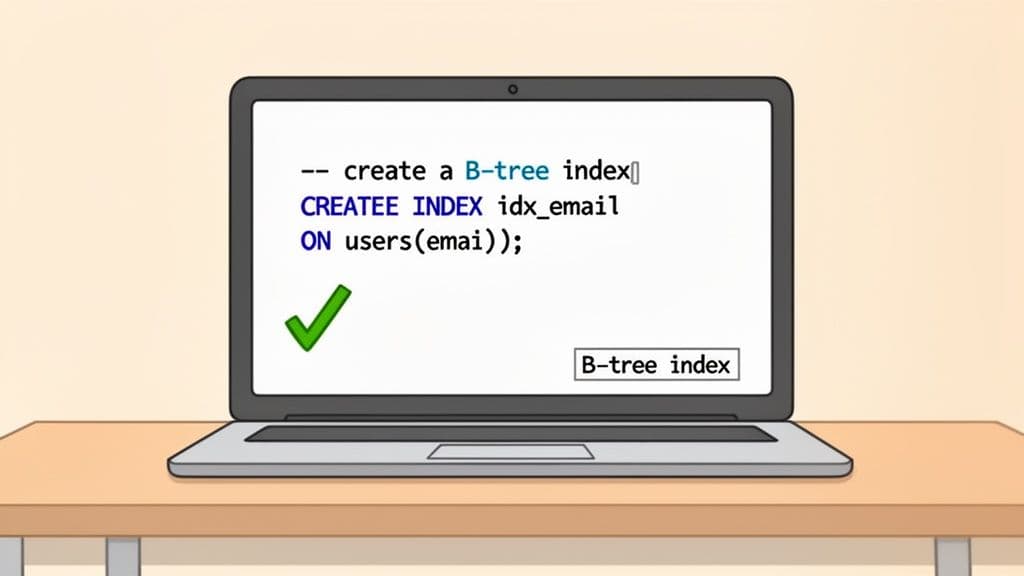
To make this real, let’s imagine we have a users table. One of the most frequent things you'll do with a users table is look someone up by their email address, especially during login. Without an index, the database has to do a full table scan—reading every single row—just to find one match. That's a huge performance killer.
Let's fix that.
The Basic Syntax: PostgreSQL, MySQL, and SQLite
One of the nice things you'll discover is that for a standard B-tree index, the command is nearly identical across these three databases. This makes life a lot easier when you're jumping between projects or tech stacks.
Here’s the command to create an index on the email column.
For PostgreSQL:
-- PostgreSQL Example
CREATE INDEX idx_users_email ON users (email);
For MySQL:
-- MySQL Example
CREATE INDEX idx_users_email ON users (email);
And for the lightweight SQLite:
-- SQLite Example
CREATE INDEX idx_users_email ON users (email);
See the pattern? You're telling the database to CREATE INDEX with a specific name, ON a specific table, using a specific (column).
Actionable Insight: Stick to a consistent naming convention like
idx_tablename_columnname. When you have dozens of indexes, this simple habit makes it instantly clear what each one does, saving you from having to guess or look up its definition later.
A Common Gotcha: Optimizing Sorted Queries
Here’s a scenario I see all the time: you need to pull the most recent records from a table, like the latest comments or newest user signups. Your query probably looks something like this: ORDER BY created_at DESC.
If you only have a basic index on created_at, the database still has to do extra work. It will use the index to find the relevant rows, but then it has to sort them all in descending order before returning the results.
You can give your database a massive shortcut by creating an index that matches the sort order of your query.
In PostgreSQL, you can add the DESC keyword right into the index definition:
-- PostgreSQL Descending Index
CREATE INDEX idx_users_created_at_desc ON users (created_at DESC);
Now, the index is pre-sorted in the exact order your query needs. The database can just read the values directly from the index, skipping the sorting step entirely. This is a simple but incredibly effective trick for speeding up feeds, activity logs, and timelines.
Of course, you don't always have to live in the command line. Modern database clients like TableOne offer a GUI where you can add, view, and manage indexes through a simple form. This is a great way to get comfortable with indexing without having to memorize all the syntax upfront.
And as you get deeper into database design, remember that indexes are just one part of the puzzle. Understanding core concepts like primary keys is just as important. For a great refresher, check out our guide on what a primary key is and why it matters.
Beyond the Basics: Advanced SQL Indexing Techniques
Once you've mastered single-column indexes, you'll eventually hit a performance wall. Simple indexes are fantastic for straightforward lookups, but real-world queries are rarely that simple. They often involve multiple conditions, functions, or focus on a tiny, critical subset of your data.
This is where you need to level up your indexing game. Advanced techniques like composite, partial, and expression-based indexes aren't just niche tricks; they are essential tools for solving complex performance bottlenecks that a basic index simply can't handle.
Speeding Up Multi-Condition Queries with Composite Indexes
You've probably written countless queries with multiple conditions in the WHERE clause. It’s a classic pattern. For instance, you might need to find all orders for a specific customer within a certain date range.
A query like this is common:
SELECT
  order_id,
  order_total
FROM
  orders
WHERE
  customer_id = 42
  AND order_date >= '2024-01-01';
If you only have separate indexes on customer_id and order_date, the database is forced to work inefficiently. It might use the customer_id index to find all orders for that customer and then manually scan through those results to filter by date. It's better than nothing, but it’s far from optimal.
This scenario is exactly what a composite index (or multi-column index) was made for. It combines multiple columns into a single, ordered index structure that perfectly mirrors your query's logic.
Here’s how you’d build one in PostgreSQL or MySQL for our example:
-- PostgreSQL & MySQL Syntax
CREATE INDEX idx_orders_customer_date ON orders (customer_id, order_date);
With this index, the database can instantly pinpoint the block of data for customer_id 42 and then, because the data is already pre-sorted by order_date, efficiently grab only the rows from January 1, 2024, onwards.
In high-traffic applications, a well-designed composite index can slash query times by 75-95%. We've seen queries on large tables drop from several seconds to under 50ms after adding the right composite index. For a deep dive into how this works, you can explore more SQL indexing best practices and their impact on query speed.
Actionable Insight: The order of columns in a composite index is absolutely critical. A good rule of thumb is to place columns used in equality checks (
=,IN) first, followed by columns used in range checks (>,<,BETWEEN). In our example,customer_idcomes first because we’re looking for an exact match. Getting the order wrong can make the index far less effective.
Targeting Specific Data with Partial Indexes
Sometimes, a full index is overkill. Imagine an tasks table where your most frequent and performance-critical queries are always looking for tasks with a 'pending' status. The status column might also contain 'completed', 'archived', and 'failed', but you rarely query for those.
Creating a standard index on the status column means you're indexing every single row in the table. The entries for 'completed' and 'archived' tasks just take up disk space and add overhead to every INSERT and UPDATE, without providing much value.
PostgreSQL has an elegant solution for this: partial indexes. A partial index lets you add a WHERE clause to the index definition itself, so you only index the rows you actually care about.
Here’s how you’d create one for our pending tasks:
-- PostgreSQL Syntax for a Partial Index
CREATE INDEX idx_tasks_pending_status ON tasks (status)
WHERE
  status = 'pending';
This index is tiny, fast, and incredibly efficient. It only contains pointers to the pending tasks, making your queries for them lightning-fast. While MySQL doesn't support this exact syntax, you can often achieve a similar outcome by creating an index on a generated column.
Actionable Insight: Partial indexes are your best friend for what I call "hot" data subsets. Think of boolean flags like
is_active, status enums ('pending','draft'), or any column where your queries consistently target one specific value. The performance and storage savings are significant.
Indexing on Functions and Expressions
What happens when your WHERE clause operates on a function or an expression instead of a raw column value? A standard index becomes useless. A classic example is performing a case-insensitive search for a user's email.
Because users might type their email in all-lowercase, with a capital letter, or in mixed case, a reliable lookup query often uses the LOWER() function.
SELECT
  user_id
FROM
  users
WHERE
  LOWER(email) = 'john.doe@example.com';
An index on the email column won't help here. The database is looking for the result of the LOWER(email) function, not the raw value in the email column, which almost always leads to a dreaded full table scan.
To fix this, both PostgreSQL and MySQL support expression-based indexes (sometimes called functional indexes). You create the index directly on the expression you use in your query.
Here’s how you do it:
PostgreSQL Syntax:
CREATE INDEX idx_users_lower_email ON users (LOWER(email));
MySQL Syntax (via generated columns):
-- 1. Add a virtual generated column
ALTER TABLE users ADD COLUMN email_lower VARCHAR(255) AS (LOWER(email)) VIRTUAL;

-- 2. Index the new generated column
CREATE INDEX idx_users_lower_email ON users (email_lower);
With this index in place, the database can now use it to instantly find the matching user, transforming a slow, resource-intensive query into a highly efficient one. It's a powerful technique for optimizing any query that relies on transforming data on the fly.
How to Choose Which Columns to Index
Knowing the CREATE INDEX syntax is one thing, but the real art is figuring out which columns to index. Throwing indexes on every column is a classic rookie mistake—it will slow down your INSERT and UPDATE operations, often without speeding up the queries you actually care about.
A thoughtful indexing strategy isn't about guesswork; it’s about understanding how your application talks to your database.
Start by looking at your application's most frequent queries. You're looking for columns that do the heavy lifting. Pay close attention to any columns that show up in:
WHEREclauses: These are your number one candidates. If a column is consistently used to filter data (e.g.,WHERE user_id = ?), an index can dramatically reduce the number of rows the database has to scan.JOINconditions: Columns used to connect tables (likeuser_idin anorderstable) are non-negotiable. Indexing foreign keys (e.g.,ON orders.user_id = users.id) prevents the database from performing painfully slow table scans every time you join.ORDER BYclauses: When you frequently sort by a specific column (e.g.,ORDER BY created_at DESC), indexing it can be a huge win. The data in the index is already sorted, so the database can skip the expensive sorting operation entirely.
Prioritize High-Cardinality Columns
Once you have a list of potential columns, you need to consider their cardinality. That’s just a fancy word for how many unique values a column contains.
Columns with high cardinality—like an email or username—are fantastic candidates for an index. Because the values are mostly unique, the index can quickly pinpoint the exact row you need.
On the other hand, a low-cardinality column, like a status column with only a few options ('pending', 'shipped', 'delivered'), gets far less benefit from a standard B-tree index. When the index points to huge chunks of the table, its effectiveness drops.
Actionable Insight: Don't index a
gendercolumn with 'Male', 'Female', 'Other' values. It's low-cardinality and won't be selective enough. Instead, index auser_uuidcolumn, which is high-cardinality and will be extremely selective. For low-cardinality columns that are frequently queried, consider a partial index if you only care about a specific value (e.g.,WHERE status = 'pending').
Let the Database Be Your Guide
Don't just trust your gut. Your database has built-in tools that tell you exactly what's happening under the hood. For PostgreSQL users, EXPLAIN ANALYZE is your best friend. In MySQL, it's just EXPLAIN.
Run this command on a slow query. If the output shows a "Seq Scan" (Sequential Scan), that’s a massive red flag. It means the database couldn't find a useful index and had to read the entire table, row by painful row, to find what you asked for.
Practical Example:
EXPLAIN ANALYZE SELECT * FROM users WHERE email = 'test@example.com';
Before Index: Seq Scan on users (cost=0.00..1833.98 rows=1 width=88) (actual time=0.015..21.244 rows=1 loops=1) -> This is bad!
Now, add your new index and run EXPLAIN ANALYZE again. You should see the plan change to an "Index Scan" or "Bitmap Index Scan," and the query execution time should drop significantly. This is your proof.
After Index: Index Scan using idx_users_email on users (cost=0.42..8.44 rows=1 width=88) (actual time=0.046..0.047 rows=1 loops=1) -> This is great!
This data-driven feedback loop is the only way to be sure your indexes are pulling their weight.
This decision-making process can get more complex as your queries evolve.
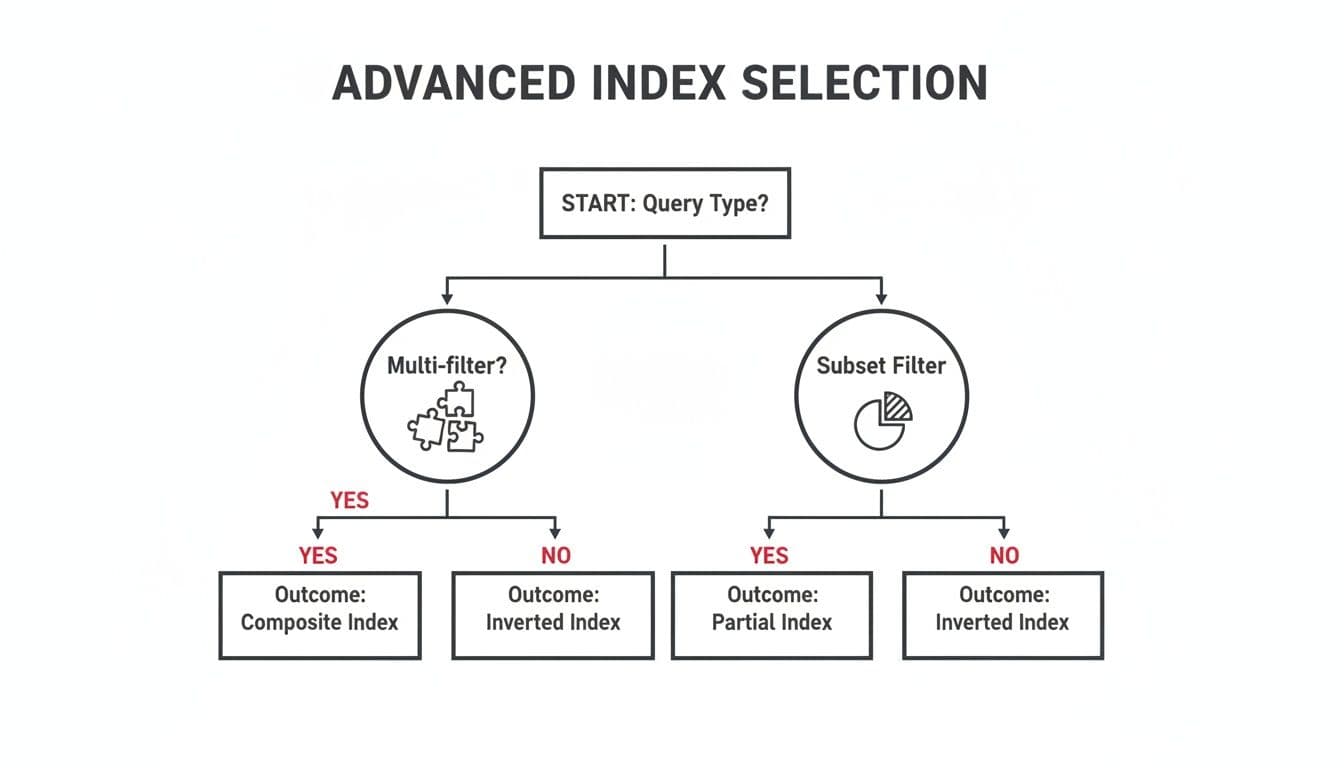
As the chart shows, queries with multiple filters are often best served by composite indexes, while those targeting a small, well-defined subset of data are perfect for partial indexes.
When you're building an index on multiple columns, the order of those columns is critical. To get a better handle on this, check out our guide on the role of a composite key in SQL. Getting the column order right is the key to creating multi-column indexes that the query optimizer will actually use.
Keeping Your Indexes Healthy and Fast
Creating an index is a great first step, but it’s definitely not a one-and-done job. Your database is a living thing, constantly changing with every INSERT, UPDATE, and DELETE. Over time, this constant churn can make your once-speedy indexes sluggish and inefficient.
This slow degradation has a name: index fragmentation.
Think of your index as a brand-new, perfectly organized library bookshelf. When you first build it, every book is in its correct alphabetical spot. But as you add new books, remove old ones, and shuffle things around, gaps start to appear. New books get squeezed into any available space, not necessarily where they belong. Soon, finding a specific book isn't a quick glance—it's a hunt. That’s fragmentation in a nutshell.
This mess directly hurts performance. The database has to work harder, jumping between scattered pages on the disk to piece together the data it needs. This increases I/O and basically undoes all the performance benefits you were trying to achieve in the first place.
Checking for Index Fragmentation
Before you start fixing things, you need to know what’s broken. Most database systems have built-in tools to check on the health of your indexes. The exact commands differ, but the goal is the same: find out how fragmented your indexes have become.
If you're using SQL Server, the sys.dm_db_index_physical_stats function is your best friend. It gives you a detailed report on fragmentation levels.
-- SQL Server query to check fragmentation for a specific table
SELECT
    OBJECT_NAME(ips.object_id) AS TableName,
    i.name AS IndexName,
    ips.index_type_desc,
    ips.avg_fragmentation_in_percent,
    ips.page_count
FROM
    sys.dm_db_index_physical_stats(DB_ID(), NULL, NULL, NULL, 'SAMPLED') AS ips
INNER JOIN
    sys.indexes AS i ON ips.object_id = i.object_id AND ips.index_id = i.index_id
WHERE
    OBJECT_NAME(ips.object_id) = 'YourTableName'
ORDER BY
    avg_fragmentation_in_percent DESC;
For those on PostgreSQL, the pgstattuple extension is what you'll want to use. It helps you find "bloat," which is Postgres's term for the wasted space left behind by old data.
Running these checks gives you a clear, data-driven starting point. You'll know exactly which indexes are crying out for a tune-up.
Deciding Between Reorganize and Rebuild
Once you’ve identified a fragmented index, you have two main options for tidying up: REORGANIZE and REBUILD.
-
ALTER INDEX REORGANIZE: Think of this as a light decluttering. It works through the index, physically reordering pages to match their logical order and compacting data to close up empty gaps. It’s an online operation, so it won’t lock your table, but it’s not as thorough as a full rebuild. -
ALTER INDEX REBUILD: This is the deep-clean option. It completely drops the old, fragmented index and creates a brand-new, perfectly organized one from scratch. This can be done offline (which locks the table) or, in certain editions of SQL Server, online (which uses more resources but keeps the table available).
Actionable Insight: Index maintenance isn't the most glamorous part of database management, but ignoring it can easily erase 50-80% of your query performance gains. A solid best practice is to check for fragmentation weekly. If fragmentation is over 30%,
ALTER INDEX REBUILDwith aFILLFACTORof 85 can reclaim a ton of space and restore speed. For fragmentation between 5-30%, anALTER INDEX REORGANIZEis usually enough. You can find more great tips in discussions on index maintenance strategies on SQLServerCentral.
As a rule of thumb, use REORGANIZE for light fragmentation (in that 5-30% range) and save the REBUILD for heavy fragmentation (anything over 30%).
The best approach is to automate these checks and fixes with scheduled jobs. By making index maintenance a regular, automated part of your routine, you ensure your indexes remain a performance asset, not a growing liability.
Answering Your Lingering SQL Index Questions
Once you get the hang of creating indexes, you start running into those tricky, real-world questions that don't have simple textbook answers. Let's tackle some of the most common ones that pop up when you're in the trenches.
How Many Indexes Are Too Many on One Table?
This is the classic "it depends" question, but the trade-off is what really matters. Every index you add is a double-edged sword: it makes specific lookups faster but adds overhead to every INSERT, UPDATE, and DELETE. Why? Because the database has to update not just the table data, but every single index associated with it.
So, where do you draw the line? A good rule of thumb is to start with 3 to 5 well-justified indexes on your most important tables. If you can't point to a frequent, slow query that an index will fix, you probably don't need it.
- Practical Example (Read-Heavy): A
productstable in an e-commerce store is read constantly but updated infrequently. It's safe to have indexes oncategory_id,brand,price, andis_featured. - Practical Example (Write-Heavy): A
logstable that receives thousands ofINSERTsper minute should be indexed sparingly. An index ontimestampis essential, but adding more will drastically slow down your data ingestion.
Don't forget to clean house. Most databases have tools to show you which indexes are actually being used. If an index isn't earning its keep, drop it.
Should I Index Foreign Key Columns?
Yes, absolutely. This isn't just a good idea; it's practically a requirement for a healthy database. Making this a standard practice is one of the biggest performance wins you can get with the least amount of effort.
Think about what happens during a JOIN. The database has to look up rows in one table based on an ID from another. Without an index on that foreign key, it's forced to do a full table scan—reading every single row to find the matches. As your tables grow, this gets exponentially slower. An index turns that painful scan into a lightning-fast lookup.
Actionable Insight: I can't count how many times I've seen major performance issues traced back to a forgotten foreign key index. It’s a five-second fix that prevents a whole class of cripplingly slow queries. If you have an
orderstable with auser_idcolumn, runCREATE INDEX idx_orders_user_id ON orders(user_id);right now.
What Is the Difference Between Clustered and Non-Clustered Indexes?
The easiest way to think about this is with a book analogy. The clustered index is the book itself, with its pages physically arranged in order by chapter and page number. A non-clustered index is the topic index at the back of the book.
-
A clustered index determines the physical order of the data on the disk. Because the data can only be sorted one way, a table can only have one clustered index. In many systems, like SQL Server, the primary key is automatically the clustered index.
-
A non-clustered index is a completely separate structure. It stores the indexed values and a "pointer" back to the actual data row. Since it's just a reference list, you can have many non-clustered indexes on a single table.
It's worth noting that PostgreSQL handles this a bit differently—all of its indexes are technically non-clustered because the main table data is never physically sorted by an index.
When Should I Use CONCURRENTLY to Create an Index?
In PostgreSQL, you should reach for CREATE INDEX CONCURRENTLY for any production table that's actively being written to. This is a lifesaver for application availability.
A standard CREATE INDEX command puts an aggressive lock on the table, blocking all writes (INSERT, UPDATE, DELETE) until the index is fully built. On a big, busy table, this can mean minutes or even hours of downtime for your users, which is rarely acceptable.
Using the CONCURRENTLY option tells PostgreSQL to build the index in a way that doesn't block writes. The trade-off is that it takes a bit longer and uses more server resources to complete. But for any live system, that's a small price to pay to keep your application running smoothly.
Actionable Example: Your users table is live and accepting new sign-ups. You realize you forgot an index on the last_login column.
- Don't do this:
CREATE INDEX idx_users_last_login ON users(last_login);(This will block new sign-ups). - Do this instead:
CREATE INDEX CONCURRENTLY idx_users_last_login ON users(last_login);(Your application stays online).
Juggling indexes is a fundamental part of database performance, but the tools can often feel clunky. If you want a cleaner way to browse tables, manage indexes, and run queries across SQLite, PostgreSQL, and MySQL, check out TableOne. It's designed to simplify these daily data tasks, all with a one-time license. You can learn more at https://tableone.dev.


