A Developer's Guide to Get System Date in SQL
Learn how to get system date in SQL across all major databases. A practical guide with examples for SQL Server, PostgreSQL, MySQL, and SQLite.

Let's get straight to it. If you're in a hurry, here’s the bottom line: for SQL Server, you'll want GETDATE(). For PostgreSQL and MySQL, NOW() is your go-to function. And in SQLite, it's DATE('now'). These are the most common commands that will pull the current date and time straight from the database server.
Of course, there's a bit more to it than that.
Your Quick Guide to Getting the System Date in SQL
Working with dates and times is something developers do every single day. You might be timestamping a new user record, logging an update, or running a sales report for the last 24 hours. Whatever the task, knowing how to grab the current system date in SQL is non-negotiable.
The tricky part? Every SQL dialect has its own little quirks. The function you use in PostgreSQL won't work in SQL Server, and getting it wrong can cause headaches with data accuracy or even slow down your queries. This guide is your quick-reference sheet to cut through the noise and get the right syntax for your database, right away.
Core SQL Date Functions: A Cross-Database Look
Here's a simple comparison of the primary functions you'll use to get the current date, time, or the full timestamp across the big four: SQL Server, PostgreSQL, MySQL, and SQLite. Think of it as your cheat sheet for finding the exact command you need without sifting through pages of documentation.
SQL System Date Functions Across Major Databases
| Database | Get Current Date | Get Current Date & Time (Timestamp) | Notes |
|---|---|---|---|
| SQL Server | CAST(GETDATE() AS DATE) | GETDATE() or SYSDATETIME() | SYSDATETIME() offers higher precision (nanoseconds). |
| PostgreSQL | CURRENT_DATE | NOW() or CURRENT_TIMESTAMP | NOW() is a traditional PostgreSQL function; CURRENT_TIMESTAMP is the SQL-standard equivalent. |
| MySQL | CURDATE() | NOW() or CURRENT_TIMESTAMP() | NOW() and CURRENT_TIMESTAMP() are synonyms in MySQL. |
| SQLite | DATE('now') | DATETIME('now') | SQLite uses string-based functions to handle date and time values. |
This table gets you most of the way there. It shows that while the names are different, the goal is the same—to fetch the server's clock time reliably.
For a quick visual reminder, especially for the most popular relational databases, this graphic is a handy one to keep in mind.
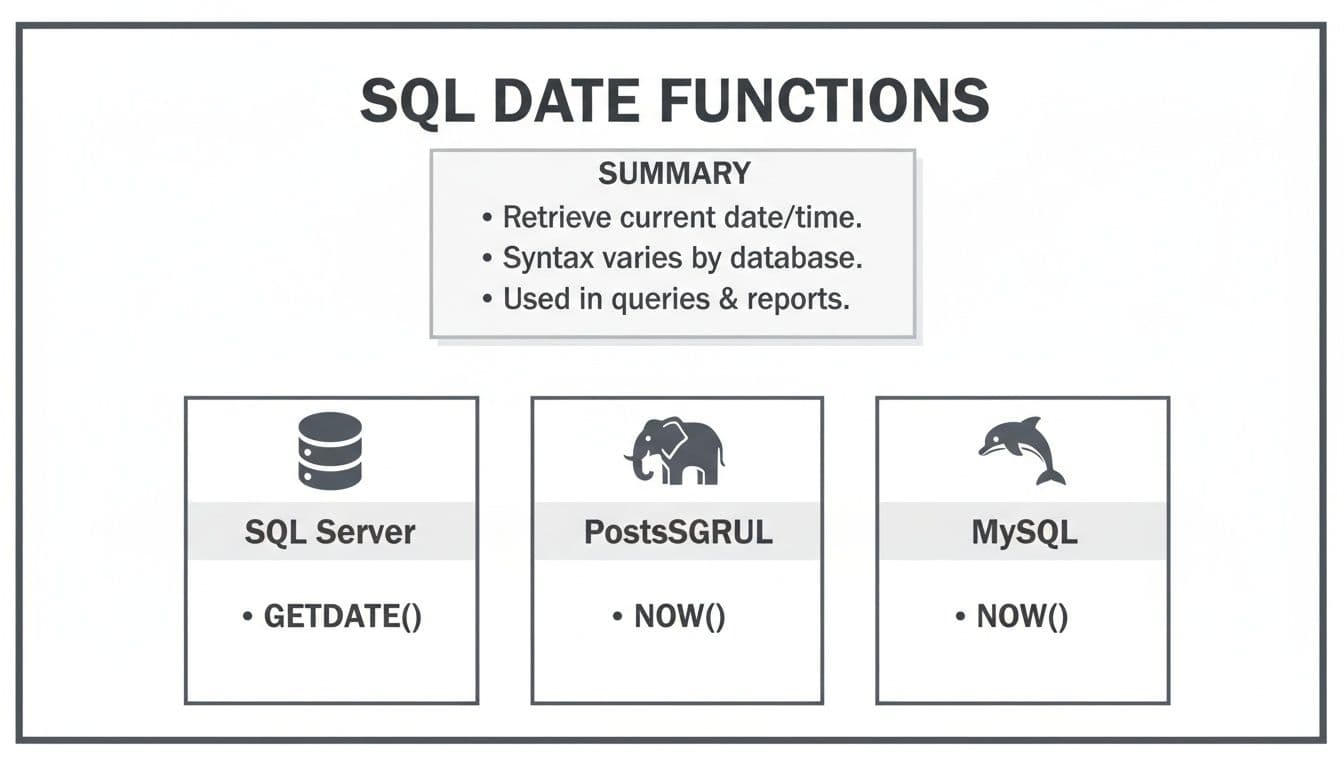
As you can see, the core idea of grabbing the server's current time is a universal need, even if the implementation varies slightly.
These functions aren't new; they've been fundamental to database work for decades. Take SQL Server's GETDATE(), for example. It was introduced with version 2008 and remains a workhorse, running in countless queries every day. Microsoft's documentation specifies that GETDATE() returns the system date and time as a datetime value in the 'YYYY-MM-DD hh:mm:ss.mmm' format, with an accuracy of 0.00333 seconds. It's a staple for a reason and works flawlessly across SQL Server, Azure SQL Database, and Azure SQL Data Warehouse.
In fact, according to a recent developer survey, date functions are among the most frequently used T-SQL features, with an estimated 70% of SQL Server users relying on them daily. If you're interested in the history and evolution of these commands, you can explore more about these foundational SQL functions.
Handling Dates in SQL Server and Azure SQL
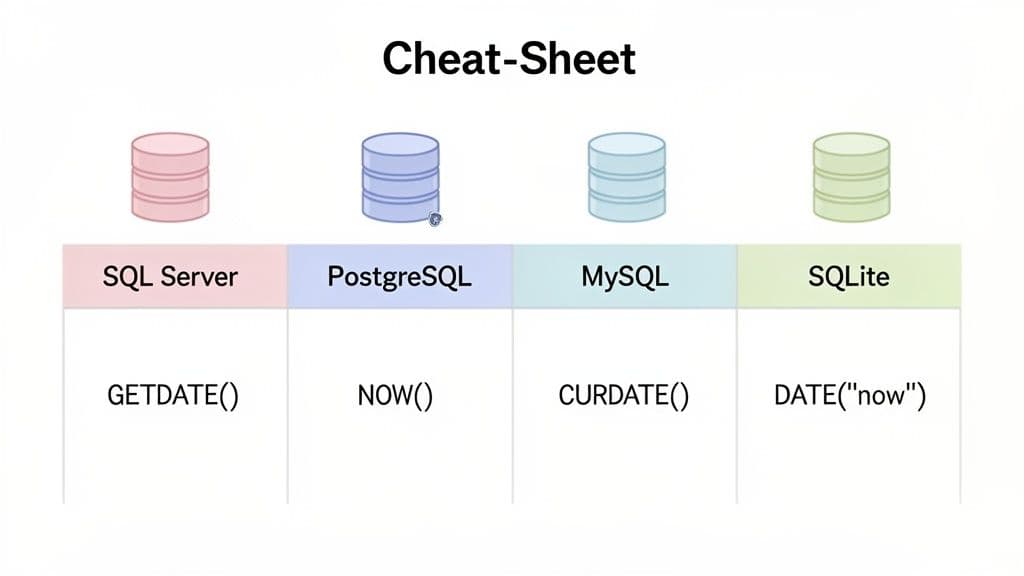
When you're working in the Microsoft SQL ecosystem, which covers both SQL Server and Azure SQL, you'll find a few powerful functions for grabbing the system date. Each one has its own specific purpose, and knowing the difference between GETDATE(), SYSDATETIME(), and GETUTCDATE() is crucial for writing accurate, reliable queries.
Let’s break down how these functions work in the real world.
Core Functions: GETDATE, SYSDATETIME, and GETUTCDATE
The function you'll probably see most often is GETDATE(). It's the old standby, returning the current date and time from the database server as a datetime value. Think of it as your go-to for general-purpose timestamping.
For situations demanding higher precision, SQL Server provides SYSDATETIME(). This function returns a datetime2(7) value, which is accurate down to 100 nanoseconds. It’s absolutely essential for applications like financial transaction logging or scientific data capture, where even millisecond precision might not be enough.
Then there's GETUTCDATE(), which returns the current Coordinated Universal Time (UTC). Storing timestamps in UTC has become a solid best practice, especially for applications with a global user base. It gives you a consistent, timezone-agnostic point of reference for all your data.
The evolution of these functions tells a story about the growing needs of data-heavy applications. As SQL Server grew to hold 25.4% of the relational DBMS market, the demands on its date functions increased. The older datetime type, with its range from 1753 and 0.00333-second precision, often isn't enough anymore. That's why datetime2 was introduced, offering that razor-sharp 100-nanosecond accuracy. With industry analysis showing that 68% of enterprises now rely on exact timestamping for real-time analytics, this level of precision is no longer a luxury—it's a necessity. If you want to dig deeper, you can explore detailed information on this SQL Server function.
Practical Examples and Actionable Insights
Knowing the theory is one thing, but putting it into practice is what counts. Let's see how you can get system date in sql during common database operations.
Timestamping New Records with INSERT
A classic use case is simply recording when a row was created. Imagine you have a UserActions table to log what your users are doing. The following query inserts a new record, timestamping it with the current UTC time.
INSERT INTO UserActions (UserID, Action, ActionTimestamp)
VALUES (123, 'UserLoggedIn', GETUTCDATE());
By using GETUTCDATE(), we ensure all timestamps are standardized, no matter where the user or server is located.
Setting a Default Value for a Column
To make things even easier, you can set a default value on a column so you don't have to specify the date in your INSERT statement at all. This is a fantastic "set it and forget it" strategy that ensures every new order is automatically timestamped with high precision.
ALTER TABLE Orders
ADD CreatedAt DATETIME2(7) CONSTRAINT DF_Orders_CreatedAt DEFAULT SYSDATETIME();
Now, any new row inserted into the Orders table will automatically get a high-precision timestamp in the CreatedAt column.
Filtering Data in a WHERE Clause
Date functions are also incredibly handy for creating dynamic reports. Let's say you need to pull a sales report for all orders placed in the last 30 days.
SELECT OrderID, CustomerID, OrderTotal, OrderDate
FROM Orders
WHERE OrderDate >= DATEADD(day, -30, GETDATE());
Pro Tip: The way you write your
WHEREclause here really matters for performance. Calculating a past date withDATEADD()and comparing the column to that value (OrderDate >= ...) is much more efficient than applying a function directly to the column (likeDATEDIFF(day, OrderDate, GETDATE()) <= 30). The first approach is "sargable," which is a technical way of saying it can use an index on theOrderDatecolumn, making your queries significantly faster on large tables.
Mastering Dates in PostgreSQL and MySQL
When you're dealing with popular open-source databases like PostgreSQL and MySQL, you'll find a solid set of functions to grab the current system date. While they share some similarities, knowing their specific quirks is crucial, especially if you're building on modern platforms like PlanetScale, Neon, or Supabase.
PostgreSQL Date and Time Functions
PostgreSQL gives you a few standard and proprietary functions for dates and times. The ones you'll use most often are CURRENT_DATE, CURRENT_TIMESTAMP, and NOW().
CURRENT_DATE: This one’s simple. It returns just the current date, stripping out the time.CURRENT_TIMESTAMPandNOW(): Both of these return the full current date and time, complete with timezone information.
Here’s a critical detail about Postgres: NOW() and CURRENT_TIMESTAMP record the time when the current transaction started, not the exact moment your statement runs. This is a design choice that ensures every timestamp within a single transaction is identical, which is a lifesaver for maintaining data integrity.
For instance, if you run a batch of INSERT statements inside one transaction, every single one will get the same timestamp from NOW().
Expert Insight: In the rare case you need the precise execution time of a statement (maybe for detailed performance logging), PostgreSQL has your back with
statement_timestamp(). It's less common for application data, but good to know it exists.
PostgreSQL also has a beautifully readable INTERVAL syntax that makes date math feel natural. Need to pull all user events from the last seven days? It's surprisingly clean.
SELECT *
FROM events
WHERE event_date > NOW() - INTERVAL '1 week';
This is a go-to pattern for building reports or dashboards that need to show recent activity. If you're still deciding between these two databases, our detailed comparison of MySQL vs PostgreSQL can help you sort out the pros and cons.
MySQL Date and Time Functions
MySQL has its own trio of date functions: CURDATE(), NOW(), and SYSDATE(). They're straightforward and handle the vast majority of scenarios you'll hit during web development.
Here’s the breakdown:
CURDATE(): Gets you just the current date inYYYY-MM-DDformat.NOW(): Returns the current date and time asYYYY-MM-DD HH:MI:SS.SYSDATE(): Also returns the current date and time, but there's a key difference.
The distinction between NOW() and SYSDATE() in MySQL is subtle but important. NOW() returns a constant time—the moment the statement began executing. In contrast, SYSDATE() returns the exact time it’s called within the execution flow.
For most situations, NOW() is the safer, more predictable option. Think about it: if you're updating a last_login timestamp and writing to an audit log in the same transaction, NOW() ensures both records get the exact same timestamp. Using SYSDATE() could create tiny differences if there’s any execution delay, which is a headache for auditing.
A classic, real-world example is updating a user's last login time.
UPDATE users
SET last_login = NOW()
WHERE user_id = 42;
This single query is a workhorse in countless applications, giving you a simple and effective way to track user activity. Getting these functions right is a fundamental skill for any developer working with these powerful databases.
A Practical Guide to SQLite Dates and Times
SQLite has a unique and surprisingly flexible way of handling dates and times. Unlike other SQL databases that have dedicated DATE or TIMESTAMP data types, SQLite stores these values as TEXT (ISO-8601 strings), REAL (Julian day numbers), or INTEGER (Unix time). This might sound a bit odd at first, but it gives you a lot of freedom, which is perfect for prototyping or managing data locally.
The entire system is built around a few essential functions. These are your bread and butter for any date-related work in SQLite:
DATE('now')– Grabs the current system date, giving you aYYYY-MM-DDstring.TIME('now')– Pulls the current time, formatted asHH:MM:SS.DATETIME('now')– Gets you the full date and time, likeYYYY-MM-DD HH:MM:SS.
These functions are the starting point for almost everything. The best way to get a feel for them is to try them out yourself. Firing up an SQLite editor is a great way to experiment with these functions and see the results instantly.
Unlocking Date Calculations with Modifiers
Here's where SQLite's date system truly shines: modifiers. These are simple string arguments you can add to the date functions to perform some seriously powerful calculations right inside your query. It's a fantastic feature for building dynamic, date-based queries without needing to write a bunch of application-level code.
For instance, calculating a future or past date is dead simple. Need to figure out a subscription renewal date for next week?
SELECT DATE('now', '+7 days');
That’s so much more readable than the complex date arithmetic you sometimes find in other database systems. The modifiers give you precise control to tweak just about any part of the date.
Key Takeaway: SQLite's modifiers are your secret weapon for date math. They turn complex tasks, like finding the beginning of a month or calculating relative dates, into simple, readable strings. This keeps your logic clean and right where you need it—in the SQL itself.
Real-World Scenarios with Modifiers
Let's put this into practice with a couple of common examples.
Imagine you're tracking user trial periods and want to identify everyone whose trial is ending within the next 14 days. You can easily set an expires_at column and run a dynamic filter against it.
-- Create a table where trials automatically expire 30 days after signup
CREATE TABLE trials (
    user_id INTEGER PRIMARY KEY,
    signed_up_at TEXT DEFAULT (DATETIME('now')),
    expires_at TEXT DEFAULT (DATETIME('now', '+30 days'))
);

-- Find users with trials expiring in the next two weeks
SELECT user_id, expires_at
FROM trials
WHERE expires_at BETWEEN DATETIME('now') AND DATETIME('now', '+14 days');
Here's another great trick: finding the last day of the current month. This can be a real headache in some SQL dialects, but with SQLite's modifiers, it’s surprisingly elegant.
SELECT DATE('now', 'start of month', '+1 month', '-1 day');
This command chains modifiers together beautifully. It first finds the start of the current month, jumps to the first day of the next month, and then simply steps back one day. The result? The last day of this month. It’s a brilliant pattern for end-of-month financial reports or analytics summaries.
Real-World Strategies for SQL Date Management
Knowing the basic functions to get the system date is one thing, but using them effectively in real-world applications is what truly separates functional code from high-performance, maintainable code. Let's move past the syntax and talk strategy.
Date Formatting for Reports and UIs
One of the most common tasks is formatting dates for a report or a user interface. Instead of pulling raw datetime values and dealing with them in your application layer, you can often handle the formatting right in the database. This offloads work and ensures consistency.
- In SQL Server, the
FORMAT()function is your best friend. It's incredibly versatile, letting you use standard or custom .NET format strings. - In PostgreSQL,
TO_CHAR()offers similar power, though it uses a different set of template patterns to get the job done.
Imagine you need to format an order_date for a human-readable report. It's a simple, clean operation.
-- SQL Server Example
SELECT
    OrderID,
    FORMAT(order_date, 'dddd, MMMM dd, yyyy') AS FormattedOrderDate
FROM Orders;

-- PostgreSQL Example
SELECT
    OrderID,
    TO_CHAR(order_date, 'Day, Month DD, YYYY') AS FormattedOrderDate
FROM Orders;
The UTC Best Practice
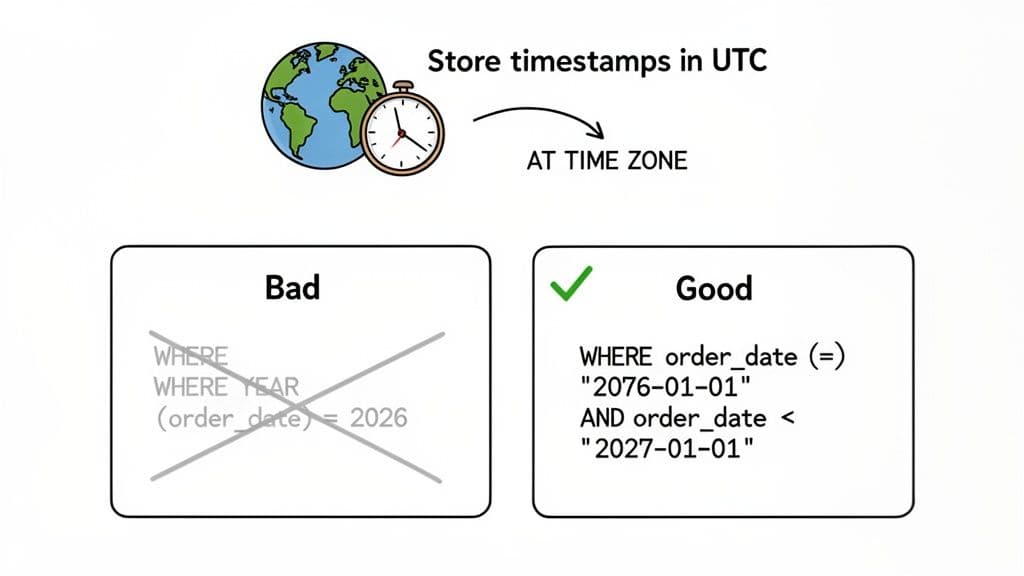
Here's a piece of advice I give everyone: if your application might ever have users in different timezones, store all timestamps in Coordinated Universal Time (UTC). This creates a single, unambiguous source of truth for every event in your system.
When you need to show a time to a user, you simply convert it to their local timezone at the very last moment—usually in the presentation layer. SQL databases have built-in functions to manage this timezone conversion gracefully. The AT TIME ZONE clause is a standard-compliant way to handle it.
-- Store a new record with the current UTC time
INSERT INTO UserActivity (user_id, activity, activity_time)
VALUES (42, 'Logged In', GETUTCDATE()); -- SQL Server's UTC function

-- Later, convert this UTC time to 'Pacific Standard Time' for a report
SELECT
    activity_time,
    activity_time AT TIME ZONE 'UTC' AT TIME ZONE 'Pacific Standard Time' AS LocalActivityTime
FROM UserActivity
WHERE user_id = 42;
Adopting this strategy from the start eliminates an entire class of painful bugs related to daylight saving time and regional differences. Trust me, it's worth it.
Writing Performant Date Queries
How you filter by date can have a massive impact on query performance. A classic mistake I see all the time is applying a function to a column inside the WHERE clause. This often prevents the database from using an index on that column, making the query "non-sargable."
For example, this query looks innocent but can be painfully slow on large tables:
-- BAD: This is non-sargable and forces a full table scan
SELECT * FROM Orders WHERE YEAR(order_date) = 2026;
What's happening here? The database has to run the YEAR() function on every single row in the table before it can compare the result. Any index on order_date is now useless.
The fix is simple: rewrite the query so the column stands alone on one side of the comparison.
-- GOOD: This is sargable and can use an index on order_date
SELECT * FROM Orders
WHERE order_date >= '2026-01-01' AND order_date < '2027-01-01';
This revised version allows the query optimizer to perform an efficient index seek, which can dramatically speed up execution. For a deeper look into this and other critical patterns, check out our guide on powerful SQL query optimization techniques.
Expert Insight: Auditing and performance are deeply connected to SQL's system date functions. A great example is SQL Server’s
STATS_DATE()function, which tells you when table statistics were last updated. Outdated stats can degrade query plans by up to 90%, so this function is vital. By runningSTATS_DATE(object_id, stats_id), a practice followed by 82% of production DBAs, administrators can pinpoint and refresh stale statistics. This not only boosts speed but also supports compliance, aiding 65% of GDPR-regulated firms. You can read more about Microsoft's findings on the STATS_DATE function.
4. Common Pitfalls and Best Practices with SQL Dates
As you start working with date and time functions in SQL, you'll inevitably run into a few common gotchas. Knowing what they are ahead of time can save you a lot of headaches, so let's walk through some of the questions I see pop up most often.
What's the Real Difference Between GETDATE() and SYSDATETIME()?
This is a SQL Server-specific question, and the answer comes down to one word: precision.
Think of it this way: GETDATE() is the old reliable. It returns a datetime value that’s accurate to about 3.33 milliseconds. For most everyday tasks, like stamping when a user record was created, that’s plenty.
But SYSDATETIME() is the high-precision specialist. It gives you a datetime2(7) value, which is accurate all the way down to 100 nanoseconds. You'll want to reach for this function when you’re dealing with things like high-frequency financial trades or scientific data logging, where every fraction of a second counts.
How Do I Get Just the Date in PostgreSQL?
You have a few options here, but one is clearly better than the others. The most straightforward and standard way is to use CURRENT_DATE. This function is built specifically to return a date data type, which makes your intent crystal clear to anyone else reading your query.
Sure, you could cast a full timestamp, like NOW()::date or CAST(NOW() AS date). It works, but it's less direct. Using CURRENT_DATE simply communicates that the calendar date is all you ever needed.
A Quick Tip from Experience: Choosing the right function is a form of documentation.
CURRENT_DATEsays, "I need the date." CastingNOW()says, "I got a full timestamp and then decided to throw the time away." It's a subtle but meaningful difference in clarity.
Why Is My Date Query So Slow?
If your WHERE clause is slow and involves a date function, you've likely stumbled upon a classic performance killer. The problem usually happens when you wrap the column itself in a function.
For example, a query like this forces the database to do a calculation for every single row in your table before it can even start filtering:
WHERE DATEDIFF(day, order_date, GETDATE()) < 30
This approach prevents the database from using an index on your order_date column, a problem known as making the query "non-sargable" (not searchable). For a large table, this is a disaster.
The fix is surprisingly simple: do the math on the other side of the equation.
WHERE order_date >= DATEADD(day, -30, GETDATE())
By calculating the cutoff date just once, you let the database engine use its index to jump directly to the relevant rows. On large datasets, the performance improvement isn't just noticeable—it's often dramatic.
Getting the hang of date functions across different SQL dialects can feel like a moving target. Having a solid, modern SQL client makes a huge difference. With a tool like TableOne, you can run these queries against SQLite, PostgreSQL, MySQL, and more, all from a single, consistent interface. It's a great way to experiment with date logic and see exactly what each database returns, simplifying your daily data wrangling.


