A Practical Guide to the SQL Query Count Distinct Values
Master the SQL query COUNT DISTINCT values with practical examples for PostgreSQL, MySQL, and SQLite. Learn optimization, NULL handling, and alternatives.

Counting distinct values in a database is one of those fundamental tasks you'll find yourself doing all the time. The go-to command is COUNT(DISTINCT column_name), a simple SQL one-liner that tells you exactly how many unique, non-null values are in a column.
It's the fastest way to get a pulse on your data. For example, a quick COUNT(DISTINCT user_id) on a logins table immediately tells you how many individual users have accessed your platform, a core metric for any online business.
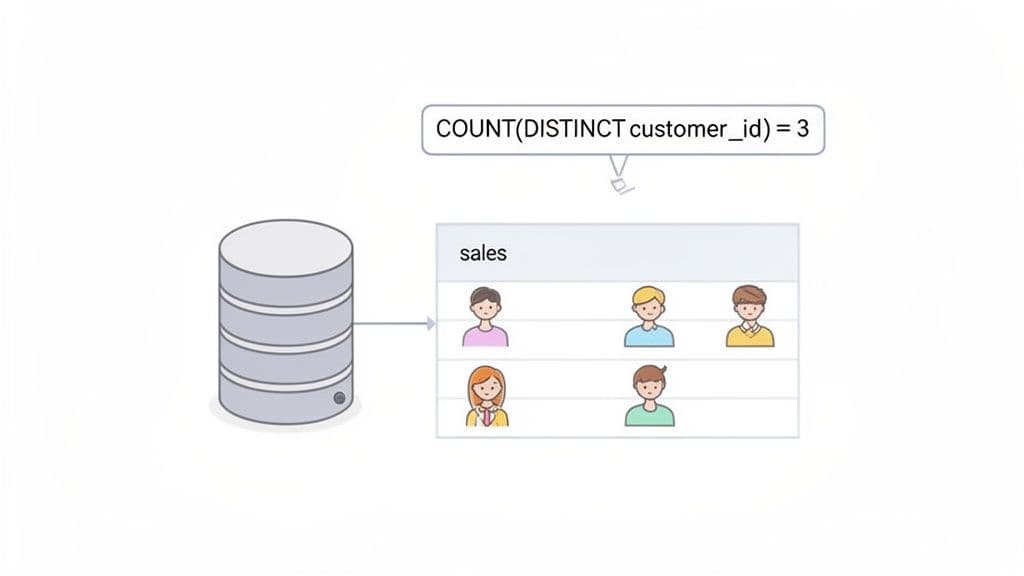
Getting a Grip on COUNT(DISTINCT)
When you're digging into your data, you often need to know how many unique items you're dealing with, not just the raw total. For example, if your sales table has 1,000 rows, a simple COUNT(*) will tell you that you had 1,000 transactions. But it won't tell you how many individual customers were behind those purchases.
That’s where the COUNT(DISTINCT column_name) function becomes your best friend. It’s built specifically to de-duplicate values before counting them, giving you a much clearer picture. I use this constantly for actionable insights like:
- Counting unique visitors:
COUNT(DISTINCT visitor_ip)on a web server log to measure daily site traffic. - Analyzing product reach:
COUNT(DISTINCT product_id)to figure out how many different products we sold last quarter. - Understanding customer demographics:
COUNT(DISTINCT city)to determine the number of unique cities our customers come from.
Your First Practical Example
Let’s stick with that sales table. To find out exactly how many unique customers made a purchase, you’d run this simple query:
SELECT COUNT(DISTINCT customer_id)
FROM sales;
If 5 different customers were responsible for a total of 20 purchases, this query neatly returns the number 5. It cuts through the noise of repeat buyers to give you a clean metric on customer reach. (If you're just getting started with queries, our guide on how to run SQL queries is a great place to build your foundation).
This function isn't new; it's been a cornerstone of relational databases pretty much since SQL was standardized. Back then and now, it’s a critical tool for efficiently analyzing large datasets. You'll see it in documentation for everything from modern cloud warehouses to classic databases like Vertica, where examples show it counting 1826 distinct dates in a dimension table—a classic analyst task.
COUNT(DISTINCT) Quick Reference Guide
For developers and analysts on a deadline, here's a quick cheat sheet for the COUNT(DISTINCT) function. It’s a workhorse that you can rely on across all major SQL databases, including SQLite, PostgreSQL, and MySQL.
This table breaks down the essential components.
| Component | Description | Example Usage |
|---|---|---|
SELECT | The clause that specifies what data you want back. | SELECT ... |
COUNT() | An aggregate function that counts rows based on a condition. | COUNT(customer_id) |
DISTINCT | The keyword that tells the COUNT function to only consider unique values. | DISTINCT customer_id |
FROM | Specifies which table you are pulling the data from. | FROM sales |
This simple but powerful structure is something you'll use daily, especially if you’re performing quick, ad-hoc analysis in a modern database GUI. It’s all about getting straight to the point and letting the database do the heavy lifting of de-duplication for you.
Counting Distinct Values Across Multiple Columns
Counting unique values in a single column is simple enough. But what about when "unique" means a combination of columns? It’s a common scenario. Imagine you need to count the unique first_name and last_name pairs in a users table to find out how many distinct full names you have—not just unique first names.
This is a classic multi-column distinct count, and you'll run into it constantly when analyzing things like user data, order details, or event logs. How you tackle it really depends on which SQL database you're working with.
The PostgreSQL Way Using Tuples
If you're using PostgreSQL, you're in luck. It has a wonderfully clean and intuitive syntax for this exact problem. You can just wrap the column names in parentheses to create a "tuple" and feed it right into COUNT(DISTINCT ...).
Let's say we have an orders table and want to know how many unique city and state combinations we've shipped to.
-- Sample Data for our 'orders' table
-- | order_id | shipping_city | shipping_state |
-- |----------|---------------|----------------|
-- | 1        | San Francisco | CA             |
-- | 2        | San Francisco | CA             |
-- | 3        | New York      | NY             |
-- | 4        | Austin        | TX             |
-- | 5        | New York      | NY             |
The PostgreSQL query is about as straightforward as it gets:
-- PostgreSQL Example: Count unique city/state pairs
SELECT COUNT(DISTINCT (shipping_city, shipping_state))
FROM orders;
This query tells Postgres to treat the (shipping_city, shipping_state) pair as a single item when checking for uniqueness. For our data, it correctly returns 3, since 'San Francisco, CA', 'New York, NY', and 'Austin, TX' are the three unique pairs.
The Universal Approach with GROUP BY
But what if you're on MySQL or SQLite? Neither of them supports that neat tuple syntax inside COUNT(DISTINCT). The standard, cross-database solution is to use a GROUP BY clause within a subquery. It might look a bit more verbose, but it's a reliable pattern that works everywhere.
The logic is a two-step process:
- First, an inner query uses
GROUP BYto generate a list of all unique column combinations. - Then, an outer query simply wraps that result and counts the number of rows it produced.
Here’s how you’d get the exact same result for our orders table in MySQL or SQLite.
-- MySQL/SQLite Example: Using a subquery and GROUP BY
SELECT COUNT(*)
FROM (
  SELECT shipping_city, shipping_state
  FROM orders
  GROUP BY shipping_city, shipping_state
) AS distinct_locations;
The inner query first builds a temporary table of unique (shipping_city, shipping_state) pairs. Then, the outer COUNT(*) just counts those rows, giving us the correct answer of 3. This is your go-to method for any SQL database.
Actionable Insight: Always prefer the
GROUP BYsubquery method for multi-column counts. Not only is it universally compatible, but it also makes your code more portable if you ever migrate databases. It's a "write once, run anywhere" solution for this common problem.
Getting a handle on how to define uniqueness across multiple fields is a huge step in accurate data analysis. It's a concept that directly relates to composite keys in database design, which you can read more about in our guide on creating and using composite keys in SQL.
Visualizing the Difference
To really drive the point home, let's look at a tiny registrations table.
| user_id | first_name | last_name |
|---|---|---|
| 1 | John | Smith |
| 2 | Jane | Doe |
| 3 | John | Doe |
| 4 | John | Smith |
Let's see what happens with a few different counts:
COUNT(DISTINCT first_name)returns 2 (for John and Jane).COUNT(DISTINCT last_name)returns 2 (for Smith and Doe).COUNT(DISTINCT (first_name, last_name))(in Postgres) would return 3 (for John Smith, Jane Doe, and John Doe).
The multi-column approach correctly identifies "John Smith" as a single entity, even though the name shows up twice. For anyone building reports on user segments, product combinations, or any dataset where uniqueness spans multiple attributes, mastering this skill is non-negotiable.
Optimizing COUNT DISTINCT for Large Datasets
Running COUNT(DISTINCT column) on a small table is a blink-and-you-miss-it affair. But try that same query on a table with millions or even billions of rows, and you might find your database grinding to a halt. I've seen it happen time and again; COUNT(DISTINCT) can be one of the most resource-intensive operations you can throw at a database.
The real culprit is how the database executes the query. To get an accurate count, it has to find every single unique value in the column you specified. This usually means a full table scan, reading every row from the disk. From there, it has to perform a massive sort or build a huge hash table in memory just to group identical values together before it can finally count them. This whole process hammers your I/O and memory, making it a classic recipe for a performance bottleneck.
The Power of Indexing
Your first line of defense against a slow COUNT(DISTINCT) is a good old-fashioned database index. If you have an index on the column you're counting, the database can often take a much smarter, faster route. Instead of slogging through the entire table, it can scan the much smaller, pre-sorted index.
This technique is often called an "index-only scan" or a "loose index scan," and the performance gains can be dramatic.
For instance, let's say you frequently need to count unique users from a large events table:
-- This can be painfully slow on an unindexed 'user_id' column
SELECT COUNT(DISTINCT user_id)
FROM events;
Adding a simple index can completely change the game:
-- In PostgreSQL or MySQL
CREATE INDEX idx_events_user_id ON events(user_id);
Once that index is in place, the database's query planner has a much more efficient path to get the count, letting it sidestep that costly full table scan.
Actionable Insight: Before running
COUNT(DISTINCT)on any large column, check if it's indexed. If you run this query frequently (e.g., for a daily report), adding an index is one of the highest-impact optimizations you can make. The small upfront cost of creating the index will save you significant query time later.
Faster Alternatives to Direct Counting
Sometimes, even with a solid index, COUNT(DISTINCT) just isn't the fastest tool for the job. You can often get the same result with better performance simply by reframing the query. The most common workaround is to use GROUP BY within a subquery.
This flowchart gives a great visual breakdown of when to reach for COUNT(DISTINCT) versus a GROUP BY approach.
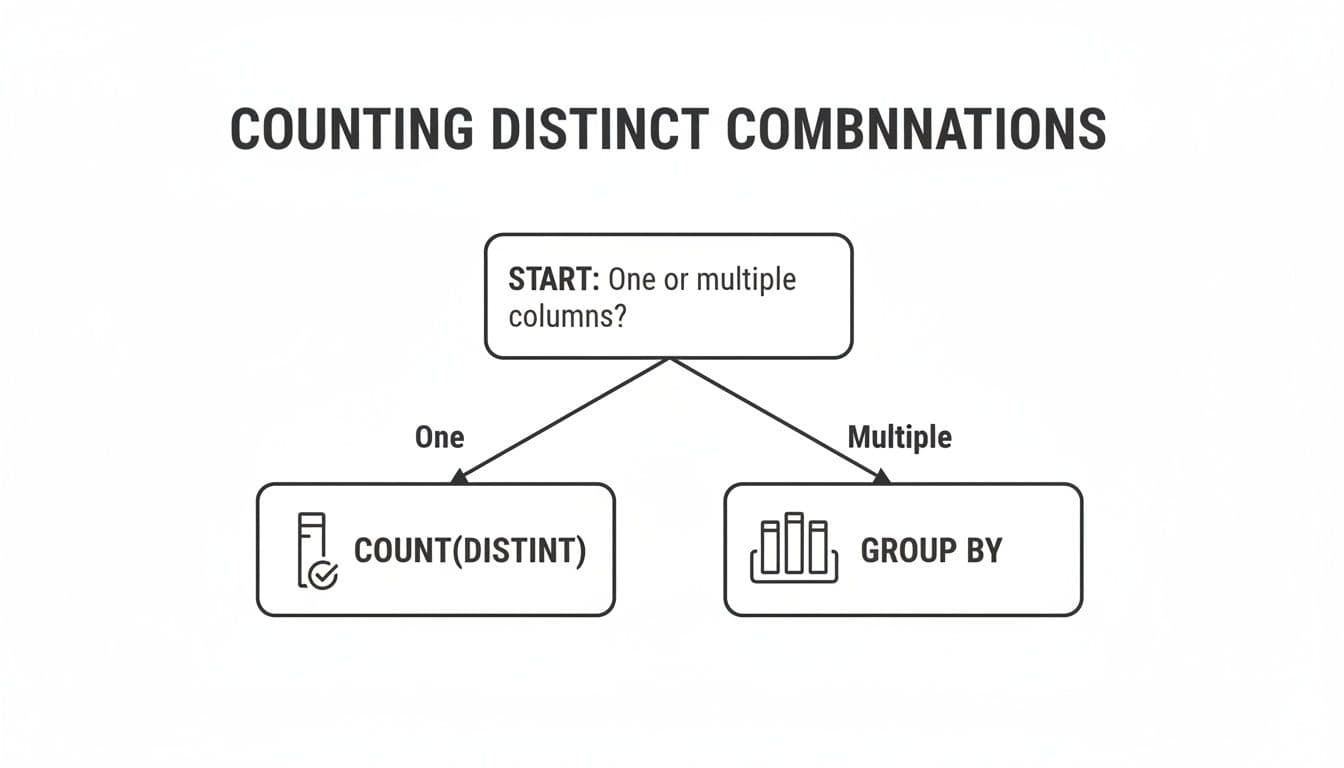
The decision tree makes it clear: COUNT(DISTINCT) shines for a single column, but GROUP BY is the go-to for counting unique combinations across multiple columns.
Here’s how you can use the GROUP BY pattern to get a faster count on a single column:
-- A potentially faster alternative using a subquery
SELECT COUNT(*)
FROM (
  SELECT user_id
  FROM events
  GROUP BY user_id
) AS distinct_users;
This query first creates a temporary list of all unique user_id values and then does a simple COUNT(*) on that much smaller result set. Many database optimizers can execute this GROUP BY more efficiently than a direct COUNT(DISTINCT), as they can sometimes stream the results without having to hold every distinct value in memory at once.
When deciding which method to use, it's helpful to see how they stack up.
Performance Comparison of Distinct Counting Methods
This table compares the relative performance and ideal use cases for the different counting techniques we've discussed.
| Method | Relative Speed | Use Case | Database Support |
|---|---|---|---|
COUNT(DISTINCT) | Moderate to Slow | Simple, single-column counts on small to medium-sized, indexed tables. | Universal (SQLite, PostgreSQL, MySQL, etc.) |
GROUP BY Subquery | Moderate to Fast | Can be faster on large tables; standard for multi-column distinct counts. | Universal (SQLite, PostgreSQL, MySQL, etc.) |
| Approximate (HyperLogLog) | Extremely Fast | Massive datasets where a close estimate is sufficient; real-time analytics. | Varies (PostgreSQL via extension, built-in on others) |
While the GROUP BY subquery is a powerful optimization, there are many other ways to speed up your queries. For a deeper dive, exploring a guide on SQL query optimization techniques can uncover more advanced strategies.
When Close Enough Is Good Enough: Approximate Counting
For truly massive datasets—think logging systems, ad-tech platforms, or IoT data streams—even the most finely tuned exact count can be too slow. This is where you have to ask a critical question: do I need a 100% precise number, or is a very close estimate good enough?
If an estimate will do, you can turn to approximate counting algorithms. These incredible methods trade a tiny bit of precision for a massive boost in speed and a huge reduction in memory usage. The most popular of these is the HyperLogLog (HLL) algorithm.
PostgreSQL has great support for HLL through extensions, and other databases are increasingly offering similar features. The magic of HLL is that it can estimate the number of unique values in a giant dataset using a very small, fixed amount of memory. Studies have shown HLL can do this with a typical error rate of less than 2% while running orders of magnitude faster.
Actionable Insight: Use approximate counting for real-time dashboards. Imagine you need to know how many unique IP addresses hit your website in the last 5 minutes from a table with billions of log entries. An exact count could take several minutes. An approximate count using HLL, on the other hand, could spit out an answer in milliseconds. This is an absolute game-changer for interactive dashboards and real-time analytics, where speed matters far more than perfect precision.
Handling NULLs and Other Edge Cases
One of the first traps you'll encounter with COUNT(DISTINCT) is how it handles NULL values. It's a classic "gotcha" that can silently throw off your results. Even seasoned developers get tripped up by this because while the database's answer is technically correct, it might not be what you semantically intended.
Here’s the rule, and it’s consistent across PostgreSQL, MySQL, and SQLite: COUNT(DISTINCT expression) simply ignores NULL values. It only counts unique entries that are not null. This is part of the SQL standard, but it can feel a bit counterintuitive if you think of NULL as a distinct value in its own right.
How NULLs Get Ignored in Practice
Let's look at a practical example. Imagine a surveys table where some users skipped a question about their contact preference, leaving the contact_preference column NULL.
| user_id | contact_preference |
|---|---|
| 101 | |
| 102 | sms |
| 103 | |
| 104 | NULL |
| 105 | NULL |
| 106 | phone |
When you run a standard distinct count, you're asking for the number of unique, specified preferences.
SELECT COUNT(DISTINCT contact_preference)
FROM surveys;
The database scans that column, finds 'email', 'sms', and 'phone', and throws away the two NULLs before counting. The result you get is 3, not 4.
Forcing the Count to Include NULLs
So what do you do when you want to count NULL as its own category? This is a common need when analyzing data completeness—you want to know how many distinct states a value can be in, including the "not specified" state.
To do this, you have to give the NULLs a temporary name so COUNT(DISTINCT) can see them. The cleanest way to do this is with the COALESCE function, which swaps NULL for a default value you provide.
SELECT COUNT(DISTINCT COALESCE(contact_preference, 'Not Specified'))
FROM surveys;
By wrapping the column in COALESCE, you're transforming the data on the fly. The database now sees 'email', 'sms', 'phone', and the temporary 'Not Specified' as the distinct values. Now, your result is 4, which accurately reflects all four states.
Actionable Insight: When using
COALESCEor aCASEstatement to handleNULLs, be careful about the replacement value you choose. It must be something that couldn't possibly appear in the real data. Using a string like 'Not Specified' or 'Unassigned' is usually a safe bet. If you picked 'email', you would accidentally lump all yourNULLs in with the existing 'email' category, skewing your numbers.
Counting Distinct Values Within Groups
Sometimes you need to move beyond a single total and count distinct values within specific categories. For example, let's say you have an employee_skills table and the boss wants to know the number of unique skills present in each department.
This is a perfect job for a GROUP BY clause.
SELECT
    department,
    COUNT(DISTINCT skill) AS unique_skill_count
FROM employee_skills
GROUP BY department;
Instead of one number, you get a clean breakdown showing each department alongside its unique skill count.
| department | unique_skill_count |
|---|---|
| Engineering | 12 |
| Marketing | 5 |
| Sales | 3 |
This pattern is incredibly powerful. It combines the de-duplication of DISTINCT with the segmentation of GROUP BY to give you much richer insights right inside the database. Actionable Insight: Use this pattern to identify high-performing segments. For example, an e-commerce analyst could find which regions have the most diverse customer base, or a product manager could see which user subscription plans are associated with the highest feature adoption.
Practical Examples: Turning Counts into Business Insights
Knowing the syntax for COUNT(DISTINCT) is one thing, but the real magic happens when you connect that query to a tangible business outcome. It’s how you go from a sea of raw data to an actionable strategy. A single line of SQL can uncover a hidden trend, measure growth, and give you the confidence to make a big decision.
So, where does this simple function actually make a difference? From my experience, it’s the backbone of some of the most critical business reporting.
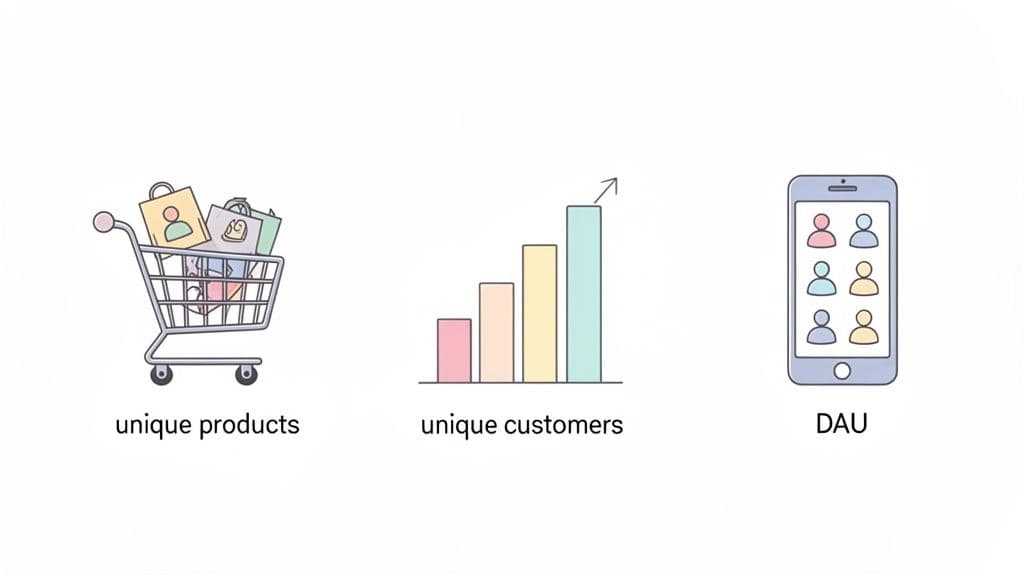
Let's look at a few real-world examples where COUNT(DISTINCT) tells a story that a simple COUNT(*) would miss entirely.
E-commerce Product Strategy
Picture yourself as an analyst at a growing e-commerce company. The top-line report is good: total sales are up. But that’s a vanity metric. To plan inventory and marketing for next quarter, you have to know what is selling, not just how much.
The Business Question: How many different products did we sell in each category last month? A high number of unique products sold could mean you have a healthy, diverse catalog. A low number might warn you that only a couple of "hero" products are carrying an entire category.
The SQL Query:
SELECT
    product_category,
    COUNT(DISTINCT product_id) AS unique_products_sold
FROM
    sales
WHERE
    sale_date >= '2024-05-01' AND sale_date < '2024-06-01'
GROUP BY
    product_category
ORDER BY
    unique_products_sold DESC;
The Actionable Insight: The result gives you a ranked list of categories by the variety of products sold. If you see that 'Electronics' moved 150 unique products while 'Home Goods' only moved 5, you've just found something important. This tells you the 'Home Goods' category might need new products or better promotion. Or, maybe it’s time to cut your losses and focus on what's already working. This one query provides the data to back up those tough inventory and marketing decisions.
Measuring Daily Active Users in SaaS
For any Software-as-a-Service (SaaS) company, Daily Active Users (DAU) is a vital sign. It's not about how many times people logged in; it's about how many unique individuals engaged with your product. A rising DAU is one of the clearest signals of product-market fit.
The Business Question: How many unique users logged into our platform yesterday?
The SQL Query:
SELECT
    COUNT(DISTINCT user_id) AS daily_active_users
FROM
    event_logs
WHERE
    event_name = 'user_login'
    AND event_timestamp >= CURRENT_DATE - INTERVAL '1 day'
    AND event_timestamp < CURRENT_DATE;
The Actionable Insight: When you run this query daily, you get a clear trend line of user engagement. If your DAU climbs from 10,500 on Monday to 12,300 by Friday, you know your growth initiatives are paying off. But if it suddenly plummets to 7,000, that's an immediate red flag. It could be a bug, a server outage, or even a competitor launching a new feature. This number is often the first metric executives and investors want to see.
From a business intelligence perspective,
COUNT(DISTINCT)unlocks critical distribution insights. For instance, knowing you have 1,000 distinct products out of 50,000 total sales reveals a 2% product variety, a metric that can lead to significantly more accurate forecasting. This kind of analysis drives major decisions, and a 2024 survey found 55% of developers still struggle with commonDISTINCTmisconceptions, especially on multi-column counts. Understanding these nuances can prevent significant errors in reporting. You can discover more insights about these common pitfalls and examples on StrataScratch.
Tracking Unique Feature Adoption
Let's say you're a product manager who just shipped a new "Collaboration" tool. To know if it's a hit, you need to see if people are actually using it. Total usage events can be deceiving—a few power users could be responsible for all the activity.
The Business Question: How many unique teams have tried the new feature since we launched it?
The SQL Query:
SELECT
    COUNT(DISTINCT team_id) AS unique_teams_using_feature
FROM
    feature_usage
WHERE
    feature_name = 'Collaboration'
    AND created_at >= '2024-05-20';
The Actionable Insight: This result directly measures the breadth of your feature's adoption. If 40% of your active teams have tried it in the first month, that's a home run. But if only 2% have touched it, you likely have a discovery problem or the feature just isn't resonating. This data is exactly what you need to decide whether to iterate, promote it more heavily, or pivot away and save your engineering resources.
Common Questions About SQL COUNT DISTINCT
Once you start using COUNT(DISTINCT) regularly, you'll inevitably run into a few common head-scratchers. These questions usually surface when you're wrestling with performance issues or trying to build more complex analytical reports. Let's walk through some of the things I get asked most often.
Is COUNT DISTINCT Faster Than GROUP BY?
This is a classic performance question, but the truth is, there’s no single right answer. It really depends on your database system and the shape of your data.
In many cases, especially with massive tables, rewriting a COUNT(DISTINCT column) query to use a GROUP BY in a subquery can actually give you a significant speed boost.
Take a look at these two queries. They achieve the exact same result: counting unique users in a logs table.
- Direct Count:
SELECT COUNT(DISTINCT user_id) FROM logs; - Subquery with GROUP BY:
SELECT COUNT(*) FROM (SELECT user_id FROM logs GROUP BY user_id) AS sub;
The first query looks cleaner, but database optimizers are often better at handling the GROUP BY pattern. Why? Because the GROUP BY can sometimes stream the unique values without having to load them all into memory at once, which is a huge win for performance.
Actionable Insight: The only way to know for sure what works best for your specific situation is to test it. Run an
EXPLAINin MySQL orEXPLAIN ANALYZEin PostgreSQL on both versions. The query plan will reveal the cost and strategy the database uses, pointing you to the clear winner. Don't guess—measure.
How Do I Count Distinct Values Over a Rolling Window?
This is where things get interesting. You might want to track a running total of unique customers over time, but you'll quickly discover you can't just write COUNT(DISTINCT user_id) OVER (...). Most SQL dialects simply don't support COUNT(DISTINCT) as a window function.
So, how do you solve it? The trick is to combine a few window functions to create the logic yourself. The core idea is to flag the first time you see a particular value within your dataset and then sum up those flags.
Imagine you want a running count of unique products sold each day.
First, you need to identify when each product makes its debut in the sales history. Then, you can perform a cumulative sum on those "first appearances."
Here’s a query pattern that does exactly that:
SELECT
  sale_date,
  SUM(is_first_appearance) OVER (ORDER BY sale_date) AS running_distinct_products
FROM (
  SELECT
    sale_date,
    product_id,
    -- This flags the first time we see a product_id with a 1
    CASE
      WHEN ROW_NUMBER() OVER (PARTITION BY product_id ORDER BY sale_date) = 1 THEN 1
      ELSE 0
    END AS is_first_appearance
  FROM sales
) AS daily_sales;
This pattern is incredibly useful for building dashboards that track cumulative growth, like how many unique users have signed up to date.
Why Is My COUNT DISTINCT Query So Slow and What Can I Do?
If you've ever run a COUNT(DISTINCT) on a large table and gone to grab a coffee while it finishes, you're not alone. The operation is notoriously expensive. To give you a count, the database has to find every single unique value first. This usually means a full table scan followed by a massive sort or hash operation that chews through CPU and memory.
When your query is crawling, here are the three things you should look at immediately:
- Index the Column: This is your first and best line of defense. An index on the column you're counting allows the database to scan the much smaller, pre-sorted index instead of the entire table. It's often a night-and-day difference.
- Try an Alternative Query: As we just discussed, rewriting the query with a
GROUP BYand a subquery might give the optimizer a better path to the result. It's always worth a try. - Consider Approximate Algorithms: For truly massive datasets where "close enough" is good enough, look into approximate counting algorithms like HyperLogLog. If a 98-99% accurate estimate is acceptable for your use case, these algorithms are a game-changer. They are dramatically faster and use a tiny fraction of the memory. PostgreSQL offers this functionality through extensions, making it perfect for real-time analytics.
Ready to put these concepts into practice with a database tool that just works? TableOne is a modern, cross-platform database GUI for SQLite, PostgreSQL, and MySQL. With a clean interface and powerful utilities, it helps you browse data, run queries, and manage schemas without the usual clutter. Get your one-time license and a 7-day free trial at https://tableone.dev.