Mastering Composite Key SQL: A Practical Database Design Guide
Learn to design and implement composite key sql in PostgreSQL, MySQL, and SQLite. This guide covers syntax, indexing, and real-world best practices.

In a database, every row needs a unique identifier. Sometimes, a single column like an id or an email_address does the trick. But what happens when no single piece of information is unique enough on its own?
That’s where a composite key comes in. It’s a primary key built by combining two or more columns to create a single, unique identifier for a row. This approach is essential when you need to enforce uniqueness based on a combination of attributes, ensuring your data stays clean and reliable.
When One Column Just Isn't Enough
The whole point of a primary key is to guarantee every row is distinct. Think about locating a specific apartment in a big city. The building's street address alone won't get you to the right door if it’s a high-rise. You also need the unit number.
Neither piece of information is unique by itself, but together—the building address and the unit number—they point to exactly one location. A composite key works the same way in your database.

A Real-World E-commerce Example
Let's look at a common scenario: an order_items table in an online store's database. This table connects products to the orders they belong to.
In this setup, a single order (order_id) can have many different products. Likewise, a single product (product_id) can be part of many different orders.
So, which column can be the primary key?
order_idcan't be unique—it repeats for every item in the same order.product_idcan't be unique either—it repeats every time someone buys it.
The solution is to combine them. The pair of (order_id, product_id) is guaranteed to be unique. A specific product can only appear once in a specific order. By creating a composite primary key from these two columns, we enforce this business rule right in the database schema, preventing duplicate entries before they even happen.
Actionable Insight: A composite key isn't just a technical trick; it's a way to model real-world relationships accurately. Use it in "linking" or "junction" tables to enforce the logical rules of your data, protecting the integrity of your entire database from the ground up.
The Bedrock of Data Integrity
The fact that composite keys are supported across all major database systems—from PostgreSQL and MySQL to SQL Server—highlights just how fundamental they are. They are a powerful tool for maintaining data integrity. When implemented correctly, composite keys directly prevent data anomalies by ensuring every record has a stable, unique identity based on its natural attributes.
Of course, this is all built on the core concept of uniqueness. If you're just getting started with database design, it's a good idea to first understand the role of a standard primary key. Our guide on what a primary key is will give you a solid foundation before diving deeper. At the end of the day, a composite key offers a clean, logical solution for managing complex relationships when a single-column key simply won't cut it.
Getting Your Hands Dirty: Creating a Composite Key with DDL
Alright, enough with the theory. The best way to really understand composite keys is to actually build one. Let's jump into the code and see how it’s done using Data Definition Language (DDL), the part of SQL we use to define our database structures.
Don't worry, the syntax is surprisingly similar across the most popular databases. What you learn here for one system will almost certainly apply to another, which makes this a super useful skill to have in your back pocket.
Method 1: Define It When You Create the Table
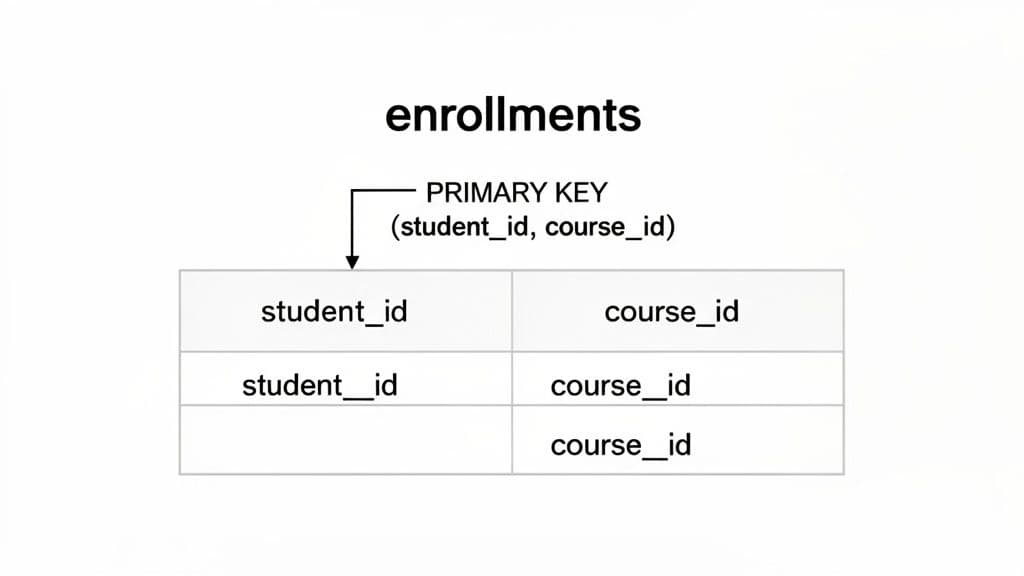
The cleanest and most common way to create a composite key is right when you're defining the table for the first time. We’ll use a classic example that every developer runs into: an enrollments table that connects students to the courses they’re registered for.
The core business rule is simple: a student can’t enroll in the same course more than once. This means the combination of a student_id and a course_id has to be unique, making it a perfect use case for a composite primary key.
Practical Tip: The trick to defining a composite key is that you declare it at the table level, after you've defined all the columns. This is different from a single-column primary key, which you can often declare right next to the column name itself.
Here’s the CREATE TABLE statement. The magic happens in that final PRIMARY KEY (student_id, course_id) line.
PostgreSQL and SQLite Example
CREATE TABLE enrollments (
    student_id INT NOT NULL,
    course_id INT NOT NULL,
    enrollment_date DATE NOT NULL,
    grade CHAR(1),
    -- Here we define the composite key using two columns
    PRIMARY KEY (student_id, course_id)
);
MySQL Example Good news—the syntax for MySQL is exactly the same for this. It's a great example of how standardized this part of SQL is.
CREATE TABLE enrollments (
    student_id INT NOT NULL,
    course_id INT NOT NULL,
    enrollment_date DATE NOT NULL,
    grade CHAR(1),
    -- No changes needed for MySQL
    PRIMARY KEY (student_id, course_id)
);
Once this table is created, the database itself will enforce our rule. If you try to insert a row with a student_id and course_id pair that already exists, the database will throw an error. That’s data integrity working for you!
Method 2: Add a Composite Key to an Existing Table
What happens if the table is already live and full of data? It’s a common situation. Maybe you inherited a messy database, or the project requirements changed. No problem—you can add a composite key to an existing table using an ALTER TABLE statement.
But you have to be careful, especially on a production database.
- Your Data Must Be Unique: The database won't create the key if the data violates the rule. It will scan the entire table, and if it finds even one duplicate pair of
(student_id, course_id), the whole operation will fail. You'll need to find and fix those duplicates first. - Columns Must Be
NOT NULL: The columns you're using for the primary key cannot allowNULLvalues. If they currently do, you’ll have to modify them to beNOT NULLbefore you can add the key. If you need a hand with that, check out our guide on how to ALTER TABLE to change a column.
Here’s the DDL you’d use to add the key after the fact.
PostgreSQL, MySQL, and SQLite Example
ALTER TABLE enrollments
ADD CONSTRAINT pk_enrollments PRIMARY KEY (student_id, course_id);
Let's quickly break that down:
ALTER TABLE enrollments: Tells the database which table we're changing.ADD CONSTRAINT pk_enrollments: This part gives our new key a specific name. Naming your constraints is a best practice because it makes them way easier to find and manage (or drop) later.PRIMARY KEY (student_id, course_id): And here we define the columns that make up our new composite key.
And that's it! Whether you're starting from scratch with CREATE TABLE or modifying an existing schema with ALTER TABLE, you now have full control over implementing composite keys. It's a fundamental skill for building databases that truly and reliably represent the real-world rules of your application.
How Composite Keys Influence Query Performance
When you define a composite key, you're doing more than just telling the database how to enforce uniqueness. You're giving it a powerful hint about how to organize and retrieve that data efficiently. Most database systems will automatically create an index on the columns of a composite primary key, and this index is where the real performance magic happens.
Think of it like an old-fashioned phone book. To find "Smith, John," you don't read every name. You jump to the 'S' section, then scan for "Smith," and finally find "John" within that much smaller group. It's fast because the data is pre-sorted, first by last name and then by first name.
A composite index works on the very same principle. The database physically or logically orders the data based on the sequence of columns you defined in your PRIMARY KEY, creating a highly efficient B-tree structure for lookups.
The Critical Importance of Column Order
That phone book analogy reveals a crucial detail: the order of the columns in your composite key is everything. A phone book sorted by (last_name, first_name) is completely useless if you only know a person's first name is "John." You'd be stuck reading the entire book from cover to cover.
It’s the same with your database. If your enrollments table has a composite key on (student_id, course_id), your queries will fly as long as you provide the student_id in your filter.
- Fast Query (uses the index):
SELECT * FROM enrollments WHERE student_id = 123; - Also Fast (uses the full index):
SELECT * FROM enrollments WHERE student_id = 123 AND course_id = 456;
In both of these queries, the database can use the index to jump straight to the data it needs. But what happens when you only filter by the second column in the key?
- Slow Query (forces a full table scan):
SELECT * FROM enrollments WHERE course_id = 456;
This query forces a full table scan. The database has to inspect every single row because the index isn't structured to look up course_id on its own.
Actionable Insight: Always place the column you filter on most frequently as the first column in your composite key definition. This single decision can have a massive impact on the performance of your most common queries. Analyze your application's access patterns to make an informed choice.
The Read-Speed vs. Write-Cost Tradeoff
While composite keys are fantastic for speeding up SELECT queries, they do introduce a bit of overhead for write operations (INSERT, UPDATE, and DELETE). Every time a row is changed, the database has to do the extra work of updating the index to maintain its sorted order.
For most applications, this is a tiny price to pay for lightning-fast reads, which are often the real performance bottleneck. But for tables with extremely high write volumes—like event logging systems or financial transaction ledgers—the cost of maintaining complex indexes can become noticeable.
Quantifying the Performance Impact
The benefits here aren't just theoretical. In fact, a poorly designed composite index can offer no real benefit while adding storage overhead. But when done right, the payoff is huge. Industry benchmarks show that well-designed composite indexes can slash query execution times by 40-60% for complex joins. This makes them a go-to tool for teams managing large production datasets in PostgreSQL or MySQL.
Ultimately, choosing a composite key is an architectural decision. You're trading a slight cost on writes for robust data integrity and a significant boost in read performance. For most scenarios, especially with join tables, that’s a winning trade.
Building Relationships with Composite Foreign Keys
So far, we've looked at our enrollments table in isolation. But the real magic of a relational database happens when you start connecting tables, building a logical web of data you can trust. This is where composite foreign keys come into play. They’re the threads that stitch your data story together, making sure every piece of information has a valid home.
Think of it this way: just as a composite primary key uses a combination of columns to uniquely identify a row, a composite foreign key uses that same combination of columns to reference it from another table. It's the mechanism that enforces the rules of your relationships.
Forging the Link: A Practical Example
Let’s go back to our university database. We have the enrollments table, where the combination of (student_id, course_id) is our unique primary key. But what about grades? We need a place to store them.
A critical rule here is that a grade can only exist for a valid enrollment. It makes no sense to have a grade for a student who isn't even registered for the course, right? A composite foreign key is the perfect tool to enforce this rule right at the database level.
We'll create a new grades table that also contains student_id and course_id columns. In this table, however, that pair won't be the primary key. Instead, it will be a composite foreign key that points directly back to the primary key of the enrollments table.
Practical Tip: By creating a foreign key that references a composite primary key, you guarantee that every row in the child table (
grades) has a corresponding, valid parent row in the parent table (enrollments). This makes orphaned data—like a grade for a non-existent enrollment—impossible.
Here’s the DDL to create our grades table, complete with the composite foreign key constraint. Notice how the REFERENCES clause lists the target table and the columns in the exact same order.
-- DDL for PostgreSQL, MySQL, and SQLite
CREATE TABLE grades (
    grade_id SERIAL PRIMARY KEY, -- A simple surrogate key for the grade itself
    student_id INT NOT NULL,
    course_id INT NOT NULL,
    grade_value NUMERIC(4, 1) NOT NULL,
    grade_date DATE NOT NULL,

    -- This defines the composite foreign key
    FOREIGN KEY (student_id, course_id)
    REFERENCES enrollments (student_id, course_id)
);
That simple FOREIGN KEY declaration is a powerful safeguard. The database will now flat-out reject any attempt to INSERT a grade unless that specific (student_id, course_id) pair already exists in the enrollments table. The core concepts here apply across most SQL databases, but you can explore our deep dive on the foreign key in PostgreSQL to learn more.
Querying Across Composite Relationships
Okay, so our tables are linked. How do we get the data back out? The good news is that JOIN operations work just as intuitively with composite keys as they do with single-column keys. The only real difference is that your ON clause needs to match up all the columns in the key.
Let's write a query to pull all grades for a specific course, including the student's enrollment date.
SELECT
    e.student_id,
    e.enrollment_date,
    g.grade_value
FROM
    enrollments e
JOIN
    grades g ON e.student_id = g.student_id
             AND e.course_id = g.course_id
WHERE
    e.course_id = 789; -- Example: retrieving grades for course 'SQL 101'
This query efficiently connects the two tables by matching both student_id and course_id, pulling together a complete picture of student performance for that course. This ability to create and query across these robust, multi-column relationships is what lets you build complex and reliable applications.
This flowchart shows how a composite key also creates an efficient index, which is what makes SELECT queries against it so fast.

The key takeaway is that the benefits of a composite key go far beyond just ensuring uniqueness; they're also a foundation for high-performance querying and solid data relationships.
Weighing the Pros and Cons of Composite Keys
Deciding whether to use a composite key isn't something you should do on a whim. While they’re a fantastic tool for modeling real-world business rules directly in your database, they come with a specific set of trade-offs when compared to just using a simple, auto-incrementing surrogate key (like an id column).
Getting a handle on the good, the bad, and the ugly is the only way to design a database schema that won't just work today, but will be easy to maintain years down the road. Let's dig into both sides of the coin.
The Upside: Why You Might Want a Composite Key
The biggest win for a composite key is how it enforces natural data integrity. You're using columns that already have real business meaning to define uniqueness. This means the key itself acts as a guard, preventing nonsensical or duplicate data from ever making it into your table.
- No "Meaningless" ID Columns: You get to skip adding an extra
idcolumn that has no business purpose other than to be a primary key. This keeps your tables lean and focused on the data that actually matters. - A More Intuitive Data Model: The key itself tells a story. When you see
(student_id, course_id)as the primary key on anenrollmentstable, you instantly know what that table does. It’s a linking table, and that relationship is baked right into its structure. - Built-in Query Optimization: As we covered, creating a composite key automatically puts a multi-column index on those columns. This can be a huge performance boost for queries that filter or join on the key columns, especially when you’re filtering by the first column in the key.
The Downside: Potential Headaches to Consider
Of course, that natural integrity comes at a price: complexity. The drawbacks of composite keys almost always pop up around maintenance, storage, and the knock-on effects they can have on other tables in your schema.
- More Complicated Joins and Foreign Keys: Your SQL queries just get longer. Writing
JOINclauses or defining foreign keys means you have to reference all the columns in the composite key, and you have to get them in the right order. This can make queries a bit more of a pain to write and for others to read. - They Can Be "Wider" Than You Think: A key made from two
INTcolumns takes up more space than a singleBIGINTsurrogate key. That extra width gets copied into every single foreign key that points back to this table, and it's included in any other indexes that use it. It might seem small, but it adds up, increasing your database size. - Updating the Key Is a Nightmare: This is the big one. If you ever need to change a value in one of the columns that make up your composite key, you could set off a chain reaction of updates across every related table. It’s a risky and complicated operation, which is why the golden rule is to only use columns that you are absolutely certain will never, ever change.
Actionable Insight: Ultimately, the choice boils down to this: do you prefer the upfront clarity of a natural composite key, or the long-term, low-maintenance simplicity of a single surrogate key? There’s no single right answer—it all depends on how stable and predictable your data is.
Storage and Performance Overhead
Don't underestimate the impact on storage and maintenance. Research shows that composite keys can increase storage needs, sometimes by 15-25%, depending on how many columns are in the key and their data types. This might not matter for a small table, but when you're talking about millions of rows, that overhead becomes a real cost.
The problem gets magnified when you have many other tables with foreign keys pointing to the composite key. Each one of those references duplicates the "wide" key, and that can bloat your database faster than you'd expect.
Decision Matrix: When to Use a Composite Key
So, how do you make the call? It often helps to run through a few common scenarios. This table is a quick checklist to guide your decision-making process.
| Scenario | Use Composite Key (Recommended) | Consider Surrogate Key (Alternative) |
|---|---|---|
| Many-to-Many Linking Table | Yes. Perfect for tables like enrollments (student_id, course_id) or post_tags (post_id, tag_id). | Possible, but it adds a useless id column and requires a separate UNIQUE constraint on the other two columns. |
| Key Columns May Change | No. If there's any chance a part of the key might be updated (e.g., a username), avoid it. | Yes. An unchanging id is much safer and decouples the primary key from mutable business data. |
| Complex Business Logic | Yes. When uniqueness is defined by a combination of real-world attributes, like (department_code, employee_number). | Works, but you lose the built-in database-level guarantee of the business rule without an additional constraint. |
| Frequent Joins with Child Tables | Maybe. The wider key can slow down joins and increase storage if there are many referencing tables. | Yes. Joining on a single, narrow integer column is almost always faster and more efficient. |
| Simplicity is a Top Priority | No. Composite keys add complexity to queries and foreign key definitions. | Yes. Surrogate keys are simple, predictable, and follow a consistent pattern across the entire database. |
Ultimately, this matrix isn't about rigid rules but about understanding the trade-offs. If your situation points strongly toward a composite key and you're confident in the stability of your chosen columns, go for it. If there's any doubt, a simple surrogate key is often the safer, more future-proof choice.
Best Practices for Smart Composite Key Design
Knowing the theory is one thing, but turning it into a set of practical rules is what really builds databases that are fast, scalable, and easy to work with down the road. When it comes to using a composite key in SQL, a few core principles can mean the difference between creating a strategic asset and a future headache.
Following these guidelines will help you build keys that boost performance and lock down data integrity without making things overly complicated.
The first rule of thumb is to keep your keys short and sweet. A good composite key should really only have two or three columns, tops. While your database might let you add more, bigger keys just get clumsy. They make your JOIN clauses and foreign key definitions a pain to write and even harder for the next person to read.
Actionable Insight: A bloated composite key with too many columns is a classic design mistake. It not only complicates your SQL queries but also increases storage overhead, as the wide key gets duplicated in every referencing foreign key and index. If you need more than three columns for uniqueness, it's a strong signal you should use a surrogate
idkey instead.
Prioritize Stability and Index Order
One of the most important things to get right is choosing columns that are absolutely stable. The values that make up a primary key should never, ever change. If you use volatile data—like a user's email address or a product's name—you're just asking for trouble.
If a value in the key changes, the database has to kick off a potentially massive cascade of updates across all related tables. This is a performance nightmare and a serious risk to your data's integrity.
Just as crucial is the order you list the columns in your key definition. You should always put the column you filter on most often first. This simple trick lets the database use its automatically generated index way more effectively, which can dramatically speed up your most common SELECT queries. For instance, in a key defined as (user_id, order_id), putting user_id first is perfect for finding all orders for a specific user.
Common Pitfalls to Avoid
Steering clear of common mistakes is just as important as following best practices. A well-designed composite key should make your data model simpler, not add another layer of confusion.
Here are a few traps to watch out for:
- Using Non-Atomic Columns: Stay away from so-called "intelligent keys" where a single column is packed with multiple pieces of information (like 'CUST123-ORD456-2024'). These are a nightmare to parse and go against the grain of good database design. Each part of your key should be its own distinct, atomic column.
- Ignoring Data Types: Be deliberate about your data types. Choose the most efficient ones you can for your key columns. Using a
VARCHAR(255)when a simpleINTwould do the job adds a ton of unnecessary storage overhead that gets copied across your entire schema. - Neglecting Uniqueness: Before you try to add a composite key to a table that already has data, you absolutely must verify that the combination of values is already unique for every single row. If it's not, the database will flat-out reject the constraint.
By keeping this checklist in mind, you can make sure every composite key you create is a thoughtful and effective architectural decision, setting you up for a rock-solid and high-performing database.
Frequently Asked Questions
Even after you've got a good handle on composite keys, some specific questions almost always pop up when you're in the middle of designing a new table or refactoring an old one. Let's tackle some of the most common ones developers run into.
How Many Columns Can a Composite Key Have?
Technically, the limit depends on your database. For instance, PostgreSQL lets you go all the way up to 32 columns, while SQL Server and MySQL draw the line at 16 columns.
But here’s the thing: just because you can doesn't mean you should. A massive composite key is a classic red flag. As a rule of thumb, stick to two or three columns. Anything more than that gets unwieldy fast, slowing down your queries and making the whole system harder to work with.
What Is the Difference Between a Composite Key and a Unique Constraint?
This is a fantastic and crucial question. On the surface, they look similar—both enforce uniqueness across a group of columns—but they serve fundamentally different purposes.
- A Primary Key has one job: to be the one and only identifier for a row. Because of this, it can never, ever be
NULL, and you only get one per table. - A Unique Constraint is more like a business rule enforcer. Its job is just to stop duplicate combinations from being entered. You can have multiple unique constraints on a single table, and most databases will allow
NULLvalues within them (though how they treat multipleNULLs can differ).
Practical Example: Think of a
userstable. Theidcolumn would be the primary key. But you might add a composite unique constraint on(email, organization_id)to enforce a business rule that a person can't sign up for the same organization twice with the same email. This allows you to identify a row withidwhile still enforcing other uniqueness rules.
What Should I Do If a Value in a Composite Key Needs to Change?
The short answer is: don't. The columns that make up a primary key—composite or not—should be treated as permanent and unchangeable. You need to pick columns whose values are guaranteed to be stable for the entire life of that row.
If you ever find yourself needing to update part of a composite key, it’s a strong sign that you chose the wrong columns for the job. Changing a key value is a dangerous game; it forces the database to cascade that update to every single foreign key reference, which is slow and prone to errors. The best fix in this situation is to rethink your design and switch to a stable surrogate key instead.
Managing database schemas, from defining composite keys to comparing changes across different environments, really calls for a tool that keeps things clear and efficient. TableOne is a modern, cross-platform database client built to make your daily data tasks quick and painless. It connects to SQLite, PostgreSQL, and MySQL with a clean, no-fuss interface for browsing tables, editing data, and running queries—all without subscriptions or vendor lock-in.


