A Developer's Guide to the PostgreSQL Foreign Key
Master the PostgreSQL foreign key with this guide. Learn how to define constraints, optimize performance, and apply best practices for data integrity.

At its core, a PostgreSQL foreign key is a powerful rule that creates a logical, enforceable link between two tables. It guarantees that a value in one table must have a corresponding, valid entry in another. This single constraint is the bedrock of relational data integrity, preventing a whole class of messy data problems before they even start.
What Is a PostgreSQL Foreign Key Anyway?
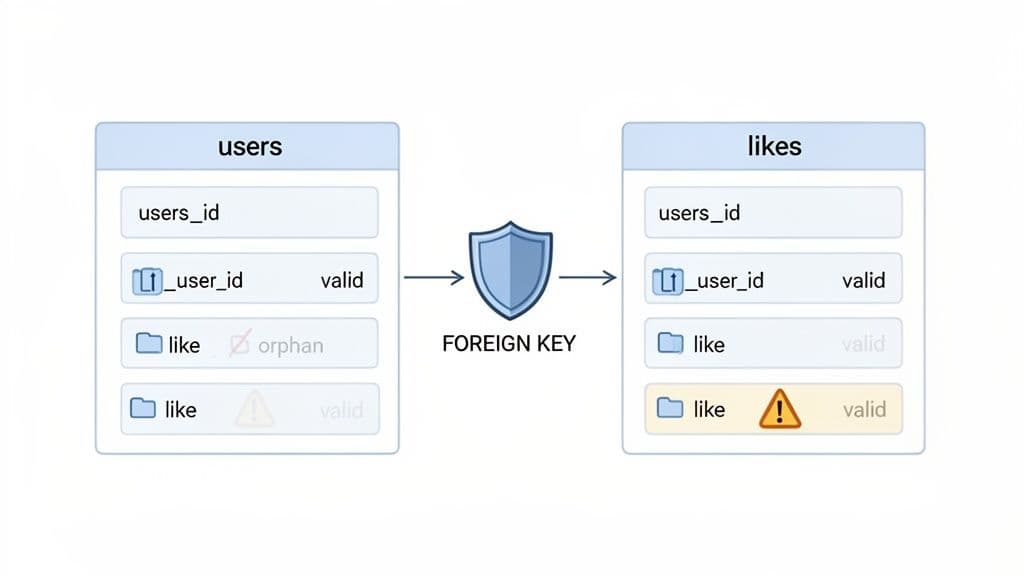
Think of it with a practical example: an e-commerce site with orders and customers tables. A PostgreSQL foreign key is the database rule that ensures you can't create an order for a customer_id that doesn't exist. It stops "ghost" orders from entering your system, which would cause serious accounting and fulfillment headaches.
This enforcement mechanism is called referential integrity. It’s the database’s way of ensuring that all its cross-references are valid and point to real, existing records. Without it, you end up with "orphan" data—records that have lost their connection to their source, creating inconsistencies and unreliable reports.
The Parent-Child Relationship in Tables
Every foreign key creates a straightforward "parent-child" relationship. The table holding the original, authoritative data (like the list of customers) is the parent table. The table that refers to it (like the orders) is the child table.
A classic example from a social media app makes this clear:
users(Parent Table): Holds a uniqueuser_idfor every person. It’s the single source of truth for user accounts.posts(Child Table): Contains auser_idcolumn to link every post back to its author.
Here, the user_id in the posts table is the foreign key. It points back to the user_id in the users table, which is almost always a primary key. This simple link makes it impossible to insert a post with a user_id that doesn't belong to an actual user.
-- This will succeed because user_id 101 exists in the users table.
INSERT INTO posts (title, content, user_id) VALUES ('My First Post', 'Hello world!', 101);

-- This will FAIL because user_id 999 does not exist. The foreign key protects your data.
INSERT INTO posts (title, content, user_id) VALUES ('Invalid Post', 'This will be rejected.', 999);
-- ERROR:  insert or update on table "posts" violates foreign key constraint "posts_user_id_fkey"
-- DETAIL: Key (user_id)=(999) is not present in table "users".
The Core Principle of Foreign Keys: A foreign key constraint prevents any action that would leave a foreign key value in the child table without a matching primary key value in the parent table. This is the cornerstone of trustworthy data.
Why Data Integrity Is Non-Negotiable
A database without foreign keys is just waiting for trouble. Picture this common scenario: a user deletes their account from your application. What should happen to all the posts they created? Without a foreign key, those posts would just sit in the posts table, but their user_id would now point to nothing. These are the orphan records we talked about. They lead to broken UIs, wildly inaccurate reports, and an overall loss of trust in your data.
To see the difference in action, consider this simple comparison:
Database State With vs Without Foreign Keys
| Scenario | Without Foreign Key | With Foreign Key (ON DELETE CASCADE) |
|---|---|---|
| A user with ID '123' deletes their account. | The row in the users table is deleted. All orders associated with user '123' remain, now orphaned. | The database automatically deletes all orders associated with user '123' to maintain consistency. No orphans. |
| Result | Data is now inconsistent. The application might crash when trying to display these "ghost" orders. | Data integrity is preserved. The database is clean and predictable. |
As you can see, the foreign key doesn't just throw an error—it actively maintains the logical consistency of your entire dataset.
This commitment to reliability is a huge part of why PostgreSQL is so dominant. In fact, recent surveys show 49.1% of professional developers use PostgreSQL, making it one of the most trusted databases in the world. Its reputation for enterprise-grade stability is built on fundamental features like foreign keys, which is why platforms like Twitch and Skype rely on it for operations where data anomalies simply aren't an option.
How to Define Your First Foreign Key
Theory is great, but let's get our hands dirty and create a foreign key. Building a reliable database means getting comfortable with this process. You'll typically find yourself in one of two situations: defining a relationship as you create a new table, or adding one to a table that's already live.
The examples below are practical and ready to go, giving you a solid foundation whether you’re just starting out or refining an existing schema.
Defining a Foreign Key During Table Creation
The cleanest and most common approach is to set up your foreign keys right when you create your tables. Think of it as building the guardrails from day one, ensuring no invalid data can ever sneak in.
Let’s continue with our users and posts example. First, we need our "parent" table, users.
CREATE TABLE users (
    user_id SERIAL PRIMARY KEY,
    username TEXT NOT NULL UNIQUE,
    created_at TIMESTAMPTZ DEFAULT NOW()
);
Now, when we create the posts table, we'll tell it that the author_id column must point to a real user in the users table.
CREATE TABLE posts (
    post_id SERIAL PRIMARY KEY,
    title TEXT NOT NULL,
    content TEXT,
    author_id INTEGER NOT NULL,

    -- Give the constraint a clear name and define the relationship
    CONSTRAINT fk_post_author
      FOREIGN KEY(author_id)
	  REFERENCES users(user_id)
);
Let's quickly break down that constraint definition:
CONSTRAINT fk_post_author: We're giving our constraint a specific name. This is an actionable best practice because it makes it much easier to manage or drop later on.FOREIGN KEY(author_id): This identifies the column in this table (posts) that will act as the reference.REFERENCES users(user_id): This is the crucial part. It tells PostgreSQL, "The value inauthor_idmust exist in theuser_idcolumn of theuserstable."
Adding a Foreign Key to an Existing Table
What happens if the tables already exist and you realize a relationship was missed? This is a common scenario when improving an older database design. Thankfully, PostgreSQL handles this gracefully with the ALTER TABLE command.
If you're planning this kind of refactoring, our guide on how to design a database schema can be a huge help.
Let's pretend we initially created the posts table without the foreign key. We can add it just as easily after the fact.
ALTER TABLE posts
ADD CONSTRAINT fk_post_author
FOREIGN KEY (author_id)
REFERENCES users(user_id);
This command accomplishes the same goal as the inline definition, but it has a powerful safety check built-in. Before applying the constraint, PostgreSQL scans the entire posts table. If it finds even a single author_id that doesn't correspond to a user_id in the users table, the command will fail with a helpful error. This prevents you from accidentally validating a dataset that's already inconsistent.
Actionable Insight: When you add a foreign key, PostgreSQL doesn't just make a note of the rule. It creates a set of system triggers that automatically enforce this relationship on every
INSERT,UPDATE, andDELETE. This behind-the-scenes enforcement is a huge part of why developers trust Postgres for their most important data.
This deep commitment to data integrity is a major reason for its growing dominance in the industry. The 2023 Stack Overflow Developer Survey, for instance, reported it as the most used database by 45.6% of all respondents. The automatic creation of system triggers—AFTER INSERT/UPDATE on the child table and AFTER UPDATE/DELETE on the parent—is a perfect example of the robust engineering that has earned this trust.
Controlling Relationship Behaviors with ON DELETE and ON UPDATE
A PostgreSQL foreign key is more than just a simple link; it's an active rule that governs how your data behaves. By using the ON DELETE and ON UPDATE clauses, you can tell PostgreSQL exactly what to do when a parent record is changed or removed. This transforms a basic constraint into powerful automation that keeps your database consistent without you having to write cleanup code.
For example, when a user deletes their account, what should happen to their posts, comments, or order history? This is the exact problem ON DELETE and ON UPDATE solve. You can choose from five distinct actions to dictate the database's response.
Here’s how you’d add these rules right into your table definition:
CREATE TABLE posts (
    post_id SERIAL PRIMARY KEY,
    title TEXT NOT NULL,
    author_id INTEGER, -- Must be nullable for ON DELETE SET NULL to work

    CONSTRAINT fk_post_author
      FOREIGN KEY(author_id)
      REFERENCES users(user_id)
      ON DELETE SET NULL  -- If the user is deleted, set author_id to NULL.
      ON UPDATE CASCADE   -- If the user_id changes, update it here too.
);
Practical Scenario:
- A user with
user_id = 5is deleted. ON DELETE SET NULLtriggers.- All rows in
postswhereauthor_id = 5are automatically updated toauthor_id = NULL. The posts are now "anonymous" but remain in the database.
Choosing the Right Referential Action
The action you choose has a huge impact on your data's integrity, so it's critical to understand what each one does. Below is a detailed breakdown of each action with a practical use case.
| Action | Behavior on Parent Row Deletion/Update | Practical Use Case |
|---|---|---|
NO ACTION | Raises an error, preventing the change if child rows exist. The check occurs at the end of the statement. This is the default. | Safest option. Use when you must manually clean up dependent records, like invoices for a customer. Prevents accidental data loss. |
RESTRICT | Raises an error immediately, blocking the change if child rows exist. The check happens right away. | Functionally similar to NO ACTION in simple cases. Choose this if you need immediate failure feedback in a complex transaction. |
CASCADE | Deletes or updates the child rows automatically when the parent row is deleted or updated. | Perfect for tightly-coupled data. If you delete a blog_post, you definitely want to delete all its comments. Use with care! |
SET NULL | Sets the foreign key column in the child row to NULL. The column must be nullable for this to work. | Great for optional relationships. When a project is deleted, you might want to un-assign its tasks by setting project_id to NULL instead of deleting them. |
SET DEFAULT | Sets the foreign key column in the child row to its default value. The column must have a defined DEFAULT. | Useful for re-assignment. If a salesperson leaves, their leads could be automatically reassigned to a default "unassigned" user ID. |
This flowchart walks you through the decision-making process for the common ON DELETE scenario.
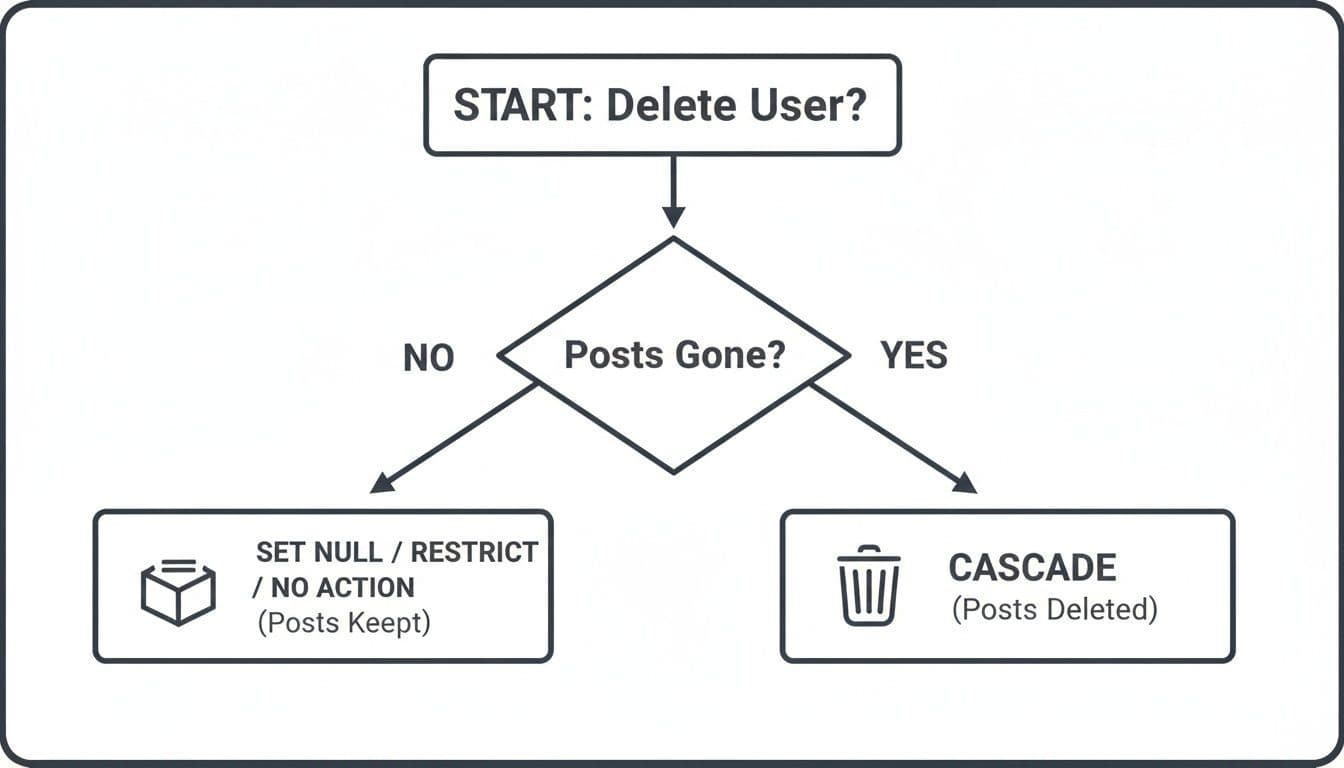
The right choice completely depends on your intent. If you need to clean up related data like posts when a user is deleted, CASCADE is your tool. If you'd rather keep the posts but disconnect them from the now-gone user, SET NULL is the way to go.
Actionable Insight: While
ON UPDATE CASCADEmight look convenient, it’s a best practice to treat primary keys as immutable. Changing a primary key that's referenced all over your database is risky. Because of this, you'll find thatON DELETEactions are far more common and absolutely critical to get right in your design.
These concepts aren't just a PostgreSQL thing. Referential integrity is a cornerstone of nearly all relational databases. If you're curious, you can see how these principles apply elsewhere by reading our guide on MySQL and its approach to foreign keys.
Optimizing Foreign Key Performance
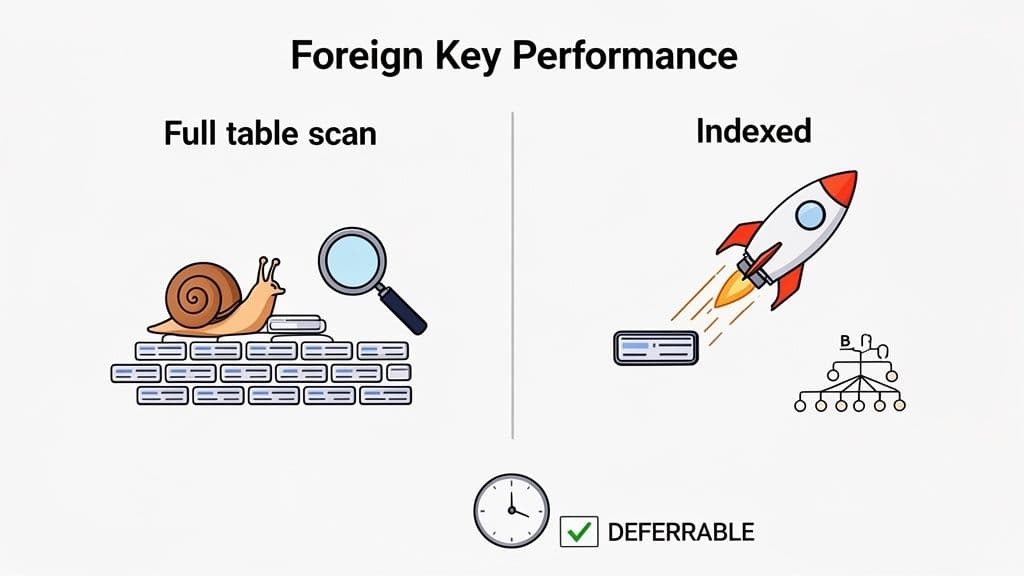
While a PostgreSQL foreign key is your best friend for data integrity, it can have a dark side: a hidden performance cost. Every time you UPDATE or DELETE a row in a parent table, PostgreSQL must check the child table to ensure no records will be left orphaned. Without proper indexing, this check can turn a simple operation into a performance nightmare.
Why You Must Index Foreign Key Columns
Here’s one of the most common traps developers fall into: assuming that creating a foreign key automatically creates an index on that column. In PostgreSQL, this is not the case. You must create the index yourself.
If you don't, PostgreSQL is forced to perform a full table scan on the child table to check for related rows. On a table with millions of records, this is disastrous, locking the table and slowing your application to a crawl.
Let's see this in action. Imagine a users table and a posts table with millions of posts.
Without an Index:
If you run this DELETE, PostgreSQL must scan the entire posts table.
-- This query will be very slow on a large 'posts' table.
DELETE FROM users WHERE user_id = 123;
Running EXPLAIN on this would show a Seq Scan on posts—your performance bottleneck.
With an Index (The Actionable Fix):
The fix is a simple, single line of SQL. Create an index on the author_id foreign key column.
CREATE INDEX idx_posts_author_id ON posts(author_id);
Now, the same DELETE operation becomes lightning-fast. PostgreSQL uses the index to instantly find any related posts, and the query plan will show a highly efficient Index Scan.
Actionable Insight: Always create an index on your foreign key columns. It is the single most important optimization for foreign key performance, especially for
DELETEoperations on parent tables and for speeding up yourJOINs.
Deferring Constraint Checks for Complex Operations
Occasionally, you'll need to temporarily bend the rules of referential integrity, often during large data migrations or when dealing with circular dependencies. For these scenarios, deferrable constraints are a lifesaver.
By default, PostgreSQL checks foreign key constraints immediately after each statement. A deferrable constraint lets you postpone this validation until the end of the transaction, right before you COMMIT.
This is a game-changer for a few specific problems:
- Bulk Data Loading: When importing data where parent and child records are mixed, deferring checks lets you load everything first and validate at the end.
- Circular Dependencies: If an
employeestable has amanager_idthat points to another employee, you can't insert a manager and their report simultaneously without deferring the check. - Swapping Primary Keys: Swapping the IDs of two parent rows is impossible in one step without temporarily violating the foreign key.
To create a deferrable constraint, you add DEFERRABLE INITIALLY DEFERRED to your definition.
-- Example for a circular reference in an 'employees' table
ALTER TABLE employees
ADD CONSTRAINT fk_manager
FOREIGN KEY (manager_id)
REFERENCES employees(employee_id)
DEFERRABLE INITIALLY DEFERRED;
With this in place, you can run operations inside a transaction that would normally fail.
BEGIN;

-- These inserts would normally fail, but the check is deferred.
-- Insert Alice, who will be managed by Bob (emp_id 2).
INSERT INTO employees (employee_id, name, manager_id) VALUES (1, 'Alice', 2);
-- Insert Bob, who will be managed by Alice (emp_id 1).
INSERT INTO employees (employee_id, name, manager_id) VALUES (2, 'Bob', 1);

COMMIT; -- The constraints are checked here. Since both rows now exist, it passes!
This flexibility lets you handle complex data problems gracefully, without resorting to risky workarounds like dropping and re-creating constraints.
Foreign keys are the glue that holds a relational database together. But like any powerful tool, they come with a few common traps that can turn a well-intentioned schema into a performance nightmare.
Mismatching Data Types
This one sounds basic, but it trips people up surprisingly often. For a PostgreSQL foreign key to work, the referencing column and the referenced primary key must have the exact same data type. You can't, for instance, point an INTEGER foreign key at a BIGINT primary key.
A common mistake is using SERIAL for a primary key and BIGINT for the foreign key.
-- MISTAKE: Incompatible types
CREATE TABLE users (
    user_id SERIAL PRIMARY KEY -- This creates an INTEGER
);

CREATE TABLE posts (
    post_id SERIAL PRIMARY KEY,
    -- This will fail because BIGINT does not match the INTEGER from SERIAL.
    author_id BIGINT REFERENCES users(user_id)
);
-- ERROR: foreign key constraint "posts_author_id_fkey" cannot be implemented
-- DETAIL: Key columns "author_id" and "user_id" are of incompatible types: bigint and integer.
Actionable Fix: Ensure the types match perfectly. If the parent key is SERIAL (integer), the child key must be INTEGER. If it's BIGSERIAL (bigint), the child must be BIGINT.
Forgetting to Index the Foreign Key Column
This is the silent performance killer. When you define a foreign key, PostgreSQL does not automatically create an index on that column.
So what happens? Any operation that needs to check the relationship—like deleting a parent row or running a join—forces a full, sequential scan of the entire child table. On a table with millions of rows, this is catastrophic.
Actionable Insight: Always, always create an index on every foreign key column. It’s the single most important thing you can do for performance. A simple
CREATE INDEXcommand can be the difference between a query that takes minutes and one that finishes in milliseconds.
Using ON DELETE CASCADE Carelessly
ON DELETE CASCADE is the database equivalent of a demolition charge—effective but devastating if you're not careful. It sets up a chain reaction where deleting one parent row automatically vaporizes all corresponding child rows.
Imagine an accounts table linked to users, which is linked to invoices. If you set up CASCADE all the way down and an admin deletes an account, you could instantly and permanently wipe out all its users and every invoice they ever generated.
Actionable Advice: Reserve CASCADE for data that is truly and completely dependent on its parent, like order_items in an orders table. For most other cases, the default NO ACTION (which throws an error) or SET NULL are far safer choices.
How to Inspect and Manage Existing Foreign Keys
Setting up a PostgreSQL foreign key is just the beginning. You'll inevitably need to inspect, tweak, or drop those relationships. Knowing how to find and manage existing foreign keys is a critical skill.
Luckily, PostgreSQL has fantastic introspection tools baked right into its command-line interface, psql.
Finding Foreign Keys with psql
For a quick overview of a table's structure, the \d command is your best friend. It provides a fast, human-readable summary that includes all constraints.
To check our posts table, just run:
\d posts
This command neatly lists columns, indexes, and a dedicated "Foreign-key constraints" section, showing you exactly which constraints are active.
When you need more detail for scripting, query the information_schema views.
Here’s an actionable query to find all foreign keys referencing a specific parent table, like users:
SELECT
    kcu.table_schema,
    kcu.table_name,
    kcu.column_name,
    ccu.table_name AS foreign_table_name,
    ccu.column_name AS foreign_column_name
FROM
    information_schema.key_column_usage AS kcu
JOIN
    information_schema.table_constraints AS tc
    ON kcu.constraint_name = tc.constraint_name AND kcu.table_schema = tc.table_schema
JOIN
    information_schema.constraint_column_usage AS ccu
    ON ccu.constraint_name = tc.constraint_name AND ccu.table_schema = tc.table_schema
WHERE
    tc.constraint_type = 'FOREIGN KEY' AND ccu.table_name = 'users';
This script gives you a precise map of every table that depends on the users table, which is invaluable for planning migrations or schema changes.
Simplifying Management with a Database GUI
While psql is a powerhouse, tracing relationships across dozens of tables on the command line can get tedious. This is where a modern database GUI like TableOne really shines, transforming tedious query-writing into a simple visual task.
Instead of writing complex joins just to see how tables connect, you can see it all laid out graphically.
This screenshot shows how TableOne displays the foreign key relationships for a customers table.
You can tell in an instant that the support_rep_id column points to the employees table. There’s no code to run and no guesswork involved—the data structure is immediately clear.
Actionable Insight: By visualizing these relationships, you can trace data dependencies across your entire schema in seconds. This saves a tremendous amount of time, especially when onboarding to a new project or troubleshooting an unfamiliar database.
With the right tool, you can simply click on any table to see its incoming and outgoing references, inspect constraint properties, and understand the schema's architecture visually.
Common Questions and Sticking Points with Foreign Keys
Even after you've got the hang of foreign keys, a few tricky situations always seem to pop up. Let's walk through some of the most common questions with practical, actionable answers.
Can a Foreign Key Point to Something That Isn't a Primary Key?
Yes, absolutely. But there’s one non-negotiable rule: the column you're referencing in the parent table must have a UNIQUE constraint.
A primary key gives you that uniqueness by default, but any column (or set of columns) with a UNIQUE constraint serves the exact same purpose. This is great when you want to reference a more natural business key, like a user's email address or a product SKU.
-- The parent table has a username column that must be unique
CREATE TABLE users (
    user_id SERIAL PRIMARY KEY,
    username TEXT NOT NULL UNIQUE
);

-- The child table can now reliably reference the unique username
CREATE TABLE profiles (
    profile_id SERIAL PRIMARY KEY,
    user_username TEXT NOT NULL,
    bio TEXT,

    CONSTRAINT fk_user_username
      FOREIGN KEY(user_username)
      REFERENCES users(username)
);
What's the Real Difference Between NO ACTION and RESTRICT?
This is a classic point of confusion, and the answer comes down to timing. While both stop you from creating orphan records, they check the rule at different times.
RESTRICT: Checks the constraint immediately. The moment a statement violates the rule, PostgreSQL throws an error.NO ACTION: Checks the constraint at the end of the statement. This is the default.
In a simple DELETE, you won't notice a difference. But this timing is crucial in complex transactions or when using DEFERRABLE constraints, where NO ACTION gives you a window to fix violations before the statement completes. For most use cases, the default NO ACTION is sufficient.
How Do I Handle Circular Dependencies?
The classic chicken-and-egg problem: Table A needs a valid reference to Table B, but Table B needs one back to Table A.
The most elegant solution is to use a
DEFERRABLEconstraint. This tells PostgreSQL, "Hold on, don't check this foreign key rule just yet. I promise I'll make it valid before I commit the transaction."
This gives you a window to insert both rows. Once both are in place and the transaction is finalized, the constraint is checked.
Imagine a scenario where every department must have a manager (who is an employee), and every employee must belong to a department.
-- Create the tables first, without the circular link
CREATE TABLE departments (
    dept_id SERIAL PRIMARY KEY,
    dept_name TEXT NOT NULL,
    manager_id INT -- We will link this back to an employee later
);

CREATE TABLE employees (
    emp_id SERIAL PRIMARY KEY,
    emp_name TEXT NOT NULL,
    department_id INT NOT NULL REFERENCES departments(dept_id)
);

-- Now, add the circular foreign key, but make it deferrable
ALTER TABLE departments
ADD CONSTRAINT fk_dept_manager
FOREIGN KEY (manager_id)
REFERENCES employees(emp_id)
DEFERRABLE INITIALLY DEFERRED;
This setup lets you create a new department and its new manager inside a single transaction, neatly sidestepping the circular logic trap.
Managing and visualizing these complex relationships shouldn't require writing complex queries. With TableOne, you can instantly inspect foreign keys, trace dependencies, and understand your schema visually across PostgreSQL, MySQL, and SQLite. Ditch the command line hassle and try it free for 7 days. Get your license at tableone.dev.


