Unlock Database Power: One to One Relationship Explained
Master the one to one relationship in database design. Discover when to use it, view SQL examples, and optimize your schema for performance & security.
A one-to-one relationship is a special kind of connection between two database tables. It means that a single record in the first table is linked to exactly one record in the second, and that second record can't be linked to any other. It’s a specific tool for organizing your data, and while it's not used every day, it's incredibly effective for certain architectural challenges.
Understanding the One-to-One Relationship
Let’s be honest: the one-to-one (1:1) relationship is the unicorn of database design. You don't see it often, but when you do, it’s for a very good reason.
Think of it this way: in many countries, a person can have only one government-issued ID card. The ID card is exclusively linked to that one person, and that person can only have that single ID. This exclusive, direct link is the heart of a 1:1 relationship. One person, one unique ID card.

It seems straightforward, but this model is far less common than its one-to-many cousin. Many scenarios that look like a 1:1 at first glance—like a user and their profile—often have hidden complexities. What if a user wants multiple profiles for different work contexts? Suddenly, the strict 1:1 rule is broken.
Why This Relationship Is Rare
Among the three main database models, the one-to-one relationship is by far the least common. Most schemas are dominated by one-to-many relationships because real-world data rarely fits into such a rigid, exclusive box. True 1:1 connections that stay that way over time are few and far between.
There are a few solid reasons for its scarcity:
- Data Consolidation: Most of the time, if two entities are truly linked one-to-one, it just makes more sense to merge their attributes into a single, wider table. Why split them at all?
- Future Scalability: Experienced developers often build for the future. They might anticipate a 1:1 relationship could evolve into a one-to-many, so they design for that flexibility from day one to avoid a painful migration later.
- Specific Use Cases: The 1:1 structure isn't a general-purpose tool. It's a strategic choice you make to solve a very specific problem, like performance optimization or data security partitioning.
This makes the 1:1 relationship a specialist’s tool. Knowing when and how to use it is a hallmark of great database design, a topic we explore in depth in our guide on how to design a database schema. It’s all about picking the right tool for the job, and sometimes, that rare unicorn is exactly what you need.
When to Use a One to One Relationship
It’s one thing to understand the theory of a one to one relationship, but it's another skill entirely to know when to pull it out of your toolbox. While they aren't as common as other data models, one to one relationships are the perfect fix for a few very specific, and very common, database design headaches.
Let's move past the textbook definitions and look at a couple of real-world scenarios where this pattern really shines.
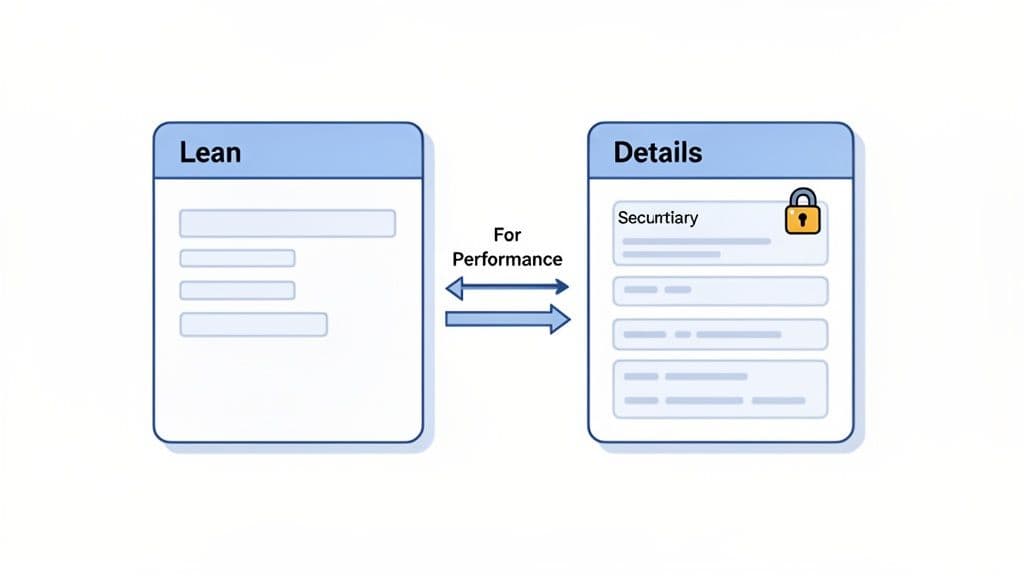
Ultimately, the decision to split a table this way almost always comes down to two things: boosting performance or tightening security. By logically dividing your data, you build a much cleaner and more efficient architecture.
Optimizing Performance by Splitting Wide Tables
Picture this: your main users table started simple, but over the years it's ballooned to 50+ columns. It's now stuffed with user bios, notification settings, social media links, and all sorts of other data that's rarely needed. The problem is, 99% of your app's queries—like authenticating a login or just displaying a user's name—only need about five of those columns.
Every time you run a query against that massive table, even for simple tasks, the database has to sift through all that extra weight, loading far more data into memory than it needs to. This is a classic performance bottleneck, and it's the perfect opportunity for a one to one relationship.
Actionable Insight: The solution is to split the table. You create a lean
userstable holding only the essential, frequently-hit columns (id,password_hash). Then, you move all the secondary, rarely-accessed data into a newuser_detailstable and link it back with auser_idforeign key.
This technique, known as vertical partitioning, makes your most common queries fly. The database can now scan a much smaller, more compact users table, resulting in faster reads and more efficient use of its cache.
Enhancing Security by Isolating Sensitive Data
Another fantastic use case for a one to one relationship is to beef up your data security. Let's say your application handles sensitive Personally Identifiable Information (PII) like social security numbers, private health records, or financial data. Lumping this critical information into a general-purpose users table is a recipe for a security headache.
Instead, you can create a separate, locked-down table—something like user_sensitive_data—and give it a strict one to one relationship with your primary users table. This creates a powerful architectural boundary. It becomes incredibly simple to apply stricter access controls, encryption, and detailed audit logs to just the sensitive table, without burdening the rest of your database.
Actionable Insight: For an e-commerce site, you could store
customer_id,name, andcustomerstable. All the payment-related data, like credit card tokens or bank details, would go into a separatecustomer_payment_datatable linked one-to-one. You can then grant your application's payment processing service access only to the payment data table, dramatically reducing your security risk.
This strategy is just as effective whether you're working on a small local app with SQLite or securing a massive production database on PostgreSQL.
To help you spot these opportunities in your own work, here's a quick reference guide.
Common Scenarios for a One to One Relationship
| Problem Scenario | How a 1:1 Relationship Helps | Practical Example |
|---|---|---|
| A primary table has grown very "wide" with many columns, slowing down common queries. | It splits the table, moving infrequently accessed columns into a separate table to keep the main table lean and fast. | A users table is split into users (for login) and user_profiles (for bio, avatar, etc.). |
| A table contains a mix of public and highly sensitive data. | It isolates the sensitive data into a separate, highly secured table, reducing the risk of accidental exposure. | An employees table is linked to an employee_payroll_data table, with stricter access rules on the payroll table. |
| You have a set of optional data that only applies to a small subset of records. | It avoids cluttering the main table with lots of NULL values by moving the optional fields to an extension table. | A products table links to an optional product_warranty_details table. Most products won't have a record there. |
This practice of splitting tables is a time-tested strategy for managing large datasets. Performance is a huge driver, especially when tables grow beyond 100 columns or contain millions of rows. Benchmarks on PostgreSQL have shown that scans on a primary table can see a 40% drop in execution time after splitting it. In a well-documented case, GitHub shared that 15% of their high-traffic MySQL tables use one to one extensions for optional fields, which improved their cache hit rates by a solid 25%.
You can find more examples and dive deeper into the technicals in this excellent guide on one-to-one database relationships from the team at Beekeeper Studio.
Building One-to-One Relationships in SQL
Alright, enough theory. Let's get our hands dirty and actually build a one-to-one relationship using SQL. This is where we use Data Definition Language (DDL) to forge that exclusive link between two tables. In the world of SQL, you have two main patterns to pull this off.
The most popular method uses a standard foreign key but adds a UNIQUE constraint on top. It’s a simple, powerful trick that ensures a record in one table can only link to a single record in another. A second, slightly more rigid pattern is the shared primary key, where both tables literally use the same ID.
We’ll walk through both approaches, complete with code you can copy and paste for SQLite, PostgreSQL, and MySQL.
The Standard Approach: Foreign Key with a UNIQUE Constraint
This is the workhorse pattern for one-to-one relationships, and for good reason—it's flexible and easy to understand. The setup involves adding a foreign key column to your secondary table that points back to the primary table. The secret sauce is adding a UNIQUE constraint to that foreign key. This is what prevents multiple records from pointing to the same parent, locking in the 1:1 rule.
Let's stick with our users and user_profiles example to see how it works.
Practical Example: SQLite
Here, we'll create a users table for basic login info and a user_profiles table for optional biographical details.
-- The primary table
CREATE TABLE users (
    id INTEGER PRIMARY KEY,
    email TEXT NOT NULL UNIQUE,
    created_at TIMESTAMP DEFAULT CURRENT_TIMESTAMP
);

-- The secondary table with the 1:1 relationship
CREATE TABLE user_profiles (
    id INTEGER PRIMARY KEY,
    user_id INTEGER NOT NULL UNIQUE,
    bio TEXT,
    FOREIGN KEY (user_id) REFERENCES users (id)
);
Practical Example: PostgreSQL
This version adds ON DELETE CASCADE, an actionable feature that automatically cleans up data.
-- The primary table
CREATE TABLE users (
    id SERIAL PRIMARY KEY,
    email TEXT NOT NULL UNIQUE,
    created_at TIMESTAMPTZ DEFAULT NOW()
);

-- The secondary table with the 1:1 relationship
CREATE TABLE user_profiles (
    id SERIAL PRIMARY KEY,
    user_id INTEGER NOT NULL UNIQUE,
    bio TEXT,
    FOREIGN KEY (user_id) REFERENCES users (id) ON DELETE CASCADE
);
Practical Example: MySQL The MySQL syntax is very similar, demonstrating the cross-platform nature of this design pattern.
-- The primary table
CREATE TABLE users (
    id INT AUTO_INCREMENT PRIMARY KEY,
    email VARCHAR(255) NOT NULL UNIQUE,
    created_at TIMESTAMP DEFAULT CURRENT_TIMESTAMP
);

-- The secondary table with the 1:1 relationship
CREATE TABLE user_profiles (
    id INT AUTO_INCREMENT PRIMARY KEY,
    user_id INT NOT NULL UNIQUE,
    bio TEXT,
    FOREIGN KEY (user_id) REFERENCES users (id) ON DELETE CASCADE
);
Actionable Insight: The
UNIQUEconstraint on theuser_idcolumn is what enforces the 1:1 rule. Without it, you'd just have a plain one-to-many relationship. TheON DELETE CASCADEis a powerful housekeeping tool: if a user is deleted, their profile is automatically removed, preventing orphaned data.
If you want to go deeper into how these constraints work behind the scenes, particularly in Postgres, our guide on PostgreSQL foreign keys is a great next step. Getting comfortable with these mechanics is key to building data models you can trust.
The Shared Primary Key Method
Here's another way to do it, though you see it less often. With the shared primary key pattern, both tables use the exact same value for their primary keys. The primary key of the secondary table (user_profiles) doubles as a foreign key, referencing the primary key of the main table (users).
This approach creates an incredibly tight bond, making the second table feel like a direct extension of the first. It's not as flexible, but the relationship between the two records is crystal clear.
Ensuring Data Integrity with Constraints
Just defining the table structure is only half the battle. A one-to-one relationship is only as strong as the database rules that enforce it. Without the right constraints in place, your carefully designed schema can quickly devolve into data chaos, leaving you with duplicate links or records that point to nowhere.
To build a truly bulletproof relationship, you need to combine two of SQL's most powerful constraints: the FOREIGN KEY and the UNIQUE constraint. The FOREIGN KEY is what forges the link between your two tables, making sure a child record (like a user_profile) can only be created if its parent (user) already exists. Then, the UNIQUE constraint, applied to that very same foreign key column, is what hammers home the "one" part of the "one-to-one" rule.
This powerful combination prevents two classic data integrity headaches:
- Orphan Records: The
FOREIGN KEYacts as a gatekeeper, stopping you from creating auser_profilefor auser_idthat doesn’t exist in theuserstable. - Duplicate Links: The
UNIQUEconstraint ensures you can't accidentally create twouser_profilerecords that both point to the exact sameuser_id.
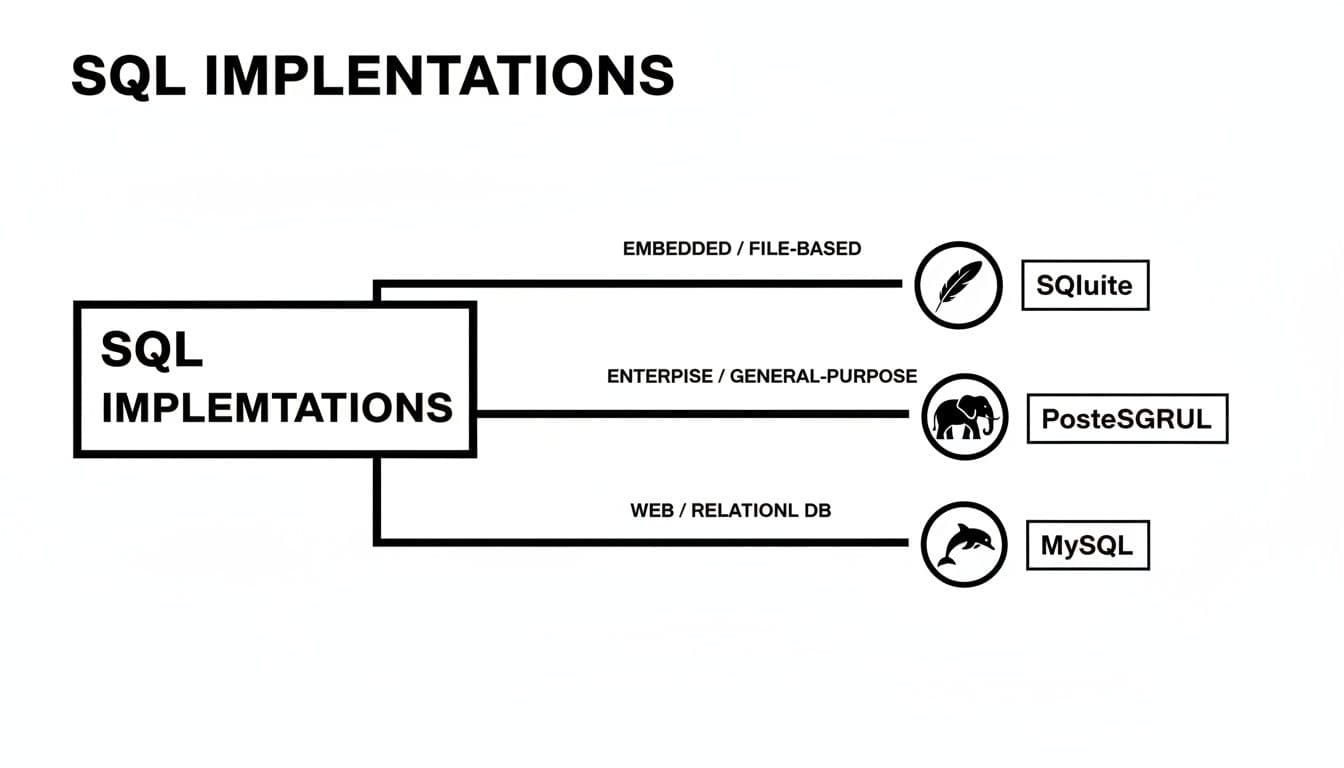
While the specific syntax might have slight differences, the core logic of using foreign keys and unique constraints to build a one-to-one relationship is a universal principle across SQLite, PostgreSQL, and MySQL.
This foundation gives you a solid starting point, but there are a few more strategic decisions to make.
Choosing Your Constraint Strategy
You have a couple of ways to enforce this relationship, and each comes with its own trade-offs. The most common approach is using a UNIQUE foreign key, which gives you a lot of flexibility. The other option is a shared primary key, which creates a much tighter, more rigid coupling between the tables. If you want to get a better handle on the first building block of these relationships, our detailed guide on what a primary key is is a great place to start.
This structure also happens to be a huge win for security. One-to-one relationships are fantastic for isolating sensitive data, a critical need as global breach costs are projected to soar to $4.88 million per incident by 2026. By splitting tables, you can tuck away personally identifiable information or audit trails separately—a strategy that's even effective in file-based systems like SQLite that don't have granular user roles. As one deep-dive explains, this design can even slash data replication conflicts by up to 60% in distributed systems.
Automating Data Cleanup and Performance
Actionable Insight: To keep your database clean and fast, two more elements are essential: cascading deletes and proper indexing. Think of
ON DELETE CASCADEon your foreign key as a powerful automation tool. It tells the database, "Hey, if theuserrecord gets deleted, automatically delete the correspondinguser_profiletoo." This prevents orphan data without you having to write a single line of cleanup code.
Finally, always—and I mean always—create an index on the foreign key column. When you join the two tables, the database uses this index to find the matching record in a flash. Without it, the database is forced to do a full table scan, which can become painfully slow as your tables grow. An index ensures your joins remain snappy and efficient, preserving the performance benefits of your one-to-one relationship design.
Comparing One to One with Other Data Models
Choosing the right data model is one of those foundational decisions that can make or break an application down the road. To really understand the value of a one to one relationship, it helps to see how it stacks up against other common patterns you might be considering.
The decision usually boils down to a classic engineering trade-off: balancing clean data architecture against immediate development speed and query performance. Let's pit the 1:1 model against two popular alternatives: cramming everything into one big table, or using a one-to-many relationship.
One to One vs A Single Wide Table
The most common alternative to a one to one relationship is often the simplest: just keep adding columns. If you need to store optional user profile data, why not just add more columns to the users table and let them be NULL when they're not needed?
On the surface, this feels easier. You have fewer tables to manage and no JOINs to write. But this approach, known as a "wide table," can become a hidden performance killer. As you add dozens of nullable columns, the table gets bloated and sparse. Every time you query it, the database has to wade through more data and use more memory, even for columns that are mostly empty.
Actionable Insight: A one to one relationship elegantly sidesteps this problem. It splits off the optional or bulky data, keeping your main table lean and fast. For example, your
userstable is queried for every page load to get the user's name, but theiruser_profile(with a large bioTEXTfield) is only needed on their profile page. Splitting them means your most frequent queries remain lightning-fast.
One to One vs One to Many
This is another common point of confusion. If a user can have a profile, why not just create a profiles table with a one-to-many (1:M) relationship and simply enforce a "one profile per user" rule in your application code?
The problem here is data integrity. A 1:M relationship, by its very nature, is designed to allow multiple child records for each parent. If your business logic absolutely requires that a user can have only one profile, the 1:M model doesn't enforce that rule at the database level. You're left relying on application logic, which can be buggy, bypassed, or forgotten during future updates.
Actionable Insight: A true one to one relationship makes this exclusivity a structural guarantee. By adding a
UNIQUEconstraint to the foreign key, you're telling the database itself, "this connection can only exist once." This prevents a bug in your code from accidentally creating duplicate user profiles, which could corrupt data and break the user experience.
Comparison of Data Modeling Approaches
Deciding between these patterns depends entirely on your specific needs. What works for a simple internal tool might not scale for a high-traffic application.
The following table breaks down the pros and cons of each approach to help you choose the right fit for your use case.
| Approach | Pros | Cons | Best For |
|---|---|---|---|
| One to One | Strong data integrity; improves performance by keeping main tables lean; logically organizes optional or distinct data. | Requires a JOIN for accessing the related data; slightly more complex schema with an extra table. | Storing optional or bulky data (e.g., user profiles), securing sensitive information, or creating subtypes. |
| Single Wide Table | Simple to set up initially; no JOINs required for queries; all data is in one place. | Poor performance with many NULLs; table becomes bloated and hard to manage; mixes different data concerns. | Very small tables or when nearly all "optional" columns are actually filled most of the time. |
| One to Many | Flexible model that allows for future expansion if a 1:1 might become a 1:M. | Does not enforce uniqueness at the database level; relies on application logic, which can be fragile. | Scenarios where a parent record genuinely can have multiple child records, now or in the future (e.g., blog posts for a user). |
Ultimately, the one to one relationship provides a powerful middle ground. It gives you the structural integrity and performance benefits of a normalized database without the open-ended complexity of a one-to-many, making it an essential tool in any developer's data modeling toolkit.
Common Questions About One to One Relationships
Even with a solid grasp of the concept, a few questions always pop up when it's time to actually implement a one-to-one relationship. Let's walk through the most common ones I hear from developers so you can build your schema with confidence.
Can a One to One Relationship Be Optional?
Yes, absolutely. In fact, making the relationship optional is one of its most common and powerful use cases.
The key is to place the foreign key on the secondary table. For instance, in a users and user_profiles setup, the foreign key (user_id) would live on user_profiles. This allows a record in the users table to exist without a corresponding entry in user_profiles, making the profile data completely optional.
This design pattern is perfect for isolating data that only applies to a subset of your records. You get to keep your main table clean and avoid filling it up with NULL values for data that most rows will never have.
Practical Example: Imagine a
productstable in an e-commerce store. Most products won't have an extended warranty, but a few premium ones will. You can create an optional one-to-one link to aproduct_warranty_infotable. This way, only the products with a warranty get an entry there, and your mainproductstable stays lean and free of emptywarranty_columns.
What Is the Performance Impact of Joining One to One Tables?
When done right, the performance cost is almost zero. The trick is to ensure the primary key and foreign key columns involved in the join are properly indexed, which they usually are by default.
Modern database query optimizers are incredibly smart. They can execute these indexed joins so quickly that the difference is often measured in microseconds. The small overhead of an occasional join is a tiny price to pay for the much larger performance benefit of keeping your primary table slim. This speeds up the 80% of queries that don't need that secondary data, which is a massive win for overall application speed.
How Do I Migrate an Existing Table to a One to One Structure?
Breaking a wide, cluttered table into a clean one-to-one structure requires a careful, step-by-step migration. And before you type a single command, please back up your database. You can't undo this easily.
Here's an actionable game plan:
- Create the new secondary table (e.g.,
user_details) with its own primary key and a foreign key column (user_id) that will link back to the original table. Add theUNIQUEandFOREIGN KEYconstraints. - Copy the data over. Use an
INSERT ... SELECTstatement to move data from the old table's columns into the new table. For example:INSERT INTO user_details (user_id, bio, website) SELECT id, bio, website FROM users; - Verify the copy was successful. Run a few
SELECTqueries withJOINs to spot-check that the data in the new table correctly matches the old records.SELECT u.email, ud.bio FROM users u JOIN user_details ud ON u.id = ud.user_id LIMIT 10;. Don't skip this step. - Drop the columns from the original table once you're confident the data is safe. An
ALTER TABLE users DROP COLUMN bio, DROP COLUMN website;command will do the trick.
Of course, inspecting and managing these relationships becomes much easier with a great database client. TableOne gives you a clear, intuitive way to explore your tables, check foreign key constraints, and make sense of your schema across SQLite, PostgreSQL, and MySQL.
You can start a free trial and manage your data with confidence to see how it simplifies working with any database relationship.


