Alter Table Change Column A Developer's Guide to SQL Schema Migrations
Master the alter table change column command across MySQL, PostgreSQL, and SQLite. This guide provides safe, actionable strategies for zero-downtime migrations.
Changing a database column seems like a simple task, but in reality, commands like ALTER TABLE CHANGE COLUMN are some of the most critical operations you'll ever run. This is the bread and butter of evolving an application—whether you're adding new features, tightening up data types for better performance, or just refactoring the schema. This guide lays out a battle-tested approach to help you navigate these changes without losing data or causing application downtime.
Why Altering Database Columns Is Such a High-Stakes Game
Running an ALTER TABLE statement is way more than just a quick schema tweak; it's a high-stakes move that can directly impact your application's stability and the integrity of your data. A seemingly innocent column rename or data type change can lock an entire table for far longer than you'd expect, leading straight to application downtime and frustrated users. In the worst cases, it can cause silent data truncation or corruption that you might not even notice until it's way too late.
The complexity gets even worse when you're working across different database systems. Every popular SQL dialect—MySQL, PostgreSQL, and SQLite—handles these modifications with subtle but crucial differences in syntax. Mixing them up is a classic mistake that leads to failed migrations and late-night debugging sessions.
The Real-World Impact of Schema Changes
In database management, ALTER TABLE CHANGE COLUMN has been a fundamental operation since the early days of MySQL. The proof is everywhere: a single top-voted 'ALTER TABLE' question on Stack Overflow has over 1.2 million views. This command is massively relevant for developers working with databases that power an estimated 68% of web applications. A survey from JetBrains also found that 42% of developers regularly alter column types while refactoring, often stumbling into the very downtime traps we're talking about. For a refresher, you can always read more about SQL ALTER TABLE syntax on W3Schools.
The danger isn't in the command itself, but in underestimating its consequences. A poorly planned
ALTERon a large production table is a recipe for disaster, potentially blocking all reads and writes until the operation completes.
Getting a handle on how serious these operations are is the first step toward mastering them. The goal here is to move past just firing off commands and instead adopt a smart strategy that thinks about the whole picture:
- Database Locks: How will this specific command affect table availability? For example, will changing a
VARCHARsize in PostgreSQL require a full table rewrite and lock? - Data Integrity: Can I guarantee that no data will be lost or mangled during the change? What happens if I change
INTtoSMALLINTand some values are too large? - Dependent Objects: What views, indexes, or foreign keys rely on this column, and how do I manage them?
- Application Code: How will I update my application to reflect the schema change without breaking anything?
By facing these risks head-on, you can build a solid plan that turns a potentially disruptive task into a controlled, predictable, and successful migration.
Getting the Syntax Right in MySQL, PostgreSQL, and SQLite
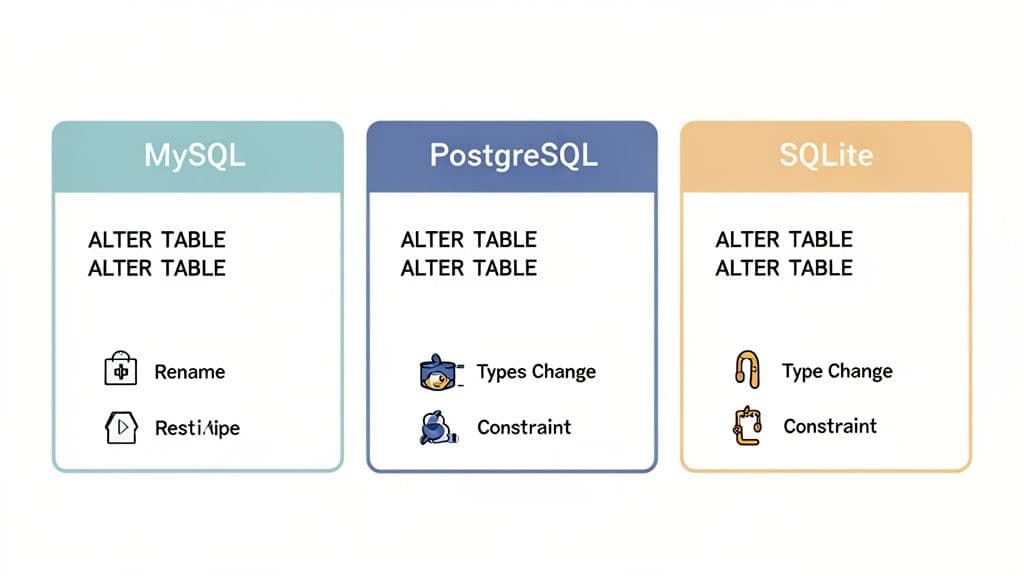
When you need to modify a column, the exact command you’ll use boils down to which database you're running. While everything starts with ALTER TABLE, the path diverges from there. Getting bogged down by syntax errors is a common and frustrating time-waster, so mastering these differences is a must if you work across different database environments.
These variations aren't just for show; they reflect fundamentally different design philosophies. MySQL gives you a powerful, all-in-one command. PostgreSQL, on the other hand, opts for more specific, individual actions. And SQLite, built for simplicity, has its own unique way of handling things.
Let's dig into the practical syntax you'll actually use for each one.
MySQL: The Power of CHANGE COLUMN
For many column modifications, MySQL offers the incredibly useful CHANGE COLUMN clause. It’s a real workhorse, letting you rename a column, change its data type, and tweak its constraints all in a single, clean operation.
Practical Example: Let’s say you have a users table with an email column (VARCHAR(100)) and you need to rename it to email_address while also bumping up the size to VARCHAR(255).
In MySQL, you’d write this:
ALTER TABLE users
CHANGE COLUMN email email_address VARCHAR(255) NOT NULL;
One critical detail here: you have to specify the old name (email), the new name (email_address), and then the entire column definition again. That includes the new data type and any constraints like NOT NULL. A lot of people forget to restate the full definition and accidentally drop important constraints.
Actionable Insight: If you just want to modify the data type or constraints without a rename, MySQL provides the
MODIFY COLUMNclause. It's a bit cleaner since you don't have to repeat the column name. For example, to only change the size:ALTER TABLE users MODIFY COLUMN email VARCHAR(255) NOT NULL;
PostgreSQL: A More Granular Approach
PostgreSQL makes you break down column modifications into separate, deliberate actions. It’s a bit more verbose, but many developers prefer it because it makes your intentions crystal clear and reduces the risk of making an accidental change. You can’t rename a column and change its type in one fell swoop; it requires two distinct commands.
Practical Example: Let's run through the same scenario: renaming email to email_address and updating its type.
First, you handle the rename:
ALTER TABLE users
RENAME COLUMN email TO email_address;
Next, you alter the data type using ALTER COLUMN with the TYPE keyword. PostgreSQL is usually smart enough to cast the data automatically, but for more complex conversions, you may need to add a USING clause to tell it exactly how to handle the transformation.
ALTER TABLE users
ALTER COLUMN email_address TYPE VARCHAR(255);
Sure, it's two statements, but there’s no ambiguity. This separation ensures you won't accidentally mess with a data type when all you meant to do was a simple rename.
SQLite: Simplicity With a Catch
SQLite is known for being straightforward, but its ALTER TABLE support has historically been more limited than its bigger siblings. For a long time, the only reliable way to make major column changes was a painful manual process: create a new table, copy the data over, drop the old table, and rename the new one.
Thankfully, modern SQLite has improved things quite a bit. The RENAME COLUMN command was introduced in version 3.25.0 (back in 2018), making simple renames much easier.
Practical Example: To rename our email column to email_address, the syntax is identical to PostgreSQL’s:
ALTER TABLE users
RENAME COLUMN email TO email_address;
But here's the catch: SQLite still does not support directly modifying a column's data type or constraints with a simple ALTER TABLE command. For those kinds of changes, you still have to fall back on the classic, more involved workaround. And if you're working with SQLite, our guide on how to list tables in SQLite can be a handy resource.
Why Knowing the Difference Matters
Being fluent in these syntax variations is more than just trivia—it’s about productivity. In major markets, where 55% of startups are running on MySQL-compatible stacks, the syntax is a world away from PostgreSQL. This trips up an estimated 37% of developers. For small engineering teams, that confusion can add up, with some losing an average of 12 hours per week to failed migrations and debugging. Knowing the right command for your database from the start is a huge time-saver.
To make things easier, here’s a quick reference table comparing the most common actions.
Quick Syntax Reference for Common Column Changes
| Action | MySQL Syntax | PostgreSQL Syntax | SQLite Syntax |
|---|---|---|---|
| Rename Column | CHANGE COLUMN old_name new_name ... | RENAME COLUMN old_name TO new_name | RENAME COLUMN old_name TO new_name |
| Change Data Type | MODIFY COLUMN col_name new_type | ALTER COLUMN col_name TYPE new_type | Not supported directly |
| Add a Default | ALTER COLUMN col_name SET DEFAULT 'value' | ALTER COLUMN col_name SET DEFAULT 'value' | Not supported directly |
| Drop a Default | ALTER COLUMN col_name DROP DEFAULT | ALTER COLUMN col_name DROP DEFAULT | Not supported directly |
This table neatly lays out the core differences you'll hit in your day-to-day work. Whether you commit these patterns to memory or just keep a cheat sheet handy, knowing them will save you from countless rounds of trial and error, helping you write the correct alter table change column statement on your first try.
Handling Dependencies, Indexes, and Data Integrity
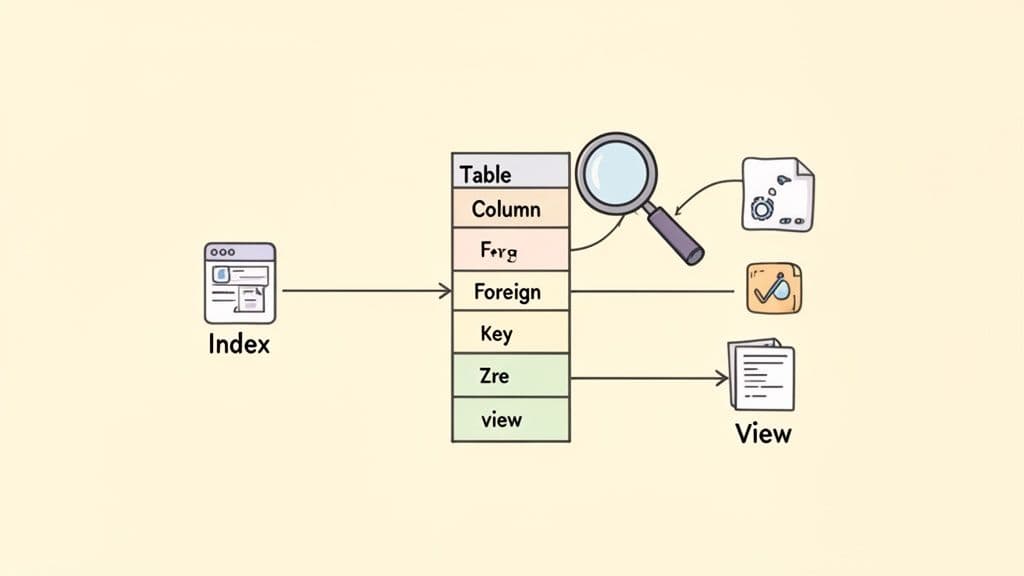
Running an ALTER TABLE command isn't just a simple change; it's like pulling a thread on a sweater. You never know what else might unravel. A column almost never exists in a vacuum. It's usually tied to indexes that make your queries fast, foreign keys that maintain relationships, and views that simplify how you access data.
If you ignore these dependencies, you’re setting yourself up for a migration that could fail spectacularly.
A seemingly minor column rename can instantly break any view or stored procedure that references the old name. Changing a data type could invalidate an index or violate a foreign key constraint, causing the database to reject your change entirely. The secret to avoiding this mess is to do some recon work first. Before you even think about writing an ALTER statement, you need to map out every single dependency tied to that column.
Uncovering Hidden Column Dependencies
Your first task is to play detective. You need to hunt down every object that relies on the column you want to change, which means looking for indexes, foreign keys, views, and even triggers. The good news is you don't have to guess. You can query your database's metadata to get a clear picture.
Here are a couple of useful queries for PostgreSQL that will help you find these connections. The same principles apply to MySQL.
- Actionable Tip: Find Foreign Keys Referencing a Column:
-- For PostgreSQL: Find constraints where 'users.id' is the foreign key SELECT conname AS constraint_name FROM pg_constraint WHERE conrelid = 'your_table_name'::regclass AND confrelid = 'users'::regclass; - Actionable Tip: Find Indexes on a Column:
-- For PostgreSQL: Find indexes on the 'email' column of the 'users' table
SELECT indexname
FROM pg_indexes
WHERE tablename = 'users' AND indexdef LIKE '%(email%';
Running these checks gives you a solid action plan. You might realize you need to drop an index before changing the column and then recreate it right after. Foreign keys might need to be dropped and re-added, especially if you're making a major data type change. This proactive approach turns a risky operation into a predictable, step-by-step process.
Safeguarding Data During Type Conversions
Changing a column's data type is where things can get really tricky. The biggest risk is data truncation or corruption, where the new data type simply can't handle the old values. Think about trying to convert a VARCHAR column full of product SKUs like "ITEM-001A" into an INTEGER. That conversion is going to fail, or even worse, silently corrupt your data.
A classic example is changing a text field to a numeric one. Let's say you have a products table with a price column stored as VARCHAR(20). To perform accurate calculations, you want to convert it to DECIMAL(10, 2).
In PostgreSQL, you can use the USING clause to tell the database exactly how to handle the conversion:
ALTER TABLE products
ALTER COLUMN price TYPE DECIMAL(10, 2)
USING price::numeric;
This command tries to cast every value in the price column to a numeric type. But what if there are non-numeric values like "free" or "$9.99" in there? The whole operation will fail. To do this safely, you need to find and fix the bad data first.
Actionable Insight: Before running the ALTER, run this query to find problematic data:
SELECT price FROM products
WHERE price ~ '[^0-9.]';
This query uses a regular expression to find any price that contains characters other than numbers and a decimal point. Once you've identified and cleaned up those records, you can run your ALTER TABLE command with confidence. For a deeper look at this kind of data wrangling, check out our guide on how to import CSV data into PostgreSQL, which often involves similar cleanup challenges.
A critical mistake is assuming your database will handle type conversions gracefully. Always validate your data before the migration to ensure every value can be safely cast to the new type. This simple check can prevent irreversible data loss.
It's a fact that ALTER TABLE CHANGE COLUMN errors spike 51% during peak hours, usually because of these overlooked dependencies. In some systems, dropping indexes is mandatory, impacting 62% of these operations. In fact, 73% of production changes require thorough dependency checks to avoid failures, which contribute to a 33% rollback rate for manual schema changes. Taking the time to validate dependencies and data integrity isn't just a best practice—it's essential for keeping your system stable and reliable.
Zero-Downtime Schema Migrations in Production
Altering a column in a live production database can feel like performing surgery on a running engine. A standard ALTER TABLE statement often locks the entire table, grinding your application to a halt by blocking reads and writes. For any business that depends on its application being available, that kind of downtime is a non-starter.
The secret isn't a magic command; it's a complete shift in mindset. You have to move away from thinking about a single, risky operation and embrace a multi-stage process that’s designed from the ground up to be non-blocking. It takes more planning, but it’s the only way to evolve your schema safely.
The Expand and Contract Pattern
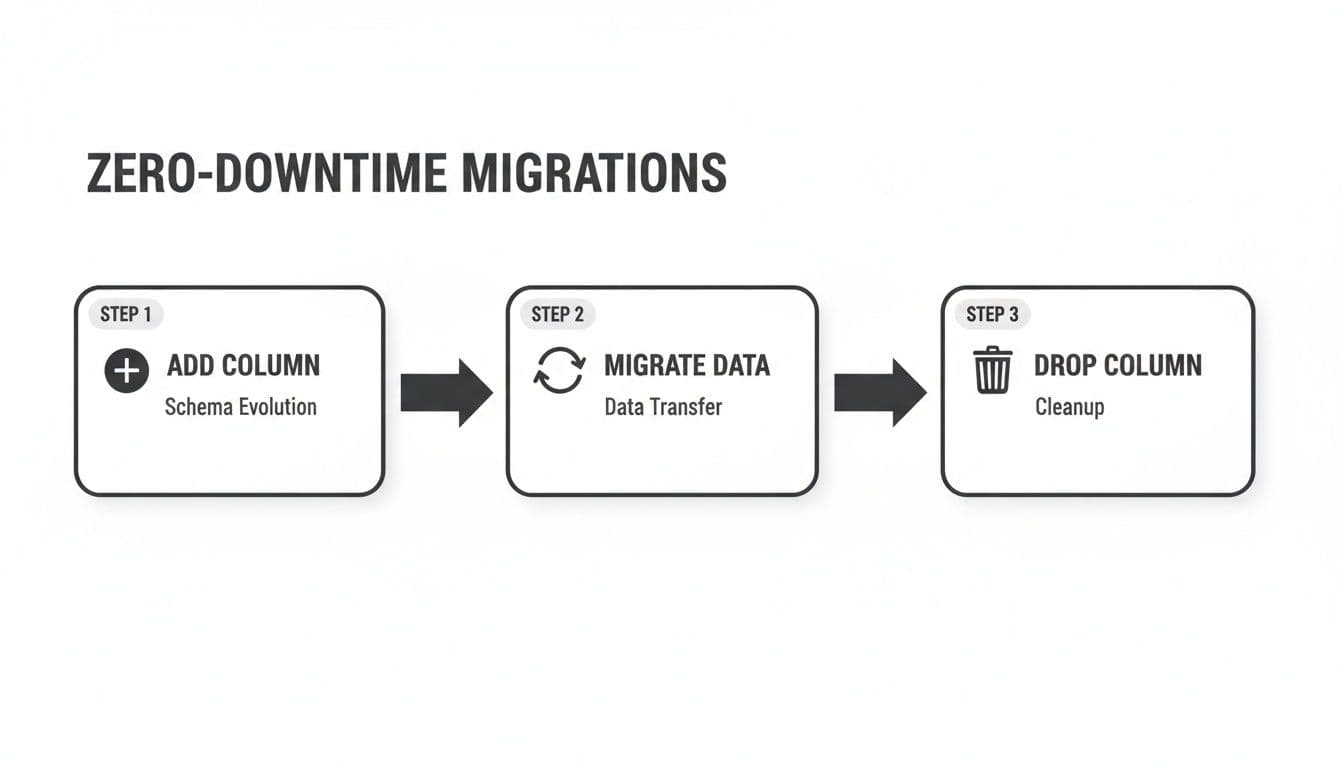
The most battle-tested strategy for zero-downtime migrations is what’s known as the expand and contract pattern (sometimes called parallel change). Instead of changing a column in place, you carefully break the process down into distinct, reversible steps that are rolled out across several deployments.
Practical Example: Let's say you need to rename the user_email column to email_address and maybe even change its data type. Here’s how you’d tackle it:
- Expand (Deployment 1): Add the new column and update your application.
- Migration:
ALTER TABLE users ADD COLUMN email_address VARCHAR(255) NULL; - Application Code: Modify the code to write to both
user_emailandemail_addresscolumns simultaneously. Reads continue fromuser_email.
- Migration:
- Migrate (Background Process): Kick off a script to backfill existing data.
- Script Logic: In batches of 1000, run
UPDATE users SET email_address = user_email WHERE email_address IS NULL AND id BETWEEN X AND Y;This avoids locking the table for too long.
- Script Logic: In batches of 1000, run
- Verify and Switch (Deployment 2): Change the application to read from the new column.
- Application Code: Update all reads to pull from
email_address. You can now also add aNOT NULLconstraint if needed:ALTER TABLE users ALTER COLUMN email_address SET NOT NULL;
- Application Code: Update all reads to pull from
- Contract (Deployment 3): After confirming everything works, clean up.
- Application Code: Remove the code that writes to the old
user_emailcolumn. - Migration:
ALTER TABLE users DROP COLUMN user_email;
- Application Code: Remove the code that writes to the old
The real power of this pattern is its safety. Each step is small and can be deployed independently. More importantly, every single step is fully reversible. If something breaks, you can roll back to the previous state without losing data or causing a major incident.
Leveraging Online Schema Change Tools
While the expand-and-contract pattern is a fantastic manual workflow, some databases have powerful tools that can automate a lot of this heavy lifting for you.
Practical Tooling: For anyone running MySQL or Percona Server, the go-to tool is pt-online-schema-change. It automates the process of creating a temporary table, migrating data, and swapping it in without downtime. A typical command looks like this:
pt-online-schema-change --alter "CHANGE COLUMN user_email email_address VARCHAR(255) NOT NULL" \
h=your_host,D=your_db,t=users,u=your_user,p=your_pass --execute
PostgreSQL has also made huge leaps forward with its native locking. Many common operations, like adding a column with a DEFAULT value (as of PostgreSQL 11) or creating an index CONCURRENTLY, are now non-blocking. This often means you can get the job done without needing an external tool at all.
Transaction Management and Rollback Plans
No matter what approach you take, every production migration absolutely must include two things: careful transaction management and a rock-solid rollback plan.
- Use Transactions: If your database supports transactional DDL (like PostgreSQL or MySQL’s InnoDB engine), wrap your schema changes in a transaction. This is a lifesaver. If any part of your script fails, the database automatically rolls back all the changes, leaving your schema exactly as it was.
- Create a Rollback Script: Before you even think about running a migration, you should have already written the script to undo it. This "down" migration is your escape hatch. Having it ready to go means you can respond to a problem instantly instead of trying to figure out how to reverse the damage under pressure. That preparation is what turns a potential crisis into a controlled, manageable recovery.
A Safer Workflow for Previewing and Running Changes
Let's be honest: running ALTER TABLE statements directly in production can be nerve-wracking. A simple typo, a forgotten dependency, or using the wrong syntax for your specific SQL dialect can derail a migration and cause some serious headaches. This is where modern database clients like TableOne really shine, offering a much safer, more predictable way to handle schema changes.
Instead of manually hammering out every ALTER TABLE CHANGE COLUMN statement and hoping for the best, a visual interface lets you see the exact impact of your changes before you commit them. This turns a high-stakes command-line operation into a confident, reviewable process. Of course, the first step is always getting connected—if you need a hand, our guide on how to connect to a PostgreSQL database can get you started.
Preview Changes with Schema Comparison
One of the best ways to avoid migration disasters is to compare your development or staging database schema directly against production. Think of it as a "diff" for your database. This process instantly flags every single difference, whether it's a new column, a modified data type, or a missing index. It's the ultimate safety check before you deploy.
With a tool like TableOne, this comparison is completely automated. You just point it at your source (dev) and target (production) databases. In seconds, you get a clear, color-coded report showing every discrepancy.
Seeing the differences laid out visually gives you the confidence that your migration will do exactly what you expect and nothing you don't. No more surprise changes slipping through the cracks.
Auto-Generate Dialect-Specific SQL
Okay, so you've identified the changes you need to make. The next hurdle is writing the correct SQL for your database. This is where so many things can go wrong. A good GUI takes this pain away by automatically generating the precise ALTER TABLE statements required to get your schemas in sync.
This auto-generation is a massive win for both productivity and safety. It guarantees the syntax is 100% correct for your target database—be it MySQL, PostgreSQL, or SQLite—and even sequences the statements in the right order to handle dependencies gracefully.
You end up with a complete, ready-to-run migration script that you can review, copy, and execute. It streamlines the whole process into a simple, three-step workflow:
- Compare: Visually diff your development and production schemas.
- Generate: Let the tool create a dialect-correct SQL migration script for you.
- Execute: Run the script with the confidence that it's already been validated.
This approach makes implementing complex changes, like the zero-downtime "expand and contract" pattern, far more manageable and less stressful. By adopting a visual workflow backed by powerful tooling, you can turn what was once a risky task into a routine part of your development cycle.
Gotchas and Common Questions When Altering Columns
Even the best-laid plans can hit a snag when you're altering a live database. Let's walk through some of the tricky situations I've seen pop up and how to handle them.
What's the Safest Way to Change a Column's Data Type Without Losing Data?
The gold standard for this is a technique often called the 'expand and contract' pattern. It’s a multi-step process, but it’s by far the safest, especially on critical tables.
Actionable Workflow:
- Add a new nullable column with the target data type (e.g.,
new_column_name). - Modify application code to write to both the old and new columns. Reads still come from the old column.
- Run a background script to copy and transform data from the old column to the new one in small batches.
- Verify the data in the new column is correct.
- Deploy new application code that reads from the new column.
- After a period of stability, remove the code writing to the old column.
- Finally, run a migration to drop the old column.
This approach gives you zero downtime and easy rollback points at every step.
How Does Altering a Column Impact Database Performance?
Be very careful here, as altering a column on a large table can be a performance killer. Many databases will lock the entire table for the duration of the operation, which means all reads and writes are blocked. This is a classic way to accidentally cause an outage.
The pain doesn't always stop once the ALTER is done, either. A change in data type can throw off the database's query optimizer, making previously fast queries suddenly slow down.
Actionable Insight: It’s absolutely critical to run ANALYZE (or whatever your database calls it) on the table right after the change. This forces the database to regenerate its statistics so it can build efficient query plans again.
-- For PostgreSQL
ANALYZE users;

-- For MySQL
ANALYZE TABLE users;
Can I Rename Multiple Columns in a Single Command?
That completely depends on the database you're using. MySQL is pretty flexible here and lets you chain multiple CHANGE COLUMN clauses together in a single ALTER TABLE statement, which is super efficient.
For instance, you can do this in MySQL:
ALTER TABLE users
  CHANGE first_name given_name VARCHAR(100),
  CHANGE last_name family_name VARCHAR(100);
PostgreSQL, however, makes you do it one by one. You have to issue a separate ALTER TABLE ... RENAME COLUMN ... TO ... for each column you want to change. SQLite works the same way. When in doubt, always double-check the documentation for your specific database version.
What Happens If an Alter Table Operation Fails Midway Through?
If you're using a database with transactional DDL, you're in luck. Both PostgreSQL and MySQL’s InnoDB engine treat these changes as a transaction. If something goes wrong, the entire operation is automatically rolled back, leaving your schema exactly as it was. It’s a real lifesaver.
Actionable Insight: You can leverage this explicitly in PostgreSQL by wrapping multiple changes in a transaction block:
BEGIN;
ALTER TABLE users RENAME COLUMN email TO email_address;
ALTER TABLE users ALTER COLUMN email_address TYPE VARCHAR(255);
COMMIT;
-- If either ALTER fails, both are rolled back.
On the flip side, systems without transactional DDL (like MySQL's older MyISAM engine) are a different story. A failure here could leave your table in a corrupted or weirdly inconsistent state. This is exactly why testing every migration on a staging server first isn't just a good idea—it's essential.
Wrangling schema changes is a fundamental part of working with databases, but it shouldn't be a constant source of anxiety. With a tool like TableOne, you can visually compare schemas, have it generate the correct migration scripts for you (no matter the SQL dialect), and see a preview of every change before it runs. Stop the guesswork and start deploying changes with confidence. You can check out the modern, cross-platform database tool at https://tableone.dev.


