10 Essential Database Migration Best Practices for 2026
Master your next project with our definitive list of database migration best practices. Actionable insights and examples for zero-downtime migrations.
Database migrations are a critical, high-stakes operation in modern software development. Whether you're moving from a local SQLite instance to a production-ready PostgreSQL, or upgrading a massive MySQL cluster, the process is fraught with potential pitfalls. A single misstep can lead to data loss, extended downtime, and a catastrophic loss of user trust. This is where a well-defined set of database migration best practices becomes not just a recommendation, but a necessity for any engineering team.
This guide cuts through the noise, offering 10 actionable, field-tested strategies for successful data migration. We move beyond generic advice and dive into specific, modern techniques that address the complexities of today’s application environments. You will learn how to implement zero-downtime patterns like Change Data Capture (CDC) and the Dual-Write (Strangler Fig) approach, ensuring your services remain available throughout the transition. We'll also cover robust validation methods, such as Shadow Traffic Testing, to guarantee data integrity and performance parity between the old and new systems.
Each practice includes practical examples, code snippets, and specific commands for popular databases like PostgreSQL, MySQL, and SQLite. We'll also highlight how modern database tools can accelerate critical tasks like schema comparison, data copying, and snapshot generation. By the end of this checklist, you will have a comprehensive playbook for planning and executing a migration that is smooth, predictable, and successful, whether you're working with a traditional RDBMS or a modern serverless provider like PlanetScale, Neon, or Turso.
1. The Big Bang Migration
The "Big Bang" migration is a classic, all-at-once approach where the entire database is moved in a single, planned operation. This method prioritizes simplicity and data consistency over uptime. The process involves taking the application offline, performing a full data transfer to the new database, validating the result, and then re-pointing the application and bringing it back online.
This strategy is often the most straightforward and is a key technique in any database migration best practices toolkit. Its primary benefit is that it eliminates the complexity of synchronizing data between old and new databases, as the source becomes read-only (or completely inaccessible) during the move.
When to Use This Approach
The Big Bang method is ideal for:
- Small to Medium-Sized Databases: Where the data transfer can be completed within an acceptable downtime window. For example, a 5GB PostgreSQL database can often be dumped and restored in under 30 minutes.
- Applications with Low-Traffic Periods: Startups migrating from SQLite to PostgreSQL over a weekend or a small B2B SaaS application moving from a self-hosted MySQL to a managed service like Supabase during late-night hours.
- Pre-launch or Internal Systems: An internal tool with 100 users can easily accommodate a one-hour scheduled maintenance window for a database upgrade.
Actionable Tips for a Smooth Migration
To execute a successful Big Bang migration, meticulous planning is non-negotiable.
- Perform a Dry Run: Always test the entire process on a staging environment that mirrors production. Time the
pg_dumpandpg_restorecommands to get a realistic estimate for your downtime announcement. This uncovers potential issues with data types, constraints, or scripts before the real event. - Script Everything: Your migration process should be a single script. For a MySQL to PostgreSQL migration, this script would include
mysqldump, data transformation steps withsedorawk, and finally thepsqlimport command. This ensures repeatability and reduces human error. - Verify Schema and Data: After the data transfer, verification is crucial. Use a tool like TableOne’s schema comparison feature to quickly diff the source and target schemas. For data validation, run checksums on key tables. A simple SQL check can be powerful:
SELECT COUNT(*), SUM(id) FROM users;run on both old and new databases should return identical results. - Have a Rollback Plan: The simplest rollback plan is to keep the old database online but inaccessible to the app. If the new database fails validation, your plan is just to update the application's database connection string back to the old one. Document every step.
2. The Dual-Write Pattern (Strangler Fig)
The Dual-Write, or Strangler Fig, pattern is a gradual, low-downtime strategy where the application writes to both the old and new databases simultaneously for a transitional period. This approach prioritizes high availability by keeping the original system fully operational while incrementally migrating functionality and data to the new one. The process involves modifying the application to perform dual writes, verifying data consistency, shifting read traffic, and finally decommissioning the old database once the new one is fully validated.
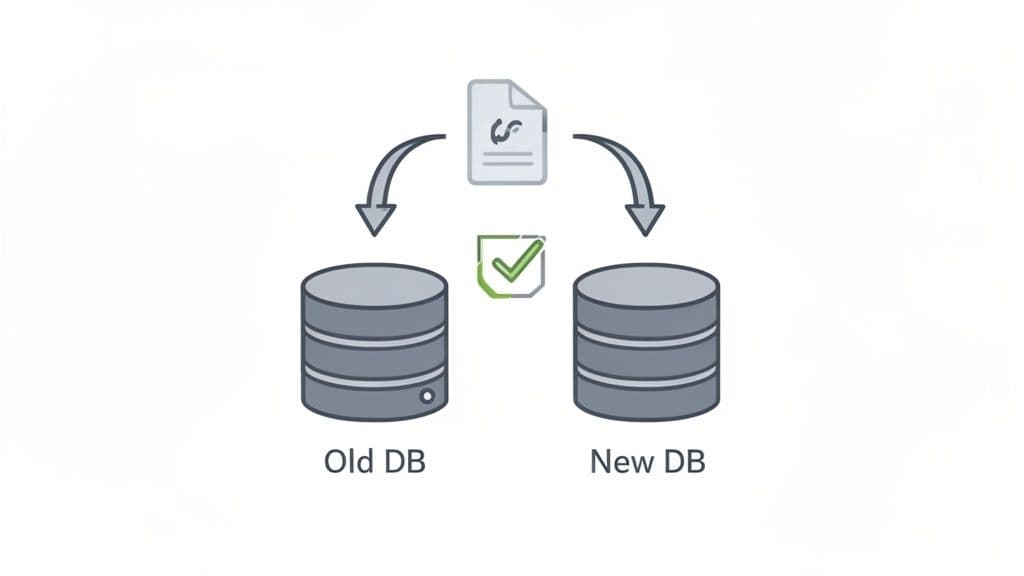
This method, popularized as the Strangler Fig Pattern by Martin Fowler, is a cornerstone of modern database migration best practices for mission-critical systems. It allows teams to de-risk the migration by isolating changes and providing an immediate rollback path at any stage, simply by redirecting traffic back to the original database.
When to Use This Approach
The Dual-Write pattern is the best choice for:
- High-Availability Applications: Systems that cannot afford significant downtime, like e-commerce platforms migrating from on-premise MySQL to a managed provider like PlanetScale or Turso.
- Complex or Large-Scale Migrations: When migrating a monolithic application's database to a microservices architecture, where different services can be migrated piece by piece.
- Zero-Downtime Requirements: A social media app with global users migrating its core
poststable from MySQL to PostgreSQL can use dual-writes to avoid any service interruption.
Actionable Tips for a Smooth Migration
Successfully implementing a dual-write migration requires careful engineering and monitoring.
- Implement Robust Divergence Logging: Your application code should wrap the dual-write logic in a way that prioritizes the success of the primary database. Practical example: If the write to the new database fails, log the error with the full payload but return a success to the user. This ensures the user experience is not impacted while you gather data on migration issues.
- Validate Data and Schema Continuously: Don't wait until the end to check for problems. Set up a nightly cron job that runs a data-diff script between the two databases on a sample of recently updated rows. This can be a simple script that queries 1000 recent records from each database and compares them field by field.
- Gradually Shift Read Traffic: Use a feature flag system to control read sources. Start by routing reads for internal users or a small beta group to the new database. Practical example:
if (feature_flag.read_from_new_db(user_id)) { return new_db.query(); } else { return old_db.query(); }. Monitor performance and error rates closely before a full rollout. - Define Clear Cutover Criteria: Establish specific, measurable metrics. For example: "The dual-write system will run for 7 days. After 7 days, if divergence logs show fewer than 5 correctable errors and p99 read latency on the new database is within 5% of the old one, we will switch all reads to the new database."
3. Schema Versioning and Compatibility Layer
This advanced strategy involves maintaining multiple schema versions simultaneously while implementing a compatibility layer within the application. Instead of a single, disruptive change, the database schema evolves incrementally. The application logic is built to understand and translate between both old and new data structures, ensuring backward compatibility and preventing breaking changes during deployment.
This method is a cornerstone of zero-downtime database migration best practices, particularly in complex, distributed systems. It decouples the database schema deployment from the application deployment, allowing engineering teams to roll out changes safely and independently. The application acts as a mediator, ensuring that different services or application versions can interact with the database without conflict.
When to Use This Approach
Schema versioning is best suited for:
- Large-Scale, High-Availability Systems: A SaaS platform with thousands of tenants cannot afford downtime to add a new column. This approach allows them to deploy the schema change first, then the application code that uses it.
- Microservices Architectures: Companies like Stripe use this approach to manage schema evolution across dozens of microservices. One service can write to a new schema version while older services continue to read from the old structure via the compatibility layer.
- Phased Rollouts: When a new feature requires renaming a column (e.g., from
user_emailtouser_primary_email), the compatibility layer can read from both column names until all services are updated to use the new name.
Actionable Tips for a Smooth Migration
Successfully managing schema versions requires disciplined engineering and clear documentation.
- Version and Document Schemas: Use a tool like TableOne’s schema snapshot feature to capture a point-in-time definition of your schema before and after a change. These snapshots can be committed to your Git repository alongside the application code that depends on them, providing a clear history for code reviews.
- Build a Compatibility Layer: Implement logic in your application’s data access layer (e.g., a repository pattern). Practical example: When adding a new
last_namecolumn to a table that only hadfull_name, the read method can synthesizefull_namefor older application versions:user.full_name = user.first_name + ' ' + user.last_name. The write method would populate both the new columns and the oldfull_namecolumn to maintain backward compatibility. - Leverage Feature Flags: Use feature flags to control which application code path is active. This allows you to enable the new schema for a small subset of users or internal teams first, validating its performance and correctness before a full rollout.
- Plan for Deprecation: Have a clear, documented plan. Practical example: After a schema change, create a ticket to remove the old column (
full_name) and the compatibility code. Schedule this ticket for two sprints after the initial deployment to ensure all services have been safely updated. For a deeper dive into schema modifications, see our guide on how to safely alter table and change column structures.
4. Log-Based Change Data Capture (CDC)
Log-based Change Data Capture (CDC) is a sophisticated technique for achieving near-zero-downtime migrations. It works by continuously reading the source database's transaction log (like PostgreSQL's WAL or MySQL's binlog), capturing all data changes (inserts, updates, deletes) as they happen, and replaying them on the target database in real-time.
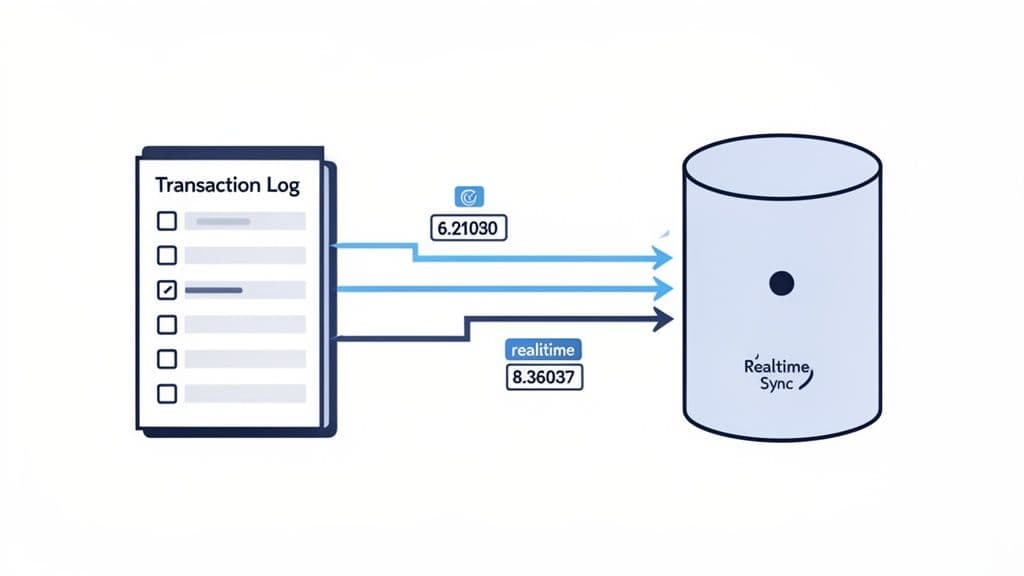
This method allows the source database to remain fully operational during the migration, as changes are streamed to the new system with minimal lag. After an initial bulk data load, the CDC stream keeps the target in sync until you are ready to perform the final cutover, making it a cornerstone of modern database migration best practices for critical systems.
When to Use This Approach
Log-based CDC is the gold standard for:
- Large, Mission-Critical Databases: A multi-terabyte order-processing database for an e-commerce giant migrating from Oracle to PostgreSQL without interrupting order flow.
- Complex Migrations with Phased Cutover: Allowing teams to gradually shift traffic to the new database while the old one remains a reliable fallback.
- Heterogeneous Migrations: Moving data from an on-premise PostgreSQL to a cloud-native platform like Neon. A tool like Debezium can stream WAL changes from PostgreSQL to Kafka, where a consumer then writes them to the Neon database.
- High-Throughput Systems: A real-time bidding platform where thousands of transactions occur per second can use CDC to migrate to a new database version without pausing operations.
Actionable Tips for a Smooth Migration
Successfully implementing CDC requires robust monitoring and operational readiness.
- Test the CDC Pipeline: Before the real migration, set up the entire CDC pipeline (e.g., Debezium -> Kafka -> Target DB) in a staging environment. Use a load testing tool to simulate production traffic and ensure the pipeline can keep up without increasing replication lag.
- Monitor Replication Lag: This is your most critical metric. Use your monitoring tool (e.g., Prometheus) to track the
replication_lag_secondsmetric from your CDC tool. Set up an alert in PagerDuty or Slack to fire if the lag exceeds your threshold (e.g., 30 seconds). - Periodically Verify Data: While CDC is reliable, drift can occur. Schedule a weekly job that performs a checksum on a critical, high-traffic table in both the source and target databases. If the checksums differ, trigger an alert for manual investigation.
- Develop an Operational Runbook: Your runbook should contain specific commands. Practical example: "If replication lag exceeds 5 minutes, first check the CDC connector logs for errors with
kubectl logs <debezium-pod>. If there are no errors, check network connectivity between the source DB and the connector. If the connector has crashed, restart it withkubectl rollout restart deployment/debezium-connector."
5. Shadow Traffic Testing
Shadow Traffic Testing, also known as mirroring, is a powerful validation technique where real production traffic is duplicated and sent to the new database system in parallel with the old one. The key is that the new system's responses are not returned to the user; instead, they are logged and compared against the production system's results. This allows you to vet the new database's performance, correctness, and stability under a real-world workload without any risk to your live application.
This method is a cornerstone of modern, zero-downtime database migration best practices because it provides the highest level of confidence before a cutover. By processing the exact same queries and writes, you can proactively identify subtle bugs, performance regressions, or data inconsistencies that scripted tests might miss.
When to Use This Approach
Shadow Traffic Testing is most effective for:
- Mission-Critical Applications: A financial services app must ensure that interest calculations are identical after migrating from Oracle to PostgreSQL. Shadowing traffic allows them to compare millions of calculations before making the switch.
- Large-Scale or Complex Migrations: When migrating from a monolithic database to a distributed system like PlanetScale or Turso, or when changing database engines entirely (e.g., MySQL to PostgreSQL).
- Performance-Sensitive Systems: An ad-tech platform needs to validate that its new database can handle 100,000 queries per second with sub-50ms latency. Shadowing live traffic is the only way to test this reliably.
Actionable Tips for a Smooth Migration
Successfully implementing shadow traffic requires careful setup and monitoring.
- Start Small and Scale: Begin by mirroring traffic from a single API endpoint or for a specific subset of non-critical users. Use a service mesh like Istio or a tool like GoReplay to duplicate traffic. Practical example: Configure your ingress controller to mirror 1% of traffic for the
/api/v1/productsendpoint to the shadow service. - Compare Results Asynchronously: Do not compare results in the request path. Log the primary response and the shadow response to a logging system like Elasticsearch. Then, use a separate process to query Elasticsearch for pairs of responses and compare their status codes, response times, and body content.
- Monitor the Shadow System: Use your APM tool (e.g., DataDog, New Relic) to create a separate dashboard specifically for the shadow environment. Pay close attention to query latency (p95, p99), CPU utilization, and error rates. This will help you correctly provision resources for the final cutover.
- Automate Discrepancy Alerts: Set up alerts based on your asynchronous comparison job. Practical example: Create a Kibana alert that triggers if the number of mismatched response bodies between production and shadow exceeds 0.1% of total requests over a 5-minute window.
6. Bulk Export/Import with Validation
The bulk export/import method is a structured data migration approach that relies on extracting data into an intermediate format (like CSV or SQL dumps), and then loading it into the target database. This technique adds a critical validation layer, ensuring data integrity by verifying data before and after the transfer. The process involves exporting tables, optionally transforming the data, and then importing it into the new system while running checks like row counts and checksums.
This approach is a cornerstone of many database migration best practices because it decouples the extraction and loading phases, allowing for transformations and robust validation. It provides a high degree of control and is particularly effective when migrating between different database systems where a direct connection isn't feasible or desired.
When to Use This Approach
The bulk export/import method is ideal for:
- Heterogeneous Migrations: Migrating a 100GB product catalog from MySQL to PostgreSQL. You can use
mysqldumpto export to CSV, use a Python script to adjust data types (e.g.,DATETIMEtoTIMESTAMP), and then use PostgreSQL'sCOPYcommand for a fast import. - Data Transformation Needs: When migrating user data, you might need to hash all passwords with a new algorithm. The intermediate step allows you to run a script over the exported data before importing it.
- Offline Data Consolidation: An analytics team needs to combine daily sales data from five regional SQLite databases into a central data warehouse. Each database is dumped to CSV daily and loaded into the warehouse.
- Migrations with Downtime: Scenarios where a planned downtime window is acceptable, similar to the Big Bang approach but with more granular control and validation steps.
Actionable Tips for a Smooth Migration
To ensure a reliable bulk migration, focus on process and verification.
- Export in Dependency Order: When exporting to SQL dumps, script the export of tables with no foreign keys first (e.g.,
users,products), followed by tables that reference them (e.g.,orders). This prevents referential integrity errors during import. - Use Compressed Formats: Instead of
mysqldump > dump.sql, usemysqldump | gzip > dump.sql.gz. This can reduce a 10GB dump file to 1-2GB, drastically speeding up file transfers. - Validate Before and After: Before starting, run
SELECT COUNT(*) FROM your_table;and record the result for every table. After importing, run the same query on the target database and compare the counts. For deeper validation, use a checksum on a numeric column:SELECT SUM(numeric_column) FROM your_table;. - Disable Indexes During Import: For massive datasets, your import script should first run
ALTER TABLE your_table DISABLE TRIGGER ALL;, then import the data, and finally runALTER TABLE your_table ENABLE TRIGGER ALL;and create indexes. This can make the import process 5-10x faster. - Leverage Efficient Tooling: For CSV files, use the database's native bulk-loading command. In PostgreSQL, the
COPYcommand is significantly faster than a series ofINSERTstatements. You can learn more about optimizing CSV imports into PostgreSQL to handle large files efficiently.
7. Table-by-Table Staged Migration
A Table-by-Table Staged Migration is an incremental approach that breaks down a complex database move into manageable, sequential phases. Instead of a single, high-stakes cutover, you migrate the database one table or a small group of related tables at a time. This method offers granular control, reduces risk, and is essential for migrating large, business-critical systems where extended downtime is unacceptable.
This strategy is a cornerstone of advanced database migration best practices, allowing for continuous validation and minimizing the blast radius of any potential issue. The process involves migrating a table, verifying its data and relationships, and then updating the application logic to read from and write to the new target table before moving to the next one.
When to Use This Approach
This staged method is ideal for:
- Large, Complex Databases: Migrating a 500-table enterprise application where a Big Bang migration would take days.
- Mission-Critical Applications: A large e-commerce platform migrating from MySQL to PostgreSQL can move
user_accountsandproduct_catalogsfirst, which are read-heavy, and then tackle the high-transactionordersandpaymentstables in a later phase. - Gradual Adoption of New Tech: A SaaS application moving to a serverless platform like PlanetScale can migrate core feature tables first to start leveraging its benefits, while less critical data like audit logs follows over time.
Actionable Tips for a Smooth Migration
A successful staged migration hinges on a meticulously planned sequence and rigorous verification at each step.
- Map Table Dependencies: Before you start, generate a visual schema diagram or use a tool to inspect foreign key constraints. Practical example: You discover the
orderstable has foreign keys tousersandproducts. This tells you thatusersandproductsmust be migrated and validated before you can start migratingorders. - Migrate Reference Tables First: Start with tables that are mostly static, such as
countries,states, orapp_settings. These are low-risk wins that help you test and refine your migration process on simple data before tackling complex, transactional tables. - Verify Integrity After Each Stage: After migrating the
userstable, run a script to check for orphaned records in the oldorderstable. Practical example:SELECT COUNT(*) FROM old_db.orders WHERE user_id NOT IN (SELECT id FROM new_db.users);. This count should be zero. - Document and Track Progress: Use a project management tool like Jira or a simple shared spreadsheet. Create a row for each table with columns for
Status(Not Started, In Progress, Migrated, Verified),Dependencies,Migration_Date, andValidation_Result. This provides a clear dashboard for the entire team.
8. Blue-Green Deployment Pattern
The Blue-Green deployment pattern is a sophisticated infrastructure strategy designed to minimize downtime and risk during a migration. It involves maintaining two identical, isolated database environments: "blue" (the current production) and "green" (the new, idle environment). The migration happens on the green environment while blue continues to serve live traffic. Once the green environment is fully migrated and validated, traffic is instantaneously switched from blue to green.
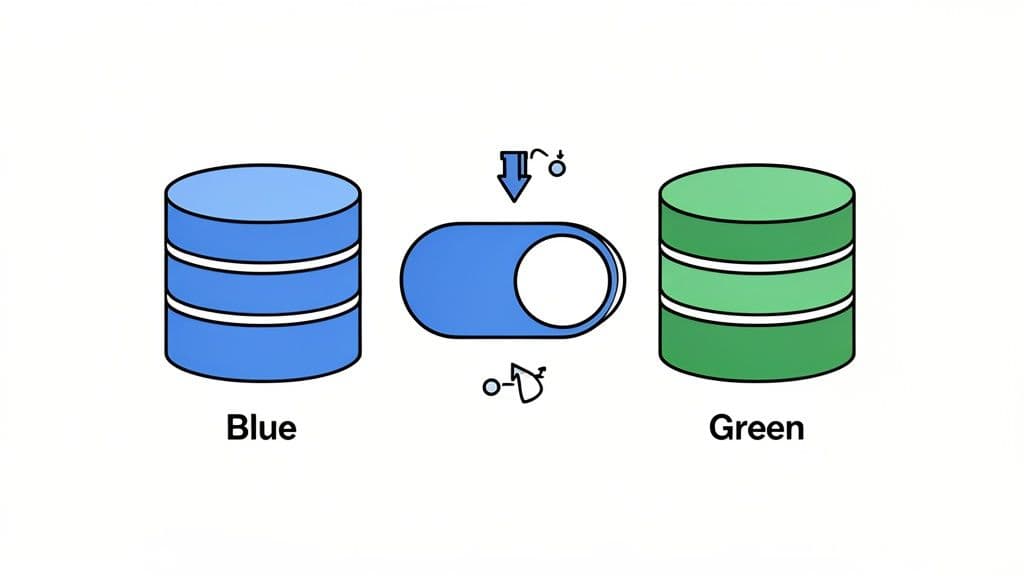
This approach is a cornerstone of modern database migration best practices because its primary benefit is the ability to perform an immediate, near-zero-risk rollback. If any issues are detected post-switch, traffic can be instantly routed back to the blue environment, which has remained untouched and stable.
When to Use This Approach
The Blue-Green pattern is ideal for:
- Mission-Critical Applications: An online banking platform upgrading its main database version cannot afford downtime. A blue-green approach allows them to switch traffic with zero perceived interruption.
- Cloud-Native Environments: Teams using AWS RDS can create a read replica, promote it to a standalone "green" instance, migrate it, and then update their application's connection endpoint to point to the new green DB.
- Major Version Upgrades: Upgrading from PostgreSQL 12 to 15. The green environment runs PostgreSQL 15 while blue remains on 12. You can fully test the application against the new version before any users are affected.
Actionable Tips for a Smooth Migration
A successful Blue-Green deployment relies on automation and rigorous testing.
- Automate Environment Creation: Use Terraform or CloudFormation to define your database infrastructure. This ensures that when you spin up the "green" environment, it has the exact same memory, CPU, and network configurations as the "blue" one, preventing performance surprises.
- Synchronize State Continuously: Use logical replication (for PostgreSQL) or binlog replication (for MySQL) to stream changes from the blue database to the green one. This keeps the green environment up-to-date until the moment of the cutover, ensuring zero data loss.
- Verify Consistency Before Switching: Before the cutover, temporarily stop writes to the blue database (or put the app in maintenance mode for 1-2 minutes) and check that the replication lag on green is zero. Then, run a data-diff tool or checksums on critical tables to guarantee the two are identical.
- Plan the Cutover Precisely: The traffic switch is often a simple change in a load balancer or a DNS CNAME update. Practical example: Use a weighted routing policy in AWS Route 53. To switch, you change the routing from 100% blue / 0% green to 0% blue / 100% green. To roll back, you simply reverse this change.
- Implement Automated Health Checks: After switching to green, your monitoring system should immediately begin running a suite of synthetic tests against the application (e.g., create a new user, process a test payment). If these tests fail, it should automatically trigger an alert to initiate the rollback procedure.
9. Continuous Integration Testing with Production-Like Data
Integrating your database migration validation directly into your Continuous Integration (CI) pipeline is a modern, proactive approach to de-risking deployments. This practice involves automatically running your migration scripts against a production-like database schema and dataset every time you commit code. It transforms migrations from a manual, high-stakes event into a routine, automated quality check.
This method is one of the most effective database migration best practices for preventing failures before they reach production. By catching schema conflicts, data integrity violations, or performance regressions early in the development cycle, you build confidence and ensure that what works on a developer's machine will also work in the live environment.
When to Use This Approach
This strategy is essential for:
- Agile and DevOps Teams: A team deploying code 10 times a day cannot manually test every schema change. A CI pipeline automates this, ensuring every deployment is safe.
- Complex Applications: An application with a 10-year-old schema has many hidden dependencies. A CI test can catch a migration that accidentally breaks an old, rarely used feature.
- High-Availability Systems: Platforms like PlanetScale and Supabase that are built for continuous deployment benefit greatly from automated migration testing, ensuring zero-downtime principles are maintained.
Actionable Tips for a Smooth Migration
To effectively integrate migration testing into your CI/CD pipeline, focus on automation and realistic data.
- Use Production-Like Data: Your CI pipeline should have a step that downloads a recent, sanitized snapshot of the production database schema and loads it into a temporary database container (e.g., Docker). This ensures your migrations are tested against the real-world structure.
- Automate Schema and Data Validation: After your migration script runs in the CI job, add a step that uses a schema-diff tool to compare the resulting schema against a committed "expected schema" file. If they don't match, fail the build. Practical example: A GitHub Action could run
schemadiff expected_schema.sql actual_schema.sqland fail if there is any output. - Test Both Up and Down Migrations: Your CI job should run the migration script, run a validation check, then run the rollback script, and finally run another validation check to ensure the schema has returned to its original state. This verifies that your rollback plan actually works.
- Benchmark Performance: For a migration that adds a new index, your CI pipeline can run a specific
EXPLAIN ANALYZEon a slow query before and after the migration. If the cost or execution time doesn't decrease as expected, it can flag the merge request for a manual performance review.
10. Point-in-Time Recovery and Backup Validation
A robust backup strategy with Point-in-Time Recovery (PITR) is not just an operational safety net; it's a critical component of any successful database migration. This approach focuses on creating reliable, granular restore points that allow you to revert to a precise moment before the migration began. This capability transforms your rollback plan from a theoretical document into a testable, rapid-recovery mechanism.
This practice is a cornerstone of modern database migration best practices because it minimizes risk by providing a guaranteed path back to a known good state. Instead of a full, slow restore from a nightly backup, PITR uses transaction logs, such as PostgreSQL’s Write-Ahead Logging (WAL) or MySQL’s binary logs, to "replay" the database to any specific second, ensuring minimal data loss if things go wrong.
When to Use This Approach
This best practice is non-negotiable and should be implemented in nearly all migration scenarios, but it's especially vital for:
- Production Systems with Low RTO: An e-commerce site must be back online within 15 minutes if a migration fails. PITR is the only way to achieve this Recovery Time Objective (RTO).
- Destructive Migrations: When a migration involves dropping columns or tables, a PITR backup is the only way to recover that data if a mistake is made.
- Large, Complex Databases: A manual restore of a multi-terabyte database can take hours. A PITR-based rollback is often much faster as it only replays transactions up to a certain point.
Actionable Tips for a Smooth Migration
To leverage PITR effectively, you must go beyond simply enabling backups; you must validate their recoverability.
- Define and Test RPO/RTO: Before the migration, perform a fire drill. Use your PITR backup to restore the staging database to a specific point in time (e.g., 1 hour ago). Time the entire process from start to finish and document it. This proves you can meet your Recovery Time Objective (RTO).
- Automate Backup Validation: Create a quarterly automated job that spins up a new instance, restores the latest production backup to it, and runs a suite of data validation queries (e.g.,
SELECT COUNT(*) FROM users;). The job should send a success or failure notification to your team's Slack channel. - Take a Manual Pre-Migration Snapshot: Even with automated backups, take a final, labeled snapshot immediately before you begin the migration (
pg_dumpor an RDS snapshot). This gives you a clean, easily identifiable restore point if the migration fails early. - Leverage Managed Services: Don't build your own backup system if you don't have to. Enable the automated PITR features offered by managed providers like Supabase, Neon, or AWS RDS. Practical example: In AWS RDS, this is as simple as setting a "Backup retention period" greater than 0, which automatically enables PITR.
10-Point Comparison of Database Migration Strategies
| Strategy | Implementation Complexity (🔄) | Resource Requirements (⚡) | Expected Outcomes (📊) | Ideal Use Cases (💡) | Key Advantages (⭐) |
|---|---|---|---|---|---|
| The Big Bang Migration | 🔄 Low–Medium — single atomic operation; simple rollback | ⚡ Low — single environment; backup storage needed | 📊 Full cutover in one window; risk of extended downtime if validation fails | Small DBs (<10GB); predictable traffic; acceptable downtime | ⭐ Clear start/end; easier consistency checks; fast for small datasets |
| Dual-Write Pattern (Strangler Fig) | 🔄 High — app changes for dual writes and reconciliation | ⚡ High — maintain source and target systems; monitoring | 📊 Minimal or zero user downtime; gradual verification of equivalence | Production systems with active users; zero-downtime needs; large DBs | ⭐ Low data-loss risk; time to validate before switching reads |
| Schema Versioning & Compatibility Layer | 🔄 High — added app-layer mapping and version discipline | ⚡ Medium — extra storage and dev effort for compatibility | 📊 No downtime for schema changes; reversible migrations | Microservices/high-availability apps; frequent deployments | ⭐ Backward compatibility; independent schema/app deployments |
| Log-Based Change Data Capture (CDC) | 🔄 Very High — complex log parsing, idempotency, ops | ⚡ High — specialized tooling and operational overhead | 📊 Real-time replication with zero downtime and verifiable audit trail | Large-scale, mission-critical, high-throughput databases | ⭐ Continuous sync; scalable; handles high-frequency changes |
| Shadow Traffic Testing | 🔄 Medium — requires traffic mirroring and result comparison | ⚡ High — duplicate infra and increased monitoring | 📊 Validates behavior under real load with zero user impact | Complex query patterns; cross-DB migrations; high-confidence validation | ⭐ Exposes edge cases; measures real performance characteristics |
| Bulk Export/Import with Validation | 🔄 Low–Medium — batch export/import and checksum validation | ⚡ Medium — disk space for exports; possible manual coordination | 📊 Reliable one-time migration; slower than replication methods | One-time migrations; clear dependency trees; limited infra | ⭐ Simple to understand; good visibility and pause/resume control |
| Table-by-Table Staged Migration | 🔄 Medium–High — coordinate per-table moves and app changes | ⚡ Medium — longer timeline; careful orchestration | 📊 Granular control and verification per table; reduced blast radius | Large DBs with many tables; complex business logic | ⭐ Limits scope of failures; prioritizes business-critical tables |
| Blue-Green Deployment Pattern | 🔄 High — keep two synchronized environments and cutover logic | ⚡ Very High — duplicate infra, licensing, sync tooling | 📊 Zero downtime with instant rollback and full pre-cutover validation | Mission-critical systems; orgs with ample infra budget | ⭐ Instant rollback; full environment validation before switch |
| Continuous Integration Testing with Prod-Like Data | 🔄 Medium — CI pipelines and test-data management | ⚡ Medium — test environments, anonymized or synthetic data | 📊 Early detection of migration issues; reproducible validation | Teams with CI/CD; frequent schema changes; automation-first orgs | ⭐ Fast feedback; reduces manual testing; reliable migrations |
| Point-in-Time Recovery & Backup Validation | 🔄 Low–Medium — backup/config plus recovery runbooks | ⚡ High — continuous storage and backup maintenance | 📊 Fast rollback to known-good state; safety net against failures | Compliance-heavy industries; production systems needing recoverability | ⭐ Comprehensive safety net; enables confident rollback and validation |
Making Your Next Migration a Success
Navigating the complexities of a database migration can feel like a high-stakes tightrope walk, but it doesn’t have to be. As we’ve explored, the difference between a seamless transition and a catastrophic failure lies not in chance, but in deliberate strategy and meticulous execution. The journey from planning to post-migration monitoring is paved with critical decisions, each one an opportunity to build resilience into your process. By embracing the database migration best practices detailed in this guide, you transform what is often a source of anxiety into a controlled, predictable, and ultimately successful engineering initiative.
The core theme connecting all these strategies is a shift in mindset: from a one-time, high-risk event to a continuous, iterative process of validation. A successful migration isn't just about moving data; it's about proving, at every step, that the new system behaves exactly as expected, or better. This is where a methodical approach pays dividends.
Key Takeaways: From Strategy to Execution
Let's distill the most crucial lessons from our exploration:
- Strategy is Context-Dependent: There is no single "best" migration strategy. The "Big Bang" approach might be perfect for a small application with a planned maintenance window, while a mission-critical system with zero-downtime requirements will almost certainly demand a more sophisticated pattern like Dual-Write (Strangler Fig) or Log-Based CDC. Your risk tolerance, team expertise, and business constraints must guide your choice.
- Validation is Non-Negotiable: The most persistent thread through all successful migrations is rigorous, multi-layered validation. This isn't just a final "check" after the data is moved. It’s a continuous activity that includes schema validation before you start, data integrity checks during the transfer, performance testing under realistic loads (like with shadow traffic), and functional verification in the new environment.
- Plan for Failure to Succeed: A robust migration plan isn't just a happy path. It explicitly includes a detailed rollback strategy. Whether you're using Point-in-Time Recovery snapshots or maintaining a reverse CDC pipeline, knowing exactly how to revert to a stable state is your ultimate safety net. Practicing this rollback procedure is just as important as practicing the migration itself.
- Tooling Amplifies Your Efforts: Manual processes are prone to human error, especially under pressure. Leveraging the right tools for specific tasks is essential. For instance, using a schema comparison tool to automatically detect drift between your source and target databases saves countless hours and prevents subtle, hard-to-debug application errors post-migration. Similarly, using tools to automate data validation checksums or manage staged table copies reduces risk and frees up your team to focus on more complex challenges.
Your Actionable Path Forward
Mastering these database migration best practices is more than just an academic exercise; it's a direct investment in your application's stability, your company's reputation, and your team's sanity. The value extends far beyond a single project. The discipline, patterns, and validation techniques you implement for a migration build a foundation for better data governance, more reliable deployments, and a more resilient architecture overall.
Your next step is to move from theory to practice. Before your next migration project kicks off, take this checklist and use it to frame your planning discussion. Which strategies best fit your downtime requirements? How will you implement shadow traffic testing? What is your step-by-step rollback plan? Answering these questions upfront is the single most effective thing you can do to de-risk the entire process. A well-planned migration protects your most critical asset-your data-and enables your business to evolve and scale with confidence.
Ready to streamline your next migration? TableOne provides essential tools like schema comparison, visual data diffing, and easy table copying to help you validate every step of the process. See how a powerful database GUI can simplify complex tasks and put these database migration best practices into action by trying TableOne today.


