SQLite vs PostgreSQL Performance An In-Depth Benchmark Analysis
Explore our deep dive into SQLite vs PostgreSQL performance. See real-world benchmarks on concurrency, throughput, and latency to choose the right database.
When it comes to SQLite vs. PostgreSQL performance, the difference boils down to a simple trade-off: SQLite is faster for single-user, read-heavy workloads, while PostgreSQL is faster for high-concurrency, write-heavy applications. The right choice isn't about raw speed but about matching the database's architecture to your application's needs.
Framing The Performance Showdown
You can't just ask which database is "faster." The real question is, "faster for what?" The answer lies in their fundamentally different designs. SQLite is an in-process library—it’s not a separate server but part of your application, reading and writing directly to a local file. Think of it as a supercharged file format.
On the other hand, PostgreSQL is a classic client-server database. It runs as a separate, powerful service that multiple applications (clients) can connect to, managing data access, security, and concurrency for all of them. This architectural split is the single biggest factor driving their performance characteristics.
This visual breaks down how SQLite's direct file access creates a speed advantage in the right situations.
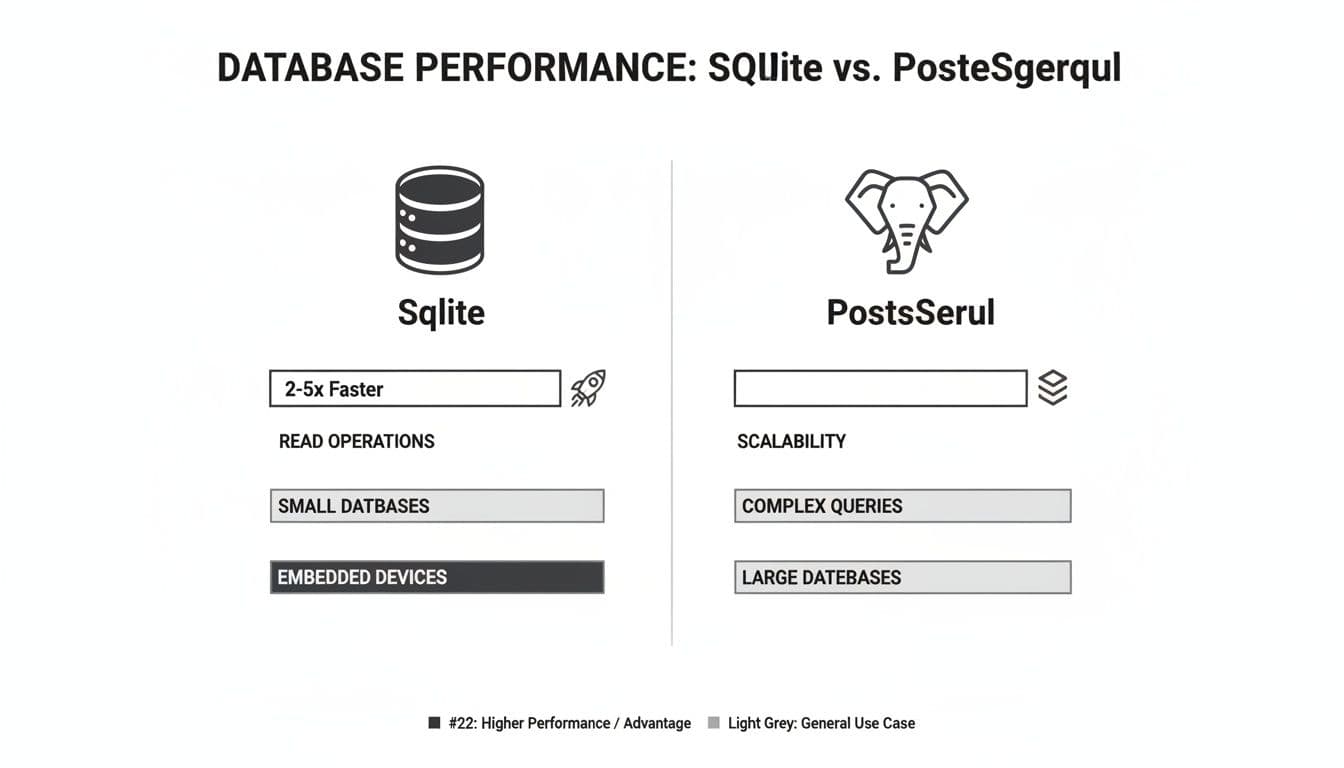
As you can see, by cutting out network overhead completely, SQLite can be significantly faster for localized tasks that are heavy on reads.
Key Performance Differentiators
If you're prototyping an app or building a desktop tool, SQLite's performance feels instant. Because it’s in-process, there are no network round-trips or inter-process communication delays to worry about. Simple reads often have sub-millisecond latency.
But if you're deploying a web service expecting heavy traffic, you need the robust concurrency management that only PostgreSQL can offer. Its sophisticated process management and fine-grained row-level locking allow it to juggle thousands of simultaneous connections without hitting the file-locking bottlenecks that would cripple SQLite under a similar write load.
SQLite's speed comes from what it doesn't do. It skips network sockets, user authentication, and complex concurrency controls, making it the undisputed champion for low-concurrency scenarios where minimal overhead is everything.
Performance benchmarks consistently back this up. For simple, read-heavy queries on smaller datasets with low concurrency, SQLite often comes out 2-5x faster than PostgreSQL simply because it has zero network latency. However, for complex queries, high concurrency, and write-intensive server applications, PostgreSQL's advanced query planner, parallel processing, and smart caching—which can slash disk I/O by up to 50% in some tests—give it an undeniable edge. You can find more in-depth comparisons over at DataCamp.
Quick Guide to SQLite vs PostgreSQL Performance
To help you make a fast, informed decision, this table summarizes the key performance characteristics of each database based on common application scenarios.
| Performance Aspect | SQLite (In-Process) | PostgreSQL (Client-Server) | Best For |
|---|---|---|---|
| Single-User Latency | Extremely Low: Sub-millisecond queries due to direct file access. No network overhead. | Low to Moderate: Latency from network round-trips and inter-process communication. | Local applications, embedded devices, and prototyping. |
| Read Operations | Very High Throughput: Perfect for read-heavy apps with few or no concurrent writers. | High Throughput: Excellent read performance, especially with effective caching strategies. | Websites with high traffic, analytics dashboards, and data warehousing. |
| Write Operations | Moderate: Performance degrades under concurrent writes due to database-level locking. | Very High Throughput: Excels at handling many simultaneous writes with row-level locking. | OLTP systems, e-commerce sites, and multi-user applications. |
| Concurrency | Limited: Best for a single writer at a time or very low-concurrency workloads. | Extremely High: Built to handle thousands of simultaneous connections with ease. | SaaS platforms, APIs, and any service with many concurrent users. |
This table makes the trade-offs clear. Your choice hinges on whether you need the raw, in-process speed of SQLite for a single user or the concurrent, robust power of PostgreSQL for a multi-user system.
The Architectural Divide: Why Performance Isn't a Simple Comparison
When we talk about SQLite vs. PostgreSQL performance, the conversation isn't really about which one is "faster." It's about which architectural model is right for the job. Their designs are fundamentally different, and that difference is the single biggest factor driving their performance characteristics. Getting this part right is the key to choosing the correct database.
SQLite is an in-process library. This means it becomes a direct part of your application, reading from and writing to a single database file on disk. There's no separate server process to manage, no network overhead, and no inter-process communication. It’s like giving your application its own private, high-speed data engine.
This "serverless" approach is where SQLite gets its incredible speed. By cutting out the network completely, it delivers exceptionally low-latency query responses, often dipping into the sub-millisecond range for local reads.
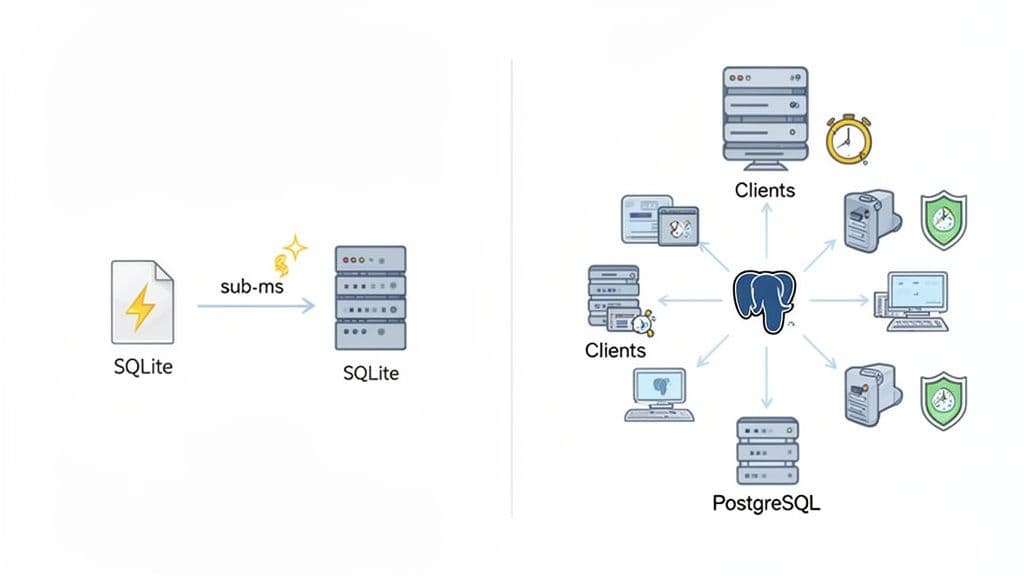
PostgreSQL, on the other hand, is a classic client-server database. It runs as a powerful, standalone daemon, and applications connect to it as clients, usually over a network socket. This model is engineered from the ground up for a multi-user, multi-application environment.
The Impact of Architecture on Latency
The fundamental trade-off here is latency versus concurrency. SQLite’s in-process design is a marvel of speed for single-user or low-concurrency situations where the application and its data reside on the same machine.
- SQLite's Path: The journey is short and direct:
Application -> SQLite Library -> Disk File. A simple function call is all it takes. - PostgreSQL's Path: The trip is longer:
Application -> Network Socket -> PostgreSQL Server -> Disk File. Your app has to connect, send the request over the network (even on localhost), wait for the server to process it, and then get the response back.
That client-server round trip, even when it's just on one machine, adds milliseconds of latency to every single query. It's a cost SQLite doesn't have to pay, which is why a basic SELECT can feel an order of magnitude faster.
Practical Example: A developer building a local Ruby on Rails application found their test suite, which constantly creates and destroys the database, ran 30% faster after switching from PostgreSQL to SQLite. The cumulative time saved from avoiding network round-trips for thousands of test queries made the entire development cycle feel snappier.
How Concurrency Changes Everything
SQLite is the sprinter, but PostgreSQL is the marathon runner built for a crowd. Its client-server model is a superpower when concurrency enters the picture. As a separate, dedicated process, PostgreSQL can expertly manage thousands of simultaneous connections using sophisticated tools like connection pooling and fine-grained, row-level locking. This lets many clients read and write to the same tables at once without grinding the system to a halt.
SQLite is, by design, much simpler. While its Write-Ahead Logging (WAL) mode is a huge improvement—allowing multiple readers to operate while a single writer is active—it still has to use database-level locks for writes. This creates a natural bottleneck in any application with a lot of concurrent writes.
And that’s the crux of it. PostgreSQL was built to solve exactly that problem. This architectural divide is the most critical factor in any sqlite vs postgresql performance debate, making one the champion of embedded speed and the other the king of scalable, multi-user systems.
Analyzing Local High-Throughput Workloads
When your application and database live on the same machine, the sqlite vs postgresql performance debate tilts heavily in favor of SQLite. Its in-process architecture gives it a massive head start for high-throughput workloads by completely sidestepping the overhead that bogs down traditional client-server databases. Think desktop applications, command-line tools, or even local development—anywhere immediate data access is king.
SQLite's secret sauce here is its "serverless" design. It operates as a library embedded directly within your application, so every database operation is just a function call. There are no network sockets, no inter-process communication, and no authentication handshakes to navigate. The result? Extremely low latency for rapid-fire INSERTs, UPDATEs, and SELECTs.
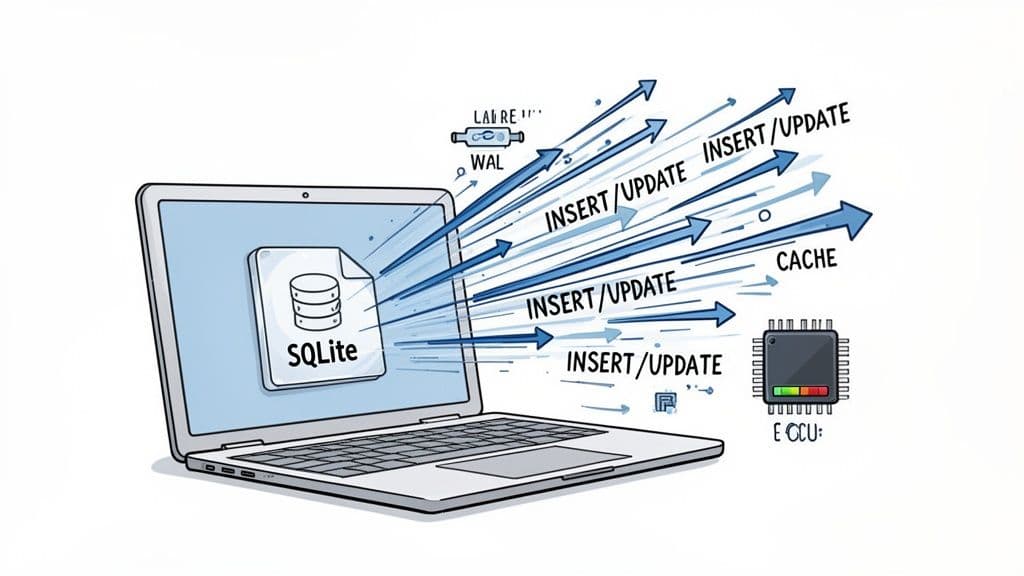
This direct-to-file model means SQLite can chew through a high volume of transactions with minimal CPU cost, making it a perfect fit for Online Transaction Processing (OLTP) on a local machine.
Maximizing SQLite's Local Performance
To get the most out of SQLite for local workloads, a couple of quick configuration tweaks are non-negotiable. These PRAGMA commands are simple to execute and fine-tune how SQLite interacts with the filesystem for a serious boost in speed and reliability.
1. Enable Write-Ahead Logging (WAL) Flipping on WAL mode is probably the single most important optimization for any modern SQLite database. It lets multiple reader processes access the database even while a write is happening, which is a game-changer for concurrency in read-heavy apps.
PRAGMA journal_mode = WAL;
2. Increase the Page Cache Size SQLite’s default cache is pretty conservative. Bumping it up lets SQLite keep more of the database in memory, slashing slow disk I/O for data you hit all the time. A 32MB cache is a great starting point for most applications.
PRAGMA cache_size = -32000; -- The negative value tells SQLite to interpret the size in KiB
These two settings alone can dramatically improve your application's throughput. If you need to manage these settings and explore your data, a good SQLite editor makes it easy to run queries and inspect your database files.
The PostgreSQL Overhead on Localhost
Even when running on the same machine, PostgreSQL is still a separate server process. Your application has to connect to it through a local network socket, which introduces communication overhead that SQLite just doesn't have. This inter-process round-trip adds a tiny but crucial bit of latency to every single query.
For one-off queries, you'd never notice the difference. But in a high-throughput scenario hammering the database with hundreds of queries per second, that latency piles up. The result is higher CPU usage and lower overall throughput compared to a tuned SQLite setup.
Actionable Insight: If you're building a desktop app that needs to quickly save user settings or log events, SQLite is the superior choice. A PostgreSQL setup would introduce unnecessary complexity and latency, slowing down the user experience for no tangible benefit.
One benchmark really drove this point home by testing frequent INSERT, UPDATE, and DELETE operations. It showed SQLite sustaining over 200 queries per second with virtually zero latency as it processed requests directly on the local filesystem. PostgreSQL, on the other hand, saw its CPU usage spike at just 110 queries per second, with latency climbing due to its client-server communication penalty. You can check out a deep dive into the full benchmark and methodology to see the numbers for yourself.
This is a critical insight for developers building apps where performance is tied directly to the local user experience. For desktop tools, embedded systems, or any application where the code and database run side-by-side, SQLite’s blazing-fast local performance is a powerful and often unbeatable feature.
Benchmarking High-Concurrency and Write-Heavy Scenarios
The whole SQLite vs. PostgreSQL performance debate flips on its head when you introduce high concurrency and heavy write loads. For a local, single-user app, SQLite's in-process nature is tough to beat. But for web applications, APIs, or any service where multiple users are hitting the database at once, PostgreSQL was built to win.
This is where you hit SQLite’s main performance bottleneck: its locking mechanism. Even with its best foot forward in WAL (Write-Ahead Logging) mode, SQLite can only process one write operation at a time. Readers can proceed, but any incoming writes have to get in line, creating a queue that can quickly lead to painful delays and timeouts under real pressure.
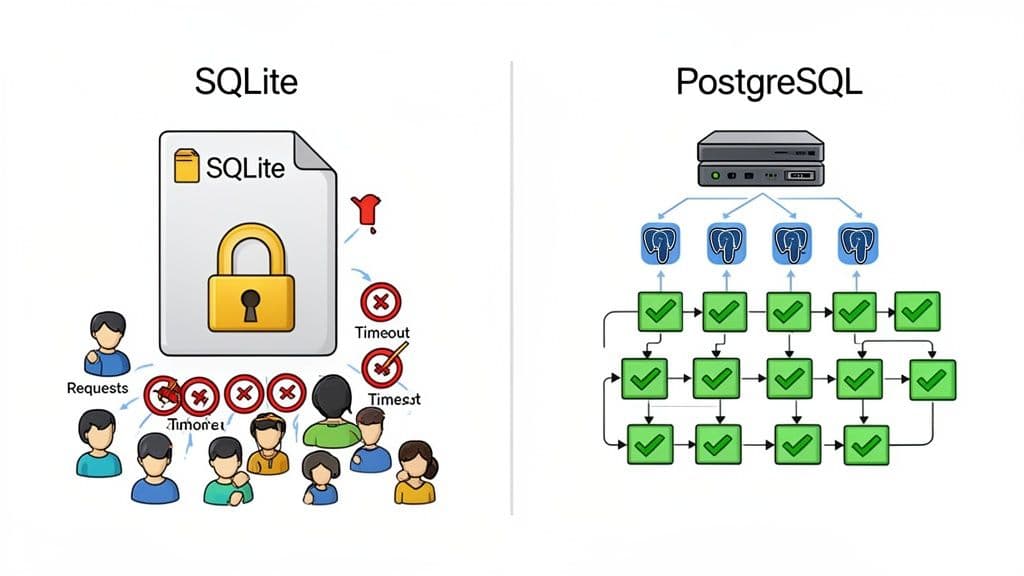
PostgreSQL, on the other hand, was engineered from day one for concurrency. It uses a sophisticated Multi-Version Concurrency Control (MVCC) system paired with fine-grained, row-level locking. This design is what allows many clients to write to the same table simultaneously without tripping over each other, as long as they aren't trying to change the exact same row.
A Real-World Concurrency Test
These theoretical differences become brutally obvious in practice. A benchmark conducted for the Headscale project—an open-source server for managing large VPN networks—perfectly simulated a high-traffic, write-heavy environment.
The test aimed to create 600 clients concurrently, and the results were night and day. SQLite, even with WAL mode enabled, took a staggering 3.46 hours to finish the job. It only managed 442 successful creations and spit out 158 errors for "context deadline exceeded"—a classic symptom of a database buckling under write pressure.
PostgreSQL, given the exact same workload, sailed through the task much faster with zero errors. Profiling showed SQLite’s CPU and memory usage spiking uncontrollably, while PostgreSQL handled the operations gracefully. For a deeper dive into the Headscale benchmark, you can check out the full methodology and results.
Why PostgreSQL Excels Under Pressure
PostgreSQL’s ability to handle this kind of load isn't magic; it's a direct result of its client-server architecture and a set of features built for scale.
- Row-Level Locking: Instead of locking the entire database file like SQLite, Postgres can lock just a single row. This granular control is absolutely essential for preventing bottlenecks when many users need to update different records in the same table.
- Connection Pooling: Tools like PgBouncer can manage a pool of ready-to-go database connections. This avoids the massive overhead of spinning up a new connection for every single request, which is critical for handling the thousands of short-lived connections typical of a web app.
- Process Isolation: Because it runs as a separate server process, PostgreSQL keeps database operations isolated from your application. A misbehaving app client can't bring down the entire database, adding a layer of stability that SQLite's embedded model simply can't offer.
These features work in concert to deliver a system that isn't just fast, but resilient and predictable when things get busy.
Practical Example: An e-commerce site processing Black Friday orders would be a disaster on SQLite. As hundreds of customers try to update inventory by purchasing items simultaneously, SQLite's database-level write lock would create a massive queue. PostgreSQL, using row-level locking, would allow concurrent updates to different product inventory counts, ensuring a smooth checkout process.
This is exactly why platforms like Neon and Vercel build on PostgreSQL. They need a database that scales reliably as traffic grows. While SQLite is a phenomenal tool for the right job, that job is almost never serving a high-concurrency, write-intensive web application. When you compare sqlite vs postgresql performance in this context, Postgres is the clear winner for its robustness and predictable behavior under load.
Getting the Most Out of Your Database with Practical Tuning
You can't really compare SQLite and PostgreSQL fairly using their default settings. Out of the box, they’re set up for safety and broad compatibility, not for your specific high-demand workload. A few smart adjustments can completely change the performance picture.
The game plan for both is the same: minimize slow disk access and get your concurrency settings right for how your app actually behaves. These aren't obscure, complicated tweaks; they're straightforward changes that deliver a huge bang for your buck in throughput and latency.
Essential SQLite PRAGMA Settings
With SQLite, you tune things on the fly using PRAGMA commands. Think of them as simple SQL statements that tweak the current database connection. For any real-world application, a few of these are non-negotiable.
1. Switch to Write-Ahead Logging (WAL) This is the single most important change you can make. WAL mode lets readers and writers work at the same time, which is a massive win for concurrency in read-heavy apps. Without it, a single write locks the entire database.
PRAGMA journal_mode = WAL;
2. Give It More Memory
By default, SQLite's page cache is tiny. Bumping up cache_size tells SQLite to hold more data in RAM, which drastically cuts down on disk reads for data you use all the time. A 32MB cache is a great place to start.
PRAGMA cache_size = -32000; -- Sets a 32MB cache (size is in negative KiB)
3. Find the Right Safety vs. Speed Balance
The synchronous pragma dictates how paranoid SQLite is about writing to disk. The default (FULL) is bulletproof but slow. Dropping it to NORMAL gives you a fantastic compromise; your data is still safe, but you're not waiting for the disk to confirm every single commit. It’s not uncommon to see write speeds jump by 50x or more from this one change.
PRAGMA synchronous = NORMAL;
Tuning PostgreSQL for Heavy Traffic
PostgreSQL tuning is a bit more involved since you'll be editing the postgresql.conf file. There are countless knobs you can turn, but a handful of them provide the biggest wins, especially around memory and connection handling.
Before you even touch the config file, though, you need a connection pooler.
Actionable Insight: For any high-traffic web application, connection pooling isn't optional—it's mandatory. Tools like PgBouncer create a shared pool of database connections, cutting out the massive overhead of spinning up a new one for every request. This alone can be the difference between a responsive server and one that crumbles under load.
Once you have pooling sorted, turn your attention to these memory settings in postgresql.conf:
shared_buffers: This is PostgreSQL's main cache. A solid rule of thumb is to set this to 25% of your machine's total RAM. On a server with 16GB of memory,4GBis a reasonable starting point.work_mem: This sets how much RAM a single operation, like a sort or a hash join, can use. The default is incredibly low. Increasing it to something like64MBcan keep complex queries from spilling over to slow disk storage, dramatically speeding up analytical work.effective_cache_size: This one is more of a hint for the query planner. You're telling it how much memory the operating system is likely using for its own file caching. Setting it to 50-75% of total system RAM gives the planner a more realistic view of the world, which helps it choose smarter query plans.
Making these practical adjustments pushes both databases way past their baseline performance. Proper tuning means you're comparing them at their best, which is the only way to make a truly informed choice. For more on improving performance at the query level, take a look at our guide on SQL query optimization techniques.
How to Choose the Right Database for Your Project
The SQLite vs. PostgreSQL debate isn't about crowning a single winner. It's about making a smart, contextual choice that fits the reality of your project. The "best" database is simply the one that aligns with your specific workload, concurrency demands, and operational constraints—not the one that looks best on a generic benchmark.
Making the right call starts with one simple question: Where does my application live, and who (or what) is using it? The answer points you directly to the right architecture, and that’s the single most important factor for performance.
A Scenario-Based Decision Framework
Let's ditch the abstract comparisons and get practical. This framework is designed to help you map your project requirements to the database that will actually perform best in that specific situation.
When SQLite is the Obvious Choice
-
Embedded Systems and IoT Devices: SQLite is the undisputed king here. Its zero-configuration, serverless design and tiny footprint are perfect for resource-constrained environments where you need rock-solid reliability without the overhead.
-
Desktop and Mobile Applications: For a snappy user experience, SQLite has a clear edge. It runs in-process with your application, delivering sub-millisecond latency on local reads. A client-server database simply can't compete with that kind of responsiveness for local data.
-
Development and Prototyping: SQLite dramatically simplifies your local setup. Forget spinning up database servers with Docker or managing separate services. You can get straight to coding, which is why frameworks like Ruby on Rails are increasingly embracing it for development.
Actionable Insight: If your application needs a private, high-speed data store with low-to-no concurrent writes, SQLite is your answer. If it needs to serve multiple users or services at once, you need the power of PostgreSQL.
When to Default to PostgreSQL
PostgreSQL's client-server architecture was purpose-built for multi-user environments. Yes, it introduces network latency, but its sophisticated concurrency control is a non-negotiable requirement for almost any web-based application.
-
SaaS Products and APIs: PostgreSQL is the industry standard for a reason. Its robust row-level locking and mature connection pooling are essential for handling the high-concurrency, write-heavy workloads common in web services without data corruption or timeouts.
-
Data Analytics and Complex Reporting: When it comes to heavy-duty analytics, PostgreSQL pulls way ahead. Its advanced query planner, coupled with support for complex joins, window functions, and parallelism, gives it a massive performance advantage for queries that would bring SQLite to a crawl. If you're comparing it to other server databases, check out our guide on MySQL vs PostgreSQL for more insights.
-
Applications Requiring High Availability: Need replication, automated backups, and failover capabilities? The PostgreSQL ecosystem is built for this. While tools like Litestream can add disaster recovery to SQLite, these features are native to the Postgres world.
In the end, your choice should be driven by a clear-eyed assessment of your application's access patterns. By picking the architecture that fits your use case, you're setting your database up to be a performance asset, not a bottleneck.
Decision Matrix SQLite vs PostgreSQL
Use this matrix to match your project's primary requirements with the database that performs best in that specific context.
| Use Case or Requirement | Choose SQLite If... | Choose PostgreSQL If... |
|---|---|---|
| Primary Workload | Your application is read-heavy with single-user writes (e.g., a desktop app). | You have many concurrent users reading and writing data (e.g., a web app). |
| Concurrency Needs | Low. The app has one primary writer or serialized write access. | High. Multiple processes or users need to write to the database simultaneously. |
| Data Location | The data needs to live alongside the application on the same machine. | The data must be accessible over a network by multiple clients or services. |
| Operational Overhead | You need zero configuration and no dedicated database administrator. | You can manage a server, connection pooling, and user permissions. |
| Latency Sensitivity | You need the absolute lowest latency for reads and writes (<1ms). | Network latency is acceptable, and consistency under load is more important. |
| Feature Set | You need basic SQL, transactions, and reliability in a small package. | You need advanced data types, window functions, and complex query optimization. |
| High Availability | You have a simple disaster recovery plan (e.g., Litestream) or HA isn't critical. | You require replication, failover, and point-in-time recovery out of the box. |
This matrix isn't about finding a "winner," but about clarifying which trade-offs you're willing to make. Choose the column that more closely reflects your project's most critical needs.
No matter which database you choose, TableOne provides a clean, fast, and predictable way to work with your data. Connect to SQLite, PostgreSQL, and MySQL, compare schemas, and manage your data locally or remotely—all with a simple, one-time license. Try TableOne free for 7 days.


