What Is Database Migration And How Does It Work
Understand what is database migration with practical examples. Learn key strategies and essential tools for a seamless, zero-downtime data move.
At its core, database migration is the process of moving your data from one home to another. It's how you take the information powering your application and transfer it from one database system to a different one—say, from a simple SQLite file on your laptop to a production-grade PostgreSQL server ready to handle real-world traffic.
What Is Database Migration, Really?
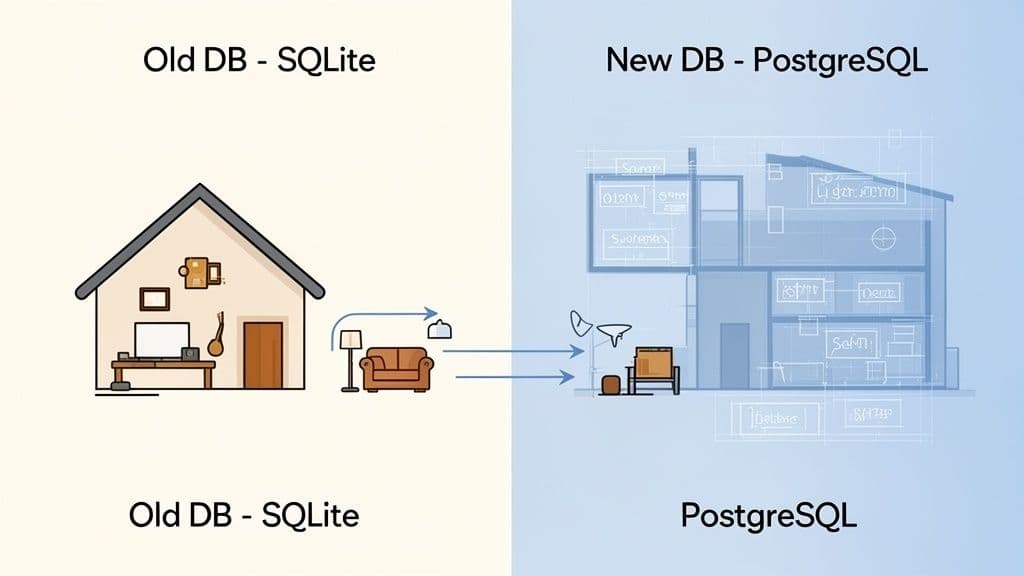
Think of it like moving from a small apartment to a new house. You wouldn't just dump all your boxes in the front door and hope for the best. You’d have a plan. You'd know the layout of the new place and figure out the best way to move everything without breaking your favorite lamp.
That's exactly what a database migration is: a carefully planned relocation for your digital assets. It’s far more than a simple copy-paste job. It’s a mission-critical operation that demands precision to protect your data from being lost, corrupted, or jumbled up along the way.
Why Migrations Are So Important
Teams don't just migrate databases for fun. There's always a solid reason behind it, usually tied to growth, performance, or modernization. Knowing why you're migrating is the first step to doing it right.
Here are a few common scenarios that kick off a migration:
- Scaling an Application: Your app might have started on a lightweight database, but as you get more users, you need something that can handle the pressure. For example, a startup's proof-of-concept on SQLite hits 10,000 users and starts slowing down. They migrate to a robust PostgreSQL database on a cloud provider to handle concurrent connections and larger datasets.
- Upgrading Your Tech Stack: That old on-premise server isn't cutting it anymore. Moving to a modern, cloud-hosted platform like PlanetScale, Neon, Turso, or Supabase can bring huge benefits in performance, security, and scalability. Actionable insight: This is a good time to re-evaluate your schema and clean up "technical debt" you've accumulated.
- Consolidating Data: Maybe your company has data scattered across several different databases from various acquisitions. Bringing it all together into one central system makes everything easier to manage and ensures your data is consistent. For example, unifying customer data from three separate MySQL databases into a single data warehouse for better analytics.
This isn't a niche problem, either. The need for reliable migrations is exploding as more businesses move to the cloud. The global data migration market is on track to hit USD 47.74 billion by 2032, a number that shows just how critical this process has become. You can dive deeper into the numbers with this detailed market growth report.
Schema vs. Data: The Blueprint and The Furniture
To really get a handle on database migrations, you have to understand the two main things you're moving: the schema and the data.
A schema is the blueprint of your database. It defines the structure—the tables, the columns inside them, the relationships, and the rules. The data is the furniture that fills the house—all the actual user accounts, product listings, and blog posts.
A successful migration deals with both. First, you have to set up the blueprint in the new database, ensuring the structure is correct. Only then can you start carefully moving all your furniture in, making sure everything ends up in the right room, safe and sound.
To help keep these concepts straight, here’s a quick reference table.
Key Database Migration Concepts At A Glance
| Concept | Simple Analogy | Primary Goal |
|---|---|---|
| Schema | The blueprint of a house | To define the structure and rules of the database. |
| Data | The furniture and belongings | To populate the structure with meaningful information. |
| Migration | The entire moving process | To safely and accurately relocate both schema and data. |
With this foundation, we can now start looking at the different strategies and tools that engineers use to pull off a smooth and successful move.
Choosing Your Migration Strategy
Once you have a solid grasp of what a database migration is, the next big question is how to actually pull it off. There’s no single right answer here. The best approach really depends on your application's needs, how much downtime you can stomach, and the sheer complexity of your data.
Think of it like moving houses. You could hire a big crew to move everything in one chaotic weekend, or you could meticulously move one room at a time while still living there. Each method has its own trade-offs between speed, cost, and risk.
Let's walk through the four main strategies you can use, with some real-world examples to help you figure out which path makes the most sense for your project.
The Big Bang Migration
The Big Bang strategy is exactly what it sounds like: you do everything at once. You take your current database offline, export all the data, load it into the new database, and then point your application to the new system. It all happens in one big, scheduled event, usually over a weekend or during a planned maintenance window.
This approach is popular because it's fast and relatively simple. You don't have to worry about running two systems at once. The massive downside, of course, is the required downtime, which could be anything from a few minutes to several hours, depending on how much data you have.
When to Use This Strategy: The Big Bang approach is a great fit for smaller projects, internal company tools, or any application where you can get away with a bit of scheduled downtime. Practical example: You're migrating a company's internal wiki with 5GB of data. You schedule maintenance for Saturday at 2 AM, use
mysqldumpto export the data, import it into the new server, and update the application's connection string, all within a 30-minute window.
The Trickle Migration
The Trickle migration is the polar opposite of the Big Bang. It’s designed for one primary purpose: keeping downtime to an absolute minimum. Instead of a single, massive data transfer, this strategy sets up a continuous flow of data from your old database to the new one.
It usually starts with an initial copy of your entire dataset. After that, a replication process kicks in to capture any changes—new records, updates, deletions—as they happen on the old database and apply them in real-time to the new one. Once the two are perfectly in sync, you can flip the switch and point your application to the new database with virtually zero interruption for your users.
- Pro: You get near-zero downtime, which is a lifesaver for live, mission-critical applications.
- Con: This method is way more complex to set up and manage. It often requires specialized tools and a good bit of expertise.
A perfect example is a busy e-commerce site that can't afford to stop taking orders. They would use a trickle strategy to move from an on-premise MySQL server to a scalable cloud provider like PlanetScale without customers even noticing.
The Phased Migration
For huge, complicated systems, trying to migrate everything at once is just asking for trouble. The Phased migration breaks the entire process down into smaller, more manageable pieces. You might decide to move just the user authentication service first. Once that's running smoothly on the new database, you tackle the product catalog, and then the order processing system a few weeks later.
This piecemeal approach dramatically reduces risk because if something goes wrong, the problem is contained to a single part of your application. It also gives your team a chance to learn and refine the process as they go. The biggest challenge here is the complexity of managing a system that has to read and write from two different databases at the same time.
Actionable insight: A common pattern here is the "strangler fig" approach. You build a new service around the old one, gradually routing traffic to the new system until the old one is no longer needed and can be "strangled" out. For example, instead of migrating the entire monolith, you first migrate just the users table and its related microservice. For a month, all other services still read user data from the old DB, but all writes go through an API that updates both databases simultaneously.
Comparing Database Migration Strategies
Picking the right strategy is all about understanding the trade-offs. This table gives you a quick side-by-side comparison to help you make a more informed choice for your project.
| Strategy | Best For | Downtime Risk | Complexity |
|---|---|---|---|
| Big Bang | Small projects, internal tools, and apps with planned maintenance windows. | High | Low |
| Trickle | Mission-critical applications like e-commerce or SaaS platforms. | Very Low | High |
| Phased | Large monolithic applications or complex microservice ecosystems. | Medium | Very High |
By carefully weighing your app’s needs against these different models, you can put together a migration plan that actually fits your technical and business goals. This will set you up for a much smoother and more successful move to your new database home.
Schema vs. Data: Two Sides of the Migration Coin
When we talk about "database migration," we're actually talking about two very different, but deeply connected, processes: schema migration and data migration. One of the most common pitfalls I see teams fall into is confusing the two or trying to tackle them at the same time. Getting this distinction right from the start is absolutely key to a successful project.
Think of it like moving into a new house. The schema is your blueprint. It lays out the rooms, the walls, the doorways, and where the electrical outlets go. The data is all your stuff—the furniture, the books, the kitchen gadgets. You have to build the house according to the blueprint before you can start moving your belongings in.
What is a Schema Migration?
A schema migration is all about changing the structure—the blueprint—of your database. You aren't touching the actual data yet, just the containers that hold it. This is where you remodel. These changes are almost always handled as a series of version-controlled scripts, so you can apply them reliably everywhere, from your local machine to the production environment.
Here are a few classic examples of schema migrations:
- Adding a new column: You need to start tracking when users were last active, so you add a
last_login_attimestamp to theuserstable. - Creating a new table: The
userstable is getting cluttered with optional details, so you create a separateuser_profilestable to hold that extra information. - Adding an index: Queries searching for users by email are getting slow. To fix it, you add an index to the
emailcolumn. - Changing a data type: You originally set a user's bio as a
VARCHAR(50), but quickly realize it's far too short. You change it to aTEXTtype to give people more room. For a deeper dive, we have a guide on how to safely alter a table to change a column.
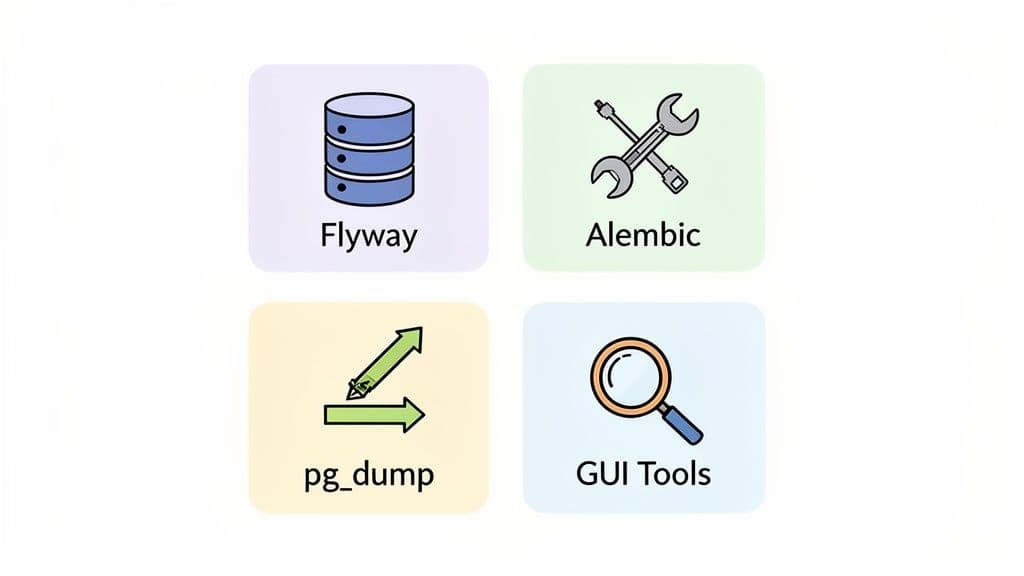
Tools like Flyway, Alembic (for Python/SQLAlchemy users), or Prisma Migrate are built for exactly this. They let you define these structural changes in simple, trackable files. A typical migration script might be as straightforward as this:
-- V2__Add_last_login_to_users.sql
ALTER TABLE users
ADD COLUMN last_login_at TIMESTAMP WITH TIME ZONE;
This tiny file represents one clear, versioned change to your database's blueprint. Simple and effective.
What is a Data Migration?
Once the new house is built (or remodeled), it's time for the data migration. This is the part where you actually move the furniture. You're physically transferring records—the user accounts, product inventories, and order histories—from the old database to the new one.
A schema migration builds the shelves. A data migration stocks them with books. One can't happen without the other being right first.
This can be a straightforward copy-and-paste job, but honestly, it rarely is. More often than not, it involves data transformation. This means you're cleaning, reshaping, or restructuring the data as it moves. This is especially common when you’re moving from one type of database to another, say from SQLite to PostgreSQL, because they handle data types and constraints differently.
Let's look at a real-world scenario:
- Old Database (SQLite): Your
userstable has a singlefull_namecolumn. - New Database (PostgreSQL): The new, improved schema splits this into
first_nameandlast_namefor better sorting and personalization.
During the data migration, you can't just move the full_name value over. You’d need a script that reads each name, splits it into two parts, and then inserts those parts into the correct new columns. This ensures your data fits perfectly into its new home.
By treating schema and data migrations as two separate, sequential stages, you make sure the structure is solid before you start moving your most valuable asset: your data.
Your Step-By-Step Migration Playbook
A successful database migration has less to do with raw technical talent and more to do with careful planning. A solid playbook can turn what feels like a chaotic, high-stakes process into a predictable, manageable project. This guide breaks the entire journey down into five clear phases anyone can follow.
Think of this as your project checklist. By working through each phase methodically, you ensure no critical step gets missed. This dramatically reduces the risk of data loss, unexpected downtime, or those dreaded post-migration performance headaches. It's all about having a structured approach to execute with confidence.
Phase 1: Planning and Analysis
This is where you do all the foundational work. Seriously, rushing this step is the single most common reason migrations fail. You have to understand exactly what you're moving and, just as importantly, why.
- Define Clear Objectives: Why are you even doing this? Are you chasing better performance, lower costs, or access to new features? Actionable insight: Write your goals down. "Migrate to the cloud" is a bad goal. "Reduce database query latency by 50% and cut hosting costs by 20% by migrating from on-premise MySQL to managed PostgreSQL" is a great goal.
- Inventory Your Database: Document everything about your source database—the schema, stored procedures, triggers, user roles, you name it. Don't forget to map out every single application that depends on it.
- Choose Your Strategy: Based on your goals and how much downtime your business can stomach, pick a migration strategy. Is this a "Big Bang" migration over a quiet weekend, or a more complex "Trickle" approach to aim for zero downtime?
Phase 2: Preparation and Tool Selection
With a clear plan in hand, you can start getting the new environment ready and picking your tools. Think of it like building a new house before you start moving in the furniture. Getting this right now prevents a mad scramble for resources in the middle of the migration.
The diagram below shows the two distinct workflows here: remodeling the database structure (schema migration) and then actually moving your data into it (data migration).
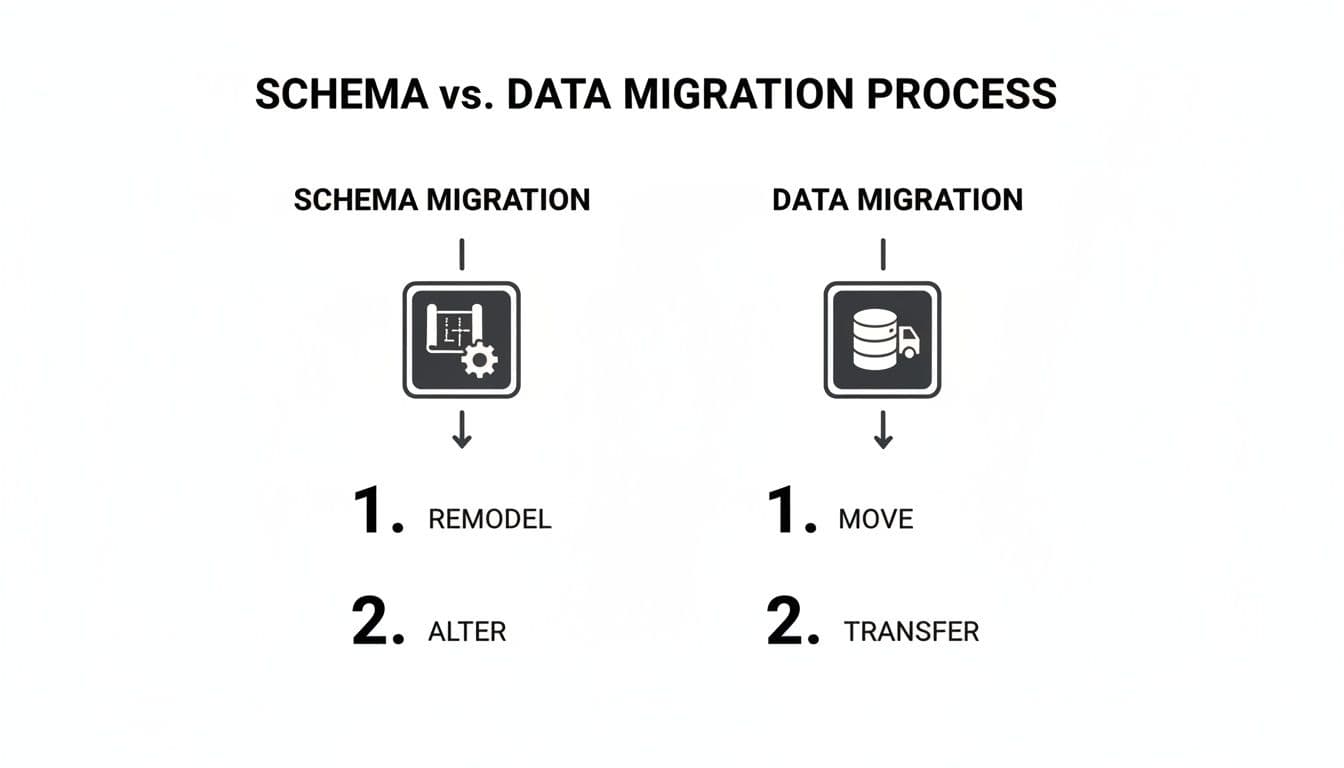
This visual split reinforces a core principle: you have to build the structure before you can safely transfer the contents.
- Set Up the Target Environment: Provision your new database server. This could be a local PostgreSQL instance or a managed service like Supabase or Neon. Then, configure all the necessary networking, security rules, and user access.
- Select Your Toolkit: Choose the right tools for the job. You'll probably need a schema migration tool (like Flyway or Alembic), some data transfer utilities (
pg_dump,mysqldump), and a validation tool to check for data integrity after the move.
Phase 3: The Dry Run
I'll say it again for the people in the back: never perform a migration for the first time on production. A dry run is a non-negotiable step. It's your chance to rehearse the entire process from start to finish in a safe, isolated staging environment.
The dry run is your dress rehearsal. It’s where you find all the hidden problems—schema mismatches, data transformation bugs, and performance bottlenecks—without affecting a single real user.
Actionable Insight: Create a staging environment that mirrors production as closely as possible, including data volume. Migrating 1,000 test rows is easy; migrating 100 million production rows will uncover performance issues you never anticipated. This phase is also your best friend for estimating timelines. How long the dry run takes gives you a realistic benchmark for the actual production migration.
Phase 4: Execution
It's game day. Because you planned and practiced, the execution phase should feel more like following a script than improvising on the fly. Communication is absolutely critical here—make sure all stakeholders know what's happening and what to expect.
- Final Pre-Migration Backup: Right before you start, take one last, complete backup of the source database. This is your ultimate safety net.
- Execute the Migration Plan: Follow your rehearsed script, step-by-step. This might involve taking the application offline, running your schema migration scripts, and then kicking off the data transfer.
- Monitor Progress Closely: Keep a close eye on logs and performance metrics. You're looking for errors, slow queries, or network issues that could throw a wrench in the works.
Phase 5: Validation and Post-Migration
Once the data is moved, you're not done yet. You have to rigorously validate that everything arrived safely and is working exactly as it should. This final phase is what confirms the project's success.
- Data Integrity Checks: Run scripts to compare row counts, check for unexpected null values, and validate key business data between the old and new databases. Practical example: Run
SELECT COUNT(*) FROM users;on both the old and new database. If the numbers don't match, you have a problem. - Performance Testing: Put the new database under a realistic load. Check query response times and overall application performance to make sure it's meeting the objectives you set back in Phase 1.
- Decommission the Old System: Only after you are 100% confident in the new system should you even think about starting the process of decommissioning the old database.
For more complex data transfers, such as moving massive datasets, specialized tools can be a lifesaver. If your migration involves moving a bunch of CSV files, you might find our guide on how to import CSV data into PostgreSQL helpful.
The Modern Database Migration Toolkit
Let's be honest: the tools you choose can make or break a migration. The right ones lead to a smooth, predictable process. The wrong ones? A one-way ticket to a stressful, chaotic weekend.
Your toolkit needs to solve the two fundamental challenges of any migration: managing the database's structure (its schema) and moving the actual information inside it (the data). It's not about finding one mythical tool that does everything. The real secret is building a versatile toolkit where each piece excels at its job, giving you a complete solution for the entire migration lifecycle.
Frameworks For Schema Migrations
Think of schema migration frameworks as the bedrock of a reliable database workflow. They let you treat your database structure as code, which means you can version, track, and automate changes just like you do with your application.
This simple idea is incredibly powerful. It ensures every environment—from your laptop to the staging server and finally to production—has the exact same database structure. This is how you kill the dreaded "but it worked on my machine" problem once and for all.
Here are a few popular choices:
- Flyway: A battle-tested, database-agnostic tool that runs on simple SQL scripts. You just name your files with a version number (like
V1__Create_users_table.sql), and Flyway figures out which ones to run to bring any database up to the latest version. - Alembic: If you're a Python developer using the SQLAlchemy ORM, this is your go-to. Alembic is smart enough to compare your code models to the current database schema and auto-generate the migration scripts for you, saving a ton of manual work.
- Prisma Migrate: A modern favorite from the Prisma ecosystem. You define your schema in a single, declarative file, and Prisma automatically generates the SQL migration files you need. It’s a beautifully streamlined developer experience.
Utilities For Data Transfer
Once the schema is in place, it’s time to move the data. For this job, you can’t beat the classic, built-in utilities that ship with your database. They are the workhorses of data migration.
These command-line tools are fast, scriptable, and universally available. They are perfect for creating backups and transferring large datasets, especially when you're using a "Big Bang" migration strategy.
Actionable Insight: A common and powerful one-liner for moving data between two PostgreSQL servers is pg_dump -h old_host -U user -d dbname -C | psql -h new_host -U user -d dbname. This command dumps the data from the old host and pipes it directly into the new host without ever creating an intermediate file on your local machine, saving time and disk space. The MySQL equivalents, mysqldump, work in the exact same way.
The Role Of Modern GUI Tools
While frameworks and command-line tools handle the heavy lifting of automation, a good graphical user interface (GUI) is indispensable for visibility and hands-on tasks. Think of it as the control panel for your entire workflow.
A modern GUI lets you inspect, validate, and even manipulate data with confidence. For indie developers prototyping with SQLite or teams using a hosted service like PlanetScale, features like schema comparison and zero-ETL syncing are absolute game-changers. This is precisely why cross-platform tools that can handle schema snapshots and direct table copying between SQLite, Postgres, and MySQL are becoming essential.
A capable GUI tool makes tricky tasks feel easy:
- Visually Compare Schemas: Get a side-by-side "diff" of your local SQLite database and your remote PostgreSQL target before you run a single script.
- Directly Copy Tables: Just need to move a few specific tables? A good GUI lets you drag-and-drop or copy them directly between different database connections.
- Inspect and Validate: After a migration, you need to be sure everything landed correctly. A GUI makes it simple to browse tables, check foreign keys, and spot-check data.
These visual tools don't replace your automated scripts; they complement them perfectly. They provide the crucial human oversight needed for a truly successful migration. You can learn more about how a modern database tool can fit into your workflow and supercharge these processes.
How to Sidestep Common Migration Disasters
Every database migration has its risks, but with the right game plan, you can turn what feels like a high-wire act into a well-rehearsed routine. The key isn't just knowing how to fix problems—it's building a process so solid that most problems never even show up.
The most frequent migration horror stories usually fit into a handful of categories. Think of what follows as the "preventative medicine" for each. By getting ahead of these risks, you can build a migration plan that neutralizes them before they start, giving your team the confidence to execute without breaking a sweat.
Preventing Data Loss or Corruption
Losing or corrupting data is the nightmare scenario for any migration. It’s a very real possibility, but thankfully, it's also very preventable. Your best defense is a paranoid-level validation strategy.
- Trust, but Verify with Checksums: Before you move anything, generate checksums (like an MD5 or SHA-256 hash) for key tables or even individual rows. After the data lands in its new home, run the same process. If the hashes don't match, you've found a discrepancy and can pinpoint where the transfer went wrong.
- Have a Rock-Solid Rollback Plan: Never, ever start a migration without a clear, tested, and practiced plan to switch back to the old database. Actionable Insight: Your rollback plan should be a script or a detailed checklist. Actually practice it during your dry run. Can you restore the backup and repoint your application in under 5 minutes? You should know the answer before you start.
Minimizing Extended Downtime
Nothing erodes user trust faster than an outage that drags on. While some downtime might be part of your chosen strategy, letting it stretch beyond the planned window is a major problem that can hit your bottom line.
Actionable Insight: Create a shared document or use a status page service to communicate with stakeholders. Your checklist should include pre-written updates for different milestones (e.g., "Migration started," "Data transfer 50% complete," "Validation in progress," "Migration complete"). This keeps everyone informed and reduces anxiety.
Avoiding Post-Migration Performance Degradation
Getting the data moved is only step one. If the application is sluggish and unresponsive afterward, you haven't really succeeded. Performance problems are notorious for hiding until real-world traffic starts hammering the new system.
The most common culprit for post-migration slowness? Missing or poorly configured indexes. An indexing strategy that worked wonders on your old database might be completely wrong for the new one. Always include a step to analyze and rebuild your indexes on the target database.
The only way to be sure is to run comprehensive load tests against a staging environment that’s a dead ringer for production. This is how you find and squash performance bottlenecks before your users do.
Navigating Schema Mismatches
This one is sneaky. A tiny difference between your source and target schemas—a data type that's just a bit off, a forgotten constraint—can lead to silent data corruption or outright transfer failures. In fact, poor planning is a massive factor here, contributing to up to 70% of migration failures, often because of these subtle schema and data quality issues. As you can imagine, these kinds of problems can be especially painful for smaller teams in the middle of a critical growth phase. You can dig deeper into these common pitfalls in data migration projects.
The fix? Use schema comparison tools to get a side-by-side "diff" of the two databases. Even better, this is precisely the kind of problem your mandatory dry run on a staging server is designed to catch. It turns a potential weekend-ruining disaster into a simple fix in your migration script.
Frequently Asked Questions
Even the best-laid plans run into tricky questions when it's time to actually move the data. Let's tackle some of the most common things that come up as you get ready to start your migration.
How Long Should A Database Migration Take?
This is the classic "it depends" question, but for good reason. The timeline is shaped entirely by your data volume, the complexity of your schema, and the migration strategy you've chosen. A simple dump and restore for a small application might be over in a matter of minutes.
On the other end of the spectrum, a complex, zero-downtime migration for a system with terabytes of data could take weeks of meticulous planning, testing, and a carefully phased execution.
Actionable Insight: There's only one way to get a real answer: do a dry run. Time it. If it takes 2 hours to migrate your staging database, a safe estimate for production might be 3 hours to account for unforeseen issues. This transforms a guess into a data-driven estimate.
Can I Really Migrate With Zero Downtime?
Yes, you absolutely can get incredibly close to zero downtime. Modern strategies like logical replication (our "Trickle" method) are designed for exactly this. The right tools and techniques can keep two separate databases perfectly in sync, letting you perform a seamless switchover that your users will never even notice.
The catch? It's much more complex. Pulling this off requires a lot more planning, specialized tooling, and a deep understanding of how both databases work. It's the go-to approach for mission-critical applications that can't afford to go offline, but it's probably overkill if you can get away with a short, planned maintenance window.
What Is The Difference Between A Migration And A Backup?
This is a crucial point that often causes confusion. A backup is simply a safety copy of your database, created for disaster recovery. Its one and only job is to restore the exact same database to an earlier point in time if something catastrophic happens.
A database migration, however, is the act of moving that data to a completely different database system. This isn't just a copy-paste job; it often involves changing the schema, transforming the data, and making a permanent move to the new environment.
Here’s a simple way to think about it: a backup is like keeping a copy of your house keys in a safe. A migration is packing up all your belongings and moving to a new house entirely.
TableOne is a modern, cross-platform database GUI that helps you inspect, compare, and move data with confidence during any migration. Visually compare schemas, copy tables between databases, and validate your data in a clean, predictable workspace. Check it out at https://tableone.dev.


