Limit in mysql: A Guide to Efficient Queries
Explore limit in mysql techniques to optimize pagination, improve performance, and write faster queries with practical tips.

In the world of MySQL, the LIMIT clause is one of your simplest yet most powerful tools. It gives you precise control over how many rows your queries return.
Think of it this way: you walk into a massive library and ask the librarian for books on a specific topic. Instead of letting them bring you every single book, you say, "Just bring me the first 10." That's exactly what LIMIT does. This simple instruction is absolutely critical for building fast, scalable applications.
What Is the MySQL LIMIT Clause and Why Does It Matter?

At its heart, LIMIT is a performance safeguard. Imagine running a query on a table with millions of customer records. Without a LIMIT, your database would try to fetch and send all of that data across the network, which could easily overwhelm your application server and even the database itself.
By adding LIMIT, you tell the database engine to stop working once it has gathered the number of rows you’ve requested. It prevents the database from wasting precious CPU cycles and memory fetching thousands of records when you only plan to display a handful on a single webpage. This makes it a fundamental technique in modern development, where application speed directly impacts user satisfaction.
The Two Forms of MySQL LIMIT
MySQL's LIMIT clause comes in two main flavors, each designed for a different job. Getting familiar with both is key to using it effectively.
For a quick reference, here’s a breakdown of how the two syntax options work.
MySQL LIMIT Syntax at a Glance
| Syntax | Description | Common Use Case |
|---|---|---|
LIMIT row_count | The simplest form. It just retrieves the first "N" rows from the result set. | Getting "Top 10" lists, finding the most recent user signups, or grabbing a few sample rows. |
LIMIT offset, row_count | The two-argument version. It first skips the offset number of rows, then returns the next row_count rows. | Building pagination controls (e.g., "Showing results 21-30 of 500"). |
Let's dig a little deeper into these two forms.
-
LIMIT row_count: This is your go-to for simple "top N" style queries. Need the 5 most recent blog posts? The 10 highest-scoring players? This is the syntax you'll use. It's direct and does exactly what it says. -
LIMIT offset, row_count: This version is the magic behind pagination. TheOFFSETtells MySQL to skip a certain number of rows before it starts counting the ones you want. So,LIMIT 20, 10tells the database to skip the first 20 rows and then return the next 10 (rows 21 through 30). This lets you build the familiar "Page 1, Page 2, Page 3..." navigation that users expect.
Actionable Insight: The
LIMITclause is a cornerstone of efficient data handling. Running a query on a large table without it is a recipe for disaster, leading to slow load times and high server load. Mastering its use is non-negotiable for developers.
This powerful clause has been an essential part of MySQL since its introduction way back in version 3.23 (in 2001!). As web applications and their datasets grew, LIMIT became indispensable. With MySQL still commanding a massive 47.5% of the relational DBMS market share, according to a Statista survey, understanding LIMIT is as important as ever.
While the exact syntax can differ between database systems (for example, FETCH FIRST N ROWS is common in other SQL dialects), the core concept is universal. Whether you're working with MySQL or PostgreSQL, you'll need a way to control result set sizes. If you're curious about how these two popular databases stack up, take a look at our guide on MySQL vs PostgreSQL.
How to Combine LIMIT and OFFSET for Pagination
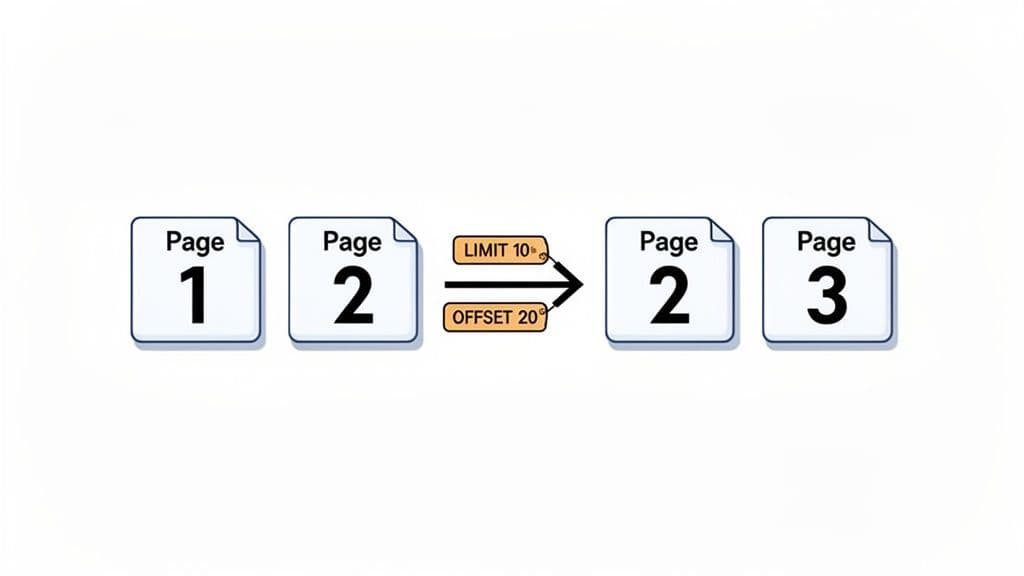
While LIMIT is great for grabbing a "top N" list, its real power in day-to-day application development comes out when you pair it with its sidekick, OFFSET. Together, these two clauses are the engine behind one of the most common features on the internet: pagination.
It helps to think of it like reading a book. LIMIT is your page size—it decides how many items you see at once, like "show 10 products per page." OFFSET is what lets you turn the page. It tells MySQL how many records to skip before it starts grabbing the rows you actually want.
Calculating Your OFFSET
The math for figuring out the offset is refreshingly simple. All you need is the page number a user is on and how many items you're showing per page.
(Current Page Number - 1) * Items Per Page = The OFFSET
So, if you want to display 10 items per page and a user clicks to page 3, your calculation is (3 - 1) * 10. That gives you an OFFSET of 20. The resulting query will tell the database to ignore the first 20 products and then return the next 10.
Let's make this concrete with a products table.
Practical Pagination Queries
Imagine you're building an e-commerce site and need to show a product catalog, sorted alphabetically. Here’s exactly how you’d write the queries to pull the first few pages.
Page 1 (show 10 items, skip 0):
SELECT
  product_id,
  product_name,
  price
FROM
  products
ORDER BY
  product_name
LIMIT 10 OFFSET 0;
Page 2 (show 10 items, skip 10):
SELECT
  product_id,
  product_name,
  price
FROM
  products
ORDER BY
  product_name
LIMIT 10 OFFSET 10;
Page 3 (show 10 items, skip 20):
SELECT
  product_id,
  product_name,
  price
FROM
  products
ORDER BY
  product_name
LIMIT 10 OFFSET 20;
These straightforward queries are often all you need to get a basic pagination system up and running. But be warned: this method hides a major performance problem.
The Hidden Performance Trap of OFFSET
Using LIMIT with a large OFFSET is one of the most classic performance killers in MySQL. Here’s the catch: even though you're only asking for 10 rows, MySQL still has to fetch all the rows you're skipping, load them into memory, and then discard them.
So, a query like LIMIT 10 OFFSET 100000 forces the database to scan and process 100,010 rows, just to throw away the first 100,000.
This isn't just a theoretical problem. As users click deeper and deeper into your paginated results, the query time gets progressively worse. Real-world benchmarks have shown that queries can slow down by 12-15 times as the offset grows into the thousands. Imagine a background job processing a million-row table; a query fetching records with an OFFSET of 150,000 can take 12 times longer than one with no offset, because it has to read and discard all those rows first. You can read more about these MySQL performance gotchas on Codidact.
Understanding this limitation is the first step toward building applications that can actually scale. While OFFSET works just fine for the first few pages, we’ll need better strategies for deep pagination, which we'll explore later on.
Putting LIMIT to Work: Practical Examples
Knowing the syntax is just the first step. The real magic happens when you start applying LIMIT to solve everyday problems. Let's walk through a few common scenarios where LIMIT isn't just a nice-to-have, but an essential tool for wrangling your data.
Think of these examples as core recipes you can adapt for your own applications.
Finding the "Top N" Records
One of the most common jobs for LIMIT is fetching a "Top N" list. This could be for a sales leaderboard, a "most popular articles" widget, or showing the latest sign-ups on a dashboard. The trick is always to pair LIMIT with ORDER BY—that's how you tell the database what "top" actually means.
Example 1: Finding the 5 Newest Users
Imagine you want to display the last five people who signed up for your service. You’d simply sort the users table by their registration date in descending order and ask for the first 5 records.
SELECT
  user_id,
  username,
  created_at
FROM
  users
ORDER BY
  created_at DESC
LIMIT 5;
Boom. Just like that, you have the data for a "Newest Members" section on an admin panel. It's fast, simple, and direct.
Example 2: Finding the 10 Highest-Priced Products
In the same way, if you're building a feature to showcase your most expensive items, you'd sort your products table by price from high to low and grab the top 10.
SELECT
  product_name,
  price,
  category
FROM
  products
ORDER BY
  price DESC
LIMIT 10;
These two patterns are workhorses. You'll find yourself writing queries like this constantly. It’s also a best practice for developers when just poking around in the data. Firing up a tool like TableOne and running a SELECT * FROM some_big_table is a recipe for a slow query. Adding LIMIT 100 gives you a quick, manageable snapshot to understand the table's structure.
The screenshot below shows exactly this—a developer using LIMIT 100 in a database client to safely explore a film table without pulling down thousands of rows and bogging down the system.
Actionable Insight: Make it a habit to add
LIMIT 100to any exploratorySELECTquery in a database client. It prevents you from accidentally locking up your tool or overwhelming the server while giving you more than enough data to inspect.
Using LIMIT with JOINs and Subqueries
Things get really interesting when you start combining LIMIT with more complex structures like JOINs and subqueries. This is where you move from simple lists to answering nuanced business questions.
Example 3: Get a Customer and Their Last 3 Orders
Let's say you're building a customer profile page and want to show their three most recent orders. This is a perfect use case for a JOIN combined with LIMIT. You'll join your customers and orders tables, filter for a specific customer, and then sort their orders by date before grabbing just the top 3.
SELECT
  c.customer_name,
  o.order_id,
  o.order_date,
  o.total_amount
FROM
  customers c
JOIN
  orders o ON c.customer_id = o.customer_id
WHERE
  c.customer_id = 12345
ORDER BY
  o.order_date DESC
LIMIT 3;
Actionable Insight: This is a classic pattern for any user-facing dashboard. By fetching only the most recent and relevant data, you give the user a much faster and more focused experience.
Example 4: Find Employees in the 3 Smallest Departments (Using a Subquery)
Now for a trickier one. What if you need to find all employees who work in the three departments with the fewest people? A simple LIMIT on the final result won't work.
Here, we can use LIMIT inside a subquery to first identify our target departments. The inner query finds the department_id for the 3 smallest departments, and the outer query then fetches all employees belonging to that list.
SELECT
  employee_name,
  department_name
FROM
  employees e
JOIN
  departments d ON e.department_id = d.department_id
WHERE
  e.department_id IN (
    SELECT
      department_id
    FROM
      employees
    GROUP BY
      department_id
    ORDER BY
      COUNT(employee_id) ASC
    LIMIT 3
  );
This example really shows how LIMIT can serve as a powerful building block inside a larger query, helping you zero in on a very specific subset of data to solve a complex problem.
How to Fix Slow Pagination with the Keyset Method
We’ve seen how LIMIT and OFFSET offer a straightforward way to build pagination. While it works great for the first few pages, this convenience hides a major performance trap, especially as users dig deeper into your data. This is the infamous "deep pagination problem," a notorious performance killer for any app with a large dataset.
The problem is baked right into how OFFSET works. When you run a query like LIMIT 10 OFFSET 100000, you're telling the database to do something incredibly inefficient. MySQL has to scan, load, and sort all 100,010 rows from the beginning, only to throw away the first 100,000 and give you the 10 you actually asked for. It's like asking a librarian for the 100,001st book on a massive shelf and forcing them to count every single book from the start just to find it.
This turns what should be a quick fetch into an operation that can grind your application to a halt. The further a user paginates, the slower the response gets, creating a terrible user experience. Thankfully, there’s a much smarter way.
Introducing Keyset Pagination
The solution is a technique called keyset pagination, often called the "seek method." Instead of telling the database how many rows to skip with OFFSET, you tell it where to start looking. This method uses the WHERE clause to jump directly to the last known position from the previous page.
Think about it this way, assuming your data is sorted by an indexed column like id or created_at:
- OFFSET Method: "Skip 100,000 rows, then give me the next 10."
- Keyset Method: "Give me 10 rows that come after the last row I saw (for example,
WHERE id > last_seen_id)."
This simple change in logic completely transforms how MySQL runs the query. It switches from a slow, inefficient row count to a lightning-fast index seek.
To help illustrate the difference, here is a quick comparison of the two methods.
Pagination Method Comparison
| Attribute | OFFSET Pagination | Keyset (Seek) Pagination |
|---|---|---|
| How it Works | Skips a specified number of rows (OFFSET N). | Finds the next set of rows after a specific value (WHERE id > last_id). |
| Performance | Performance degrades linearly as the offset increases. Very slow for deep pages. | Consistently fast, regardless of the page number. |
| Index Usage | Can't efficiently use an index to skip rows. Scans from the beginning. | Leverages the index to seek directly to the starting point. |
| Use Case | Good for small datasets or when only the first few pages are accessed. | Ideal for large datasets, infinite scrolling, and high-performance applications. |
The key takeaway is that Keyset pagination scales beautifully, while OFFSET pagination hits a performance wall very quickly.
Performance Before and After
Let's look at the dramatic difference with a real-world example on a posts table with millions of records, sorted by id.
The Slow OFFSET Query (Page 10,001):
SELECT
  id,
  title,
  created_at
FROM
  posts
ORDER BY
  id ASC
LIMIT 10 OFFSET 100000;
-- Execution Time: ~2 seconds
This query is painfully slow because the database has to read and discard 100,000 rows every time.
Now, let's say the last id we saw on page 10,000 was 100000. To get the next page using the keyset method, our application just needs to remember that last id.
The Fast Keyset (Seek) Query:
SELECT
  id,
  title,
  created_at
FROM
  posts
WHERE
  id > 100000 -- We start right where we left off!
ORDER BY
  id ASC
LIMIT 10;
-- Execution Time: ~20 milliseconds
Actionable Insight: The performance gain is staggering: from 2 seconds down to just 20 milliseconds. Keyset pagination uses the index to instantly jump to the correct starting point, making query time consistent no matter how deep you are in the results. If you're sorting by multiple columns, you'll need to include them all in your
WHEREclause. You can learn more about this by exploring how to use a composite key in SQL.
This flow chart visualizes how LIMIT is commonly used, from finding top records to handling basic pagination and more complex subqueries.
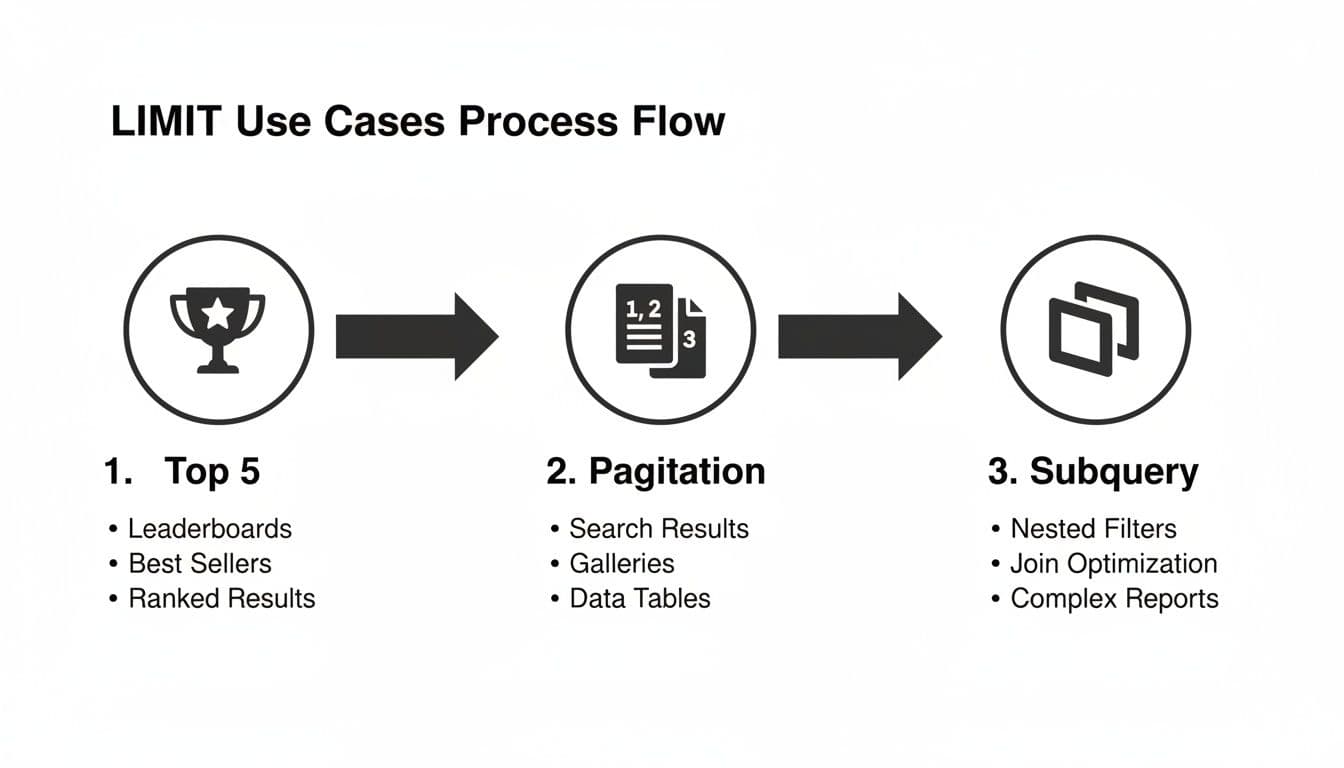
While LIMIT is versatile, understanding advanced techniques like keyset pagination is what separates a functional query from a truly high-performance one.
Advanced Techniques with Window Functions
While LIMIT is a workhorse for simple result sets, modern MySQL gives us far more powerful tools for complex ranking and grouping. MySQL 8.0 introduced window functions, which completely changed how we solve problems that used to be a real headache with LIMIT alone.
Think of it this way: a basic LIMIT query can easily find the 10 best-selling products overall. A window function, on the other hand, can find the 10 best-selling products within each product category, all in one clean query. For any kind of serious reporting or analytics, this is a massive leap forward.
Ranking Items with ROW_NUMBER
For these "Top N per group" scenarios, ROW_NUMBER() is your go-to window function. It works by assigning a unique number to each row within a specific "window" or partition of your data. The syntax can look a little intimidating at first, but it follows a clear logic once you see it in action.
Let's take a classic business problem: finding the top 3 selling products in each category. If you tried to do this with only LIMIT, you'd end up with a messy, slow, and hard-to-read query.
With ROW_NUMBER(), the solution is surprisingly elegant:
SELECT
  product_name,
  category,
  sales
FROM (
  SELECT
    product_name,
    category,
    sales,
    ROW_NUMBER() OVER (PARTITION BY category ORDER BY sales DESC) as rn
  FROM
    products
) AS ranked_products
WHERE
  rn <= 3;
So, what's happening here? The inner query creates a temporary ranking, which we've called rn. The PARTITION BY category clause is the magic ingredient—it tells MySQL to restart the numbering from 1 for each new category. Then, the outer query just has to pick out the rows where that rank is 3 or less. Simple.
When to Use Window Functions Over LIMIT
So when do you reach for a window function instead of a simple LIMIT? It all comes down to what you’re trying to achieve.
- Use
LIMITfor: Simple, flat "Top N" lists across an entire table. Think "the 10 most recent users." - Use window functions for: "Top N per group" problems. Think "the 5 highest-paid employees in each department."
Actionable Insight: Window functions like
ROW_NUMBER()are not a replacement for everylimit in mysqlquery. They are a specialized tool for advanced grouping and ranking. For fetching a simple, flat list of the top records, a basicLIMITwithORDER BYremains the most efficient solution.
As your datasets get bigger, being able to run these kinds of calculations directly in the database becomes critical for performance. Trying to get the same result by running multiple LIMIT queries in a loop from your application would be incredibly slow and put a ton of unnecessary load on your system. Modern databases are built to handle this heavy lifting efficiently, especially on high-performance infrastructure.
Common Mistakes and Best Practices to Keep in Mind
Using the LIMIT clause in MySQL seems straightforward, but a few common missteps can easily lead to unpredictable results or sluggish performance. By sticking to a few key rules, you can write SQL that is robust, efficient, and headache-free. Think of this as your checklist for using LIMIT the right way.
The single biggest mistake you can make is using LIMIT without an ORDER BY clause. When you do this, you're telling the database, "just give me any 10 rows," and it will happily oblige. The problem is that "any 10 rows" can change every single time you run the query, which is almost never what you actually want.
Always Sort for Predictable Results
If the order of your results matters at all—whether you're fetching the "top 10" products or building out page navigation—you absolutely must tell the database how to sort the data first.
Actionable Insight: If your query has
LIMIT, it should almost always haveORDER BY. The only real exception is when you genuinely don't care which rows you get back, like when you're just grabbing a quick sample to see what the data looks like.
This simple discipline is what separates a flaky application from one that behaves predictably every single time.
Essential Habits for Performance and Safety
Beyond just sorting, a few other habits are critical for keeping your database healthy and your application fast. These practices will help you sidestep common production issues and write much cleaner queries from the start. For a more thorough look at query performance, check out our guide on SQL query optimization techniques.
Here are the key takeaways to remember:
-
Index Your
ORDER BYColumns: For aLIMITquery to be fast, the columns you're sorting by in theORDER BYclause must be indexed. If they aren't, MySQL has to scan the entire table, sort all the results, and only then pick out your limited set. This completely negates the speed advantage you were hoping to get fromLIMITin the first place. -
Watch Out for Large
OFFSETValues: As we covered earlier, a bigOFFSETis a notorious performance killer. It makes the database read and then throw away all the rows you want to skip. When you need to navigate deep into a result set, keyset pagination is a much better approach. -
Use
LIMITWhen Exploring: When you're working in a database client like TableOne, always tack aLIMITonto your exploratorySELECTstatements. Accidentally runningSELECT *on a table with millions of rows can freeze your tool and put a heavy, unnecessary load on the database. A simpleLIMIT 100is your best friend in these situations.
Frequently Asked Questions
Can I Use a Variable with LIMIT in MySQL?
Yes, you can, but there's a specific way to do it. You can't just drop a user-defined variable like @my_limit directly into a standard LIMIT clause. MySQL requires you to use prepared statements or stored procedures for this.
Practical Example (Prepared Statement):
-- First, prepare the statement with a placeholder (?) for the limit
PREPARE stmt FROM 'SELECT * FROM products ORDER BY price DESC LIMIT ?';

-- Then, set a variable with the desired limit
SET @desired_limit = 5;

-- Finally, execute the statement using the variable
EXECUTE stmt USING @desired_limit;

-- Clean up
DEALLOCATE PREPARE stmt;
This approach is the standard, secure way to create dynamic LIMIT queries in applications.
What Happens If I Use LIMIT Without an ORDER BY Clause?
If you leave out ORDER BY, you're essentially telling MySQL, "Just give me any X rows." The database is free to return whichever rows it finds first, and this can change from one execution to the next.
Example of an Unpredictable Query:
-- WARNING: Unpredictable results! The 10 products returned
-- could be different every time this query runs.
SELECT product_name FROM products LIMIT 10;
This makes your results non-deterministic—unpredictable and unreliable. For consistent, stable results, always pair LIMIT with an ORDER BY clause. It’s the only way to guarantee you get the same subset of rows every time.
Is LIMIT 10, 20 the Same as LIMIT 20 OFFSET 10?
That's right, they do the exact same thing. The LIMIT 10, 20 format is an older shorthand that means "skip the first 10 rows, then give me the next 20."
Practical Example (Shorthand):
-- Shorthand syntax: Skip 10, return the next 20
SELECT * FROM orders LIMIT 10, 20;
Practical Example (Modern Syntax):
-- Modern, more readable syntax: Skip 10, return the next 20
SELECT * FROM orders LIMIT 20 OFFSET 10;
While the shorthand works perfectly fine, the more modern LIMIT 20 OFFSET 10 syntax is generally recommended. It's more explicit and self-explanatory, making your queries easier for you and others to read and understand at a glance.
Navigating databases is simpler with the right tool. TableOne is a modern, cross-platform database client for MySQL, PostgreSQL, and SQLite that makes everyday data work fast and predictable. Explore tables, edit rows, and run queries with confidence. Check out TableOne today.