Database Security Best Practices: 2026 Guide to Protecting Your Databases
Learn database security best practices for 2026: protect PostgreSQL and MySQL with access control, encryption, and continuous monitoring.
When we talk about database security, we're really talking about a set of ground rules and practical steps to protect your data's confidentiality, integrity, and availability. This isn't a single action but a layered strategy. It starts with locking down who can get in, scrambles the data itself through encryption, and continuously reinforces the database against known threats.
Your Blueprint for Modern Database Security
Database security isn't just for DBAs in a back room anymore. It's a fundamental part of the job for every developer and team member who touches the data. If recent high-profile breaches have taught us anything, it’s that simple misconfigurations and trusting weak defaults are often the unlocked doors attackers walk right through. It's time to move past the theory.
This guide is your practical roadmap. We’re focusing on a "defense-in-depth" approach—a fancy way of saying we'll build multiple layers of security. If one layer gives way, another is waiting to catch the threat.
The diagram below breaks down the three foundational pillars of this strategy.
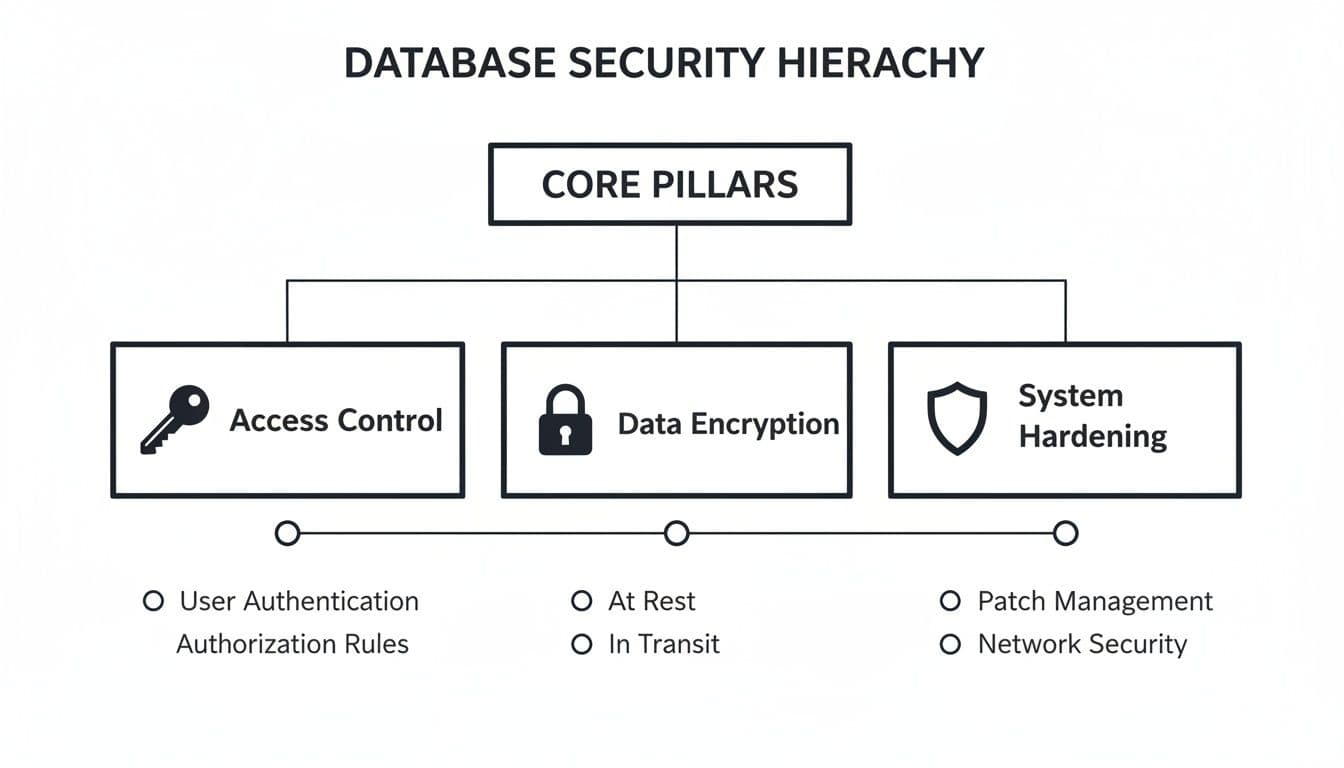
Think of Access, Encryption, and Hardening as the legs of a stool. If one is weak, the whole thing becomes unstable.
Key Pillars of a Strong Defense
Building a secure database is a lot like securing a physical building. You need strong locks on the doors, reinforced windows, and a reliable alarm system. Neglect one area, and you’ve created a weak point for intruders. Together, these measures create a defense that’s much harder to breach.
A truly comprehensive approach has to cover several critical areas:
- Robust Access Control: Making absolutely sure that only the right people and applications can touch specific pieces of data.
- Essential Data Encryption: Turning your data into unreadable ciphertext, whether it's sitting on a disk or flying across a network.
- System Hardening and Patching: Actively closing known security loopholes and shrinking the overall "attack surface" an adversary can target.
- Vigilant Monitoring and Response: Keeping an eye out for strange activity and having a clear, rehearsed plan for when things go wrong.
To quickly summarize these core concepts, the following table breaks down each layer, its main goal, and a concrete action you can take.
Core Pillars of Database Security at a Glance
| Security Layer | Primary Goal | Key Actionable Practice |
|---|---|---|
| Authentication & Authorization | Ensure only verified users/services access data they are explicitly permitted to see. | Implement the principle of least privilege; grant minimal necessary permissions. For example, create a read_only role for analytics users. |
| Data Encryption | Protect data from being read by unauthorized parties, both at rest and in transit. | Enforce TLS/SSL for all connections and enable transparent data encryption (TDE). An example is setting hostssl in PostgreSQL's pg_hba.conf. |
| Network & System Hardening | Reduce the database's attack surface by eliminating vulnerabilities. | Regularly apply security patches and disable unused features or services. An actionable step is running sudo apt update && sudo apt upgrade postgresql. |
| Auditing & Monitoring | Detect and log suspicious activity to enable a swift response. | Configure detailed audit logging for sensitive tables and critical events. For example, log all GRANT and DROP commands. |
| Backup & Incident Response | Ensure data can be recovered after an incident and the team knows how to react. | Test your backup restoration process and formalize an incident response plan. A practical action is restoring your backup to a staging server every quarter. |
By getting a handle on these practices, you shift from a reactive, "fix-it-when-it-breaks" mindset to a proactive one. This doesn't just protect your data—it builds critical trust with your users and turns security from a chore into a genuine feature of your product.
Mastering Access Control and Authentication
Think of your database's front door. It’s the most obvious, most frequently rattled entry point for any would-be attacker. You can have the most advanced security system money can buy on the inside, but none of it matters if the front door is unlocked. That’s why mastering access control and authentication is the first—and most important—step in any real defense strategy.
Weak or default credentials are the digital equivalent of leaving your keys under the doormat. It’s almost an open invitation. Attackers constantly run automated scans looking for these easy wins, checking for well-known defaults like admin/admin or postgres/postgres. This isn’t some far-fetched scenario; it’s happening, right now, all the time.
A favorite tactic is credential stuffing, where attackers take massive lists of usernames and passwords leaked from other data breaches and systematically try them against your database. If you've ever reused a password, it's not a matter of if your database will be compromised, but when.
Implement the Principle of Least Privilege
The most powerful security mindset you can adopt is operating on a strict "need-to-know" basis. In security circles, this is called the Principle of Least Privilege (PoLP). The idea is simple but incredibly effective: every user, application, and service should only have the absolute minimum permissions required to do its job. Nothing more.
It’s just like issuing keycards in an office. The marketing team gets access to the marketing floor and the breakroom, but their cards won't open the server room door. It's common sense. An application that only needs to read customer data should never, ever have permission to delete it.
By aggressively restricting permissions, you dramatically shrink the blast radius of a compromised account. If an attacker gets in through a user with limited privileges, their ability to wreck things is severely contained. They can't drop tables, create new admin users, or wander into sensitive data outside their tiny, approved sandbox.
Use Role-Based Access Control
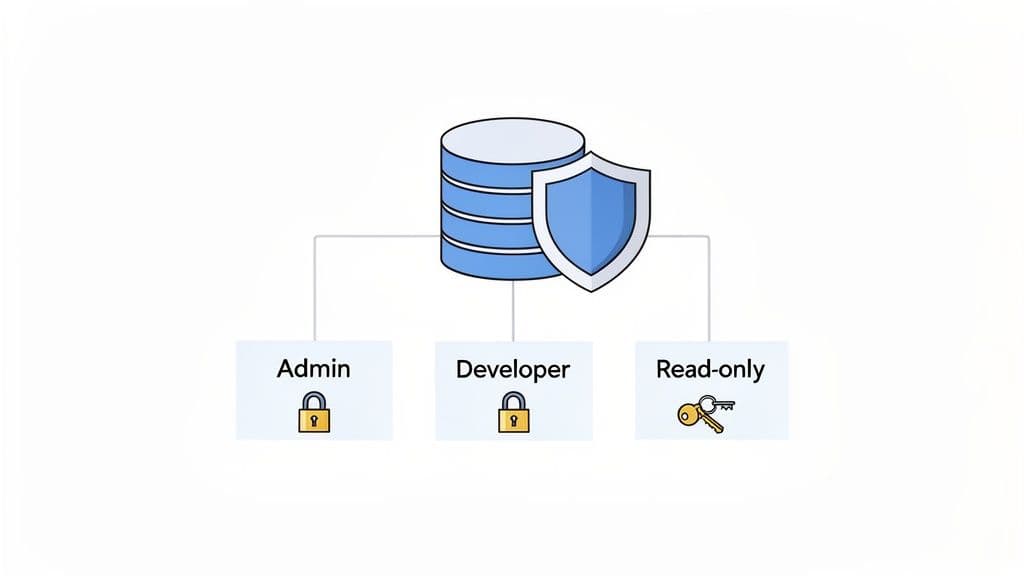
The most practical way to enforce the Principle of Least Privilege is with Role-Based Access Control (RBAC). Instead of assigning permissions to individual users one by one—which quickly becomes a nightmare to manage and audit—you create roles with specific, pre-defined permissions. Then, you just assign users to the appropriate role.
For example, you could create a few standard roles for your team:
readonly_analyst: Perfect for the data analytics team. This role can onlySELECTdata from specific tables, making it impossible for them to accidentally modify anything.app_developer: This role canSELECT,INSERT,UPDATE, andDELETEon the tables their application needs, but they can't change the database schema or mess with administrative settings.db_admin: This is the "super user" role with broad privileges for maintenance. It should be used sparingly, and only when absolutely necessary.
This approach centralizes all your permission management, making your life infinitely easier when it's time to audit who has access to what. It’s a cornerstone of modern database security.
Practical RBAC Examples
Let's see what this looks like in practice. Here’s how you’d create a simple read-only role in PostgreSQL. The logic is pretty much the same for MySQL or any other major relational database. Of course, to get this working, you first need to be connected to your database. If you're a bit rusty, our guide on how to connect to a PostgreSQL database can get you sorted.
PostgreSQL Example for a Read-Only Role
First, create the role itself.
CREATE ROLE readonly_analyst LOGIN PASSWORD 'a-very-strong-password';
Next, grant only the bare minimum permissions it needs.
GRANT CONNECT ON DATABASE my_app_db TO readonly_analyst;
GRANT USAGE ON SCHEMA public TO readonly_analyst;
GRANT SELECT ON ALL TABLES IN SCHEMA public TO readonly_analyst;
With this setup, the readonly_analyst can connect and run SELECT queries all day long, but they're completely blocked from changing a single piece of data.
Enforce Strong Authentication
Roles are only half the battle. You still need to make sure the person or service using that role is who they say they are. This starts with basic password hygiene but should really extend to modern verification methods.
- Enforce Strong Password Policies: Don't leave this to chance. Configure your database to require complex passwords (length, special characters) and always use a strong, salted hashing algorithm like BCrypt or PBKDF2 for storage. An actionable step is to check your PostgreSQL
password_encryptionsetting and ensure it is set toscram-sha-256. - Enable Multi-Factor Authentication (MFA): If you're using a managed database provider like Supabase or Neon, turn on MFA in your account dashboard. It’s not optional in today's world. This single step provides a massive boost to your security.
- Audit and Revoke Regularly: Set a recurring calendar event—quarterly works well—to review every single database user and their permissions. Remove accounts for people who've left the company and trim back privileges that are no longer needed. A practical example is running
SELECT rolname FROM pg_roles;in PostgreSQL and reviewing each role to ensure it's still necessary.
Recent security analyses are clear: the overwhelming majority of successful database breaches start with the abuse of legitimate credentials. This isn't about fancy zero-day exploits; it's about attackers walking right in the front door. Credential stuffing attacks alone account for a huge percentage of breaches on platforms like PostgreSQL and MySQL. That's why the best practice today is a powerful combination of RBAC and MFA—a one-two punch that has been proven to slash the risk of unauthorized access. For more on emerging threats, the folks at Redgate offer some fantastic insights.
2. Lock It Down with Encryption
Once you've sorted out who can access your database, the next step is making the data itself unreadable to anyone who shouldn't see it. This is where encryption comes in. Think of it as putting your data into a digital safe—even if a thief breaks into the building, they still can't get to the valuables inside without the key.
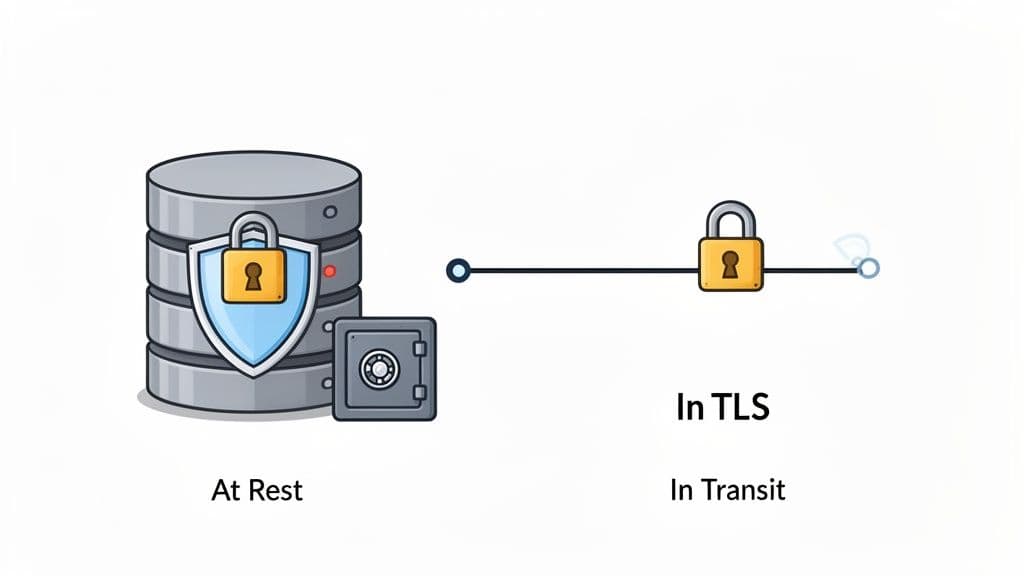
A solid encryption strategy covers data in two states: when it's moving across a network (data in transit) and when it's just sitting on a server (data at rest). If you only protect one, you're leaving a massive hole for attackers to exploit.
Securing Data in Transit
Anytime your app talks to your database, that conversation happens over a network. Without encryption, it's like sending postcards through the mail. Anyone who intercepts them can read everything. That's why securing this channel is non-negotiable.
The industry standard here is Transport Layer Security (TLS), the modern successor to SSL. Forcing a TLS connection means all communication between your app and the database is scrambled, shutting down eavesdroppers and "man-in-the-middle" attacks.
Think of TLS as an armored truck for your data. Instead of sending raw information down the highway, you're sealing it in a secure vehicle that only the intended recipient at the other end can open.
The good news is that most managed database providers like PlanetScale, Neon, or Supabase enforce TLS by default. It’s one of the big security wins you get by using their platforms. If you're running your own database, however, setting this up is on you.
Actionable Example for PostgreSQL
Enforcing TLS on a self-hosted PostgreSQL instance is surprisingly simple. You just need to make a small tweak to your pg_hba.conf file. By changing connection types from host to hostssl, you're telling PostgreSQL to reject any connection that isn't encrypted.
# Before: Allows both encrypted and unencrypted connections
host    all             all             0.0.0.0/0               md5

# After: Enforces encrypted connections for all remote users
hostssl all             all             0.0.0.0/0               md5
That one-word change makes a world of difference for securing your data on the move.
Protecting Data at Rest
Data at rest is exactly what it sounds like: your information sitting on a hard drive or SSD. If someone manages to get physical access to your server or, more likely, gets their hands on a stolen backup file, unencrypted data is an open book.
A great first line of defense is Transparent Data Encryption (TDE). TDE works in the background to encrypt your entire database, including data files and backups, without you having to change a single line of application code. It's a "set it and forget it" feature supported by systems like PostgreSQL and MySQL.
For an even more granular approach, you can use application-level encryption. This is where your application code selectively encrypts specific, highly sensitive columns—think Social Security numbers, API keys, or financial details—before they even hit the database.
- When to use TDE: It's your go-to for protecting the entire database from physical theft or unauthorized file system snooping. For example, encrypting the entire disk volume on your server using LUKS on Linux.
- When to use application-level encryption: Use this when you need to protect specific PII, even from a database admin who might have legitimate access to the server but shouldn't see the raw sensitive values. A practical example is using a library like
bcryptto hash user passwords before storing them in theuserstable.
A Special Note: Never, Ever Store Plain-Text Passwords
This one is so important it deserves its own section. You should never store user passwords in plain text. Period. Instead, they must be run through a strong, salted hashing algorithm.
Hashing is a one-way street; it turns a password into a garbled string of characters that can't be reversed. Modern algorithms like PBKDF2 or BCrypt are intentionally slow and resource-intensive, which makes it incredibly difficult for attackers to guess passwords through brute-force attacks.
With threats from AI and quantum computing on the horizon, strong encryption isn't just a best practice; it's becoming a requirement for survival. A recent analysis revealed a shocking statistic: 83% of large firms still don't have a secure cloud foundation, and only 25% fully encrypt data from end to end. As this report on 2026 data protection strategies highlights, the future of defense is built on zero-trust principles and comprehensive encryption.
7. Harden Your Database and Network Configuration
While the big, sophisticated hacks get all the attention, the truth is that most breaches happen because of simple misconfigurations. It’s the digital version of leaving the back door propped open.
Hardening is just the process of methodically checking all the locks. It’s about reducing your database's "attack surface" and getting rid of the low-hanging fruit that attackers count on. Security shouldn't be an accident; it has to be deliberate.
Think of a new database install like a new smartphone—it comes loaded with default settings and apps you’ll never use. Hardening is you going through and turning off Bluetooth, disabling location services for random apps, and setting a strong passcode. It’s about exposing only what is absolutely necessary.
This isn't just theory. Database misconfigurations are a huge, real-world problem. Recent data shows that 14.8% of web app vulnerabilities are critical, and SQL injection attacks—often enabled by insecure setups—make up over 28% of those flaws. Simple configuration errors are a factor in 15% of all data breaches, costing companies an average of $4.88 million. You can dig deeper into how these issues affect businesses in this 2026 data protection report.
Fortify Your Network Perimeter
First things first: build a strong fence. Your database should never, ever be directly accessible from the public internet unless you have an exceptionally good reason. Your application is the gatekeeper; the database is the vault.
A network firewall is your best friend here. It acts like a bouncer, checking IDs and turning away anyone who isn't on the list.
The golden rule is deny all by default. Your firewall should block everything and then only permit traffic from specific, trusted sources, like your application server's IP address. This approach is infinitely more secure than trying to maintain a blocklist of bad actors, which is a game you'll never win.
Whether you're self-hosting or using a managed provider like PlanetScale or Neon, this means using IP whitelisting. It's basically an exclusive guest list for your database. If a connection attempt comes from an IP that isn't on the list, it gets dropped on the spot. It never even gets a chance to try a password. For example, in your cloud provider's firewall settings, you would add a rule to allow inbound traffic on port 5432 only from your application server's static IP 54.123.45.67.
Disable Insecure Defaults and Patch Diligently
Database software often comes out of the box with features enabled just to make the initial setup feel easier. But what’s convenient for a developer in a test environment is a massive security liability in production.
Go through your database configuration and turn off everything you aren't actively using. For instance, older versions of MySQL used to ship with a 'test' database and anonymous user accounts that anyone could access. Removing them is a five-minute job that closes a huge, well-known security hole.
Actionable example for MySQL: Run DROP DATABASE test; and DELETE FROM mysql.user WHERE User='';
Patching is the other side of this coin. It’s fundamental. Vendors release security patches to fix vulnerabilities as they're discovered. Ignoring these updates is like knowing you have a hole in your fence and just leaving it there. Get on a regular schedule for applying security patches, but always test them in a staging environment first to make sure they don’t break your application.
Defend Against SQL Injection
Even with a locked-down network, your application can still be an open door if it doesn't handle user input correctly. SQL injection (SQLi) is still one of the most dangerous and widespread attacks out there. It’s where an attacker slips their own SQL code into your app's queries through an input field.
The most powerful defense is simple: never trust user input. Assume every piece of data coming from a user is hostile until proven otherwise.
The best way to do this is with parameterized queries, also known as prepared statements. Instead of mashing user input directly into your SQL strings, you use placeholders. The database engine then treats the user's data as a simple value, not as code it needs to execute. This makes injection impossible. If you run into any snags with this process, our guide on what to do when your locked SQLite database is unresponsive might help.
Here’s what that looks like in practice with Node.js and the pg library:
Vulnerable Code (Don't do this!)
// userInput is 'admin'--'
// The query becomes "SELECT * FROM users WHERE username = 'admin'--';"
// This bypasses the password check.
const query = `SELECT * FROM users WHERE username = '${userInput}' AND password = '${userPassword}';`;
client.query(query);
Secure Code (Using Parameterized Queries)
// The database engine treats userInput as a literal string, not code.
const query = 'SELECT * FROM users WHERE username = $1 AND password = $2';
const values = [userInput, userPassword];
client.query(query, values);
By locking down your network, cleaning up default settings, patching regularly, and using parameterized queries, you're not just fixing one or two problems—you're wiping out entire categories of common vulnerabilities.
Auditing, Monitoring, and Incident Response
You can't protect what you can't see. A locked-down database is a fantastic starting point, but it's not the whole story. Without a way to watch what's happening inside, you're just hoping your defenses are enough to stop threats you'll never even know are there—until it's way too late.
This is where auditing and monitoring come into play. Think of it like installing a top-notch security camera system in your digital vault. It logs every action, helps you spot suspicious behavior as it happens, and gives you a clear trail of evidence if something goes wrong. It turns security from a passive hope into an active, ongoing process.
Turning on the Lights with Database Auditing
First things first: you need to flip the switch and see what’s going on. Modern databases like PostgreSQL and MySQL have incredibly powerful logging features built right in, but they often ship with minimal settings to save on performance. Your job is to enable and fine-tune them to capture the events that actually matter.
The goal isn't to log every single SELECT query—that would just create a mountain of noise you'd never be able to sort through. Instead, you want to zero in on the high-stakes activities that could signal a real problem. A well-configured audit trail is your early warning system.
Here’s what you should absolutely start capturing:
- Authentication Events: Log every successful login, and more importantly, every failed login attempt. A sudden flood of failures from one IP address is a classic sign of a brute-force or credential-stuffing attack.
- Administrative Changes: Keep a record of any changes to user permissions, role grants, or database settings. Any
CREATE USER,GRANT, orALTER ROLEcommand is a big deal and should be on your radar. - Schema Modifications: Track all
CREATE,ALTER, andDROPstatements. An unexpectedDROP TABLEcommand is a five-alarm fire that needs immediate investigation. - Sensitive Data Access: For tables holding personal information, financial data, or other critical assets, it's often wise to log all access. This helps you spot weird query patterns, like a service account suddenly trying to dump the entire customer list.
Actionable Example for PostgreSQL: To enable logging of all DDL statements (like CREATE, ALTER, DROP), you can set log_statement = 'ddl' in your postgresql.conf file.
From Logs to Actionable Alerts
Once you have logs flowing, you need a system to make sense of them. Manually reading thousands of log lines just isn't feasible. This is where automated monitoring and alerting become your best friends.
The real magic of auditing isn't just having the logs; it's using them to spot weird behavior before it turns into a catastrophic breach. You want to shrink the "dwell time"—the gap between an attacker getting in and you finding out about it.
Set up your tools to send you real-time alerts for specific, high-priority events. For example, you should get an immediate ping if:
- A single user account racks up more than 10 failed login attempts in five minutes.
- A new admin user is created in the middle of the night.
- A query tries to pull data from a critical table like
usersorpayment_infofrom an IP address you've never seen before.
Practical Action: You can use a tool like fail2ban to monitor PostgreSQL log files for failed login attempts and automatically block the offending IP address at the firewall level.
Having a Simple Incident Response Plan
So, what happens when an alert goes off? "Panic" is not a plan. Even for a small team, a simple, clear incident response plan is a must-have. This doesn't need to be some hundred-page corporate binder; a one-page checklist is infinitely better than nothing.
Your plan should answer three fundamental questions:
- Who’s in charge? Designate one person as the point-of-contact who will coordinate everything.
- How do we stop the bleeding? The first move is always to contain the threat. This might mean disabling the compromised user's account (
ALTER USER compromised_user WITH NOLOGIN;), blocking the attacker's IP at the firewall, or even taking the app offline for a bit to stop data from leaving. - How do we get back to normal? This is where those secure, tested backups become your lifeline. A solid recovery plan means you can restore service quickly and confidently once the threat is gone. Remember, a backup you haven't tested is just a hope, not a strategy.
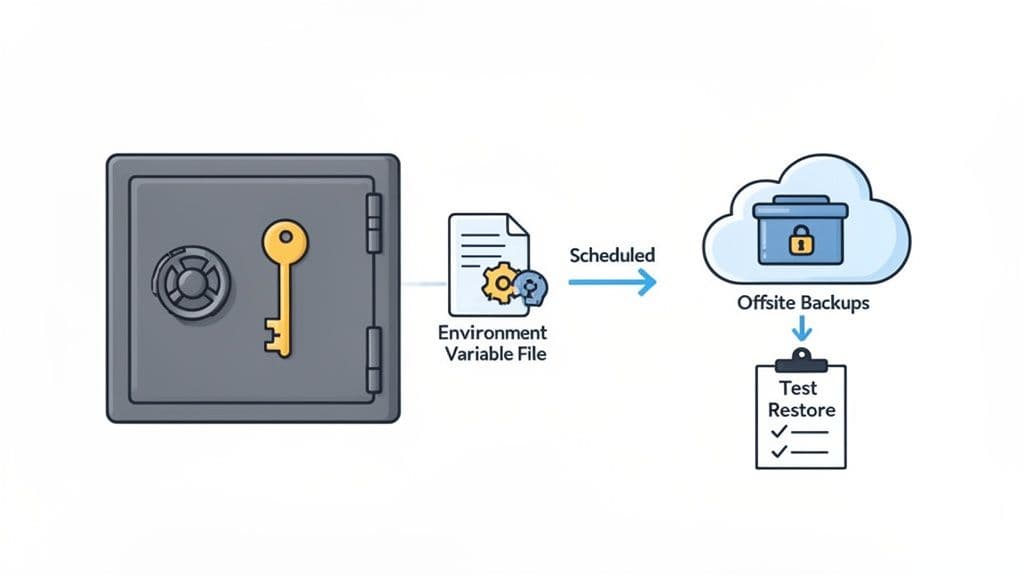
6. Managing Secrets and Creating Secure Backups
Hardcoding database credentials, API keys, or any other secrets directly into your application code is one of the most common and dangerous security mistakes a developer can make. Think of it as leaving the keys to your entire infrastructure taped to the front door. A single accidental commit to a public Git repository can expose everything, leading to a swift and devastating breach.
Thankfully, this is a solved problem. Modern secrets management is all about separating your code from your configuration, making sure sensitive credentials never end up in your codebase.
For local development, the easiest win is to use environment variables. Instead of typing DB_PASSWORD="your_password" directly into a script, you place it in a local .env file. The crucial next step is adding that .env file to your .gitignore to block it from ever being tracked by version control. This one habit prevents the most frequent cause of accidental credential leaks.
Scaling Secrets Management for Production
While .env files are great for a solo developer hammering out code on their laptop, they don't scale securely for a team or a production environment. For that, you need a more robust, centralized solution.
This is where dedicated secrets management tools come in. Services like HashiCorp Vault, or cloud-native options like AWS Secrets Manager and Google Secret Manager, act as heavily fortified, encrypted vaults for all your application's sensitive data.
- Centralized Control: They give you a single source of truth for every credential, which simplifies auditing who has access to what and makes rotating keys a breeze.
- Dynamic Secrets: Many of these tools can even generate database credentials on-the-fly with a very short time-to-live (TTL). This means if a key is ever compromised, it becomes useless within minutes.
- Granular Access Policies: You can create strict, iron-clad policies that define exactly which applications or services can retrieve specific secrets, perfectly enforcing the principle of least privilege.
Actionable Insight: A common pattern is to have your application, upon startup, authenticate with a secrets manager using an instance role (e.g., an EC2 IAM role) and fetch its database credentials dynamically. This means the credentials are never stored on disk.
Establishing a Reliable Backup Strategy
Here’s a hard truth: a backup you haven’t tested is just a hope, not a plan. Backups are your ultimate safety net against everything from data corruption and hardware failure to a full-blown ransomware attack. But just having backups isn't enough; they must be reliable, secure, and most importantly, restorable.
A well-executed backup and recovery plan is the difference between a minor service disruption and a business-ending catastrophe. The time to discover your restore process is broken is during a scheduled test, not during a real emergency.
Start by setting up a reliable schedule. For most applications, a mix of daily incremental backups (which only save changes since the last backup) and a weekly full backup strikes a good balance between comprehensive data protection and manageable storage costs. For a practical walkthrough, check out our guide on how to perform a PostgreSQL data dump.
It's also absolutely critical to store your backups in a completely separate and secure location. Keeping them on the same server as your database is a rookie mistake—if that server gets compromised or the disk fails, you lose both your live data and your only way to recover. Use a physically separate machine or a dedicated cloud storage service with tightly restricted access.
Finally, put a recurring event on your calendar to test your restore process from start to finish. This is the only way to be 100% certain that your recovery plan will actually work when you need it most.
Practical Action: Set up a cron job to run your backup script nightly and use a tool like rclone or s3cmd to automatically sync the backup files to a secure S3 bucket.
Got Questions? We’ve Got Answers.
Database security can feel like a moving target, and it's natural to have questions. Let's tackle some of the most common ones that come up for developers and small teams.
How Do I Secure a Database For a Small Project Without a Big Budget?
Great news: you don't need a huge budget to lock things down. The most impactful security measures are often free.
First things first, create a dedicated database user for your application with a strong, unique password. Whatever you do, never let your app connect with the root or admin account.
Actionable Example:
CREATE USER my_app_user WITH PASSWORD 'super-long-random-password';
GRANT CONNECT ON DATABASE my_db TO my_app_user;
GRANT SELECT, INSERT, UPDATE, DELETE ON my_table TO my_app_user;
Then, make it a habit to store credentials in environment variables—never hardcode them into your source code. Pop that .env file into your .gitignore immediately so it never ends up on GitHub.
Finally, keep your database off the public internet. If it doesn't need to be accessible from anywhere, don't let it be. Use your cloud provider's firewall rules to allow access only from your application's IP address. If you're using a platform like Supabase or Vercel, turn on multi-factor authentication (MFA) for your account right now. These simple, no-cost steps build a surprisingly solid foundation.
What Is the Single Most Important Database Security Practice?
If I had to pick just one, it would be the Principle of Least Privilege (PoLP). It’s a simple concept with a massive impact.
The idea is that any user, service, or application should only have the bare minimum permissions needed to do its job—and absolutely nothing more.
An analytics service that only generates reports? Give it read-only access. Your main application that only needs to interact with user and product tables? Create a role for it that can only touch those tables.
This one practice dramatically shrinks your "blast radius." If an application's credentials get compromised, the attacker is stuck in a tiny box. They can't drop your entire database or wander over to a
customerstable if the user they hijacked never had permission to do so in the first place.
How Often Should I Audit My Database Security Settings?
The honest answer? It depends. The frequency should match your risk level.
For a production database handling sensitive user data, a quarterly audit is a good rhythm. In that review, you'll want to check everything from user permissions and firewall rules to access logs, looking for anything out of the ordinary.
For a smaller side project or an internal tool, a semi-annual or annual checkup is probably fine. The non-negotiable rule, however, is to always conduct a security review after any major change. That means every time you deploy new code that touches the database, onboard a new developer, or switch hosting providers, it's time for a quick security once-over. Practical Action: Create a simple checklist in a shared document (e.g., Notion, Google Docs) that covers your key security controls. During each audit, go through the list and check off each item, noting any changes or required actions.
Juggling PostgreSQL, MySQL, and SQLite across different machines can get messy. TableOne gives you a single, unified client to connect to all of them, simplifying your entire workflow. Go beyond simple queries with powerful features like schema comparison, CSV import, and secure remote connections, all for a one-time license. Download the free trial of TableOne today.


