Master How to Copy Table from One Database to Another Easily in 2026
Copy table from one database to another - Learn how to copy a table from one database to another with expert guidance. Master SQL dumps, schema handling, and mo

Whether you need to copy a table from one database to another using a quick INSERT INTO ... SELECT query or a more powerful tool like pg_dump and mysqldump, the right approach always depends on the job at hand. The best method hinges on your databases, the size of the table, and whether you're moving just the data or the entire table structure, constraints and all.
Why Copying Tables Is a Core Developer Skill
Let's be honest—knowing how to move a table between databases is more than just a party trick for DBAs. It’s a fundamental skill every developer will need sooner or later. Think of it as the digital equivalent of moving furniture to a new house; you have to make sure everything gets there in one piece, ends up in the right room, and doesn't break on the way.
This isn't something you'll only do during a massive system overhaul or a disaster recovery drill. The need to shuttle data around is woven directly into the fabric of modern software development.
Common Scenarios You'll Encounter
You’ve probably run into these situations already. A classic example is building out a new feature on your local machine using a lightweight database like SQLite. Once you've got the prototype working, you need to get that shiny new users or products table into a production-grade PostgreSQL or MySQL database. If you can't do that smoothly, your entire workflow grinds to a halt.
Beyond initial development, this skill is crucial for keeping different environments in sync.
- Staging and Production Sync: You might need to pull a specific customer’s data from production down to a staging server just to replicate a tricky bug they're reporting. Actionable Insight: To do this for a single user, you could use a
WHEREclause in your export command, likemysqldump ... my_app users --where="user_id=123". - Analytics and Reporting: Your main application probably runs on a snappy transactional database, but the analytics team needs a copy of key tables in a data warehouse to run their complex reports without slowing things down for users. Actionable Insight: Schedule a nightly script that dumps the
ordersandline_itemstables and loads them into a separate analytics database. - Consolidating Microservice Data: In a distributed system, you may have to pull tables from several different microservice databases into one place to generate a single, unified report. Actionable Insight: A script could connect to a
usersdatabase and apaymentsdatabase to combine data into a new table for billing reconciliation.
The ability to move data reliably isn't just a nice-to-have. It’s a prerequisite for agile development, effective testing, and getting real insights from your data. It’s the bridge connecting all the different stages of the development lifecycle.
A Growing Market Reflects Its Importance
This isn't just anecdotal, either—the demand for better data transfer solutions is a huge economic driver. The Database Migration Solutions Market hit USD 12.01 billion in 2026 and is on track to reach USD 21.2 billion by 2030.
This boom is fueled by the massive adoption of cloud-native databases like PostgreSQL and MySQL, and the popularity of managed services from providers like PlanetScale, Neon, and Supabase. You can dig into these trends in the full market analysis on researchandmarkets.com.
Ultimately, getting good at copying tables gives you the confidence to manage data across any platform. Whether you’re using basic SQL commands, command-line scripts, or a slick GUI like TableOne, this guide will give you the practical know-how to tackle any data transfer job that comes your way.
Getting Your Hands Dirty with SQL Dumps
For those of us who live in the terminal, command-line tools like pg_dump and mysqldump are old friends. When it comes to copying a table, they're the tried-and-true workhorses. They give you a granular level of control that you just don't get with most GUIs. Let's dig into how you can use them for some common, real-world database tasks.
At its core, the process is simple: you export the table structure and its data into a .sql file (a "dump"), then you import that file into your target database.
This approach is incredibly common for syncing changes from a development environment over to production, as you can see here.
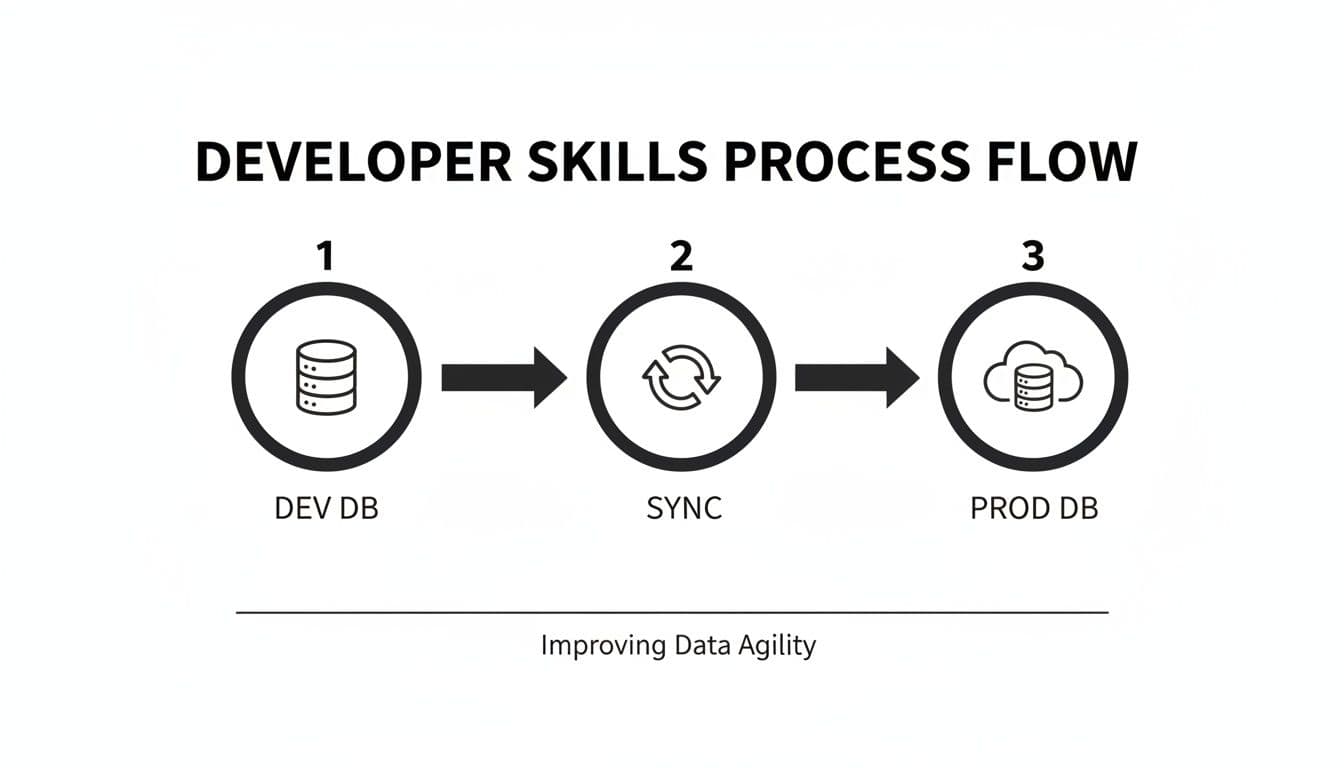
Think of these command-line tools as the essential bridge that lets you move tables and data between different databases reliably.
How to Dump a Single Table
Most of the time, you don't need to copy an entire database. You just want one or two specific tables. Thankfully, both mysqldump and pg_dump have flags to do just that, which keeps your dump files small and manageable.
Practical Example (PostgreSQL):
If you're on a PostgreSQL database, the -t (or --table) flag is what you're looking for. This command targets the public.users table in your source_db and saves the output to users_table.sql.
pg_dump -h source_host -U username -d source_db -t public.users > users_table.sql
Practical Example (MySQL):
For MySQL, the syntax is a bit different. You simply list the table name after the database name. This isolates the users table from source_db, creating a clean export.
mysqldump -h source_host -u username -p source_db users > users_table.sql
A Pro Tip: Separate the Schema and the Data
Here’s a strategy I swear by: handle the table’s structure (the schema) and its content (the data) as two separate steps. This gives you a crucial moment to pause, review the table's CREATE statement, and make any tweaks before you start loading in thousands or millions of rows.
First, just grab the schema. This file will contain the CREATE TABLE statement along with any indexes, constraints, and triggers.
- For PostgreSQL, use the
--schema-onlyflag.pg_dump -d source_db -t users --schema-only > users_schema.sql - For MySQL, you'll want the
--no-dataflag.mysqldump -u username -p source_db users --no-data > users_schema.sql
Next, get the data. This will create a file packed with INSERT statements.
- For PostgreSQL, that's the
--data-onlyflag.pg_dump -d source_db -t users --data-only > users_data.sql - For MySQL, the equivalent is
--no-create-info.mysqldump -u username -p source_db users --no-create-info > users_data.sql
Actionable Insight: By splitting the schema and data, you give yourself a safety net. You can open that
users_schema.sqlfile in a text editor and fix potential compatibility issues before applying it to the new database. This simple habit has saved me from countless import failures.
Bringing It All Together: Importing the Dump File
Once you've got your SQL file (or files), importing the data is pretty straightforward. You'll just use the standard client for your target database—psql for PostgreSQL or mysql for MySQL—to run the script.
Practical Example (PostgreSQL): To load the data into a PostgreSQL database:
psql -h dest_host -U username -d dest_db < users_table.sql
Practical Example (MySQL): And to do the same for a MySQL database:
mysql -h dest_host -u username -p dest_db < users_table.sql
If you separated your files, remember to run the schema file first, followed by the data file. You can't insert rows into a table that doesn't exist yet!
What to Do When Databases Don't Speak the Same Language
Now, this is where it gets tricky. The SQL dialect generated by pg_dump is specific to Postgres, and mysqldump produces SQL for MySQL. If you need to copy a table from one database to another of a different kind (like from Postgres to MySQL), you're going to have to get your hands dirty and edit the dump file.
Actionable Insight: Open the .sql schema file in a good text editor (like VS Code with SQL syntax highlighting) and use find-and-replace to fix common issues before import.
- Data Type Mismatches: A classic example is PostgreSQL's
SERIALtype, which needs to becomeINT AUTO_INCREMENTin MySQL. Likewise, aJSONBcolumn might need to be changed toJSONor even justTEXT. - Identifier Quoting: PostgreSQL likes to use double quotes (
") for table and column names, while MySQL uses backticks (`). A simple find-and-replace can usually fix this. - Database-Specific Functions: If your table schema uses functions like
NOW()orgen_random_uuid(), you'll need to find the equivalent function in the target database and swap it out. For example,gen_random_uuid()in Postgres becomesUUID()in MySQL.
This manual work is a non-negotiable skill for anyone doing these kinds of heterogeneous migrations. It requires attention to detail, but mastering SQL dumps gives you complete control. If you work with Postgres a lot, our guide on a complete PostgreSQL data dump dives into even more advanced techniques you might find useful.
Navigating Schemas, Constraints, And Large Datasets
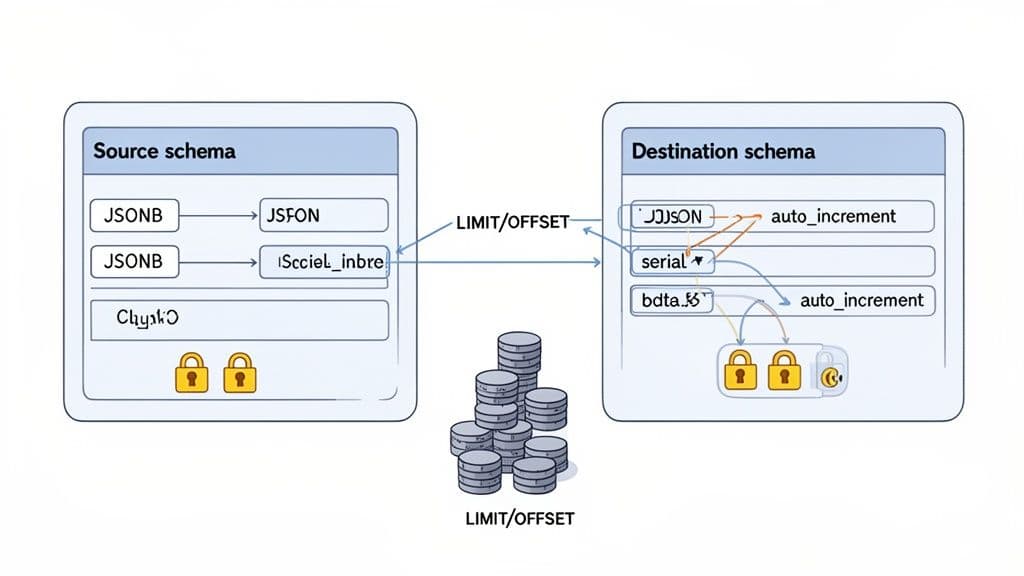
Let’s be honest: just moving rows of data is usually the easy part. The real headaches when you copy a table from one database to another come from everything around the data—the schema, the constraints, and the sheer volume of it. This is where a simple transfer can quickly go sideways.
Getting this right means moving beyond a basic copy-paste and thinking like a data architect. We need solid strategies to handle the three biggest hurdles: schema mismatches, relational constraints, and massive datasets.
Wrangling Schema and Data Type Differences
No two database engines speak the exact same dialect. A data type in PostgreSQL might be a foreign concept in MySQL or SQLite, and if you don't translate properly, your import will crash and burn.
It's no surprise that in 2026, a staggering 55% of database migration failures were chalked up to poor schema planning. You can read more about these data migration trends and best practices on techment.com.
You have to get ahead of these mismatches. It’s all about mapping data types from your source to your destination before you move a single row.
Here’s a quick reference I’ve put together from experience to help you map some of the most common culprits when moving between the big three.
Common Data Type Mismatches and Solutions
| PostgreSQL Type | MySQL Equivalent | SQLite Equivalent | Migration Tip |
|---|---|---|---|
JSONB | JSON | TEXT | Map JSONB to JSON. For SQLite, use TEXT and handle parsing in your application code. |
UUID | VARCHAR(36) | TEXT | A native UUID in Postgres becomes a string. Ensure your app can handle the conversion. |
ARRAY | TEXT / JSON | TEXT | Postgres arrays don't have a direct equivalent. Serializing to a delimited TEXT or JSON string is the common workaround. |
SERIAL | INT AUTO_INCREMENT | INTEGER AUTOINCREMENT | The syntax is slightly different, but the auto-incrementing primary key concept is the same. |
Actionable Insight: My go-to strategy is to generate a schema-only dump, then manually edit the CREATE TABLE statements for the target database. Get the structure perfect first, then worry about the data. For a deeper look at this process, check out our guide on how to compare database schemas effectively.
Taming Foreign Keys and Constraints
Foreign keys are the glue holding your relational data together, but during a migration, they feel more like roadblocks. If you try to insert rows into a child table before the parent rows exist, you’ll be met with a cascade of foreign key violation errors.
The most reliable way to handle this is to get them out of the way. Temporarily disable all foreign key checks, move your data, and then turn them back on.
This approach gives you a clean slate for the import, but it comes with a catch: the database won't be validating your relationships for you. Once you re-enable the constraints, you’re on the hook for verifying data integrity.
Practical Example (MySQL): In MySQL, you'd wrap your import process like this:
SET foreign_key_checks = 0;

-- ... Your INSERT statements or data import process happens here ...

SET foreign_key_checks = 1;
Practical Example (PostgreSQL): In PostgreSQL, you can set session-level behavior to defer constraint checking until the end of a transaction.
BEGIN;
SET CONSTRAINTS ALL DEFERRED;

-- ... Your INSERT statements here ...

COMMIT;
After the import, you absolutely must run queries to find any "orphaned" records that now violate the re-enabled constraints.
Actionable Insight: Don't forget about indexes! They aren't constraints, but they're critical for performance. Indexes rarely transfer between different database systems, so you’ll likely need to script their recreation manually after the data is loaded and verified.
Scripting Transfers for Huge Tables
Trying to copy a table with millions of rows in one giant transaction is a recipe for disaster. You’ll likely lock tables for an eternity, exhaust server memory, and hit network timeouts.
A much smarter way is to "chunk" the data—that is, process it in smaller, predictable batches.
This is usually done with a script that loops through the source table using LIMIT and OFFSET. You grab a batch of, say, 10,000 rows, insert them, and then increment the offset to get the next batch. You repeat this until all the rows have been copied over.
Practical Example (Pseudocode Script): Here’s a pseudocode example of what a chunking script might look like:
-- Pseudocode for a chunking script
DECLARE current_offset INT DEFAULT 0;
DECLARE batch_size INT DEFAULT 10000;
DECLARE rows_moved INT;

LOOP
  -- Insert a batch of rows from the source to the destination
  INSERT INTO destination_db.destination_table (col1, col2, col3)
  SELECT col1, col2, col3 FROM source_db.source_table
  ORDER BY id
  LIMIT batch_size OFFSET current_offset;

  -- Find out how many rows were just inserted
  SET rows_moved = ROW_COUNT();

  -- If we moved 0 rows, we're done with the table
  IF rows_moved = 0 THEN
    LEAVE LOOP;
  END IF;

  -- Set the offset for the next batch
  SET current_offset = current_offset + batch_size;
END LOOP;
This chunking method is a lifesaver for a few key reasons:
- Reduces Memory Load: Each transaction is small and self-contained.
- Avoids Timeouts: Short-lived queries are far less likely to fail over the network.
- It's Resumable: If the script fails halfway through, you can often pick up right where you left off instead of starting from scratch.
By tackling schemas, constraints, and table size with deliberate strategies like these, you can turn a risky data migration into a predictable and reliable process.
The Modern GUI Approach: A Faster Way With TableOne
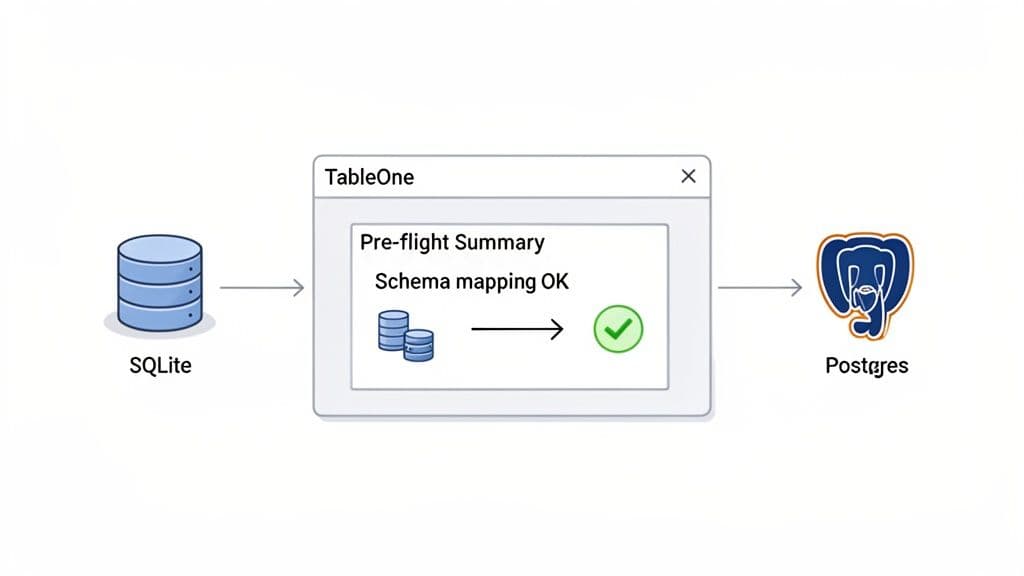
While I'm a big advocate for knowing your way around the command line, let's be realistic. Sometimes you just need to move a table from point A to point B without all the ceremony. This is where a good, modern database GUI really earns its keep. It takes the complex flags, manual schema edits, and multi-step commands and wraps them in a clean, visual workflow.
Let's walk through a common scenario to see how you can copy a table from one database to another in literally a few clicks. We’ll use TableOne for this, moving a products table from a local SQLite database (perfect for quick prototyping) to a remote Supabase Postgres instance, a setup many of us use for production apps.
Connecting to Your Databases
First things first, you have to connect to your databases. Instead of fumbling with connection strings and credentials in your terminal history, a GUI gives you a single, secure spot to manage everything.
In our case, we're dealing with two completely different beasts:
- Source: A local
northwind.sqlitefile just sitting on our machine. - Destination: A cloud-hosted PostgreSQL database from Supabase, which needs a host, port, user, and password.
A solid GUI handles all the different drivers and protocols behind the scenes. You just plug in your credentials, hit "Test," and you're good to go. Having one interface that speaks to all your databases is a massive time-saver.
The Visual Copy-Paste Workflow
With your connections live, the process feels almost laughably simple. Forget writing pg_dump or mysqldump commands—you’re now just clicking around the database schema. The whole idea is to make moving a table feel as intuitive as dragging a file between folders.
The clarity here is what really makes a difference. You see your source table, you pick your destination, and the tool handles the rest. It completely removes the anxiety of a typo in a long terminal command wrecking your afternoon.
Practical Example:
This screenshot shows that first moment in TableOne. We've just right-clicked our products table in the SQLite database and chosen "Copy Table to..."
This one simple dialog is already doing the heavy lifting of bridging the gap between our local file-based database and a remote Postgres server.
Automatic Schema Mapping and Pre-Flight Checks
This is where a purpose-built tool really flexes its muscles. I've spent more hours than I'd like to admit manually editing SQL dump files to fix data type mismatches—changing INTEGER to SERIAL or TEXT to VARCHAR. It's tedious and a recipe for mistakes. A modern GUI automates this entire headache.
Before a single byte of data gets moved, the tool runs a "pre-flight check":
- It inspects the source schema, reading the
CREATE TABLEstatement from our SQLiteproductstable. - It maps data types to the new database dialect. It’s smart enough to know an
INTEGER PRIMARY KEYin SQLite should probably become aSERIAL PRIMARY KEYin Postgres to keep auto-incrementing IDs working. - It shows you the plan. You get a clear preview of the exact
CREATE TABLEstatement it will run on the destination. This is your chance for a final sanity check before you commit.
Actionable Insight: By automating schema mapping and giving you a pre-execution summary, tools like TableOne eliminate one of the biggest points of failure in database migrations. You can move forward with confidence, knowing the structural problems have already been solved for you.
Mitigating Common Pitfalls Effortlessly
Beyond just mapping schemas, a guided process helps you sidestep all the other little things that can go wrong with a manual transfer.
- Constraint Handling: What about foreign keys? Instead of remembering to run
SET foreign_key_checks = 0;, a GUI can offer a simple checkbox. TableOne, for example, typically copies the table structure first, then the data, which neatly avoids foreign key errors during the import. - Transactional Integrity: The whole copy operation is usually wrapped in a transaction. If anything goes wrong—a network hiccup, an unexpected data issue—the whole thing gets rolled back. Your destination database is left untouched, preventing a partial, corrupted table.
- Large Tables: While you can script
LIMIT/OFFSETloops, some GUIs have built-in chunking or streaming for large tables. This gives you a robust transfer for millions of rows without writing a single line of custom code.
If you find yourself moving data between different database systems regularly, it's worth seeing how a dedicated tool can automate these tedious tasks. You can learn more about how TableOne streamlines these data operations on tableone.dev. For any developer or team juggling multiple databases, making the switch from manual commands to a visual workflow can dramatically cut down on errors and give you back valuable time.
Verification: Don't Just Copy, Confirm
Alright, the progress bar is gone and the script finished without errors. It feels like you’re done, but hold on—the most important part of any database copy is about to begin. Simply moving the data isn't enough. You have to prove it got there correctly.
Without proper verification, you're just hoping for the best. This is the step that turns a risky data transfer into a reliable, confirmed success.
First Things First: A Simple Row Count
Before you do anything else, run a quick COUNT(*) on both the source and the destination table. This is the fastest way to spot a total disaster, like a script that timed out or a network issue that dropped a whole chunk of data.
Practical Example: Run this on both your source and destination databases:
SELECT COUNT(*) FROM your_table_name;
If those numbers don't match, you stop. Something is fundamentally broken. This one simple query is your first line of defense and has saved me from countless headaches by flagging an issue immediately.
But don't get a false sense of security if the counts match. This only tells you the number of rows is correct, not that the data inside those rows is right.
Go Deeper with Aggregate Functions
To gain more confidence, you need to start inspecting the data itself. A fantastic way to do this without manually comparing thousands of rows is by using aggregate functions on key numeric columns. Running a SUM(), AVG(), or checking the MAX() value of an ID can quickly surface subtle problems.
Practical Example:
For instance, pick a column like order_total or inventory_quantity and run a query like this on both databases:
SELECT
  SUM(numeric_column),
  AVG(numeric_column),
  MAX(id_column)
FROM your_table_name;
If the sums or averages are off, you might be looking at a data type problem—a classic example is a high-precision DECIMAL getting demoted to a FLOAT during the transfer, causing rounding errors. A mismatched MAX(id_column) could mean you missed the last few rows.
Actionable Insight: A matching
COUNT(*)confirms the quantity, but a matchingSUM(column)starts to confirm the quality. This two-pronged approach catches a huge percentage of common transfer errors and is a must-have for any verification checklist.
For Maximum Confidence, Use Checksums
When the data is absolutely mission-critical, you need a near-bulletproof method. This is where checksums shine. A checksum function creates a unique hash value based on the content of a row or an entire table. If a single byte is off, the checksum will be completely different.
While MySQL offers a straightforward CHECKSUM TABLE command, you have to get a little more creative with other databases like PostgreSQL. A great technique is to create a hash for each row and then aggregate those hashes into a final signature for the whole table.
Practical Example (PostgreSQL): This query is clever: it converts every row to text, mashes them together into one giant string (ordered by a primary key to ensure consistency), and then computes an MD5 hash of the final string. Run this on the source and destination.
-- Generate an aggregate hash of the entire table
SELECT md5(string_agg(tbl::text, '' ORDER BY id))
FROM your_table_name AS tbl;
If the hashes are identical, you can be extremely confident the data is a perfect match.
The Final Sanity Check: Manual Spot-Checking
Automated checks are powerful, but nothing beats a quick manual inspection to give you complete peace of mind. A human eye can catch nuanced issues that scripts might miss.
Actionable Insight: Pick a handful of specific rows from both the source and destination tables and compare them side-by-side. I always try to pick rows that represent potential edge cases:
- Timestamps with timezones: Did they transfer perfectly, or did they get silently converted to UTC?
- Rows with
NULLvalues: Are they stillNULLon the other side, or did they get turned into an empty string or a0? - Text with special characters: Look for rows with emoji, accents (like
ñoré), or symbols (&,',"). These are notorious for breaking when character encodings don't match up. - The very first and last rows: A quick look at the records with the lowest and highest primary keys is a great way to be sure you didn't miss the beginning or end of your data set.
This manual spot-check is your final sign-off. It’s the human touch that confirms all your queries and scripts did their job as expected.
Frequently Asked Questions About Copying Database Tables
When it comes to moving tables between databases, a few tricky scenarios seem to trip up even seasoned developers. Let's walk through some of the most common questions and how to handle them based on real-world experience.
How Do I Copy a Very Large Table Without Downtime?
When you're dealing with a truly massive table—we're talking hundreds of gigabytes—your typical pg_dump or even a careful chunking script often isn't enough. They can lock up resources or simply take too long, leading to unacceptable downtime.
Actionable Insight: The professional-grade solution here is to use logical replication or a Change Data Capture (CDC) stream. You start by taking an initial snapshot of the table, but the real magic is what comes next. You set up a tool (like PostgreSQL's built-in logical replication or a dedicated solution like Debezium) to stream all ongoing changes—the INSERTs, UPDATEs, and DELETEs—from the source to the target in near real-time.
Once the new table is fully synchronized and caught up, you can perform a quick switch of your application's connection string. This approach minimizes the cutover window to just a few seconds, if there’s any downtime at all.
What Is the Best Way to Handle Different Character Encodings?
Ah, the dreaded character encoding mismatch. Moving a table from a Latin1 MySQL setup to a UTF-8 PostgreSQL database is a classic way to corrupt your data with ??? characters. The secret is to solve the problem at the source, during the export.
Actionable Insight: Don't wait until the import to fix encoding. When you export, explicitly tell the database to give you the data in your target encoding—which should almost always be UTF-8—to preserve everything from special characters to emoji.
Practical Example:
A simple flag with mysqldump can save you a world of pain. By telling it to output as UTF-8, you ensure the data is converted correctly before it even leaves the source system.
mysqldump --default-character-set=utf8mb4 ... > dump.sql
This forces MySQL to handle the conversion on its way out, preventing that silent data loss that’s so hard to debug later.
Can I Copy Tables Between Different Cloud Providers?
Absolutely. This is a very common task, like migrating a table from AWS RDS for PostgreSQL to Google Cloud SQL for PostgreSQL. Since they're both just managed versions of the same database engine, your standard tools like pg_dump and psql work just as you'd expect.
The real challenge isn't the database itself; it's the networking and authentication standing between them.
Actionable Insight: You'll typically need to:
- Configure firewall rules in both the source and destination cloud environments to allow them to communicate. Specifically, add an inbound rule on the destination server's firewall allowing traffic from the source server's IP address on the database port (e.g., 5432 for Postgres).
- Connect to each database using its public endpoint and credentials, making sure to secure those connections with SSL. Most clients (
psql,mysql) have flags likesslmode=requireto enforce this.
For these kinds of cross-cloud jobs, sticking with a SQL dump or using a GUI tool that can connect to both endpoints is usually the most reliable and straightforward method.
Stop wrestling with complex commands and incompatible tools. TableOne offers a single, unified interface to browse, edit, and copy tables across SQLite, PostgreSQL, MySQL, and popular managed providers. Get your 7-day free trial of TableOne today.


